Introduction
This manual provides essential information for the safe and efficient operation of your LG 75-Inch Class QNED AI 4K Smart TV (Model: 75QNED82AUA). Please read this manual thoroughly before using your TV and retain it for future reference. Your LG QNED AI 4K TV delivers vivid, immersive color with its wide color gamut technology, enhanced by the α7 AI Processor Gen8 for optimized picture and sound. It features the LG webOS 24 platform for streaming, virtual 5.1 surround sound, FILMMAKER MODE, and gaming enhancements like FreeSync and VRR.
Setup
What's in the Box
Verify that all components are present before beginning installation:
- LG 75-Inch QNED AI 4K Smart TV
- Magic Remote Control
- AAA Batteries (2) for Remote Control
- TV Stand Components
- Power Cable
- User Manual (this document)
Physical Installation
Carefully unpack your TV. You can choose to mount the TV on a wall (wall mount sold separately) or use the included stand.
Attaching the Stand:
- Place the TV screen-down on a soft, flat surface to prevent damage.
- Align the stand components with the mounting holes on the bottom of the TV.
- Secure the stand using the provided screws. Ensure all screws are tightened firmly.
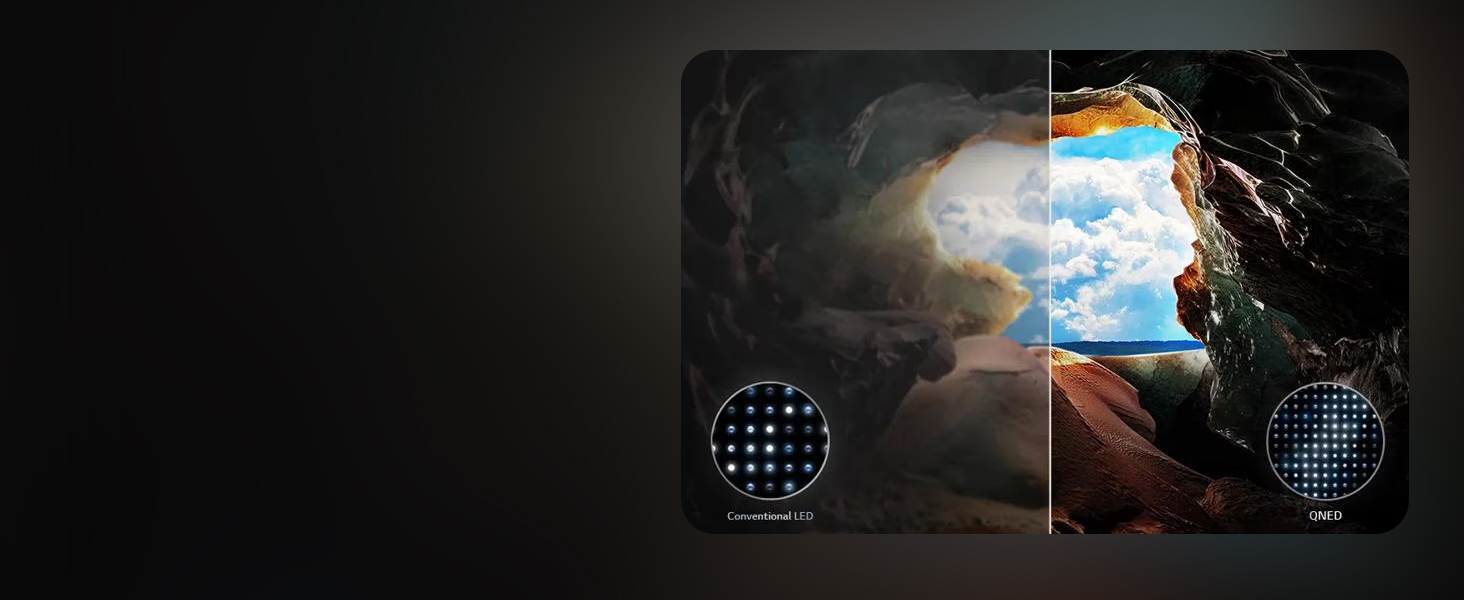
Image Description: This diagram illustrates the physical dimensions of the LG 75QNED82AUA TV, measuring 66 inches wide by 38 inches high (without stand) or 40.6 inches high (with stand), and 14.1 inches deep with the stand. It also shows the included Magic Remote and lists the contents of the box: Magic Remote, remote control batteries, stand, quick start guide, and power cable.
Connecting Power and External Devices
Connect the power cable to the TV and then to a wall outlet. Connect your external devices (e.g., cable box, Blu-ray player, gaming console) to the HDMI ports on the back of the TV. The TV supports various connectivity options including HDMI, USB, Ethernet, Bluetooth, and Wi-Fi.

Image Description: A rear view of the LG 75-inch TV, highlighting the arrangement of its input and output ports. These include multiple HDMI ports, USB ports, an Ethernet port for wired internet connection, and an optical digital audio output.
Operating Your TV
Magic Remote Control
The LG Magic Remote allows for intuitive control of your TV. It features point-and-click functionality, scrolling, and an AI button for voice commands and smart features.

Image Description: A detailed view of the LG Magic Remote, showcasing its various buttons. Key features include a power button, settings button, home button, a central scroll wheel with click function, dedicated buttons for streaming services like Netflix, Prime Video, Disney+, LG Channels, and Sling, as well as AI voice assistant buttons for LG's AI and Alexa.
Navigating webOS
Your TV runs on LG's webOS 24 Smart TV platform, offering a personalized and streamlined user experience. Use the Magic Remote to navigate through customizable Quick Cards and access a wide range of streaming applications and over 350 free LG Channels.

Image Description: A visual representation of the LG webOS smart TV platform, featuring icons for popular streaming services like Netflix, Disney+, Apple TV+, and Prime Video. The image also highlights the webOS Re:New Program, emphasizing software updates and feature refreshes.
Picture Settings and Enhancements
The LG QNED AI 4K TV offers advanced picture technologies for an optimal viewing experience:
- Dynamic QNED Color: Provides vivid and immersive colors with 100% Color Volume, verified by Intertek.
- Dimming Pro: Improves contrast and minimizes halo effects through precise lighting control.
- α7 AI Processor Gen8: Enhances brightness, sound, and refines picture detail with 4K upscaling and Dynamic Tone Mapping.
- HDR10 Pro: Delivers a dramatic visual experience by enhancing each color on your screen.
- FILMMAKER MODE: Preserves the director's original colors, settings, and frame rates for an authentic cinematic experience.
- Personalized Picture Wizard: Uses AI to analyze your preferences and create tailored picture settings.
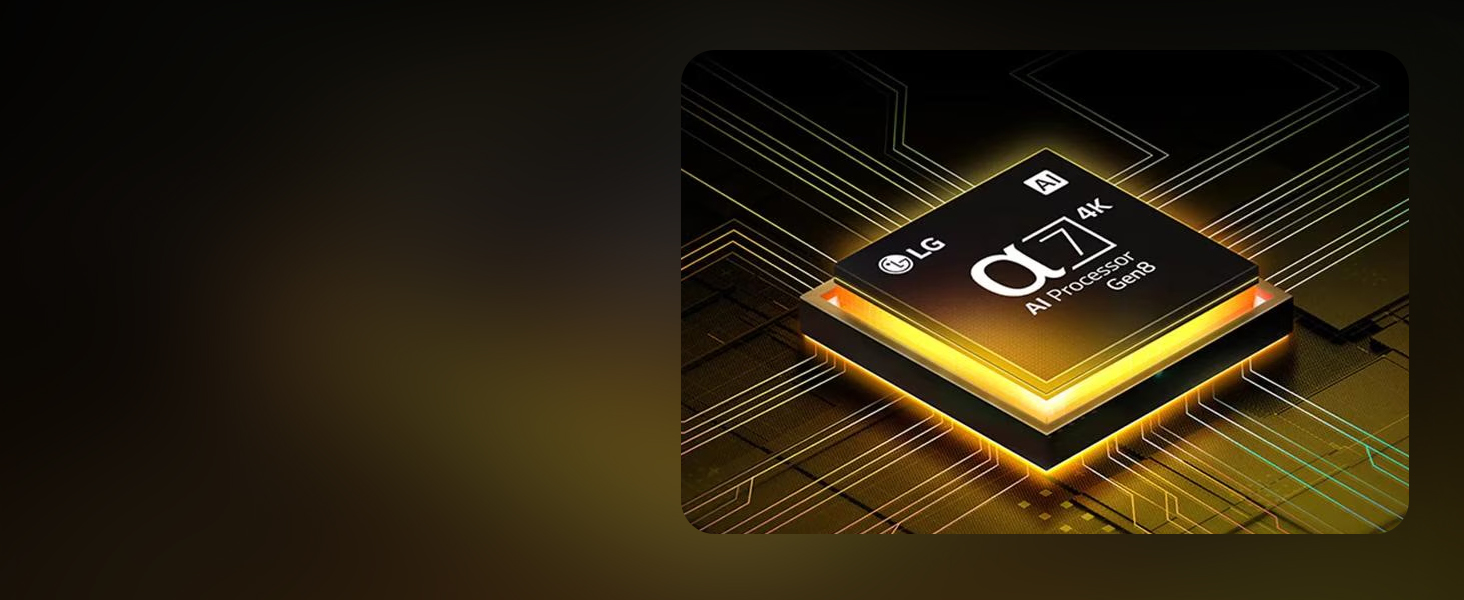
Image Description: An abstract image featuring vibrant, flowing colors, illustrating the concept of LG's Dynamic QNED Color. The image highlights that this technology provides enhanced color reproduction and is 100% Color Volume Certified by Intertek.
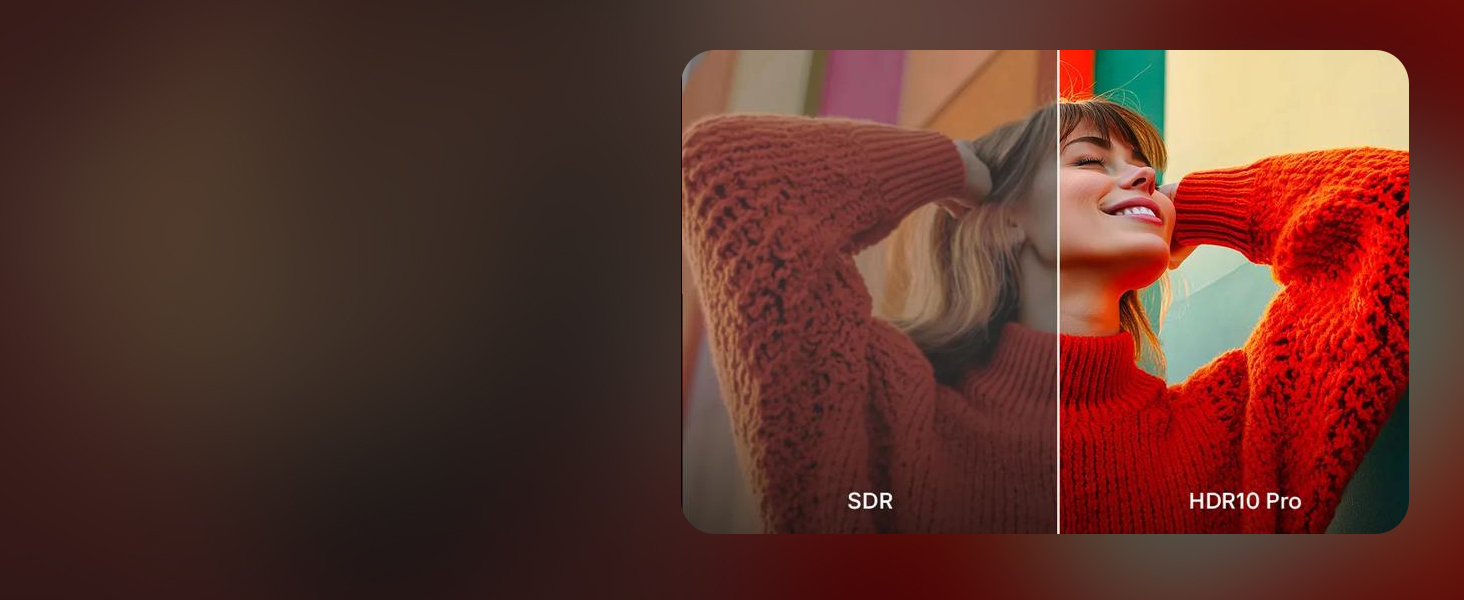
Image Description: A stylized depiction of the LG Alpha 7 AI Processor Gen8 chip, surrounded by circuit lines. Text overlays indicate its functions: enhanced brightness, improved sound, and refined picture detail with 4K upscaling and Dynamic Tone Mapping Pro.

Image Description: A side-by-side comparison of an image displayed in SDR (Standard Dynamic Range) and HDR10 Pro. The HDR10 Pro side exhibits significantly richer colors, deeper contrast, and more vibrant highlights, illustrating the visual enhancement provided by HDR10 Pro technology.

Image Description: An image showing a person viewing content on an LG TV in a home theater setting, with the screen displaying a movie scene. The text highlights 'FILMMAKER MODE' and mentions support for Dolby Vision and Dolby Atmos, indicating an optimized cinematic viewing experience.
Gaming Features
For gamers, the LG QNED AI 4K TV provides a responsive and immersive experience:
- FreeSync & VRR: Reduces screen tearing and stuttering for smooth gameplay.
- GeForce NOW & Xbox Cloud Gaming: Access cloud gaming services directly.
- LG Game Optimizer & Game Dashboard: Centralized settings for game-specific adjustments.
- HDMI 2.0 Ports: Four ports for connecting multiple gaming consoles and devices.

Image Description: A dynamic image showing a person engaged in a racing video game on an LG TV. Overlays emphasize key gaming features such as VRR (Variable Refresh Rate) for smooth visuals, NVIDIA GeForce NOW for cloud gaming, ALLM (Auto Low Latency Mode) for reduced input lag, and eARC (Enhanced Audio Return Channel) for high-quality audio.
AI Features and Connectivity
Leverage the TV's artificial intelligence and connectivity options:
- AI Search: Provides personalized recommendations and solutions, including integration with Microsoft Copilot.
- AI Voice ID with My Profile: Recognizes your voice and offers tailored content recommendations.
- Smart Home Integration: Compatible with Google Assistant, Apple HomeKit, Amazon Alexa, and Matter for seamless control of smart home devices.
- Screen Sharing: Easily cast content from your mobile devices to the TV.

Image Description: A screenshot of the LG TV's AI Search function, displaying a search query for 'What kind of sports games are there?'. The interface shows search results and an integrated option to 'Ask Copilot' for additional solutions, demonstrating personalized recommendations.

Image Description: A visual representation of the LG TV's AI Voice ID with My Profile feature. The screen displays various user profiles and a prompt indicating 'Switching to my account', illustrating how the TV recognizes individual voices for tailored recommendations.
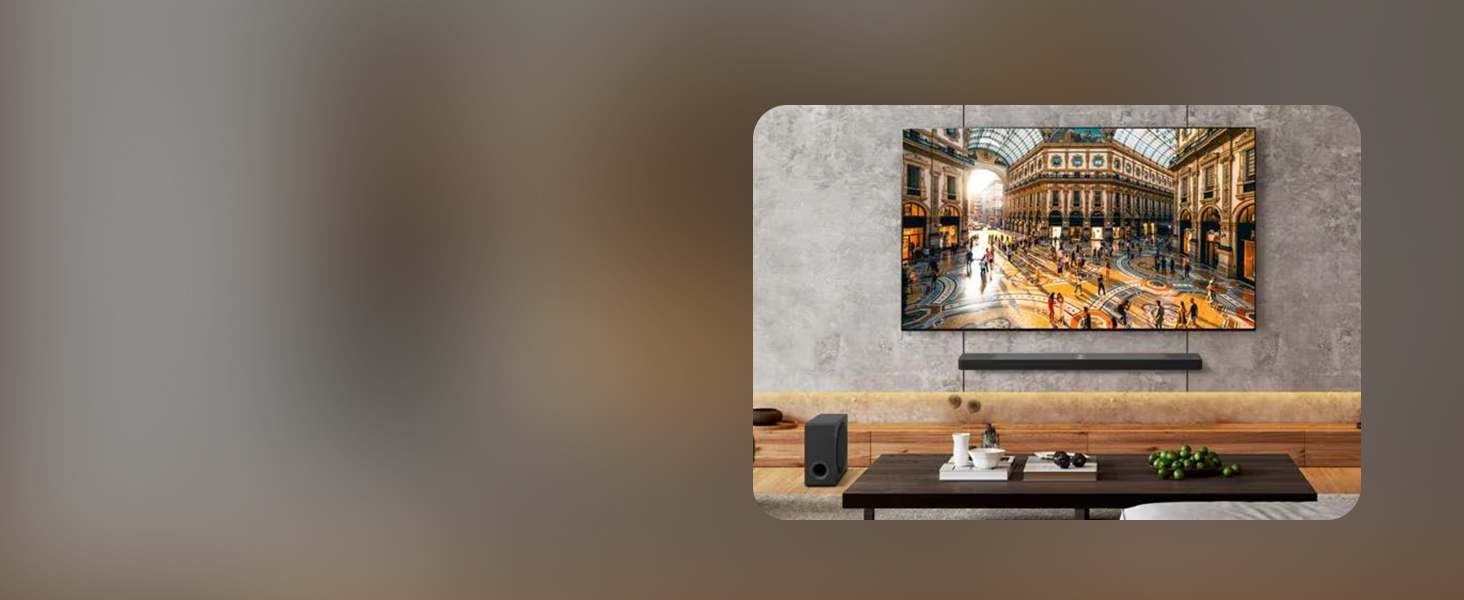
Image Description: An LG TV screen showcasing its compatibility with various smart home ecosystems, displaying logos for Apple HomeKit, Google Assistant, Amazon Alexa, and Matter. A smartphone next to the TV illustrates a control interface, indicating seamless integration and control of smart devices.
Maintenance
Cleaning Your TV
To maintain the appearance and performance of your TV, follow these cleaning guidelines:
- Always unplug the TV from the power outlet before cleaning.
- Use a soft, dry, lint-free cloth to gently wipe the screen and exterior surfaces.
- For stubborn marks, lightly dampen the cloth with water or a specialized screen cleaner. Do not spray cleaner directly onto the screen.
- Avoid using abrasive cleaners, waxes, or solvents as they can damage the TV's finish.
Software Updates
Your LG TV is part of the webOS Re:New Program, which provides software updates and feature refreshes for 5 years. Ensure your TV is connected to the internet to receive these updates. Software updates will auto-download; users with "auto-update" disabled will receive a prompt to update.
Troubleshooting
If you encounter issues with your TV, refer to the following common problems and solutions:
| Problem | Possible Solution |
|---|---|
| No Power | Check if the power cable is securely plugged into both the TV and the wall outlet. Try a different outlet. |
| No Picture / Black Screen | Ensure the correct input source is selected. Check all cable connections to external devices. Restart the TV by unplugging it for 30 seconds and plugging it back in. |
| No Sound | Check the volume level and ensure the TV is not muted. Verify audio cable connections if using external speakers. Check TV sound output settings. |
| Remote Control Not Working | Replace the batteries in the Magic Remote. Ensure there are no obstructions between the remote and the TV. Re-pair the remote if necessary (refer to the on-screen guide). |
| Poor Picture Quality | Check the signal strength of your broadcast or streaming source. Adjust picture settings (brightness, contrast, sharpness). Ensure the content resolution matches the TV's capabilities. |
| Wi-Fi Connection Issues | Restart your router and modem. Check the Wi-Fi password. Move the TV closer to the router or use a wired Ethernet connection. |
Specifications
| Feature | Detail |
|---|---|
| Brand | LG |
| Model Number | 75QNED82AUA.AUSZ |
| Screen Size | 75 Inches (75.1" Diagonal) |
| Display Technology | LED (QNED) |
| Resolution | 4K (3840 x 2160) |
| Refresh Rate | 60 Hz |
| Processor | α7 AI Processor Gen8 |
| Operating System | webOS 24 |
| Connectivity Technology | Bluetooth, Ethernet, HDMI (4 ports), USB, Wi-Fi |
| Special Features | Built-In Speaker, Game Mode, Google Cast built-in, Local Dimming, Multiple Voice Assistance (Alexa Built-in), FreeSync, VRR, Filmmaker Mode, HDR10 Pro |
| Product Dimensions (with stand) | 14.1"D x 66"W x 40.6"H |
| Item Weight | 71.4 Pounds |
| Voltage | 120 Volts |
| Included Components | Power Cable, Remote Control, Stand, User Manual |
| On-mode Power Consumption | 151 watts |
| Annual Energy Consumption | 278 Kilowatt Hours Per Year (based on 4 hours/day) |
Warranty and Support
Software Updates and Feature Refreshes
Your LG QNED AI 4K Smart TV is supported by the webOS Re:New Program, ensuring 5 years of software updates and feature refreshes from LG. This program helps maintain your TV's performance and keeps its smart features up-to-date.
Customer Support
For technical assistance, warranty claims, or further inquiries, please refer to the official LG support website or contact LG customer service directly. Contact information can typically be found on the LG website or in the quick start guide included with your product.