
1. Introduction
Thank you for choosing the CTOLITY AP400 Portable Power Station. This device is a versatile and reliable power source equipped with a 481Wh LiFePO4 battery and 500W output. It is designed to provide electricity for outdoor activities, emergency backup, and mobile work. This manual provides essential information for safe operation, setup, maintenance, and troubleshooting.
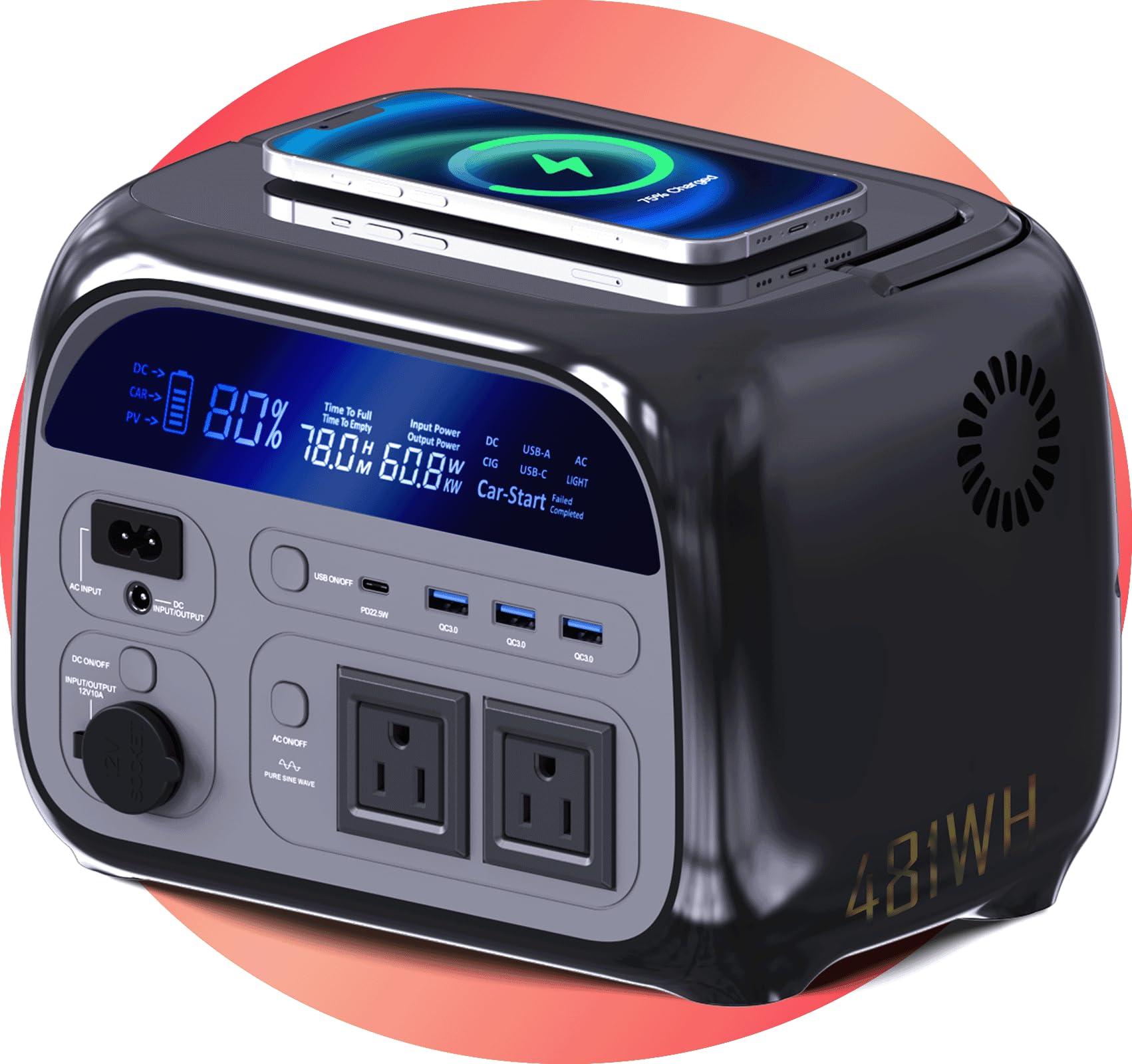
Image 1.1: CTOLITY AP400 Portable Power Station. This image shows the power station positioned on a rock in a natural, forested environment, highlighting its suitability for outdoor use.
2. Safety Instructions
Please read and understand all safety instructions before operating the power station. Failure to follow these instructions may result in electric shock, fire, or serious injury.
- Do not disassemble, repair, or modify the unit.
- Do not expose the unit to fire or extreme temperatures.
- Keep the unit away from water, moisture, and corrosive substances.
- Ensure proper ventilation during use and charging to prevent overheating.
- Do not insert foreign objects into the ports.
- Keep out of reach of children and pets.
- Use only approved accessories and charging cables.
- If the unit emits smoke, strange odors, or unusual noise, discontinue use immediately and contact support.
3. Package Contents
Verify that all items are included in your package:
- CTOLITY AP400 Power Station
- AC Adapter
- Car Charger Cable
- User Manual (this document)
4. Product Features and Overview
The AP400 Power Station is designed with multiple features for convenience and safety.
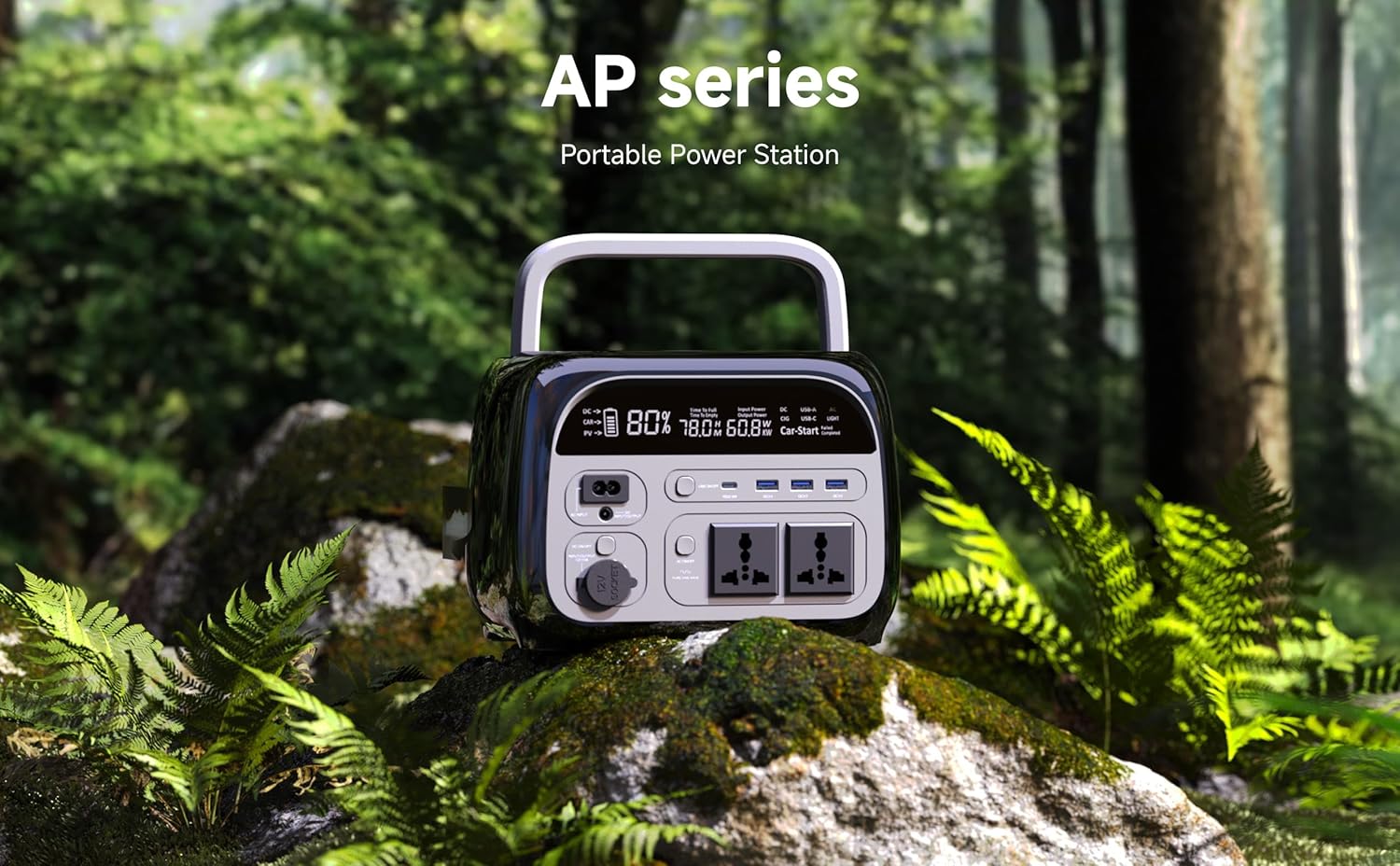
Image 4.1: Front Panel Overview. This image displays the front of the power station, highlighting the LCD screen, AC outlets, USB ports, and DC ports.
Key Features:
- 481Wh LiFePO4 Battery: Provides long-lasting and stable power.
- 500W AC Output: Two pure sine wave AC outlets for sensitive electronics.
- Multiple DC & USB Ports: Includes 2 DC ports and 4 USB ports (including USB-C) for diverse device charging.
- LCD Display: Shows real-time battery level, input/output wattage, and remaining runtime.
- Multiple Charging Options: Supports AC wall outlet, solar panel (not included), and car charging.
- Compact & Lightweight: Weighs approximately 10 lbs for easy portability.
- UPS Functionality: Features a 0.03-second instant switch for uninterruptible power supply.
- Wireless Charging: Supports WPC Qi v1.2.4 for compatible devices.
5. Setup
Initial Charging:
- Upon receiving your AP400, it is recommended to fully charge the unit before first use.
- Connect the provided AC adapter to the AC input port on the power station.
- Plug the AC adapter into a standard wall outlet.
- The LCD display will indicate charging status. The unit is fully charged when the battery icon shows 100%.
Understanding the Display:
The LCD display provides critical information:
- Battery Level: Percentage indicator of remaining battery capacity.
- Input Wattage: Shows the power being drawn during charging.
- Output Wattage: Displays the power being consumed by connected devices.
- Remaining Runtime: Estimated time the power station can operate based on current load.
6. Operating Instructions
Powering On/Off:
- To turn on the power station, press and hold the main power button for 3 seconds. The LCD display will illuminate.
- To turn off the power station, press and hold the main power button for 3 seconds again. The display will turn off.
Charging the Power Station:
The AP400 offers multiple charging methods:

Image 6.1: Charging Options. This image illustrates the three primary ways to charge the power station: via AC wall outlet, solar panels, and a car charger.
- AC Wall Outlet: Connect the AC adapter to the AC input port and a wall outlet.
- Solar Panel (not included): Connect compatible solar panels (up to 200W input) to the DC input port. Ensure the solar panel voltage is within the specified range.
- Car Charger: Use the provided car charger cable to connect the power station to your vehicle's 12V cigarette lighter port.
Using Output Ports:
Activate the desired output section by pressing its respective button (AC, DC, USB) on the front panel.
- AC Outlets: Press the AC button to enable the two 110V AC outlets. Plug in devices requiring up to 500W total.
- USB Ports: Press the USB button to activate the 4 USB ports (including USB-C). Connect smartphones, tablets, and other USB-powered devices.
- DC Ports: Press the DC button to enable the two 12V DC ports. Suitable for devices like car refrigerators or portable air pumps.
- Wireless Charging: Place your Qi-compatible device on the wireless charging pad located on the top of the unit.
Always ensure the total power consumption of connected devices does not exceed the power station's maximum output capacity (500W).
7. Maintenance
- Storage: Store the power station in a cool, dry place, away from direct sunlight and extreme temperatures.
- Battery Care: For optimal battery life, fully charge the unit every 3-6 months, even if not in use. Avoid completely draining the battery for extended periods.
- Cleaning: Use a dry, soft cloth to clean the exterior of the unit. Do not use harsh chemicals or abrasive materials.
- Ventilation: Ensure the ventilation openings are clear of dust and debris to prevent overheating.
8. Troubleshooting
| Problem | Possible Cause | Solution |
|---|---|---|
| Power station does not turn on. | Battery is completely drained. | Connect to an AC outlet and charge for at least 30 minutes. |
| AC output not working. | AC output not enabled; device exceeds 500W; power station overheated. | Press the AC button; check device wattage; allow unit to cool down. |
| USB/DC output not working. | USB/DC output not enabled; device is incompatible. | Press the USB/DC button; ensure device is compatible. |
| Charging is slow or not occurring. | Faulty cable/adapter; solar panel not optimally positioned; car charger issue. | Check connections and cables; reposition solar panel; check car's 12V outlet. |
| LCD display is blank. | Power station is off; display timeout. | Press the main power button briefly to wake the display or turn on the unit. |
If the problem persists, please contact customer support.
9. Specifications
| Feature | Detail |
|---|---|
| Model Name | AP400 |
| Battery Type | LiFePO4 |
| Battery Capacity | 481Wh |
| AC Output | 500W (Pure Sine Wave), 110V |
| DC Output | 12V (2 ports) |
| USB Output | 4 ports (including USB-C) |
| Wireless Charging | WPC Qi v1.2.4 compatible |
| Charging Input | AC Adapter, Solar Panel (up to 200W), Car Charger |
| Item Weight | 10 Pounds (approx.) |
| Product Dimensions | 15"L x 9"W x 11"H (approx.) |
| Material | Metal, Plastic |
10. Warranty and Support
Warranty Information:
The CTOLITY AP400 Portable Power Station comes with a 2-year manufacturer's warranty from the date of purchase. This warranty covers defects in materials and workmanship under normal use. It does not cover damage caused by misuse, accidents, unauthorized modifications, or natural disasters.
Customer Support:
For technical assistance, warranty claims, or any questions regarding your CTOLITY AP400 Portable Power Station, please contact our customer support team. Please have your purchase receipt and model number (AP400) ready when contacting support.
Contact Information:
Email: support@ctolity.com
Website: www.ctolity.com (Please note: This is a placeholder URL. Refer to your product packaging or official website for actual contact details.)


