
Lumary L-CFL19C2
Lumary Smart Ceiling Fan L-CFL19C2 User Manual
Model: L-CFL19C2 | Brand: Lumary
1. Introduction
This manual provides detailed instructions for the installation, operation, and maintenance of your Lumary Smart Ceiling Fan, model L-CFL19C2. This low-profile ceiling fan integrates smart lighting and fan functionalities, offering convenience and comfort through various control methods.
Key Features:
- 3-Way Lighting Options: RGBAI for versatile color, CCT for adjustable white light (2700K-6500K), and a 2700K night light mode.
- Smart Control: Compatible with Alexa and Google Home for voice commands, Lumary App for comprehensive control, and an included Bluetooth remote.
- Energy-Efficient: Brushless DC motor with 6 adjustable speeds, consuming 70% less energy than traditional fans.
- Ultra-Quiet Operation: Operates at 32dB, suitable for bedrooms and quiet spaces.
- Memory Function: Recalls last-used fan speed, lighting color, and brightness settings.
- Year-Round Comfort: Reversible motor for summer cooling and winter heat circulation.
2. Safety Information
Before installation and use, please read and understand all safety instructions.
- Always turn off power at the circuit breaker before beginning installation or maintenance.
- Installation should be performed by a qualified electrician if you are unsure.
- Ensure the mounting structure can support the weight of the fan.
- Do not use with dimmer switches.
- Supports only 2.4 GHz Wi-Fi networks.
3. Package Contents
Verify that all components are present before starting installation.
- Lumary Smart Ceiling Fan with Light
- Remote Control
- Installation Kits (screws, wire nuts, etc.)
- User Manual (this document)
4. Installation Guide
Follow these steps for a quick and easy installation. It is recommended to watch the installation video for visual guidance.
4.1 Pre-Installation Steps
- Turn off Power: Locate the circuit breaker for the room where you are installing the fan and turn off the power.
- Prepare Wiring: If replacing an existing fixture, mark your existing wires before disconnecting them.
4.2 Mounting the Fan
- Install the Base: Securely attach the fan's mounting base to the ceiling junction box using the provided screws.
- Connect Wires: Connect the electrical wires from the ceiling to the fan's wires according to local electrical codes. Typically, this involves connecting live, neutral, and ground wires.
- Attach Fan Body: Carefully lift the fan body and align it with the mounting base. Rotate clockwise to secure the light fixture.
- Final Check: Ensure all connections are secure and the fan is firmly mounted.

Figure 4.2.1: Lumary Smart Ceiling Fan Installation Steps.
Video 4.2.1: Detailed installation guide for the Lumary Smart Ceiling Fan. This video demonstrates the process of mounting the fan and connecting the wiring.
5. Operating Instructions
Your Lumary Smart Ceiling Fan offers multiple ways to control its functions.
5.1 Lumary App Control
The Lumary App provides full control over all fan and lighting features.
- Download App: Search for "Lumary" in your app store and download the application.
- Register/Log In: Create an account or log in.
- Add Device: Follow the in-app instructions to add your smart ceiling fan. Ensure your phone is connected to a 2.4GHz Wi-Fi network.
- Control Functions: Once connected, you can adjust fan speed (6 levels), change light brightness (0-100%), color temperature (2700K-6500K), and select from 16 million RGBAI colors and 42 scene modes.
- Group Control: The app allows you to group multiple Lumary devices for simultaneous control.
- Scheduling: Set schedules for the fan and light to turn on/off at specific times.

Figure 5.1.1: Lumary App interface for smart control.
Video 5.1.1: Lumary App instruction video demonstrating how to connect and control the smart ceiling fan.
5.2 Remote Control Operation
The included Bluetooth remote control allows direct access to essential functions.
- Fan On/Off & Speed: Buttons for turning the fan on/off and adjusting between 6 speed levels.
- Light On/Off & Brightness: Control the light power and dimming.
- Color Temperature: Adjust white light from warm (2700K) to cool (6500K).
- RGBAI Colors: Cycle through various color options.
- Reversible Motor: Switch between summer (downward airflow) and winter (upward airflow) modes.
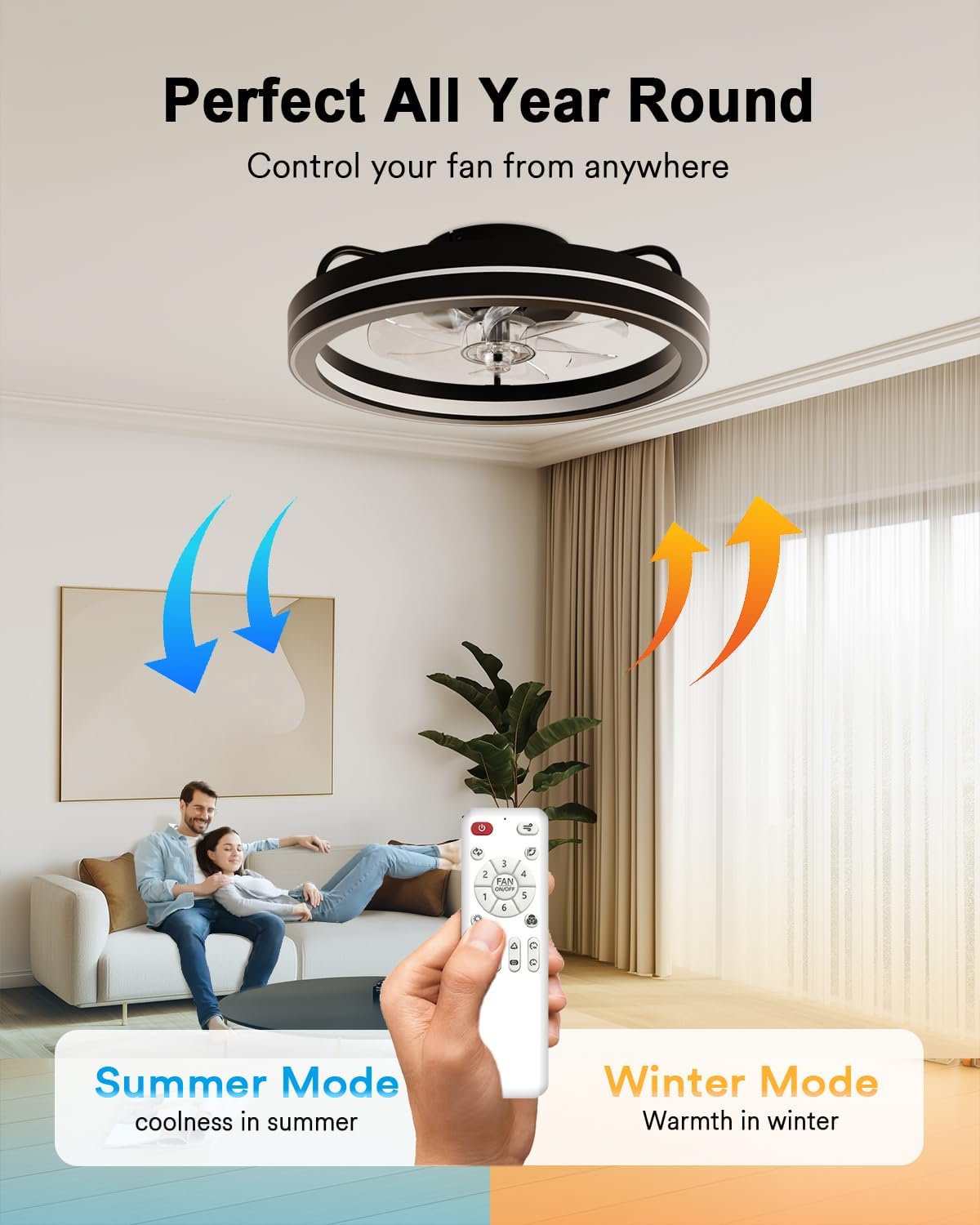
Figure 5.2.1: Remote control for the Lumary Smart Ceiling Fan.
5.3 Voice Control (Alexa/Google Home)
Integrate your fan with Amazon Alexa or Google Home for hands-free voice control.
- Link Account: In the Lumary App, navigate to third-party control settings and link your Alexa or Google Assistant account.
- Enable Skill: Enable the Lumary skill/action in your Alexa or Google Home app.
- Voice Commands: Use commands such as "Alexa, turn on the fan," "Hey Google, set fan speed to 3," or "Alexa, change light color to blue."

Figure 5.3.1: Voice control integration with smart assistants.
Video 5.3.1: Demonstration of the Lumary Smart Ceiling Fan's lighting effects and color customization options.
6. Maintenance
Regular maintenance ensures optimal performance and longevity of your ceiling fan.
- Cleaning: Dust the fan blades and light fixture periodically with a soft, dry cloth. Do not use abrasive cleaners or solvents.
- Tighten Fasteners: Check all screws and fasteners annually to ensure they are secure.
- No Lubrication Needed: The brushless DC motor is designed for maintenance-free operation and does not require lubrication.
7. Troubleshooting
Refer to this section for common issues and their solutions.
| Problem | Possible Cause | Solution |
|---|---|---|
| Fan does not turn on. | No power, loose wiring, remote battery dead. | Check circuit breaker. Ensure all wires are securely connected. Replace remote batteries. |
| Light flickers or turns on/off randomly. | Interference, unstable power, faulty connection. | Ensure fan is not connected to a dimmer switch. Check Wi-Fi stability. Contact customer support if issue persists. |
| Remote control not responding. | Dead batteries, remote not paired. | Replace batteries. Re-pair the remote control with the fan (refer to remote pairing instructions). |
| Cannot connect to Lumary App. | Incorrect Wi-Fi band, incorrect password, device not in pairing mode. | Ensure your Wi-Fi is 2.4GHz. Double-check Wi-Fi password. Follow app instructions to put the fan into pairing mode. |
Video 7.1.1: Instructions for re-pairing the remote control with the Lumary Smart Ceiling Fan.
8. Specifications
| Feature | Detail |
|---|---|
| Brand | Lumary |
| Model Number | L-CFL19C2 |
| Color | Black |
| Product Dimensions | 18.89"D x 18.89"W x 5.43"H |
| Item Weight | 5.2 pounds |
| Power Source | AC |
| Voltage | 120 volts |
| Wattage | 45 watts |
| Motor Type | Brushless DC motor |
| Number of Speeds | 6 |
| Max Speed | 1000 RPM |
| Noise Level | 32 dB |
| Light Brightness | 5000 Lumens (adjustable 0-100%) |
| Color Temperature | 2700K - 6500K (adjustable) |
| Nightlight | 2700K warm-toned ring night light |
| Control Methods | App, Remote, Touch, Voice (Alexa, Google Assistant) |
| Connectivity | WiFi (2.4GHz only) & Bluetooth |
| Installation Type | Flush Mount |
| Material | Acrylic, Metal |
| Certifications | FCC |
9. Warranty and Customer Support
Your Lumary Smart Ceiling Fan is covered by a manufacturer's warranty and dedicated customer support.
9.1 Warranty Information
This product comes with a 1-year warranty from the date of purchase, covering defects in materials and workmanship. Please retain your proof of purchase for warranty claims.
9.2 Customer Support
For assistance with installation, troubleshooting, smart home integration, or any other inquiries, Lumary's dedicated support team is available 24/7.
Contact Information: Please refer to the contact details provided on the Lumary official website or within the Lumary App for the most up-to-date support channels.
Related documentsL-CFL19C2


Ask a question about this manual
Ask about setup, troubleshooting, compatibility, parts, safety, or missing instructions. Manuals+ will review the question and use this page’s manual context to help answer it.