
1. Introduction
Thank you for choosing the Shinmax Bicycle Helmet. This helmet is designed to enhance your safety and visibility during cycling, commuting, and other outdoor activities. It features integrated front and rear lights, including turn signals, for improved awareness on the road. Please read this manual thoroughly before using the helmet to ensure proper operation and maintenance.
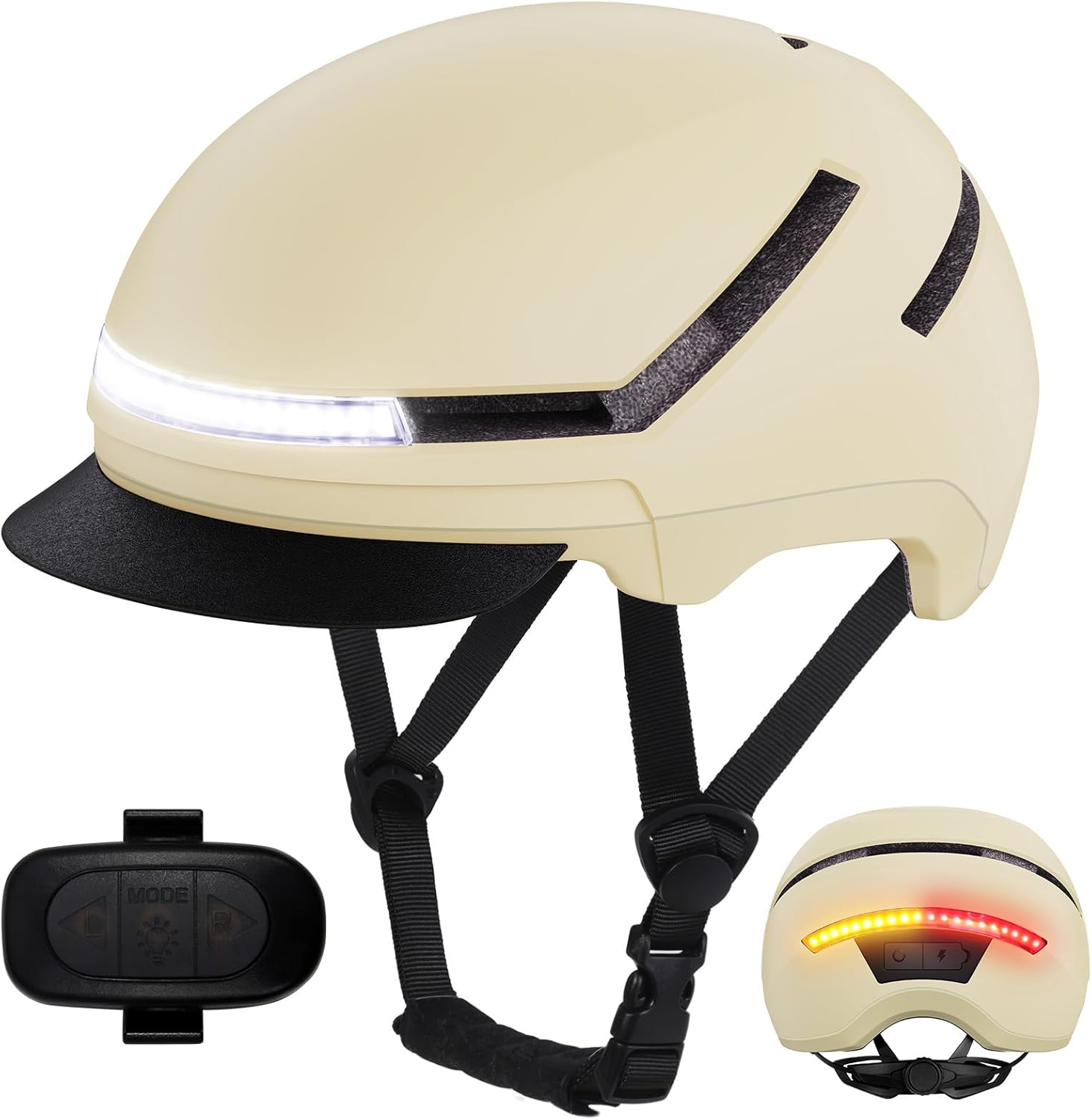
Image 1.1: Shinmax Bicycle Helmet with remote control and rear light view.
2. Safety Guidelines
Your safety is paramount. This Shinmax bicycle helmet complies with multiple safety standards to provide reliable protection:
- CPSC: Consumer Product Safety Commission (USA)
- NTA 8776: Dutch Technical Agreement for Speed Pedelec Helmets (Enhanced protection for faster e-bikes)
- CE: Conformité Européenne (European Union safety standards)
Always ensure the helmet fits snugly and is properly secured before each ride. The integrated lights are designed to increase your visibility to others, but they do not replace the need for safe riding practices and adherence to traffic laws.

Image 2.1: Helmet safety certifications and visible front light.
3. Package Contents
Please verify that all items are present in your package:
- Shinmax Bicycle Helmet
- Remote Control for lights
- USB Type-C Charging Cable
- Silicone Bands (for remote attachment)
- User Manual (this document)

Image 3.1: Shinmax Helmet Packing List.
4. Getting Started (Setup)
4.1 Helmet Fit Adjustment
A proper fit is crucial for safety and comfort. The helmet features a 360° dial fit retention system and adjustable straps.
- Place the helmet on your head. It should sit level and cover your forehead.
- Adjust the dial at the back of the helmet (pull out to adjust, push in to secure) until the helmet feels snug but comfortable, without excessive pressure points.
- Fasten the chin strap buckle. Adjust the straps so they form a 'V' shape under your ears. The strap should be tight enough that the helmet does not move more than an inch in any direction when you shake your head.
The helmet is available in two sizes:
- Medium: 54–58 cm (21.26–22.83 inches)
- Large: 57–61 cm (22.83–24.06 inches)
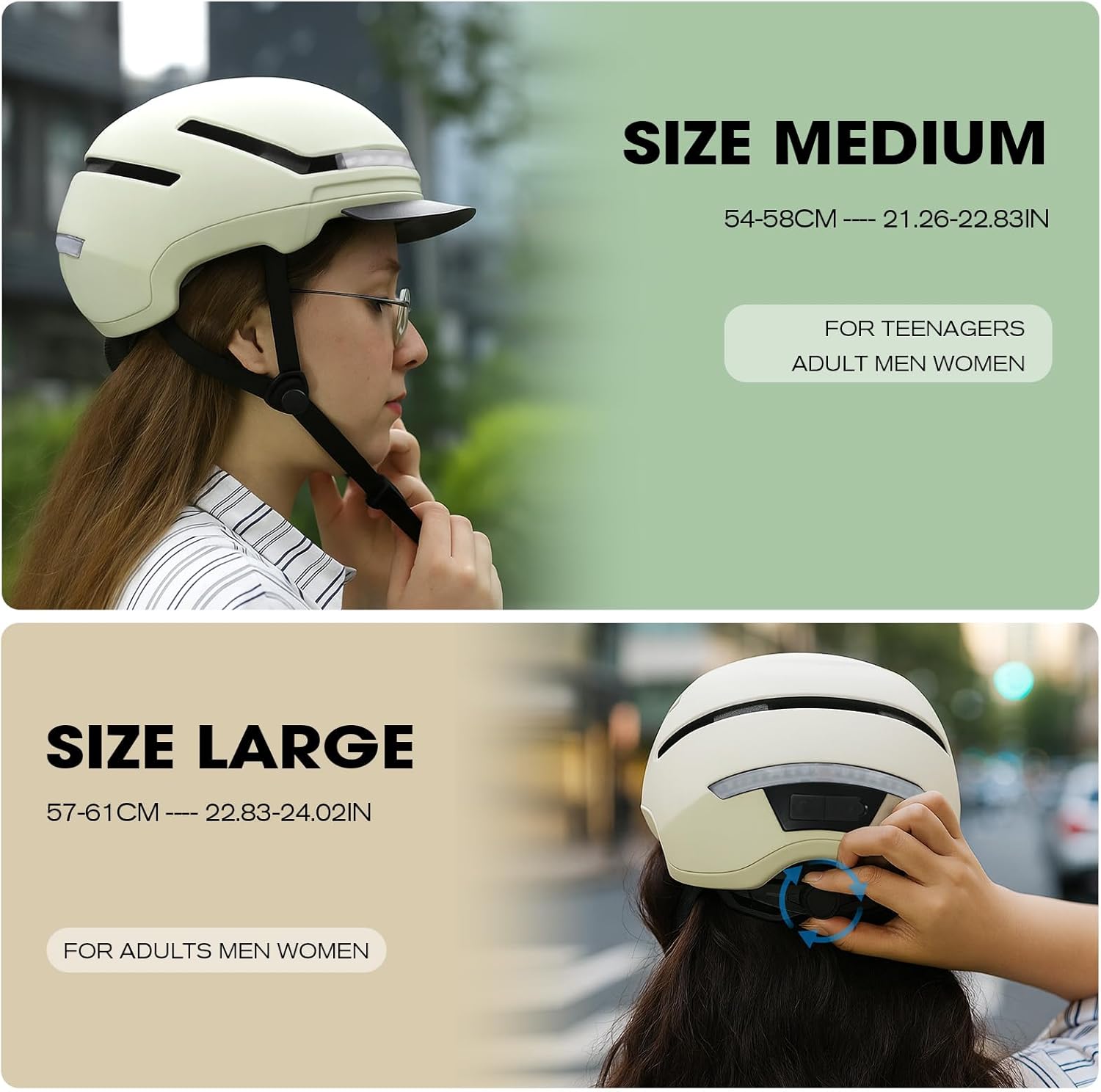
Image 4.1: Helmet Sizing Guide.

Image 4.2: Helmet Interior and Adjustment Features.
4.2 Visor Attachment
The helmet comes with a quick-detach visor that provides protection from sun glare, wind, and light rain. To attach or detach the visor, simply align the pins on the visor with the corresponding slots on the helmet and snap it into place or pull it off.

Image 4.3: Detachable Visor Mechanism.
4.3 Charging the Helmet Lights
The helmet's front and rear lights are rechargeable via a USB Type-C port. Locate the waterproof cover for the Type-C charging port, typically at the rear of the helmet near the lights. Use the provided USB Type-C cable to connect the helmet to a 5V USB power source (e.g., computer, wall adapter).
- A full charge takes approximately 2.5 hours.
- Battery life varies by mode: Normal On (5.5 hrs), Slow Flashing (6.5 hrs), Fast Flashing (7 hrs), Gradient Light (8 hrs).
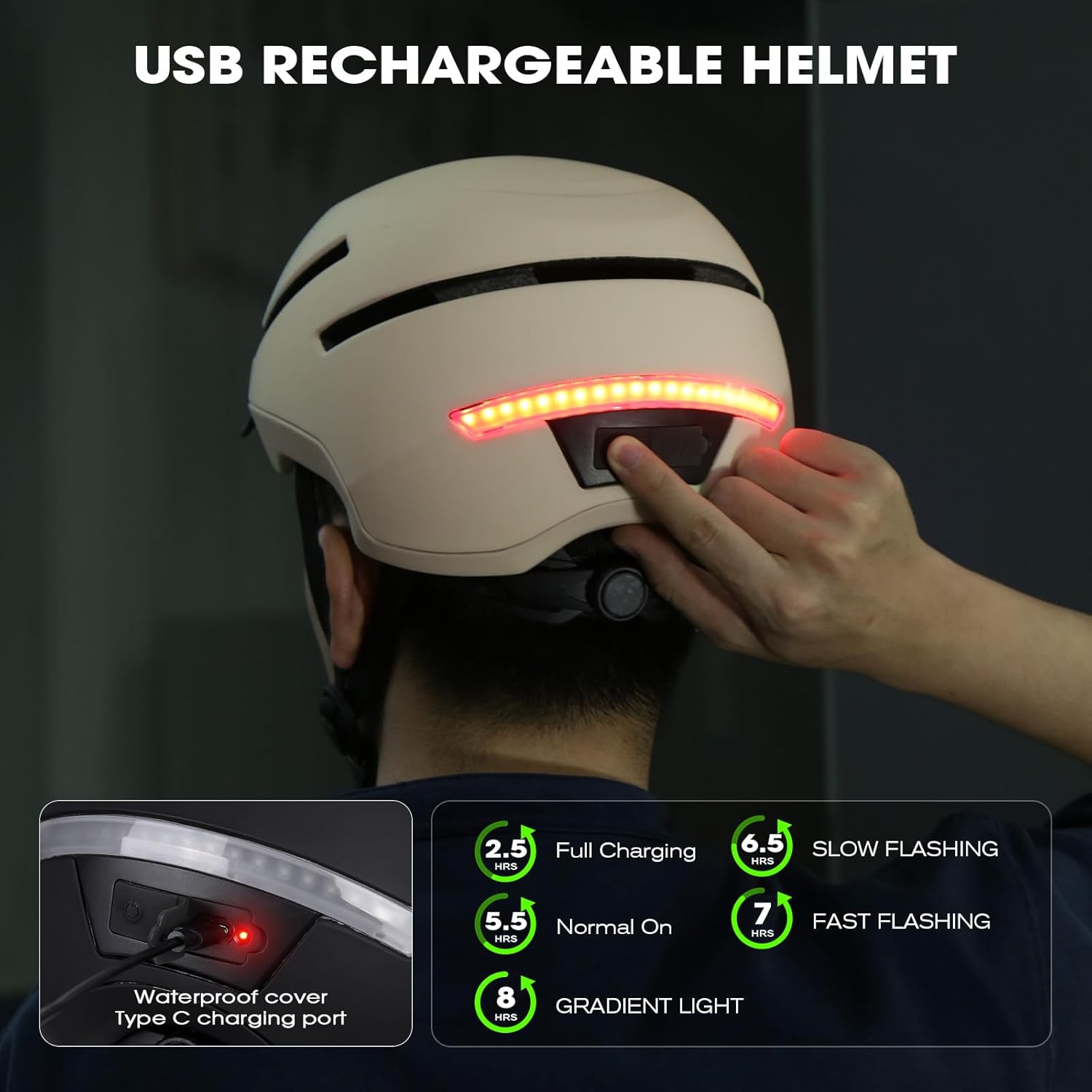
Image 4.4: USB Rechargeable Helmet and Battery Life.

Image 4.5: Charging Port Detail.
4.4 Remote Control Pairing
The remote control is pre-paired with the helmet. If re-pairing is needed, ensure both devices are charged. Consult the quick start guide included in the package for specific pairing instructions if the remote does not respond.
5. Operation
5.1 Understanding Light Modes
The helmet features a front light, rear lights, and turn signals to enhance your visibility and communication on the road.
- Front Light: Steady white light for forward visibility.
- Rear Lights: Multiple modes including:
- Steady light
- Gradient light
- Slow flash light
- Fast flash light
- Turn Signals: Left and Right amber lights with an audible