Introduction
The SWOFY M2 is a versatile 2-in-1 wearable and neckable MP3 player designed for active lifestyles. It combines a high-fidelity music player with a fitness tracker, offering a seamless audio experience and activity monitoring. Featuring a 1.91-inch curved touch screen, Bluetooth 5.3 connectivity, and 32GB of internal storage, the M2 is ideal for sports, running, gym workouts, and daily commutes. Its ergonomic and lightweight design ensures comfort and convenience.

Image: The SWOFY M2 MP3 Player shown both as a wrist-worn device and attached to a lanyard for neck wear, highlighting its dual functionality.
What's in the Box
Upon opening your SWOFY M2 package, please ensure all the following components are present:
- 1 x 32GB MP3 Player (SWOFY M2)
- 1 x Wired Earbud
- 1 x Magnetic Snap Charging Cable
- 1 x User manual

Image: A visual representation of the SWOFY M2 MP3 Player and its included accessories: the player itself, a magnetic charging cable, wired earbuds, and the user manual.
Product Features
2-in-1 Wearable & Neckable Design
The SWOFY M2 offers flexible wearing options. It can be worn on your wrist like a smartwatch or attached to the included lanyard for hands-free neck wear. This adaptability makes it suitable for various activities, from intense workouts to casual listening.

Image: An illustration of the SWOFY M2's multi-functionality, displaying icons for Music, Recorder, Bluetooth, Pedometer, E-book, Calendar, Alarm Clock, Stopwatch, and Watch Face.
High-Fidelity Audio with Bluetooth 5.3
Experience pristine, lossless audio quality. The M2 supports multiple audio formats including MP3, FLAC, AAC, WAV, APE, and WMA. Equipped with Bluetooth 5.3, it ensures stable and seamless connection to your headphones, earbuds, or external speakers, complemented by automatic noise reduction for an optimal listening experience.
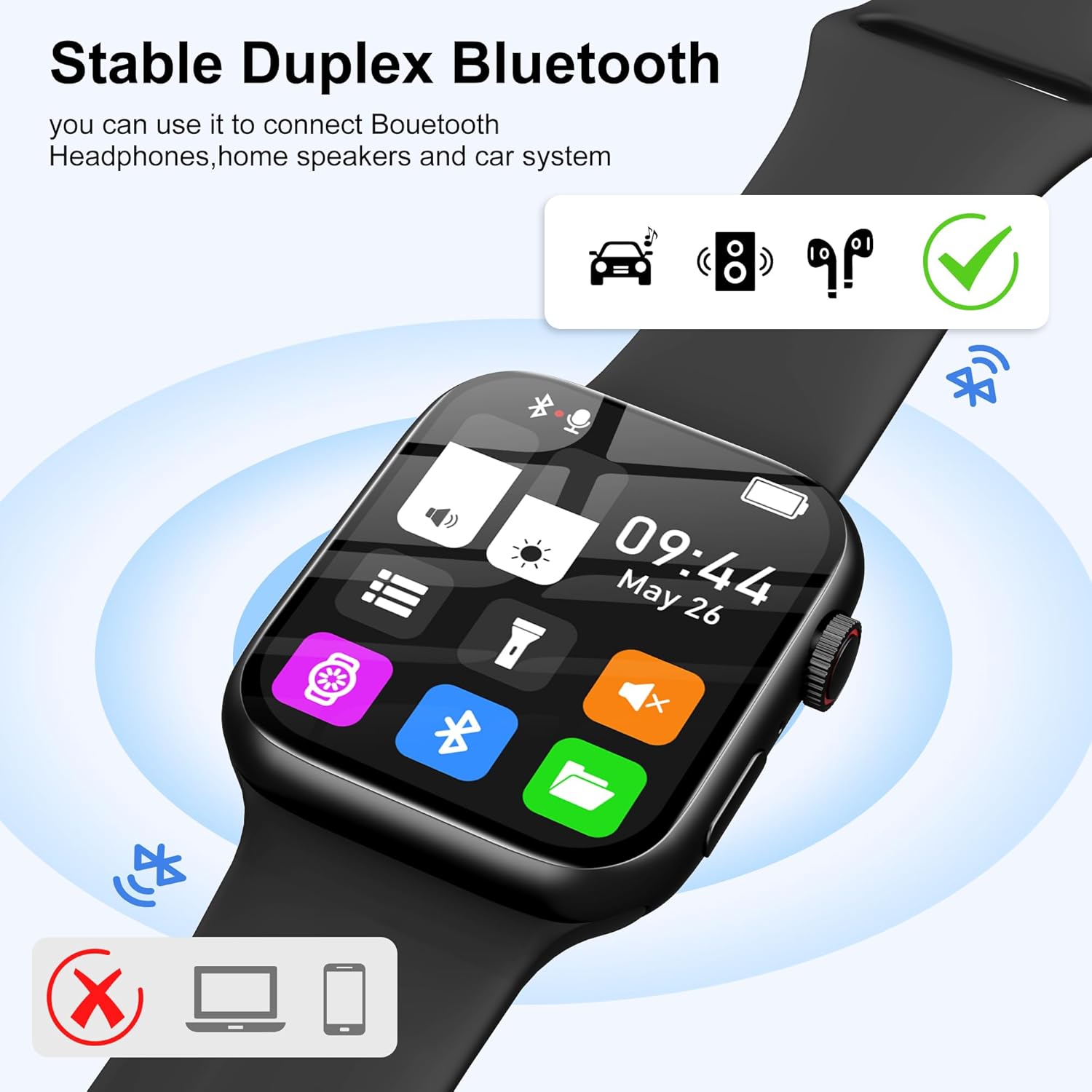
Image: The SWOFY M2 MP3 Player screen showing Bluetooth connection status, indicating compatibility with headphones, speakers, and car systems, but not with laptops or phones for data transfer.
Integrated Fitness Tracker (Pedometer)
Beyond music, the M2 functions as a pedometer, tracking your steps and activity data. It stores 7 days of step data and provides 24-hour step data, encouraging an active lifestyle.

Image: A person running with the SWOFY M2 MP3 Player on their wrist, with an enlarged view of the screen showing pedometer data including steps, distance, and calories burned.
Voice Recorder & E-book Functionality
Capture important notes or lectures with the built-in voice recorder, featuring 10-level noise reduction for clear audio. The device also supports e-book reading, making it a versatile companion for both productivity and leisure.
Long Battery Life & Quick Charging
The 200mAh battery provides up to 10 hours of playback and an impressive 16 days of standby time. Smart power-saving features like "Raise-to-Wake" optimize battery usage. Charging is convenient via the magnetic snap charging cable.

Image: The back of the SWOFY M2 MP3 Player connected to its magnetic charging cable, illustrating the charging process and highlighting its long battery life with 18 days standby, 7 days daily use, and 2.5 hours magnetic charging time.
Vivid Full-Color Touch Display & Customization
Navigate effortlessly on the bright, responsive 1.91-inch LCD touchscreen. Personalize your device with dynamic analog/digital faces and wallpapers to match your style and mood.

Image: The SWOFY M2 MP3 Player highlighting its 1.91-inch Ultra HD Dazzling Screen and its lightweight design at 34 grams.
Setup Guide
1. Initial Charging
Before first use, fully charge your SWOFY M2. Connect the magnetic snap charging cable to the charging points on the back of the device and plug the USB end into a standard USB power adapter (not included) or a computer's USB port. The screen will indicate charging status. A full charge typically takes about 2.5 hours.
2. Powering On/Off
- To Power On: Press and hold the power button (usually located on the side) until the screen lights up.
- To Power Off: Press and hold the power button, then select "Power Off" on the screen.
3. Connecting to Bluetooth Devices
- Ensure your Bluetooth headphones or speaker are in pairing mode.
- On your SWOFY M2, navigate to the "Bluetooth" icon on the main screen.
- Tap to open Bluetooth settings.
- The device will scan for available Bluetooth devices. Select your device from the list to pair.
- Once paired, the device will automatically connect when in range and Bluetooth is enabled.
Operating Instructions
Navigation
The SWOFY M2 features a full-color touch display for intuitive navigation. Swipe left/right or up/down to browse through applications and settings. Tap an icon to open an application.

Image: The SWOFY M2's quick access interface, showing numbered points for Backlight adjustment, Volume adjustment, Screen style, Raise your wrist to turn on the screen, Flashlight, Speaker switch, Folder, and Bluetooth switch.
Music Playback
- Transfer music files (MP3, FLAC, AAC, WAV, APE, WMA) to the device's internal 32GB storage via a computer.
- Tap the "Music" icon on the home screen.
- Browse your music library by artist, album, or song.
- Tap a song to begin playback. Use on-screen controls for play/pause, skip, and volume adjustment.
Voice Recording
- Tap the "Recorder" icon.
- Press the record button to start recording.
- Press the stop button to end and save the recording.
- Recordings are saved in the device's memory and can be accessed via the "Folder" or "Recorder" application.
Fitness Tracking (Pedometer)
- Tap the "Pedometer" icon to view your activity data.
- The device automatically tracks your steps throughout the day.
- Review daily and weekly step counts, distance, and estimated calories burned.
Other Functions
- E-book: Access and read text files.
- Alarm Clock: Set multiple alarms for reminders.
- Calendar: View dates and manage schedules.
- Stopwatch: Use for timing activities.
- Watch Face: Customize the display with various analog and digital watch faces.
Maintenance
- Cleaning: Wipe the device and screen with a soft, dry, lint-free cloth. Avoid using harsh chemicals or abrasive materials.
- Battery Care:
- Charge the device regularly, avoiding complete discharge for extended periods.
- Do not expose the device to extreme temperatures (hot or cold), as this can degrade battery performance.
- Storage: When not in use for extended periods, store the device in a cool, dry place away from direct sunlight. Ensure it has a partial charge (around 50%) before storing.
- Water Resistance: The device is not waterproof. Avoid exposure to water, rain, or excessive moisture.
Troubleshooting
If you encounter issues with your SWOFY M2, please refer to the following common problems and solutions:
| Problem | Possible Cause / Solution |
|---|---|
| Device does not turn on. | Battery may be depleted. Connect to charger and allow it to charge for at least 15 minutes before attempting to power on again. |
| Cannot connect to Bluetooth headphones/speaker. |
|
| Music playback is choppy or cuts out. |
|
| Fitness tracker (pedometer) is inaccurate. |
|
| Device is not charging. |
|
Specifications
| Brand | SWOFY |
| Model Number | M2 |
| Memory Storage Capacity | 32 GB |
| Connectivity Technology | Bluetooth 5.3 |
| Screen Size | 1.91 Inches |
| Display Technology | LCD |
| Supported Audio Standards | MP3, WMA, APE, FLAC, WAV, AAC |
| Special Features | Built-In Speaker, Equalizer, Touch Screen, Video Playback, Voice Recorder, Fitness Tracker (Pedometer) |
| Compatible Devices | Bluetooth Headphones, Bluetooth Speakers |
| Battery | 1 A battery required (included), 200mAh |
| Item Weight | 5.3 ounces (approx. 150g) |
| Package Dimensions | 5.83 x 5.83 x 0.75 inches |
| Country of Origin | China |
Warranty and Support
For detailed warranty information and customer support, please refer to the official SWOFY website or contact the seller directly. The included user manual also contains specific warranty terms and contact details. Please retain your proof of purchase for warranty claims.
No official seller videos were found in the provided product data for embedding in this manual.


