
1. Introduction
The Ouotoo Y888 is a versatile 3-in-1 wireless charging station designed to simultaneously charge your compatible iPhone, Apple Watch, and AirPods. This device features MagSafe compatibility for secure iPhone charging, a dedicated spot for your Apple Watch, and a wireless charging pad for AirPods. Its compact design helps reduce cable clutter and optimize your charging space.
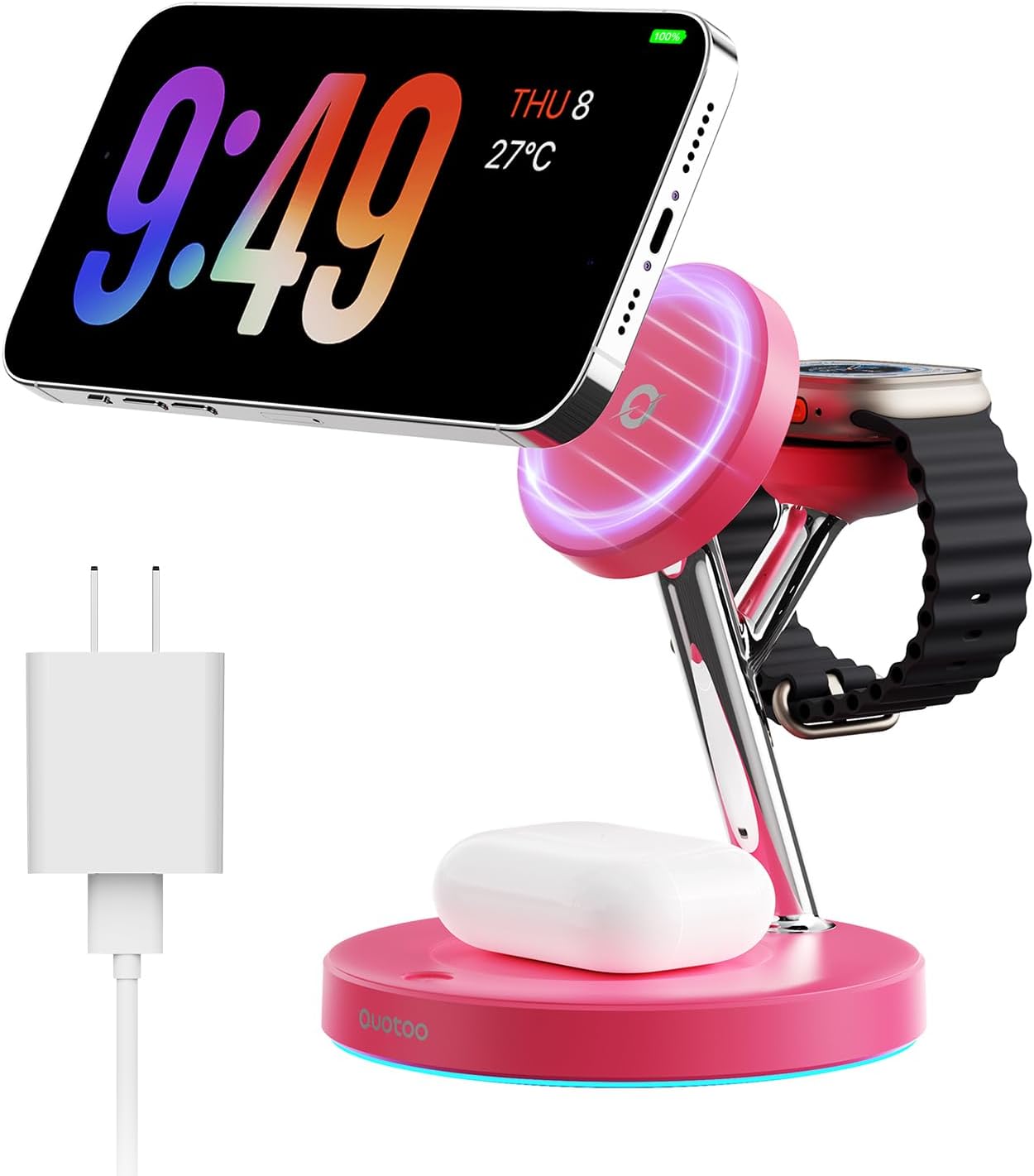
Image 1.1: Ouotoo Y888 3-in-1 Wireless Charging Station (Rose Red variant shown).
2. Package Contents
Please verify that all items are present in your package:
- 1 x Ouotoo Y888 3-in-1 Wireless Charging Station
- 1 x PD 20W Power Adapter
- 1 x 1-meter Type-C Charging Cable
- 1 x User Manual (this document)
3. Product Overview
The charging station integrates three distinct charging areas:
- Magnetic Phone Charging Pad: Located at the top, this pad is MagSafe compatible for secure and fast wireless charging of iPhones. It supports 360° rotation for flexible viewing angles.
- Apple Watch Charging Module: Positioned next to the phone charging pad, this module is designed for Apple Watch series.
- AirPods Wireless Charging Base: The flat base of the station provides wireless charging for compatible AirPods models.

Image 3.1: Overview of the 3-in-1 charging areas for iPhone, Apple Watch, and AirPods.
4. Setup
- Connect the provided Type-C charging cable to the Type-C input port located at the back of the charging station.
- Plug the other end of the Type-C cable into the supplied PD 20W power adapter.
- Insert the power adapter into a wall outlet. The LED indicator on the base will illuminate, indicating the station is powered on and ready for use.
Video 4.1: Demonstration of connecting the charging station and placing devices for charging.

Image 4.1: The charging station connected and ready to charge multiple devices.
5. Operating Instructions
5.1 Charging Your iPhone
- Ensure your iPhone is MagSafe compatible (iPhone 12 series or newer) or has a MagSafe compatible case.
- Place your iPhone onto the magnetic charging pad at the top of the station. The magnets will align your phone correctly for optimal charging.
- The phone charging area can be adjusted by 360° to achieve your preferred viewing angle (portrait or landscape).
5.2 Charging Your Apple Watch
- Place your Apple Watch onto the dedicated charging module. The watch will magnetically attach and begin charging.
5.3 Charging Your AirPods
- Place your AirPods charging case (compatible with wireless charging) onto the flat charging base.
- Ensure the AirPods case is centered on the base for efficient charging.
5.4 LED Indicator Light
- The charging station features a smart LED indicator light on its base.
- Gently touch the touch switch (light bulb icon) on the base to turn the LED light on or off.

Image 5.1: The adjustable phone charging pad allows for ergonomic viewing angles.

Image 5.2: The LED indicator light can be toggled on or off for convenience.
6. Compatibility
This charging station is compatible with a wide range of Apple devices:
- For iPhone: iPhone Air, iPhone 17 series (Pro/Pro Max), iPhone 16 series (Pro/Pro Max), iPhone 15 series (Plus/Pro/Pro Max), iPhone 14 series (Pro/Pro Max/Plus), iPhone 13 series (mini/Pro/Pro Max), iPhone 12 series (mini/Pro/Pro Max). Note: For optimal magnetic attachment, use iPhones with MagSafe technology or MagSafe-compatible cases.
- For Apple Watch: Apple Watch Ultra 2, Ultra, Series 10, 9, 8, 7, 6, 5, 4, 3, 2, and Apple Watch SE.
- For AirPods: AirPods 2, AirPods Pro, AirPods 3. Note: Not compatible with AirPods Model A1602, A2897. Ensure your AirPods case supports wireless charging.

Image 6.1: Visual representation of compatible iPhone, Apple Watch, and AirPods models.
7. Safety Precautions
The Ouotoo Y888 charging station incorporates advanced safety features to protect your devices:
- Overheating Protection: Built-in technology actively monitors and manages temperature to prevent overheating during charging, improving stability and reducing device temperature.
- Overcurrent Protection: Safeguards against excessive current flow, protecting your devices from damage.
- Overvoltage Protection: Prevents damage from voltage fluctuations.
- Foreign Object Detection: Automatically stops charging if metal objects are detected on the charging surface.
- Use only the provided PD 20W adapter and Type-C cable for optimal performance and safety.
- Do not disassemble, modify, or repair the device yourself.
- Keep the device away from water, moisture, and high temperatures.

Image 7.1: Illustration of the bottom temperature control feature for safe charging.

Image 7.2: Depiction of the internal smart chip for superior safety and less heating.
8. Maintenance
- To clean the charging station, disconnect it from the power source.
- Use a soft, dry cloth to wipe the surfaces. Avoid using abrasive cleaners, solvents, or harsh chemicals.
- Ensure no dust or debris accumulates in the charging ports or on the charging surfaces.
9. Troubleshooting
- Device not charging:
- Ensure the charging station is properly connected to the power adapter and wall outlet.
- Verify that your device is correctly placed on its respective charging area and aligned.
- Check if your phone case is MagSafe compatible or too thick, which might interfere with wireless charging.
- Confirm your device is compatible with wireless charging.
- Try using a different wall outlet or power adapter (if available) to rule out power source issues.
- LED indicator not working:
- Gently touch the light bulb icon on the base to toggle the LED light on/off.
- Ensure the charging station is receiving power.
- Slow charging:
- Ensure you are using the provided PD 20W power adapter and cable. Lower wattage adapters may result in slower charging.
- Avoid placing metal objects or foreign materials on the charging surfaces.
- Ensure your device is properly aligned on the charging pad.
10. Specifications
| Feature | Specification |
|---|---|
| Model Number | Y888 |
| Brand | Ouotoo |
| Connector Type | USB Type C |
| Input Voltage | 9 Volts |
| Output Voltage | 12 Volts |
| Output Current | 1.5 Amps |
| Wattage | 18 Watts (Max 15W for iPhone, 5W for AirPods, 2.5W for Apple Watch) |
| Wireless Charging Standard | MagSafe, Qi |
| Material | Plastic |
| Item Weight | 236.6 Grams |
| Power Source | Corded Electric |
11. Warranty and Support
The Ouotoo Y888 3-in-1 Wireless Charging Station comes with a 3-year limited warranty. This warranty covers manufacturing defects and ensures the product meets quality standards. If you encounter any issues or require assistance, please contact Ouotoo customer service through your retailer or the official Ouotoo support channels.
Please retain your proof of purchase for warranty claims.