
havit KB903L
Contents
HHavit KB903L 61 Keys Rainbow LED Backlit Gaming Keyboard
User Manual
1. Introduction
Thank you for choosing the HHavit KB903L 61-Key Rainbow LED Backlit Mechanical Gaming Keyboard. This compact and powerful keyboard is designed for gamers and users seeking a responsive and visually engaging typing experience. Featuring durable mechanical switches and vibrant rainbow backlighting, it offers exceptional performance and customization directly from the keyboard.
2. Setup
Follow these steps to set up your HHavit KB903L keyboard:
- Unpack the Keyboard: Carefully remove the keyboard and its USB Type-C cable from the packaging.
- Connect the Cable: Insert the USB Type-C end of the cable into the port located on the back or side of the keyboard.
- Connect to Computer: Plug the standard USB-A end of the cable into an available USB port on your computer (desktop or laptop).
- Automatic Installation: Your operating system (Windows, macOS, Linux) should automatically detect and install the necessary drivers. No additional software installation is required.
- Verify Connection: The keyboard's rainbow backlighting should illuminate upon successful connection, indicating it is ready for use.
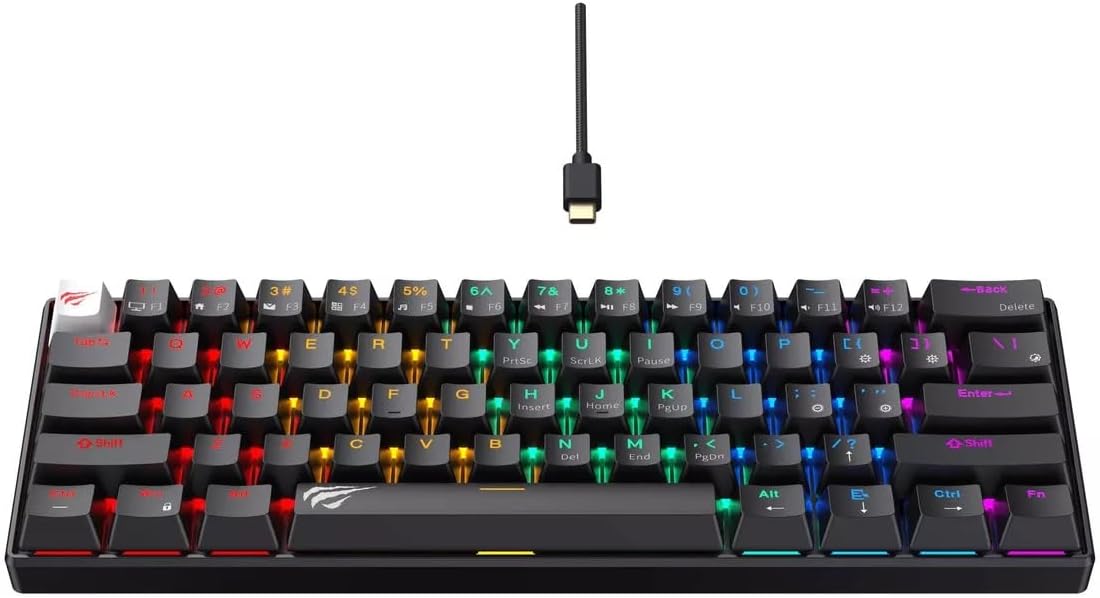
Image: The HHavit KB903L keyboard connected via its USB-C cable, displaying its vibrant rainbow LED backlighting, ready for use.
3. Operating Instructions
The HHavit KB903L keyboard is designed for intuitive operation. Below are key features and instructions for controlling its functions, especially the lighting.
Key Features:
- 61-Key Layout: A compact design that saves desk space while retaining essential keys.
- Mechanical Switches: Equipped with Jiuzi red switches for a smooth, linear, and responsive typing experience with a key life of 50,000,000 times.
- Rainbow LED Backlighting: Dynamic and customizable lighting effects directly from the keyboard.
- USB Type-C Connectivity: Features a durable and removable USB Type-C cable for reliable connection.
- Ergonomic Design: Suitable for extended gaming sessions and general use.
- QWERTY Layout: Standard English U layout for familiar typing.
Lighting Control:
The HHavit KB903L allows you to control its rainbow backlighting directly from the keyboard, without the need for any software or drivers. Specific key combinations (often involving the 'Fn' key) are used to cycle through lighting modes, adjust brightness, and change speed. Refer to the keycaps for specific function icons (e.g., Fn + \ for lighting modes, Fn + arrow keys for brightness/speed).
- Changing Lighting Modes: Press Fn + \ to cycle through various pre-programmed rainbow lighting effects.
- Adjusting Brightness: Use Fn + ↑ to increase brightness and Fn + ↓ to decrease brightness.
- Adjusting Speed: Use Fn + ← to slow down the lighting effect and Fn + → to speed it up.
- Turning Lights On/Off: A specific key combination (often Fn + a dedicated light key) may toggle the backlighting. Consult your keyboard's keycap legends.
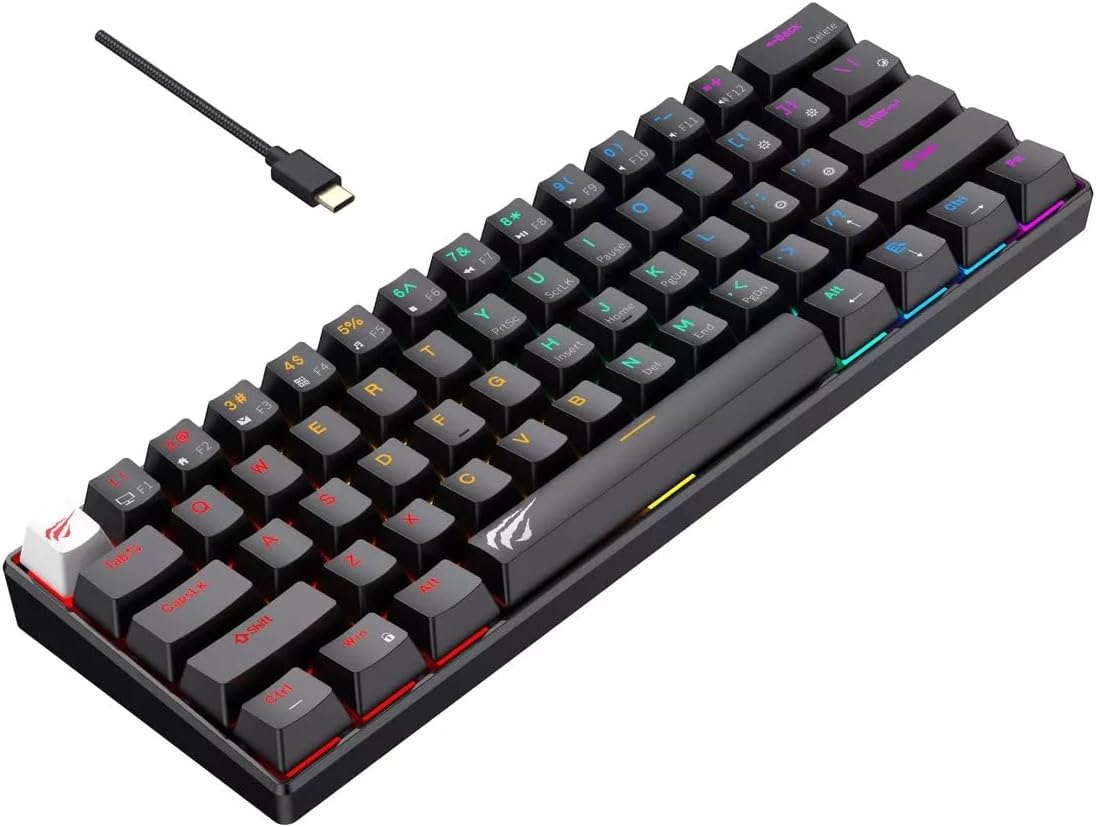
Image: An angled view of the HHavit KB903L keyboard, showcasing its compact 61-key layout and the vibrant rainbow backlighting across the keys.
4. Maintenance
Proper maintenance ensures the longevity and optimal performance of your HHavit KB903L keyboard.
- Cleaning:
- Disconnect the keyboard from your computer before cleaning.
- Use a can of compressed air to remove dust and debris from between the keycaps.
- Wipe the keycaps and keyboard surface with a soft, slightly damp, lint-free cloth. Avoid excessive moisture.
- Do not use harsh chemicals, abrasive cleaners, or solvents.
- Storage: Store the keyboard in a cool, dry place away from direct sunlight and extreme temperatures.
- Handling: Avoid dropping the keyboard or exposing it to liquids. Do not attempt to disassemble the keyboard, as this will void any potential warranty.
5. Troubleshooting
If you encounter issues with your HHavit KB903L keyboard, refer to the common problems and solutions below:
| Problem | Solution |
|---|---|
| Keyboard is not responding. |
|
| Backlighting is not working or is dim. |
|
| Certain keys are not working. |
|
6. Specifications
Detailed technical specifications for the HHavit KB903L Gaming Keyboard:
| Feature | Detail |
|---|---|
| Brand | havit |
| Model Number | KB903L |
| Type | Wired Mechanical Gaming Keyboard |
| Key Number | 61 Keys |
| Switch Type | Jiuzi Red Switch (Linear) |
| Key Life | 50,000,000 times |
| Backlight | Rainbow LED Backlit |
| Layout | QWERTY (English U) |
| Connectivity | USB Type-C (Removable Cable) |
| Operating Voltage | 5V ± 0.25V |
| Cable Length | 1.8m |
| Dimensions (L x W x H) | 291mm x 101mm x 39mm |
| Item Weight | 42 g |
| Compatible Devices | PC (Desktop/Laptop) |
Image: Top-down view of the HHavit KB903L keyboard, illustrating its compact 61-key design and full rainbow backlighting.
7. Warranty and Support
For product support, technical assistance, or warranty inquiries, please contact the manufacturer, Havit, or your point of purchase. Keep your purchase receipt as proof of purchase for any warranty claims.
For the latest information and support resources, please visit the official Havit website.
Ask a question about this manual
Ask about setup, troubleshooting, compatibility, parts, safety, or missing instructions. Manuals+ will review the question and use this page’s manual context to help answer it.