Product Overview
The BAIJIALI BLJ-KK9 is a compact and portable AM/FM/SW transistor radio designed for ease of use and reliable performance. It features a DSP anti-jamming chip for enhanced signal reception and delivers clear sound quality through its integrated speaker. This radio is ideal for home use, outdoor activities, and emergency situations, offering both battery and USB power options.

Figure 1: Front view of the BAIJIALI BLJ-KK9 Portable Radio, showcasing its compact design and controls.
Setup and Powering the Device
The BAIJIALI BLJ-KK9 radio offers flexible power options to ensure continuous operation.
Battery Installation
This radio operates on 2 AA batteries (not included). Follow these steps to install them:
- Locate the battery compartment on the back of the radio.
- Slide open the battery compartment cover.
- Insert 2 AA batteries, ensuring correct polarity (+ and -) as indicated inside the compartment.
- Close the battery compartment cover securely.

Figure 2: Rear view of the radio showing the open battery compartment and earphone jack.
USB Power Option
The radio can also be powered via a USB connection (USB cable not included). Connect a standard USB cable to the radio's USB port and to a compatible USB power source (e.g., USB wall adapter, power bank, computer USB port).
Operating Instructions
Familiarize yourself with the radio's controls for optimal listening experience.
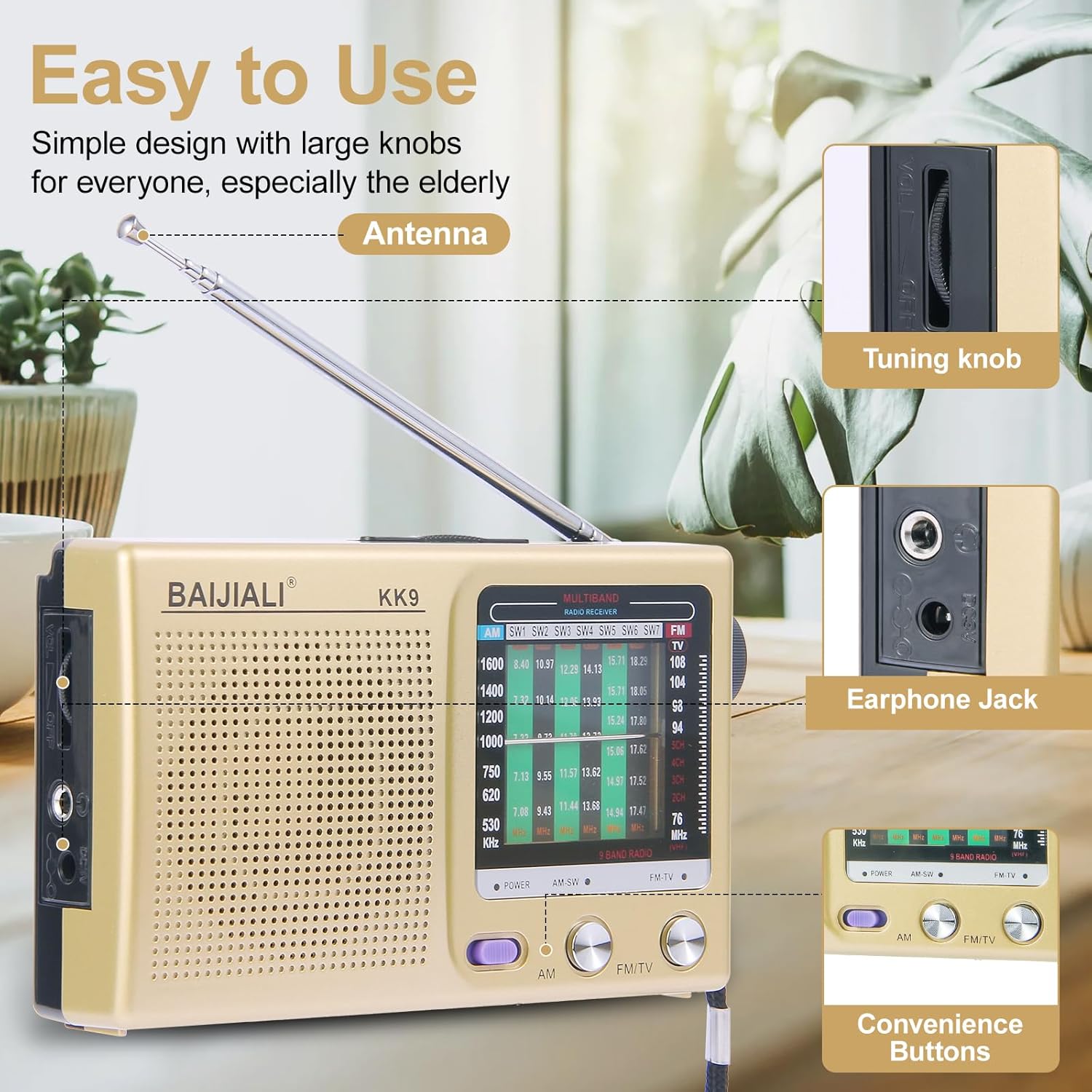
Figure 3: Diagram highlighting the antenna, tuning knob, earphone jack, and convenience buttons.
Powering On/Off and Band Selection
- To power on the radio, slide the POWER switch to the ON position.
- Select your desired band (AM, FM, or SW) using the AM/FM/SW switch located on the front panel.
Tuning to a Station
- Extend the telescopic antenna for improved FM and SW reception. For AM, the internal antenna is typically sufficient.
- Rotate the Tuning Knob (located on the side) slowly to scan for radio stations.
- Observe the frequency display to identify the current station frequency.

Figure 4: The radio positioned in a room, demonstrating the extended antenna for optimal reception.
Volume Control
Adjust the volume by rotating the Volume Knob, typically located near the tuning knob or on the front panel.
Using the Headphone Jack
For private listening, plug any standard 3.5mm headphones (not included) into the Headphone Jack. The internal speaker will automatically mute when headphones are connected.
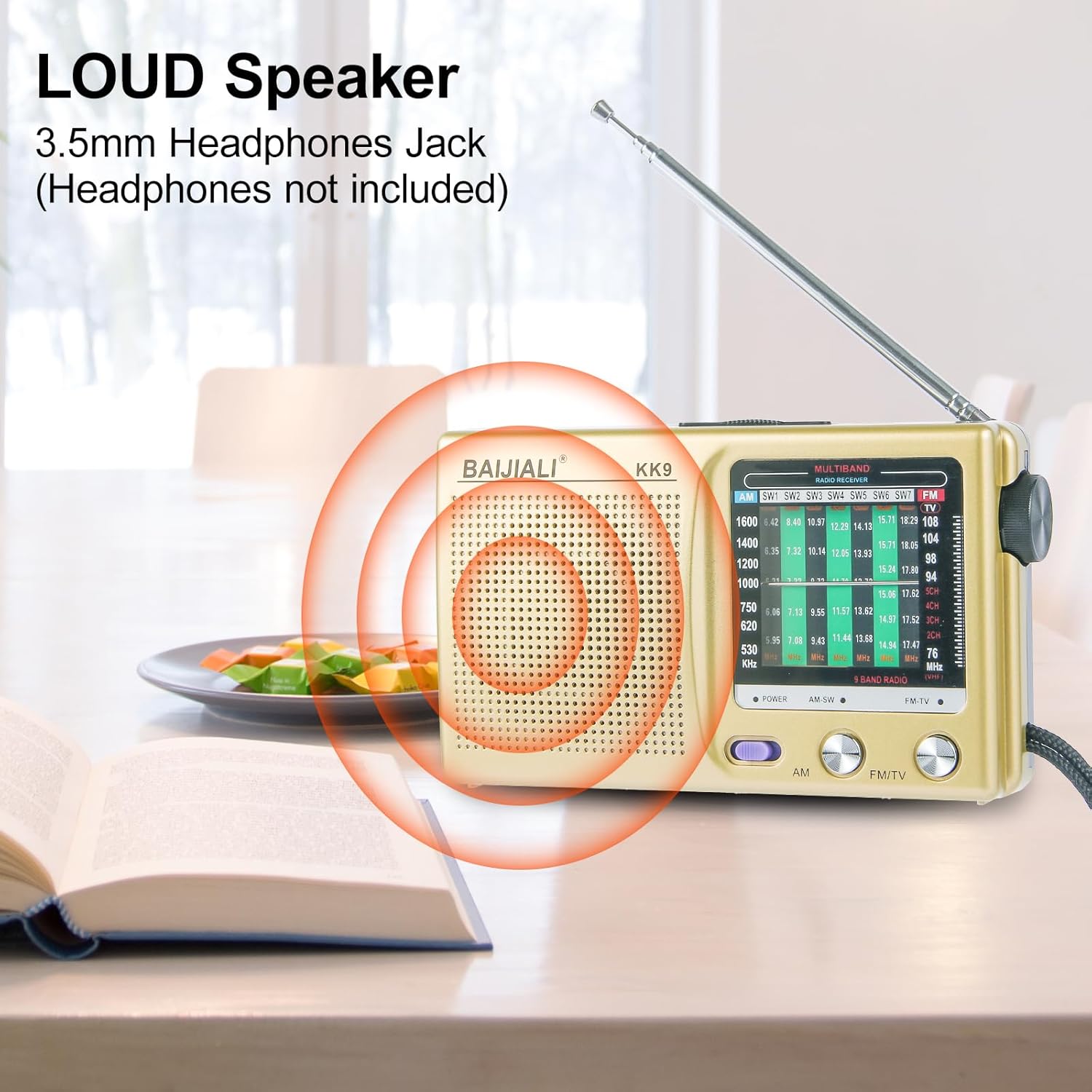
Figure 5: Close-up view of the radio's speaker and the 3.5mm headphone jack.
Maintenance
Proper care will extend the life of your radio.
- Cleaning: Use a soft, dry cloth to clean the exterior of the radio. Do not use liquid cleaners or abrasive materials.
- Battery Care: If the radio will not be used for an extended period, remove the batteries to prevent leakage and damage.
- Storage: Store the radio in a cool, dry place away from direct sunlight and extreme temperatures.
- Antenna: Gently retract the telescopic antenna when not in use to prevent damage.
Troubleshooting
If you encounter issues with your radio, refer to the following common problems and solutions:
| Problem | Possible Cause | Solution |
|---|---|---|
| No sound or very low volume. |
|
|
| Poor reception or static. |
|
|
| Radio does not turn on. |
|
|
Specifications
| Feature | Detail |
|---|---|
| Model Number | BLJ-KK9 |
| Brand | BAIJIALI |
| Tuner Technology | AM/FM/SW (3-Band) |
| FM Frequency Range | 87-108 MHz |
| AM Frequency Range | 522-1700 kHz |
| SW Frequency Range | 5.6-22 MHz |
| Power Source | 2 x AA Batteries (not included) or USB Powered |
| Connectivity | USB, 3.5mm Headphone Jack |
| Product Dimensions | 4.92 x 1.18 x 2.95 inches (12.5 x 3 x 7.5 cm) |
| Item Weight | 6.4 ounces (181 grams) |
| Included Components | Quick Start Guide |

Figure 6: Visual representation of the radio's dimensions.
Warranty and Support
Specific warranty information for the BAIJIALI BLJ-KK9 Portable Radio is not provided in this manual. For warranty details, technical support, or service inquiries, please contact the manufacturer directly using the contact information provided with your purchase or visit the official BAIJIALI website.
Please retain your purchase receipt as proof of purchase for any warranty claims.


