
Sonance MAGO6V3
Contents
Sonance MAGO6V3 6.5" All Weather Outdoor Speaker (Pair) Instruction Manual
Model: MAGO6V3
1. Introduction
This manual provides comprehensive instructions for the installation, operation, and maintenance of your Sonance MAGO6V3 6.5" All Weather Outdoor Speakers. Please read this manual thoroughly before use to ensure proper setup and optimal performance.
2. What's in the Box
- 2 x Sonance MAGO6V3 6.5" All Weather Outdoor Speakers
- Mounting hardware (brackets, screws)
- Instruction Manual
3. Specifications
| Brand | Sonance |
| Model Name | MAGO6V3 |
| Speaker Type | Outdoor |
| Speaker Size | 6.5 Inches |
| Audio Driver Type | Dynamic Driver |
| Audio Driver Size | 6.5 Inches |
| Audio Output Mode | Stereo |
| Surround Sound Channel Configuration | 2.0 |
| Power Source | Corded Electric |
| Control Method | Touch |
| Mounting Type | Marine, Door |
| Compatible Devices | Desktop, Laptop, MP3 Player, Projector, Tablet, Television |
| Is Waterproof | False |
4. Setup and Installation
Proper installation is crucial for optimal sound performance and speaker longevity. These speakers are designed for outdoor use but are not waterproof. Ensure they are installed in a location protected from direct heavy rain or submersion.
4.1 Mounting the Speakers
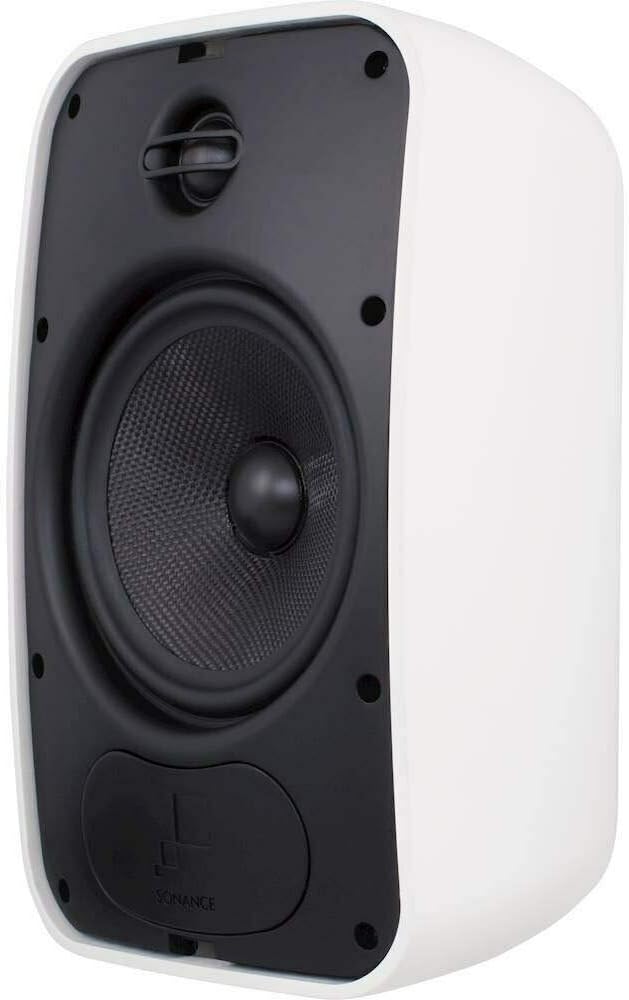
The Sonance MAGO6V3 speakers come with adjustable mounting brackets for flexible placement. They can be mounted on marine surfaces or doors. Choose a sturdy location that can support the weight of the speakers and provides the desired sound coverage.


4.2 Wiring Connections
Connect the speakers to your amplifier or receiver using appropriate speaker wire. Ensure correct polarity (positive to positive, negative to negative) for optimal sound quality. The speakers are designed for a 2.0 stereo configuration.
Note: The product specifications indicate a "Control Method: Touch". This likely refers to touch controls on a connected device (e.g., smartphone app for a Sonos system) rather than physical touch controls on the speaker itself, as the speaker is passive.
4.3 Video: Speaker Installation Overview
5. Operating Instructions
Once properly installed and connected to an amplifier or receiver, your Sonance MAGO6V3 speakers are ready for use. Power on your audio source and amplifier, then select the desired input.
- Volume Control: Adjust the volume directly from your connected amplifier, receiver, or source device.
- Audio Source: These speakers are passive and require an external amplifier or receiver. Connect devices such as desktop computers, laptops, MP3 players, projectors, tablets, or televisions to your amplifier.
- Placement Optimization: Experiment with the speaker's angle using the adjustable brackets to achieve the best sound dispersion for your listening area.
6. Maintenance
To ensure the longevity and performance of your outdoor speakers, follow these maintenance guidelines:
- Cleaning: Regularly wipe down the speaker enclosures with a soft, damp cloth to remove dust and dirt. Avoid using harsh chemicals or abrasive cleaners.
- Grille Care: The grilles are corrosion-resistant. If debris accumulates, gently clean with a soft brush or vacuum with a brush attachment.
- Environmental Protection: While designed for all-weather use, avoid prolonged exposure to extreme weather conditions such as heavy rain, snow, or direct sunlight if possible. Ensure proper drainage around the speakers if mounted in areas prone to moisture accumulation.
- Connection Check: Periodically inspect speaker wire connections for corrosion or looseness. Re-tighten or clean as necessary.
7. Troubleshooting
| Problem | Possible Cause | Solution |
|---|---|---|
| No sound from speakers |
|
|
| Distorted sound |
|
|
| One speaker not working |
|
|
8. Warranty and Support
The Sonance MAGO6V3 speakers come with a Limited Warranty. Please refer to the warranty card included with your product for specific terms and conditions. For technical support or service inquiries, please contact Sonance customer service or visit their official website.
Return Policy: This product has a 90-day return policy for refund or replacement, as per Amazon Renewed terms.
Ask a question about this manual
Ask about setup, troubleshooting, compatibility, parts, safety, or missing instructions. Manuals+ will review the question and use this page’s manual context to help answer it.