
One For All WM4910
One For All WM4910 Universal Jumbo TV Wall Mount Instruction Manual
Model: WM4910
Introduction
This manual provides comprehensive instructions for the safe and proper installation and use of your One For All WM4910 Universal Jumbo TV Wall Mount. Please read all instructions carefully before beginning installation and retain this manual for future reference. This wall mount is designed to securely hold large flat-panel televisions, offering a fixed, low-profile solution for your viewing needs.
Safety Information
Important Safety Instructions:
- Ensure the wall structure can support the combined weight of the mount and the television. Consult a qualified professional if unsure.
- Do not exceed the maximum weight capacity of 165 lbs (75 kg).
- This product is UL Certified for Safety, indicating it meets rigorous safety standards.
- Verify your TV's VESA mounting pattern is compatible with the mount (up to 900 x 600 VESA).
- Always use appropriate safety gear during installation, including eye protection.
- Keep children and pets away from the installation area.
- Do not overtighten screws, as this may cause damage to the mount or TV.

Image: UL Listed certification logo, signifying product safety compliance.
Package Contents
Before beginning installation, please verify that all components are present and undamaged. If any parts are missing or damaged, do not proceed with installation and contact customer support.
- Wall Mount Bracket Assembly
- TV Mounting Brackets (2 pieces)
- All necessary mounting hardware (screws, anchors, washers, spacers)
- Spirit Level
- Quick Installation Guide

Image: Illustration of the wall mount bracket, TV brackets, and included mounting hardware (screws and anchors).
Setup and Installation
Follow these steps for a secure and successful installation. It is recommended to have at least two people for installation, especially for larger televisions.
Step 1: Prepare the Wall Mount
Unpack all components and identify the main wall plate and the two vertical TV brackets. Ensure the wall plate is oriented correctly.
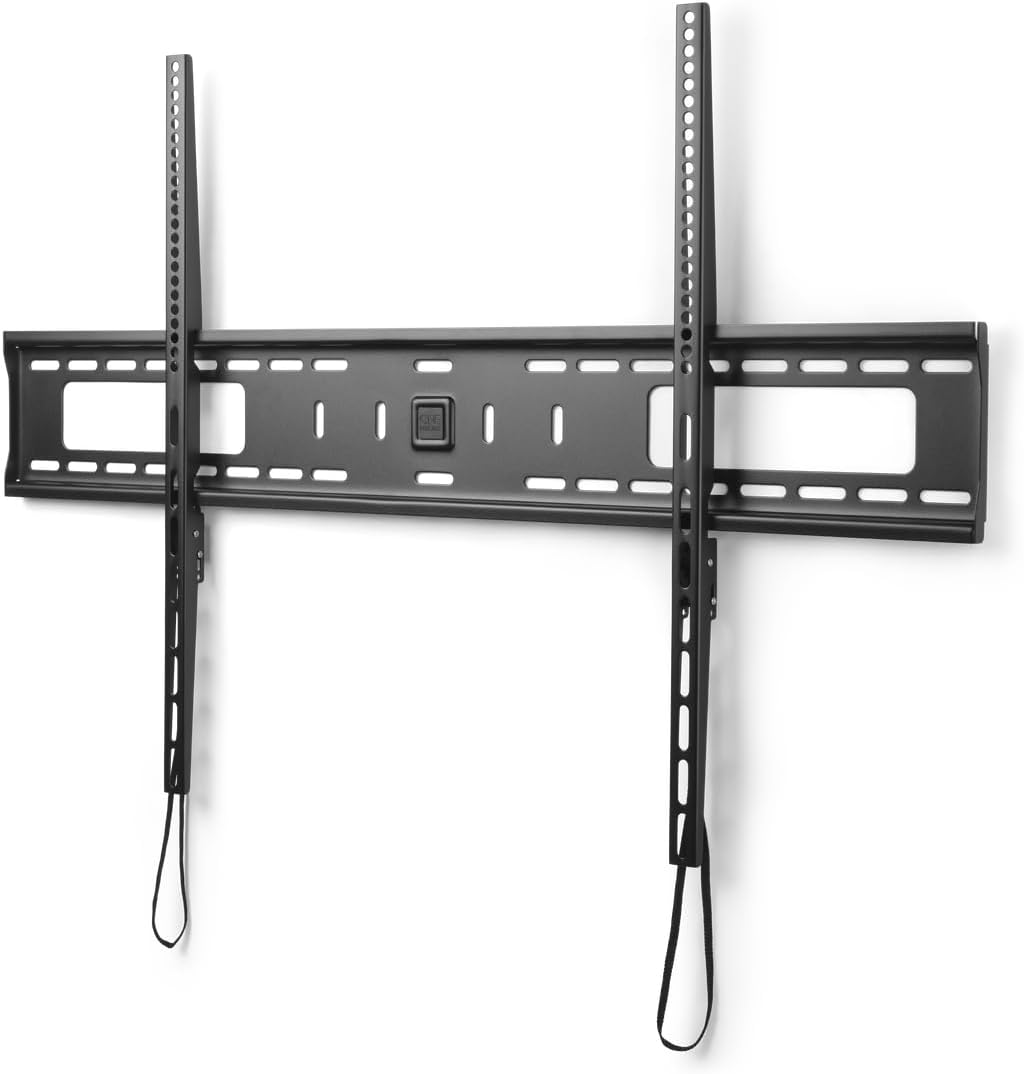
Image: The main wall mount bracket with two vertical TV mounting arms attached, ready for installation.
Step 2: Locate Mounting Position and Studs
Determine the desired height for your television. Use a stud finder to locate the center of at least two adjacent wall studs. Mark these locations precisely. For concrete or brick walls, use appropriate anchors (not included for all wall types, consult a hardware professional).

Image: The wall mount bracket secured to a wall, with a cutaway view revealing the wooden studs it is anchored to.
Step 3: Mount the Wall Plate
Hold the wall plate against the wall at the marked locations. Use the included spirit level to ensure the mount is perfectly horizontal. Mark the drilling points through the pre-drilled holes on the wall plate. Drill pilot holes according to the recommended drill bit size for your wall type and chosen fasteners. Secure the wall plate to the wall using the provided lag bolts and washers. Ensure it is firmly attached.
Step 4: Attach Brackets to TV
Carefully place your television face down on a soft, clean surface. Identify the VESA mounting holes on the back of your TV. Attach the two vertical TV mounting brackets to the back of your television using the appropriate screws, washers, and spacers from the included hardware kit. Ensure the brackets are centered and securely fastened. The pull cords should hang freely below the bottom edge of the TV.

Image: Detail of the bottom of the TV mounting bracket, showing the release pull cords hanging down.
Step 5: Hang the TV on the Wall Mount
With assistance, carefully lift the television and align the TV mounting brackets with the wall plate. Hook the top of the TV brackets onto the top rail of the wall plate. Gently lower the TV until the brackets engage with the bottom rail of the wall plate. Listen for a click, indicating the safety locking mechanism has engaged. The pull cords should remain accessible at the bottom for future removal.
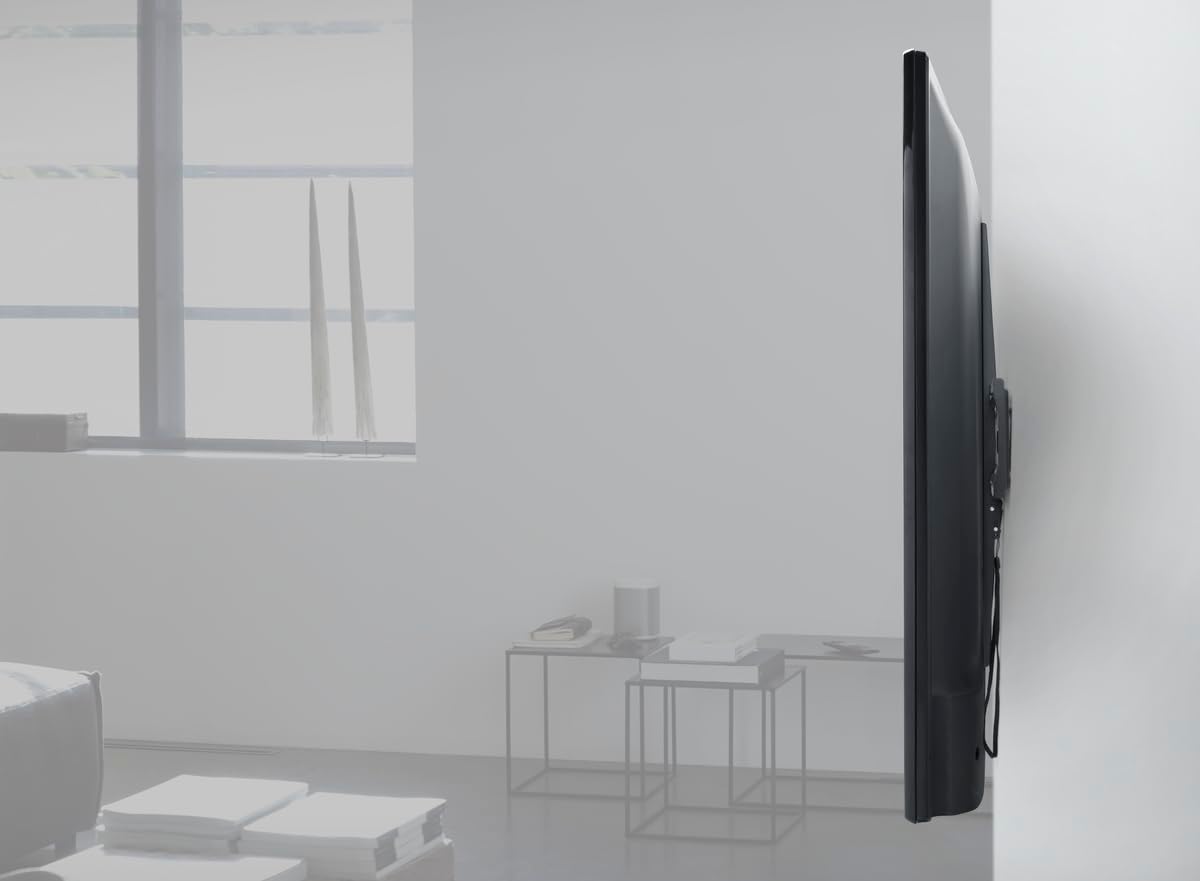
Image: A television mounted on the wall, viewed from the side, demonstrating the low-profile design of the fixed mount.
Step 6: Final Check
Gently pull on the bottom of the TV to ensure it is securely locked onto the wall mount. Double-check that the TV is level using the spirit level. Make any necessary adjustments before finalizing the installation.
Operation
The One For All WM4910 is a fixed wall mount, meaning it does not offer tilt, swivel, or articulation. Once installed, your TV will remain in a static position. To remove the TV from the mount, gently pull the release cords located at the bottom of the TV mounting brackets. This will disengage the locking mechanism, allowing you to lift the TV off the wall plate.
Maintenance
This wall mount requires minimal maintenance. Periodically check all screws and bolts to ensure they remain tight and secure. Dust the mount with a soft, dry cloth. Do not use abrasive cleaners or solvents, as these may damage the finish.
Troubleshooting
- TV is not level: Ensure the wall plate was installed level. If not, remove the TV, loosen the wall plate screws slightly, adjust with the spirit level, and re-tighten.
- TV does not lock onto the mount: Verify that the TV brackets are correctly seated on both the top and bottom rails of the wall plate. Ensure no cables are obstructing the locking mechanism.
- Mount feels unstable: Immediately remove the TV. Re-check all mounting points and ensure the mount is securely fastened to wall studs or appropriate anchors. Do not re-mount the TV until stability is confirmed.
Specifications
| Model | WM4910 |
| Brand | One For All |
| Mounting Type | Wall Mount (Fixed) |
| Material | Metal |
| Color | Black |
| Screen Size Compatibility | 42 inch up to 110 inch |
| VESA Compatibility | Up to 900 x 600 mm |
| Maximum Weight Capacity | 165 lbs (75 kg) |
| Certifications | UL Certified |
| Item Weight | 11.37 pounds |
| Package Dimensions | 37.56 x 6.14 x 2.95 inches |
| UPC | 810209031862 |

Image: Visual representation of the maximum weight capacity: 165 lbs (75 kg).
Warranty and Support
The One For All WM4910 Universal Jumbo TV Wall Mount comes with a 10-year guarantee, ensuring long-term reliability and peace of mind. For technical support, warranty claims, or missing parts, please contact One For All customer service through their official website or the retailer where the product was purchased. Please have your model number (WM4910) and proof of purchase ready.
For more information, visit the One For All Store on Amazon.
Related documentsWM4910


Ask a question about this manual
Ask about setup, troubleshooting, compatibility, parts, safety, or missing instructions. Manuals+ will review the question and use this page’s manual context to help answer it.