1. Important Safety Information
Please read this entire manual before assembling or operating your SPORTNOW Stationary Exercise Bike. Keep this manual for future reference.
- Consult your physician before starting any exercise program.
- Keep children and pets away from the equipment during use.
- Place the exercise bike on a flat, stable surface with adequate clearance around it.
- Before each use, check all bolts, nuts, and other connections to ensure they are securely fastened.
- Wear appropriate exercise clothing and footwear. Avoid loose clothing that could get caught in moving parts.
- If you experience any pain, dizziness, or shortness of breath, stop exercising immediately and consult your physician.
- The emergency brake ensures an instant stop for added safety. Use it if necessary.
- Maximum user weight: 120 kg (264 lbs).
2. Package Contents
Your SPORTNOW Stationary Exercise Bike package includes all necessary components for assembly. Please verify all parts are present and undamaged before beginning assembly. If any parts are missing or damaged, contact customer support.

3. Setup and Assembly
Assembly is required for this exercise bike. Follow the instructions carefully. It is recommended to have two people for assembly.
- Unpack all components and lay them out on a clean, flat surface. Verify all parts against the parts list (refer to included documentation).
- Attach the front and rear stabilizers to the main frame using the provided bolts and tools.
- Install the pedals. Note that the left and right pedals are typically marked 'L' and 'R' and thread in opposite directions.
- Mount the seat post and seat. Adjust the seat height to a comfortable position (see Section 4 for details).
- Attach the handlebar post and handlebars. Adjust the handlebar height (see Section 4 for details).
- Connect the LCD monitor cables to the main unit. Mount the LCD monitor onto the handlebar post.
- Insert 2 AAA batteries into the LCD monitor (batteries not included).
- Ensure all connections are tight and secure before first use.
4. Operating Instructions
4.1 Adjusting Seat and Handlebar
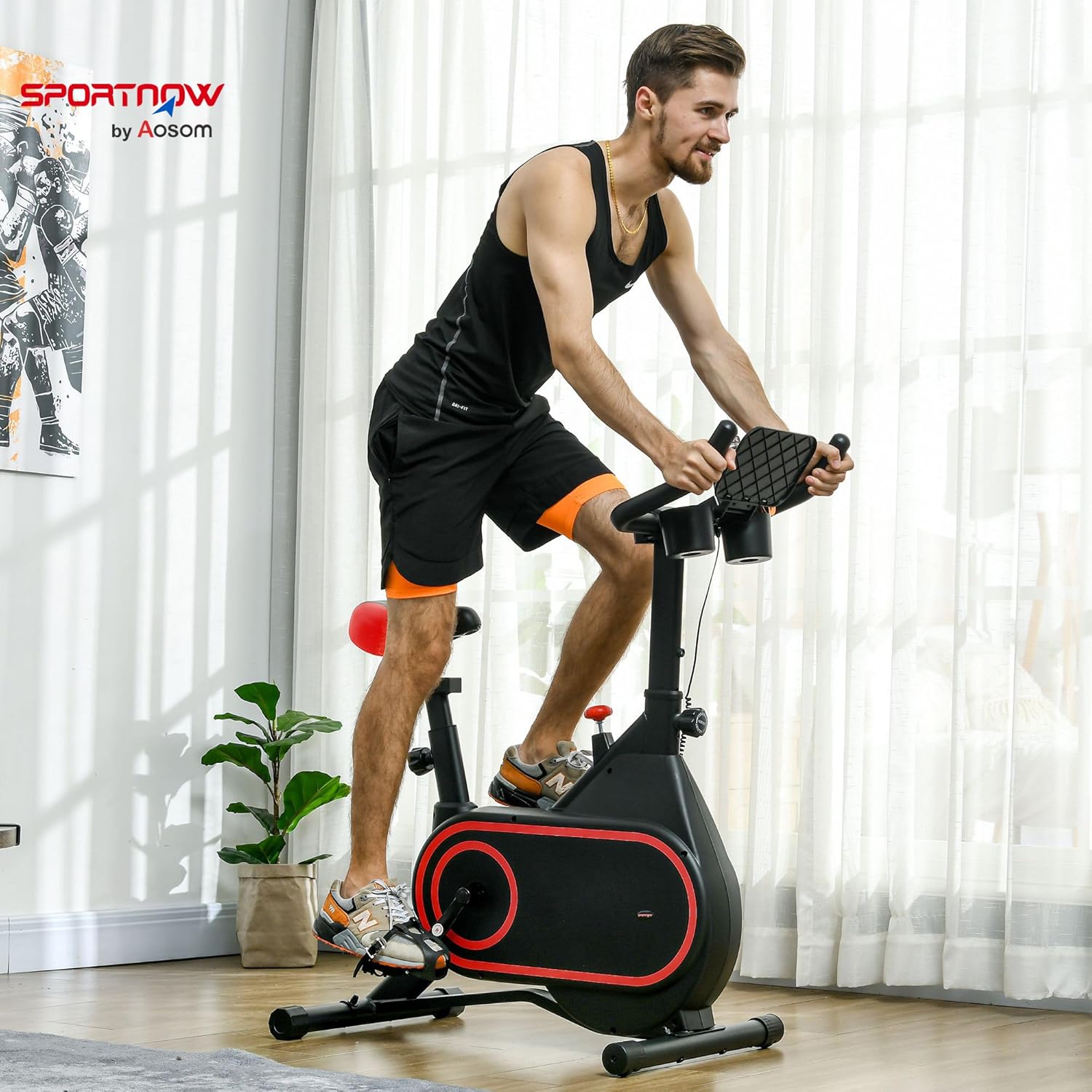
Both the handlebar and the seat are height-adjustable to ensure a suitable and comfortable position for different users. Loosen the adjustment knob, slide the post to the desired height, and then securely tighten the knob.
- Seat Height: Adjust so your leg is slightly bent at the knee when the pedal is at its lowest point.
- Handlebar Height: Adjust for a comfortable reach without straining your back or shoulders.

4.2 Adjusting Resistance
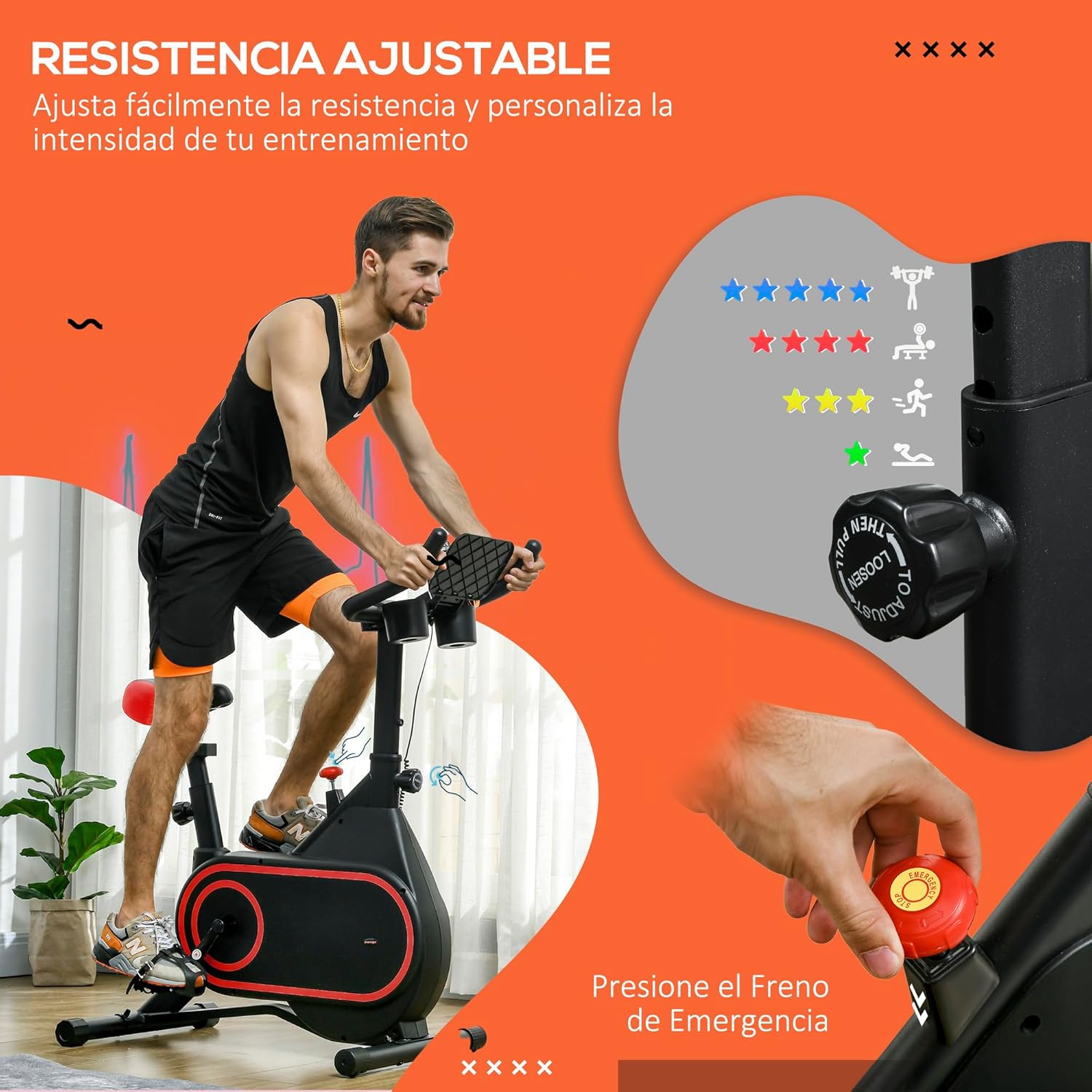
The exercise bike features adjustable magnetic resistance, allowing you to customize your workout intensity from gentle to intense. Turn the resistance knob clockwise to increase resistance and counter-clockwise to decrease it.
The emergency brake function is integrated into the resistance knob. Press the knob down firmly to engage the emergency brake and bring the flywheel to an immediate stop for safety.
4.3 Using the LCD Monitor
The stationary bike includes an LCD screen to monitor your workout data. The monitor displays:
- TIME: Duration of your workout.
- SPEED: Current cycling speed.
- DISTANCE: Distance covered during your workout.
- CALORIES: Estimated calories burned.
- ODOMETER (ODO): Total accumulated distance.
- SCAN: Automatically cycles through all display functions.
To operate, simply start pedaling, and the monitor will activate. Press the button on the monitor to cycle through different display modes or hold it to reset values (refer to the monitor's specific instructions if provided separately).

4.4 Additional Features
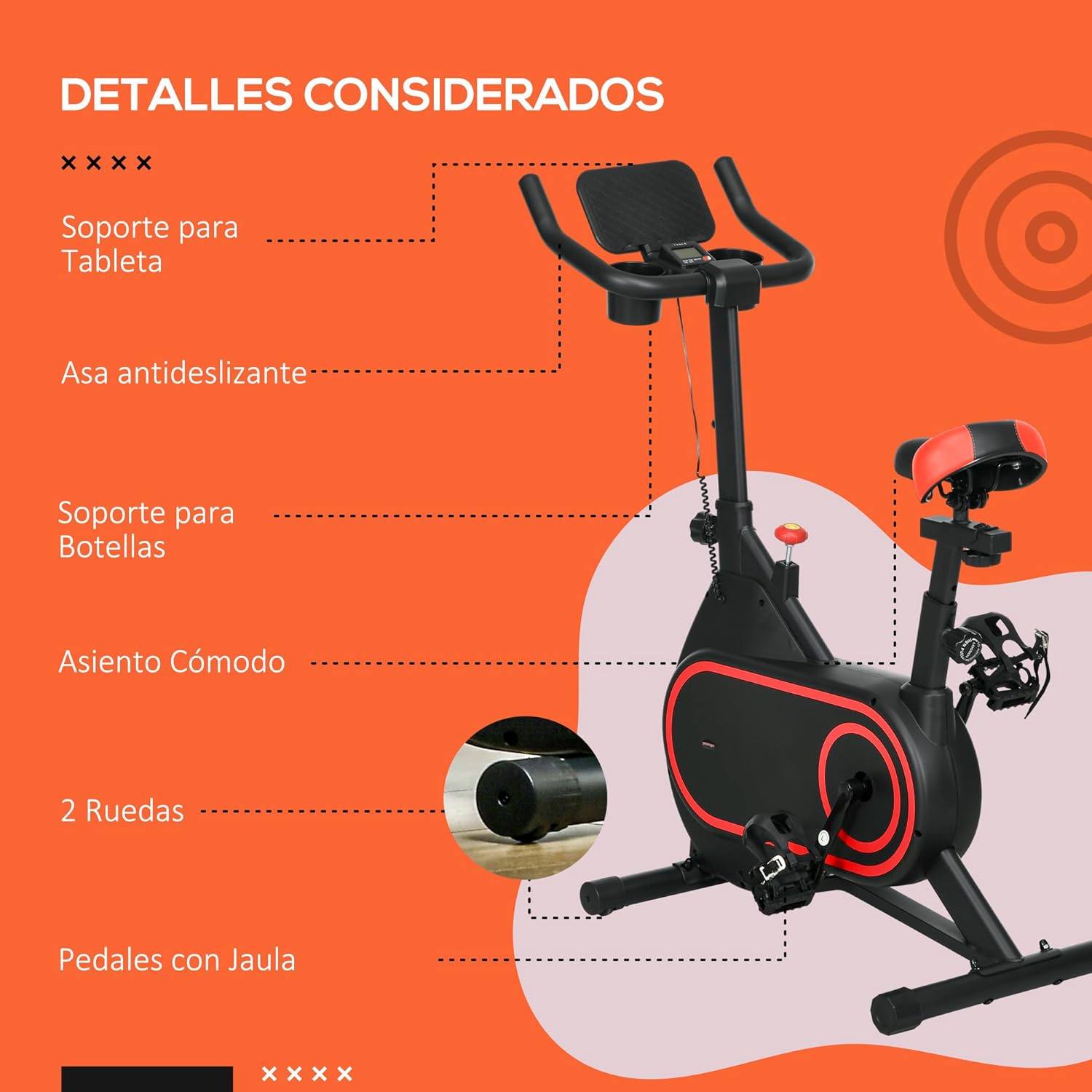
- Tablet Holder: A convenient holder is integrated into the handlebar for your tablet or smartphone.
- Bottle Holders: Two bottle holders are provided to keep your hydration within reach.
- Caged Pedals: Adjustable caged pedals secure your feet during intense workouts.
- Transport Wheels: Two wheels at the front base allow for easy movement and storage of the bike.
- Silent Belt Drive: The ultra-quiet and smooth 4 kg flywheel with a belt drive system ensures a quiet workout experience.
5. Maintenance
Regular maintenance ensures the longevity and safe operation of your exercise bike.
- Cleaning: Wipe down the bike with a damp cloth after each use to remove sweat and dust. Avoid abrasive cleaners.
- Inspection: Periodically check all nuts, bolts, and moving parts for tightness. Tighten any loose components.
- Lubrication: The belt drive system is generally maintenance-free. Do not attempt to lubricate internal components unless specifically instructed by the manufacturer.
- Storage: Store the bike in a dry, cool place away from direct sunlight and moisture. Use the transport wheels to move it easily.
6. Troubleshooting
| Problem | Possible Cause | Solution |
|---|---|---|
| LCD monitor not displaying | Dead batteries; Loose cable connection. | Replace AAA batteries; Check and secure the monitor cable connection. |
| Bike is unstable or wobbly | Uneven surface; Loose bolts on stabilizers. | Ensure bike is on a flat surface; Tighten all assembly bolts, especially on the stabilizers. |
| Unusual noise during operation | Loose components; Friction from moving parts. | Inspect and tighten all bolts and nuts. Ensure no parts are rubbing. |
| Resistance not changing | Resistance mechanism issue. | Ensure the resistance knob is properly engaged and turning. If the issue persists, contact customer support. |
7. Specifications
| Feature | Detail |
|---|---|
| Brand | SPORTNOW |
| Model Number | A90-353V00RD |
| Color | Black and Red |
| Material | Alloy Steel |
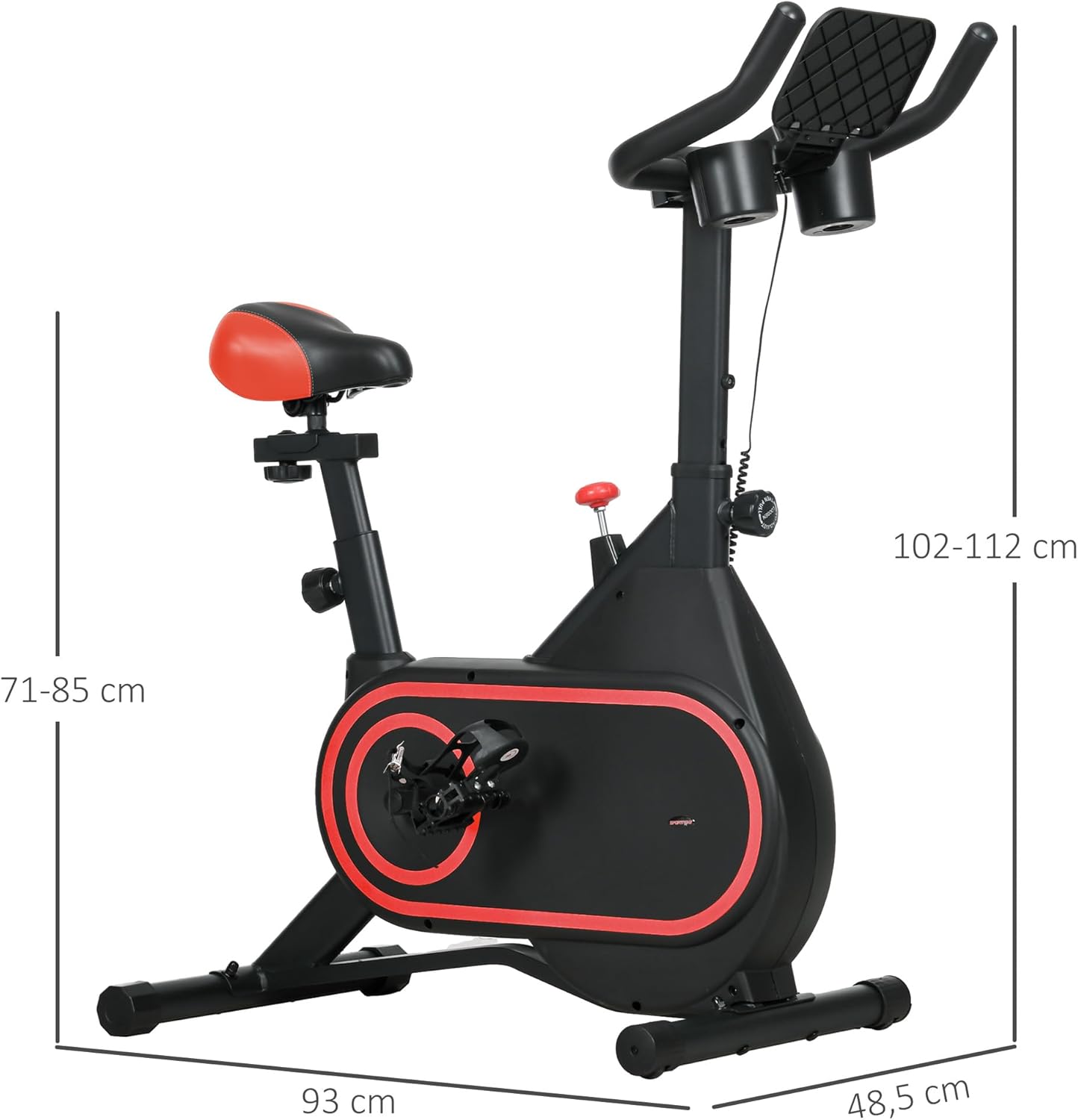
| Product Dimensions (LxWxH) | 93 x 48.5 x 102-112 cm (36.6 x 19.1 x 40.2-44.1 inches) |
| Item Weight | 18 kg (39.7 lbs) |
| Maximum Weight Recommendation | 120 kg (264 lbs) |
| Resistance Mechanism | Magnetic |
| Flywheel Weight | 4 kg |
| Power Source (Monitor) | Battery (2 AAA required) |
| Special Features | Adjustable Seat and Handlebar, Smooth and Silent Design, Adjustable Intensity, Caged Pedals, LCD Display, Tablet Holder, Bottle Holders, Transport Wheels |
| Recommended Uses | Indoor Fitness |
| Country of Origin | China |
8. Warranty and Support
For warranty information or technical support, please refer to the documentation included with your product or contact SPORTNOW customer service through the retailer where you purchased the product.
Keep your purchase receipt as proof of purchase for any warranty claims.


