
Edifier ES850NB
Contents
Edifier ES850NB ANC Wireless Headphones User Manual
Model: ES850NB
Introduction
Welcome to the Edifier ES850NB ANC Wireless Headphones. These headphones are designed to provide an immersive audio experience with advanced features for comfort and convenience. Enjoy studio-quality sound with Hi-Res Audio and wireless Hi-Res Audio support, powered by a 40mm dynamic driver with a titanium-coated composite diaphragm. The ES850NB supports LDAC, AAC, and SBC codecs for superior audio fidelity.
Key features include advanced hybrid active noise cancellation up to 45dB, long battery life with up to 92 hours of playback (ANC off), Bluetooth 5.4 with multipoint connection, comfortable and durable design, intuitive touch controls, and AI noise cancellation for clear calls.
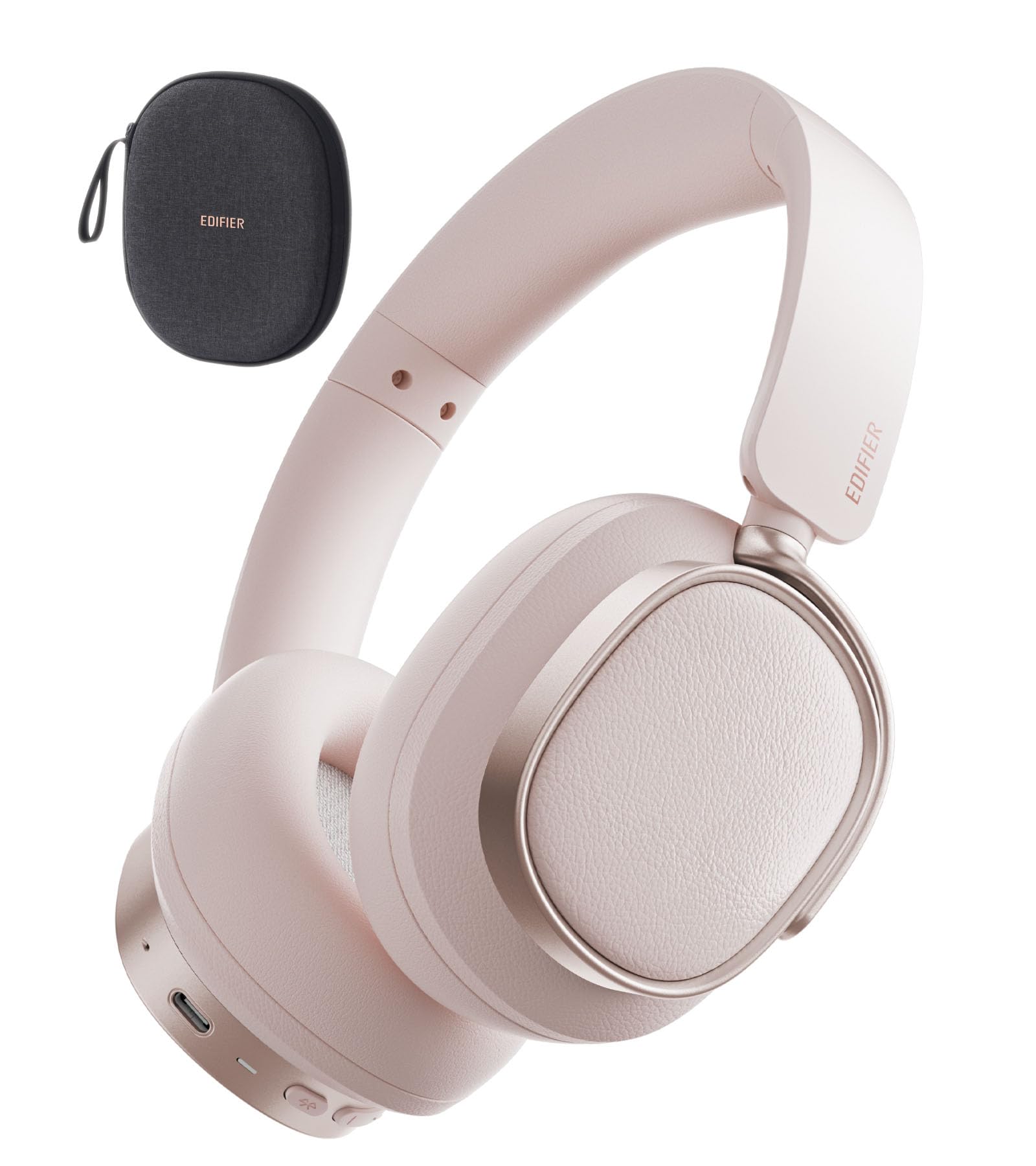
Image: Edifier ES850NB ANC Wireless Headphones in pink, showcasing the sleek design.
What's in the Box
Please check the contents of your package to ensure all items are present:
- Edifier ES850NB Headphones x 1
- User Manual x 1
- Travel Pouch x 1
- Type-C Charging Cable x 1
- Safety Instructions x 1

Image: A visual representation of the Edifier ES850NB package contents, including the headphones, travel case, charging cable, and documentation.
Product Overview
Design and Comfort
The ES850NB headphones are engineered for all-day comfort, featuring a lightweight design (only 265g), ergonomic headband, and soft memory foam ear cushions. The fully foldable design enhances portability, making them ideal for travel.

Image: The Edifier ES850NB headphones folded for portability, shown with a smartphone and their included travel case.
Audio Quality
Experience premium sound with the 40mm dynamic drivers and titanium-coated composite diaphragm, delivering crisp highs, rich mids, and deep bass. The headphones support LDAC for high-resolution wireless audio, providing 3 times the detail of standard Bluetooth codecs for a truly lossless musical experience.

Image: A graphic highlighting the Hi-Res Audio, Hi-Res Wireless, and LDAC certifications, emphasizing the high-fidelity sound capabilities of the headphones.
Setup
Initial Charging
Before first use, fully charge your Edifier ES850NB headphones. Connect the provided USB-C cable to the charging port on the headphones and the other end to a USB power source. A full charge provides extensive playback time, and a quick 15-minute charge can give you 11.5 hours of playback.

Image: An illustration detailing the impressive battery life of the ES850NB headphones, showing 92 hours with ANC off, 53 hours with ANC on, and quick charge benefits.
Bluetooth Pairing
- Ensure the headphones are powered off.
- Press and hold the power button until the indicator light flashes blue and red, indicating pairing mode.
- On your device (smartphone, PC, etc.), enable Bluetooth and search for "EDIFIER ES850NB".
- Select the headphones to connect. Once connected, the indicator light will turn solid blue.
The ES850NB supports Bluetooth 5.4 for a stable wireless connection and multipoint connectivity, allowing seamless switching between two paired devices.

Image: The ES850NB headphones demonstrating multipoint connection, simultaneously linked to a smartphone and a tablet for seamless audio switching.
Operating Instructions
Controls
The Edifier ES850NB features intuitive physical buttons and touch controls for easy management of your audio and calls.
| Function | Action |
|---|---|
| Power ON/OFF, Pause/Play | Press and hold (Power), Single press (Play/Pause) |
| Volume Up | Single press (+) |
| Next Track | Press and hold (+) |
| Volume Down | Single press (-) |
| Previous Track | Press and hold (-) |
| Answer/End Call | Single press (Call button) |
| Reject Call | Double press (Call button) |
| Voice Assistant | Double press (Call button) |
| ANC Modes Switch | Single press (ANC button) |
| Sound Effects Switch | Double press (ANC button) |
| Bluetooth Pairing | Press and hold (ANC button) |

Image: A detailed diagram illustrating the location and function of each control button on the Edifier ES850NB headphones.
Active Noise Cancellation (ANC)
The ES850NB features advanced hybrid active noise cancellation, reducing ambient noise by up to 45dB. You can switch between multiple ANC modes to suit your environment, including High Noise Cancellation, Medium Noise Cancellation, Wind Reduction, and Adjustable Ambient Sound.

Image: A visual demonstrating the hybrid active noise cancellation feature, showing a user enjoying quiet with icons for various ANC modes.
Touch-to-Chat Functionality
For quick conversations without removing your headphones, simply touch and hold the right earcup. This action pauses your audio and allows ambient sound to pass through. Release to instantly resume playback.

Image: A user demonstrating the 'Touch-to-Chat' feature, touching the right earcup to temporarily pause audio and hear surroundings.
Personalized Sound Modes
Customize your listening experience with three distinct sound modes tailored for different entertainment needs: Music Mode, Game Mode, and Spatial Sound.

Image: A visual representation of the personalized sound modes available, including Music Mode, Game Mode, and Spatial Sound, to optimize audio for various activities.
Clear Hands-Free Calls
Built-in microphones with AI noise cancellation technology ensure crystal-clear calls, even in noisy environments. AI-powered algorithms precisely capture human voices while filtering out background noise.

Image: A user engaged in a phone call with the ES850NB headphones, visually representing the AI noise cancellation feature for clear voice transmission.
EDIFIER ConneX App
Enhance your listening experience with the EDIFIER ConneX app. Customize EQ settings, update firmware, configure controls, and access more features for a personalized audio experience.
- EDIFIER ConneX: For use when ES850NB is connected to the phone via Bluetooth.
- EDIFIER TempoHub: For use when ES850NB is connected to the computer via USB-C cable. (Download from edifier.com/PC.html)

Image: Screenshots of the EDIFIER ConneX application on both mobile and desktop, illustrating the various customization and control options available for the headphones.
Maintenance
To ensure the longevity and optimal performance of your Edifier ES850NB headphones, follow these maintenance guidelines:
- Cleaning: Use a soft, dry cloth to clean the headphones. Do not use liquid cleaners or sprays.
- Storage: When not in use, store the headphones in the provided travel pouch to protect them from dust and scratches. Avoid storing in extreme temperatures.
- Battery Care: To preserve battery life, avoid fully discharging the headphones frequently. Charge them regularly, even if not used for extended periods.
- Avoid Moisture: Keep the headphones away from water and high humidity.
- Handle with Care: Avoid dropping or subjecting the headphones to strong impacts.
Troubleshooting
If you encounter any issues with your Edifier ES850NB headphones, please refer to the following common solutions:
- No Power:
Ensure the headphones are fully charged. Connect them to a power source using the USB-C cable and check if the charging indicator lights up. - Cannot Pair via Bluetooth:
- Make sure the headphones are in pairing mode (indicator flashing blue and red).
- Ensure Bluetooth is enabled on your device and it is within 10 meters of the headphones.
- Forget the device from your Bluetooth list and try pairing again.
- Restart both the headphones and your device.
- No Sound:
- Check the volume level on both the headphones and your connected device.
- Ensure the headphones are properly connected to your device.
- Try playing audio from a different application or source.
- ANC Not Working Effectively:
- Ensure the earcups form a good seal around your ears. Adjust the fit if necessary.
- Cycle through the ANC modes using the dedicated button to find the most effective setting for your environment.
- Poor Call Quality:
- Ensure the microphone is not obstructed.
- Move to a quieter environment if possible, although AI noise cancellation is designed to help.
- Check your device's call settings.
If these steps do not resolve your issue, please contact Edifier customer support for further assistance.
Specifications
| Feature | Detail |
|---|---|
| Model | ES850NB |
| Bluetooth Version | 5.4 |
| Audio Codecs | LDAC, SBC |
| Bluetooth Range | Approximately 10 meters |
| Frequency Response | 20Hz - 40KHz |
| Acoustic Pressure Level | 91 ± 3dB (A) |
| Driver Size | 40mm Dynamic Driver |
| Impedance | 30 Ohms |
| Noise Control | Active Noise Cancellation (ANC) |
| Battery Life (ANC OFF) | Approximately 92 hours |
| Battery Life (ANC ON) | Approximately 53 hours |
| Charging Time | 15 minutes for 11.5 hours playback |
| Input | 5V=1A |
| Weight | 265 Grams |
| Material | Synthetic Leather, Stainless Steel |
| Connectivity | Wireless (Bluetooth), Wired (USB-C) |
| Control Method | Touch, Physical Buttons |
| Compatible Devices | Smartphone, PC, Smart Speaker |

Image: A comprehensive table outlining the technical specifications of the ES850NB headphones, including model, Bluetooth version, audio codecs, battery life, and more.
Product Dimensions

Image: A diagram illustrating the physical dimensions of the Edifier ES850NB headphones, including length, height, width, earcup height, and cushion thickness.
Warranty and Support
Warranty Information
The Edifier ES850NB headphones come with a 2-year warranty. Please retain your proof of purchase for warranty claims. The warranty covers manufacturing defects and malfunctions under normal use.
Customer Support
For further assistance, technical support, or warranty inquiries, please visit the official Edifier website or contact their customer service:
- Official Edifier Store: Edifier Store on Amazon
- User Manual (PDF): Download PDF
You can also find more information and support resources on the main Edifier website.
Documents and downloads
Ask a question about this manual
Ask about setup, troubleshooting, compatibility, parts, safety, or missing instructions. Manuals+ will review the question and use this page’s manual context to help answer it.