
Introduction
This manual provides comprehensive instructions for the safe and efficient operation, installation, and maintenance of your ZAFRO 5000BTU Window Air Conditioner. Please read this manual thoroughly before using the appliance and retain it for future reference.
Safety Information
Always follow basic safety precautions when using electrical appliances to reduce the risk of fire, electric shock, and injury to persons.
- Read all instructions before using this appliance.
- This appliance must be properly grounded.
- Do not operate the air conditioner with a damaged cord or plug.
- Do not block air openings.
- Ensure the window unit is installed securely to prevent falling.
- Unplug the unit before cleaning or servicing.
Product Overview
Components Included in the Box

Image: All components included in the ZAFRO 5000BTU Window Air Conditioner box, including the main unit, top rail, lock frames, filler panels, sash lock, window sash seal, foam top window gasket, and various screws.
- Window Air Conditioner Unit
- Top Rail (With sponge) *1
- Lock Frame *2
- Filler Panels *2
- Sash Lock (Two holes) *1
- Window Sash Seal (Sponge) *1
- Foam Top Window Gasket *1
- Screws: 3/8" Screws *4, 1/2" Screws *3, 3/4" Screws *4
Unit Features
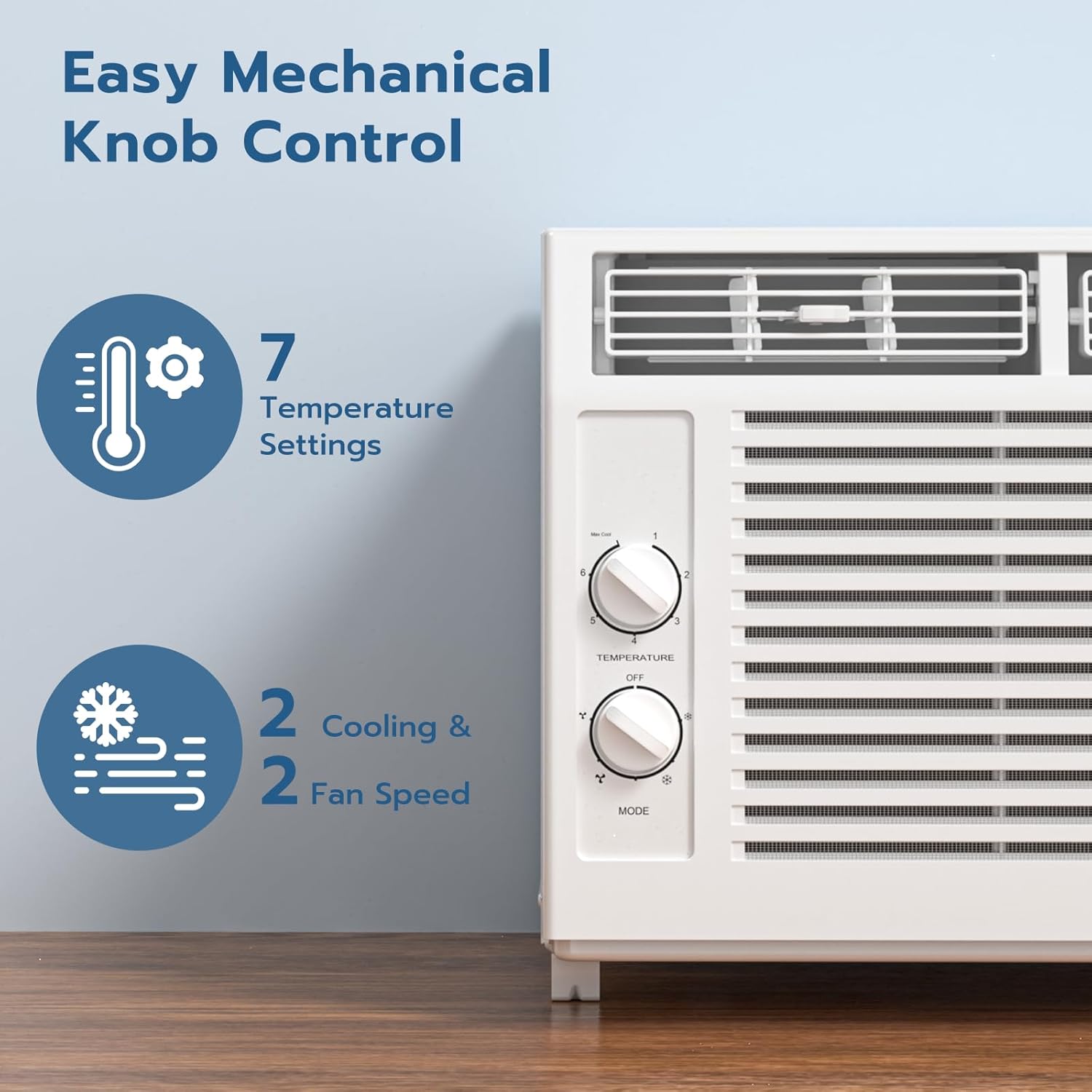
Image: The mechanical control knobs on the ZAFRO 5000BTU Window Air Conditioner, showing settings for temperature and mode/fan speed.
- Temperature Control Knob: 7 temperature settings.
- Mode/Fan Speed Knob: 2 cooling modes and 2 fan speeds.
- Directional Louvers: Control horizontal and vertical airflow.
Installation Instructions
This air conditioner is designed for installation in standard double-hung windows with a window width between 23 inches (584mm) and 34 inches (863mm), and a vertical clearance of at least 14.5 inches.
Window Requirements

Image: Illustration of a window with required dimensions for the air conditioner installation, indicating a width range of 23-34 inches and a minimum vertical clearance of 14.5 inches.
Step-by-Step Installation
- Prepare the Window: Ensure the window opening meets the specified dimensions. Clean the window sill and frame.
- Attach Top Rail: Secure the top rail to the top of the air conditioner unit using the provided screws.
- Install Filler Panels: Slide the filler panels into the side channels of the unit.
- Place Unit in Window: Carefully lift the air conditioner and place it in the window opening, ensuring the bottom rail rests on the window sill. Close the window sash down onto the top rail of the unit.
- Extend Filler Panels: Extend the filler panels to fill the window opening on both sides. Secure them to the window frame with screws.
- Install Sash Lock: Install the sash lock to secure the window sashes, preventing the window from being opened from the outside.
- Apply Seals: Apply the window sash seal and foam top window gasket to ensure a tight seal and prevent air leakage.

Image: A visual step-by-step guide demonstrating the installation process of the window air conditioner, from preparing the side panels to placing the unit in the window.
Operating Instructions
Your ZAFRO 5000BTU Window Air Conditioner features simple mechanical knob controls for easy operation.
Control Panel Overview
Image: The mechanical control knobs on the ZAFRO 5000BTU Window Air Conditioner, showing settings for temperature and mode/fan speed.
Setting the Temperature
Rotate the Temperature Control Knob to select your desired cooling level. The knob has 7 settings, from minimum to maximum cooling. A lower number indicates less cooling, while a higher number indicates more cooling.
Selecting Mode and Fan Speed
Rotate the Mode/Fan Speed Knob to choose between different operational modes and fan speeds:
- OFF: Turns the unit off.
- FAN: Operates only the fan, circulating air without cooling. Choose between Low Fan and High Fan speeds.
- COOL: Activates the cooling function. Choose between Low Cool and High Cool speeds.
Adjusting Airflow Direction
Manually adjust the horizontal and vertical louvers on the front of the unit to direct the airflow to your preferred area.
Maintenance
Regular maintenance ensures optimal performance and extends the lifespan of your air conditioner.
Cleaning the Air Filter
The air filter should be cleaned at least once a month, or more frequently if the unit is used heavily or in dusty environments. A dirty filter can reduce cooling efficiency and airflow.
- Turn Off and Unplug: Always turn off the air conditioner and unplug it from the power outlet before cleaning.
- Remove Filter: Locate the air filter, typically behind the front grille. Gently pull it out.
- Clean Filter: Wash the filter with warm, soapy water. Rinse thoroughly. For heavily soiled filters, a vacuum cleaner can be used to remove loose dust before washing.
- Dry Filter: Allow the filter to air dry completely before reinserting it. Do not use direct heat to dry.
- Reinstall Filter: Slide the dry filter back into its position.
General Cleaning
- Wipe the cabinet with a soft, damp cloth. Do not use harsh chemicals, abrasive cleaners, or waxes.
- Ensure no water enters the electrical components.
- Check the power cord and plug for any damage regularly.
Troubleshooting
Before contacting customer service, please refer to the following troubleshooting guide for common issues.
| Problem | Possible Cause | Solution |
|---|---|---|
| Air conditioner does not start. | No power; Plug not fully inserted; Blown fuse/tripped circuit breaker. | Check power supply; Ensure plug is secure; Reset circuit breaker/replace fuse. |
| Unit does not cool sufficiently. | Dirty air filter; Room too large; Doors/windows open; Temperature setting too high. | Clean air filter; Ensure room size is within 150 sq. ft.; Close all openings; Lower temperature setting. |
| Noisy operation. | Unit not level; Loose parts; Obstruction in fan. | Ensure unit is level; Check for loose screws; Remove any obstructions. |
| Water dripping inside. | Unit not tilted slightly outwards; Drain hole blocked. | Ensure unit is slightly tilted to the outside for proper drainage; Clear drain hole. |
Specifications
| Feature | Detail |
|---|---|
| Model Number | A8501W-5K |
| Cooling Capacity | 5000 BTU |
| Recommended Room Size | Up to 150 sq. ft. |
| Product Dimensions (D x W x H) | 13.07" x 15.98" x 12.01" |
| Item Weight | 36.3 pounds |
| Voltage | 115 Volts |
| Noise Level | 50 dB |
| Refrigerant | R-32 |
| Warranty | 1 year |
Warranty and Support
Warranty Information
This ZAFRO Window Air Conditioner comes with a 1-year limited warranty from the date of purchase. This warranty covers defects in materials and workmanship under normal use. It does not cover damage resulting from accident, misuse, abuse, alteration, or improper installation.
Customer Support
For technical assistance, warranty claims, or general inquiries, please contact ZAFRO customer support. Refer to the product packaging or the official ZAFRO website for the most current contact information.
You can also visit the ZAFRO Store on Amazon for more product information and support resources.
