
HLDIRECT Gaming Chair with Pocket Spring Cushion
HLDIRECT Gaming Chair Instruction Manual
Model: Gaming Chair with Pocket Spring Cushion
Brand: HLDIRECT
1. Introduction
Thank you for choosing the HLDIRECT Gaming Chair. This manual provides detailed instructions for the assembly, operation, maintenance, and troubleshooting of your new chair. Designed for extended comfort, this ergonomic chair features a unique pocket spring cushion, adjustable components, and durable construction to enhance your gaming, work, or relaxation experience.
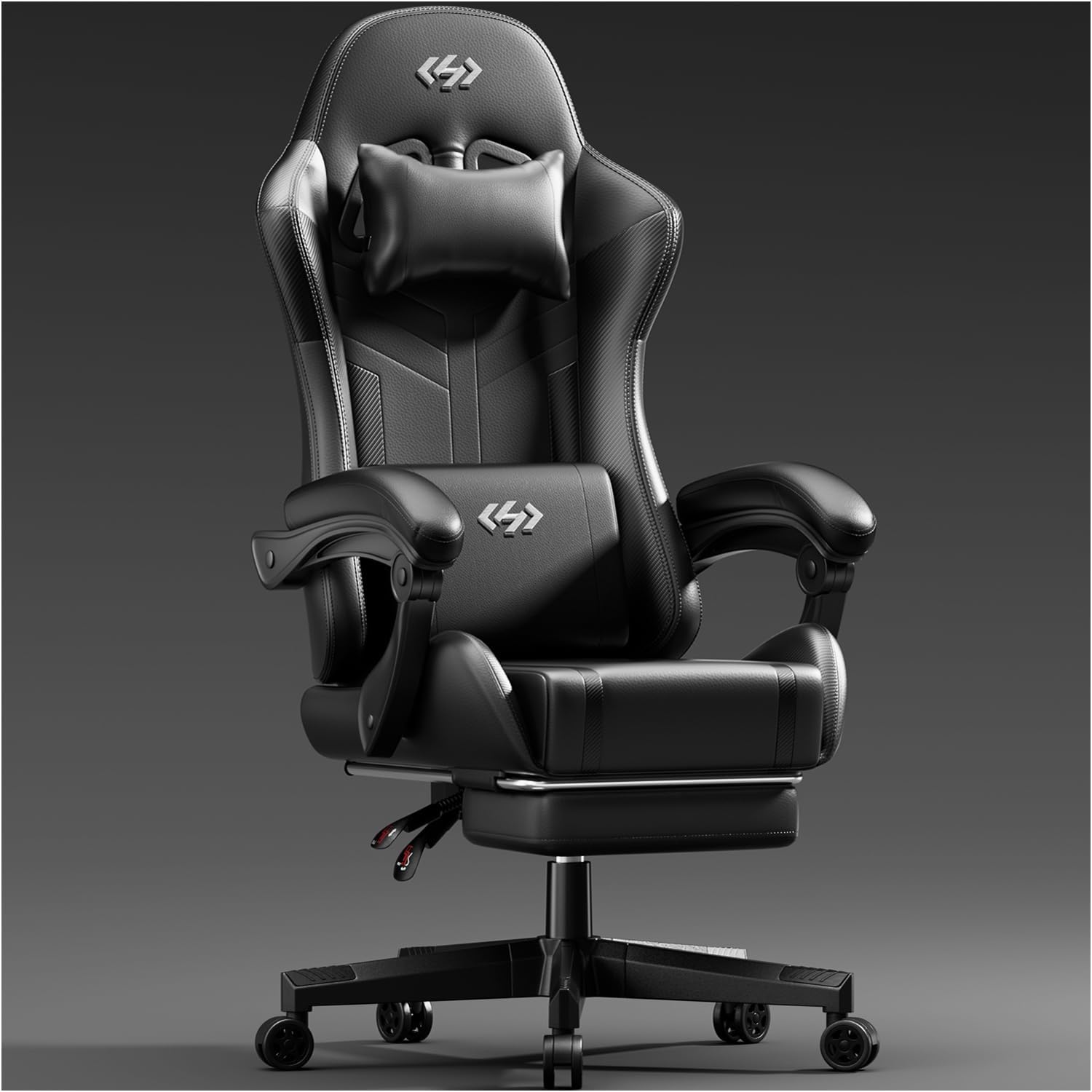
Figure 1.1: HLDIRECT Gaming Chair, showcasing its sleek black design and ergonomic form.
2. Setup and Assembly
Your HLDIRECT Gaming Chair is designed for straightforward assembly, typically completed within 30 minutes. All necessary tools and hardware are included in the package. Please follow these steps carefully.
2.1. Package Contents

Figure 2.1: All components of the HLDIRECT Gaming Chair laid out for assembly.
2.2. Assembly Steps
- Attach Casters to Base: Insert the five silent casters into the holes on the star base. Ensure they click securely into place.
- Insert Gas Lift: Place the SGS certified Level 3 gas lift into the center hole of the star base.
- Assemble Seat and Backrest: Securely attach the backrest to the seat base using the provided bolts. Ensure all connections are tight.
- Attach Armrests: Fasten the armrests to the seat base. Periodically check these bolts for tightness to maintain stability.
- Mount Seat Assembly to Gas Lift: Carefully place the assembled seat onto the gas lift, ensuring it is centered and stable.
- Install Headrest and Lumbar Support: Position the headrest and lumbar support cushions as desired. The lumbar support may have straps for adjustment.
2.3. Assembly Video Guide
Video 2.1: Official HLDIRECT Gaming Chair assembly and feature overview. This video demonstrates the assembly process and highlights key features of the chair.
3. Operating Your Gaming Chair
The HLDIRECT Gaming Chair offers multiple adjustments to ensure optimal comfort and support for various activities, including gaming, working, and resting.
3.1. Ergonomic Adjustments
- Adjustable Height: Use the lever located under the seat on the right side to adjust the chair's height by 3.9 inches. Pull the lever up to raise the chair, or pull it up while seated to lower it.
- Recline Function: The backrest can be adjusted from 90 to 135 degrees. Use the recline lever on the left side of the seat to unlock, adjust the angle, and then push the lever down to lock it in place. This allows for upright working, relaxed gaming, or a more reclined resting position.
- Retractable Footrest: Pull out the footrest from under the seat for leg support during reclining. Push it back in when not in use.
- Cushion-Linked Armrests: The armrests are designed to move with the recline of the backrest, providing continuous arm support.

Figure 3.1: Illustration of the ergonomic design, highlighting the headrest, lumbar support, and elastic cushion for multi-directional health protection.

Figure 3.2: Visual representation of the 90-135 degree tilt design, showing suitable angles for working, gaming, and resting.
3.2. Comfort Features
- Pocket Spring Cushion: The seat cushion incorporates individually pocketed springs, similar to mattresses, providing flexible and precise weight distribution. This design, wrapped in 45D high-resilience sponge, prevents collapse during long sitting periods and offers cloud-like comfort.
- Headrest and Lumbar Support: The 30D one-piece molded high-density memory latex headrest and lumbar support precisely support the head, neck, shoulders, back, waist, buttocks, and legs, dispersing 95% of body pressure.

Figure 3.3: Cross-section view of the elastic comfort seat cushion, highlighting the independent pocket springs for precise pressure distribution and long-lasting support.

Figure 3.4: Close-up of the lumbar support, designed to relieve pressure on the lumbar vertebrae and alleviate pain from prolonged sitting.
4. Maintenance and Care
Proper care will extend the life and maintain the appearance of your HLDIRECT Gaming Chair.
4.1. Cleaning
- PU Leather Surface: The skin-friendly soft PU leather is resistant to friction, peeling, and stains. Clean regularly with a soft, damp cloth. Avoid abrasive cleaners or harsh chemicals, as these can damage the material.
- Base and Casters: Wipe the chair base and casters with a damp cloth to remove dust and debris. Ensure casters are free of hair or other obstructions for smooth movement.
4.2. General Care
- Check Connections: Periodically check all bolts and screws, especially those on the armrests and chair base, to ensure they remain tight. Re-tighten as necessary to maintain stability and prevent wobbling.
- Weight Capacity: Do not exceed the maximum load capacity of 330 LBS to prevent damage to the chair's structure.
- Avoid Direct Sunlight: Prolonged exposure to direct sunlight can cause the PU leather to fade or crack.
5. Troubleshooting
This section addresses common issues you might encounter with your gaming chair. If you experience problems not listed here, please contact customer support.
| Problem | Possible Cause | Solution |
|---|---|---|
| Chair wobbles or feels unstable. | Loose bolts or uneven assembly. | Check and tighten all assembly bolts, especially those connecting the seat, backrest, and armrests. Ensure the chair is on a flat, even surface. |
| Gas lift does not adjust height. | Gas lift lever not fully engaged or gas lift malfunction. | Ensure the height adjustment lever is fully pulled up or pushed down. If the issue persists, the gas lift may need replacement. Contact customer support. |
| Casters do not roll smoothly or make noise. | Debris (hair, dust) caught in casters or damaged casters. | Turn the chair over and remove any debris from the caster wheels. If casters are damaged, they may need replacement. |
| Chair makes squeaking noises. | Loose connections or friction between parts. | Tighten all bolts. Apply a small amount of silicone lubricant to moving parts or connection points if necessary. |
| Seat cushion feels uncomfortable or has sagged. | Exceeded weight capacity or prolonged heavy use. | Ensure the user's weight is within the 330 LBS limit. While designed for durability, extreme or prolonged stress can affect cushioning. Contact support if significant deformation occurs under normal use. |
6. Specifications
| Feature | Detail |
|---|---|
| Brand | HLDIRECT |
| Color | Black |
| Product Dimensions | 20.9"D x 21.7"W x 51.2"H |
| Back Style | Solid Back |
| Unit Count | 1.0 Count |
| Style | Modern |
| Included Components | Arm Rest, Head Rest |
| Indoor/Outdoor Usage | Indoor |
| Furniture Finish | Leather |
| Seat Depth | 20.9 inches |
| Reclining Position Count | 3 (90, 110, 135 degrees) |
| Manufacturer | HLDIRECT |
| Item Weight | 34.2 pounds |
| Maximum Load Capacity | 330 LBS |
| Gas Lift Certification | SGS Certified Level 3 |
| Base Certification | BIFMA Certified |
| Caster Noise Level | Less than 45 decibels |
| ASIN | B0F1FRBR35 |
| Date First Available | March 14, 2025 |

Figure 6.1: Detailed dimensions of the HLDIRECT Gaming Chair, including height, width, and depth measurements.
7. Warranty and Support
HLDIRECT is committed to customer satisfaction and provides comprehensive support for your gaming chair.
7.1. Warranty Information
- Parts Replacement Service: Enjoy a 30-day parts replacement service from the date of purchase.
- Parts Quality Warranty: A 1-year parts quality warranty is provided, covering manufacturing defects and material failures under normal use.
7.2. Customer Support
If you have any questions, require assistance with assembly, or need to claim warranty service, our experienced and professional customer team is available to help.
- Service Availability: 7 days a week, 24 hours a day.
- Contact Information: Please refer to the contact details provided on your purchase receipt or the HLDIRECT official website for the most current support channels.
Related documentsGaming Chair with Pocket Spring Cushion

Ask a question about this manual
Ask about setup, troubleshooting, compatibility, parts, safety, or missing instructions. Manuals+ will review the question and use this page’s manual context to help answer it.