Product Overview
The Pondee X5 is an advanced, cordless robotic pool cleaner designed for comprehensive cleaning of both the floor and walls of your swimming pool. Equipped with powerful brushless motors and intelligent navigation, it ensures efficient and thorough cleaning for various pool types and sizes.

Figure 1: The Pondee X5 Robotic Pool Cleaner, showcasing its compact design and robust tracks.
Key Features:
- Triple Brushless Motors & Powerful Suction: Features three high-end brushless motors providing an impressive 5500 GPH suction power, efficiently cleaning leaves, sand, hair, gravel, and small twigs.
- Intelligent Path Planning & 4 Customizable Modes: Ensures complete coverage of the pool floor, walls, and waterline with smart trajectory planning and four adaptable cleaning modes.
- Extended Runtime & Fast Charging: Offers up to 180 minutes of runtime, suitable for pools up to 300 m², with a quick 2.5-hour recharge time.
- One-Button Operation & Smart Return: Simple one-button control for starting cleaning or changing modes. The robot automatically returns to a predefined retrieval spot upon completion.
- Universal Compatibility: Designed for all pool shapes (rectangular, bean, L-shaped) and surfaces (vinyl, mosaic tile, concrete, fiberglass) with enhanced PVA cotton rollers for superior grip.
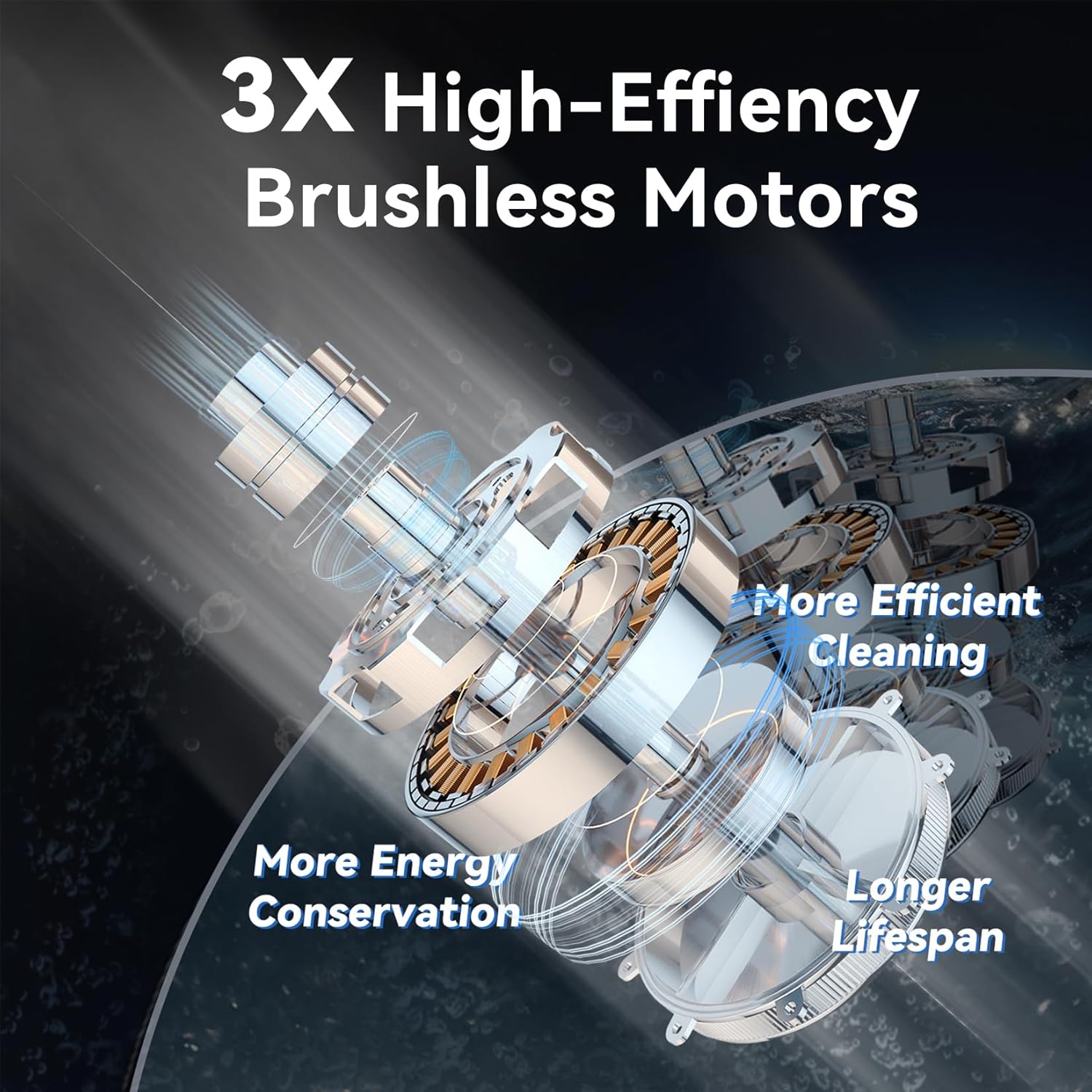
Figure 2: Illustration of the Pondee X5's three high-efficiency brushless motors, designed for powerful and energy-efficient operation.

Figure 3: Visual representation of the four distinct cleaning modes: Auto Mode (A), Floor Only (F), Classic Mode (AFW), and Wall Only (W), demonstrating smart tailored cleaning for different needs.

Figure 4: The Pondee X5 in action, demonstrating its powerful 5500 GPH scrubbing performance on the pool floor, effectively removing debris.

Figure 5: A comparison illustrating the Pondee X5's complete cleaning coverage through smart path planning, ensuring no spot is missed, unlike less efficient patterns.

Figure 6: The Pondee X5 demonstrating its ability to scrub pool walls, inclines, and the waterline, ensuring a spotless pool surface.

Figure 7: The Pondee X5 utilizing its directional smart return feature, automatically navigating back to a designated spot for effortless retrieval from the pool.

Figure 8: A comparison table highlighting the Pondee X5's 2.5-hour fast charging time and 180-minute runtime, compared to other models.
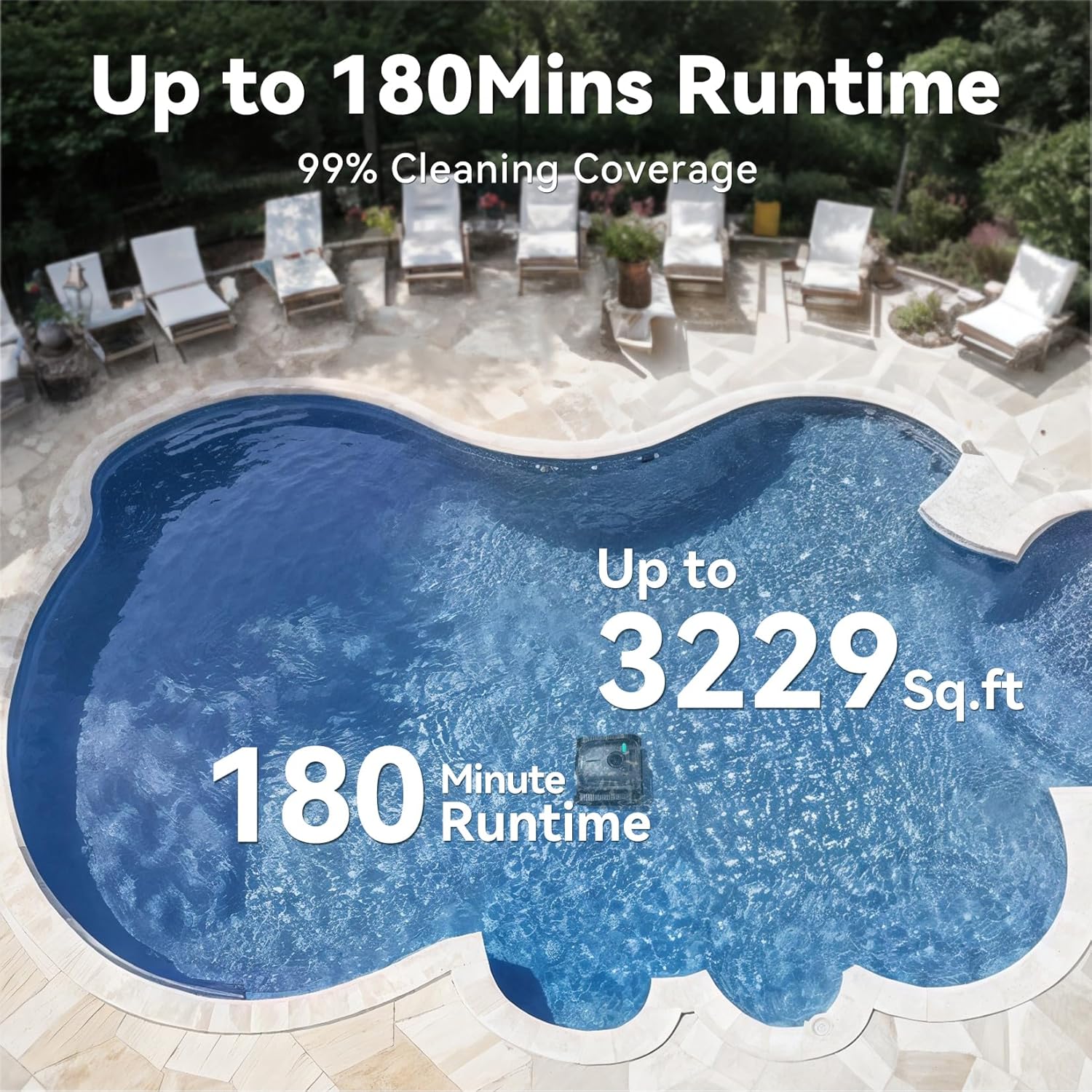
Figure 9: The Pondee X5 operating in a large pool, demonstrating its capability to clean up to 3229 sq. ft. with its 180-minute runtime.
Setup
1. Unpacking and Initial Inspection
Carefully remove all components from the packaging. Verify that all items listed in the "Contents of the Box" section (see Product Overview) are present and undamaged. If any parts are missing or damaged, contact customer support immediately.
2. Initial Charging
Before first use, fully charge the Pondee X5. Connect the provided adapter to the charging port on the robot and plug it into a standard electrical outlet. The charging indicator light will show the charging status. A full charge takes approximately 2.5 hours. Ensure the charging port is dry before connecting the adapter.
3. Preparing for Deployment
Ensure the pool water temperature is within the recommended operating range (typically 10°C to 35°C / 50°F to 95°F). Remove any large debris from the pool surface that could obstruct the robot's movement or clog its intake.
Operating Instructions
1. Placing the Robot in the Pool
Gently lower the Pondee X5 into the pool. The robot will slowly sink to the bottom as air escapes. Ensure it is fully submerged before proceeding.
2. Powering On and Selecting Cleaning Mode
The Pondee X5 features a simple one-button control. Press the power button once to turn on the robot. The default cleaning mode is usually "Auto Mode". To cycle through the available cleaning modes (Auto, Floor Only, Classic, Wall Only), press the button repeatedly until the desired mode indicator is lit.
- Auto Mode (A): Cleans both floor and walls, adapting to pool conditions.
- Floor Only (F): Focuses solely on cleaning the pool floor.
- Classic Mode (AFW): A comprehensive mode for floor, walls, and waterline.
- Wall Only (W): Specifically cleans the pool walls and waterline.
The robot will begin its cleaning cycle according to the selected mode. It will automatically shut off once the cleaning cycle is complete or the battery is low.
3. Retrieving the Robot
When the cleaning cycle is finished, the Pondee X5 will automatically return to a predefined retrieval spot near the edge of the pool (Smart Return feature). Use the included retrieval hook to gently pull the robot out of the water. Allow excess water to drain before lifting the robot completely.
Maintenance
1. Cleaning the Filter Basket
After each cleaning cycle, or as needed, clean the filter basket. Open the robot's cover, remove the filter basket, and empty any collected debris. Rinse the basket thoroughly with a garden hose until clean. Ensure the filter basket is completely dry before reinserting it into the robot.
2. Cleaning the Robot Exterior
Wipe down the exterior of the robot with a soft, damp cloth. Pay attention to the brushes and tracks, removing any entangled hair or debris. Do not use harsh chemicals or abrasive cleaners.
3. Long-Term Storage
If storing the robot for an extended period, ensure it is fully charged, cleaned, and dry. Store it in a cool, dry place away from direct sunlight and extreme temperatures. It is recommended to charge the battery every 3 months during storage to maintain battery health.
Troubleshooting
| Problem | Possible Cause | Solution |
|---|---|---|
| Robot does not turn on. | Battery is low or depleted. Power button not pressed correctly. | Charge the robot fully. Press and hold the power button for a few seconds. |
| Robot moves slowly or stops frequently. | Filter basket is full. Debris caught in brushes or tracks. Low battery. | Clean the filter basket. Inspect and clear any obstructions from brushes and tracks. Recharge the robot. |
| Poor cleaning performance. | Filter basket is dirty. Incorrect cleaning mode selected. Water chemistry issues (e.g., excessive algae). | Clean the filter basket thoroughly. Select the appropriate cleaning mode for your pool's needs. Balance pool chemistry and treat algae if present. |
| Robot does not climb walls. | Air trapped inside the robot. Filter basket is full. Pool surface is too slippery (e.g., excessive algae). Wall cleaning mode not selected. | Ensure robot is fully submerged and air has escaped. Clean the filter basket. Brush pool walls and balance water chemistry. Select "Wall Only" or "Classic" mode. |
If the problem persists after attempting these solutions, please contact Pondee customer support.
Specifications
| Feature | Detail |
|---|---|
| Model Number | X5 |
| Brand | Pondee |
| Dimensions (L x W x H) | 39 x 38 x 23 cm (15.35 x 14.96 x 9.06 inches) |
| Item Weight | 10.01 Kilograms (22.07 lbs) |
| Battery Type | Lithium-ion (1 included) |
| Battery Energy Content | 99.9 Watt-hours |
| Charging Time | 2.5 hours |
| Runtime | Up to 180 minutes |
| Suction Power | 5500 GPH (Gallons Per Hour) |
| Max Pool Area | Up to 300 m² (approx. 3229 sq. ft.) |
| Control Method | Touch (One-button operation) |
| Special Feature | Cordless and Rechargeable, Smart Return |
| Installation Type | Robotic |
Warranty and Support
The Pondee X5 Robotic Pool Cleaner comes with a comprehensive 2-year warranty. For any technical assistance, troubleshooting, or warranty claims, please contact Pondee customer support. Support is available 24/7.
Contact Information: Refer to the contact details provided in your product packaging or visit the official Pondee website for the most up-to-date support information.