
Mova P50 Ultra
Contents
Mova P50 Ultra Robot Vacuum Cleaner User Manual
Model: P50 Ultra
Product Overview
The Mova P50 Ultra is an advanced robot vacuum cleaner designed for comprehensive floor cleaning. It features a flexible mop, high suction power, and automated self-maintenance capabilities, including hot water mop washing, auto-emptying, and auto-refilling. This manual provides instructions for setup, operation, maintenance, and troubleshooting to ensure optimal performance.

Image: Mova P50 Ultra Robot Vacuum Cleaner with its self-cleaning docking station, alongside a smartphone displaying the control app and a smartwatch.
Package Contents
Verify that all components are present in the package:
- Robot Vacuum x 1
- Base Station x 1
- Mop Pad x 2
- Mop Pad Holder x 2
- Cleaning Solution x 1
- Power Cord x 1
- Base Station Ramp Extension x 1
- 3.2L Dust Bag x 1
- Main Brush x 1
- Brush Guard x 1
- Side Brush x 1
- Dust Box & Dust Box Filter (HEPA) x 1
Setup
1. Unpacking and Placement
Carefully remove all components from the packaging. Choose a suitable location for the Base Station. Ensure there is at least 0.5 meters (1.6 feet) of clear space on both sides and 1.5 meters (4.9 feet) in front of the Base Station for optimal robot navigation and docking.

Image: The Mova P50 Ultra demonstrating its navigation capabilities, including threshold crossing and obstacle avoidance, in a living room setting.
2. Power Connection
Connect the power cord to the Base Station and plug it into a wall outlet. Ensure the Base Station is powered on.
3. Initial Charging
Place the robot vacuum onto the Base Station. The robot will automatically begin charging. For first-time use, allow the robot to fully charge before operation (approximately 3.5 hours for full battery life).
4. Filling Water Tanks and Installing Mop Pads
Open the top cover of the Base Station to access the clean water tank and dirty water tank. Fill the clean water tank with tap water and, if desired, add the provided cleaning solution. Attach the mop pads to the mop pad holders and then secure them to the robot.
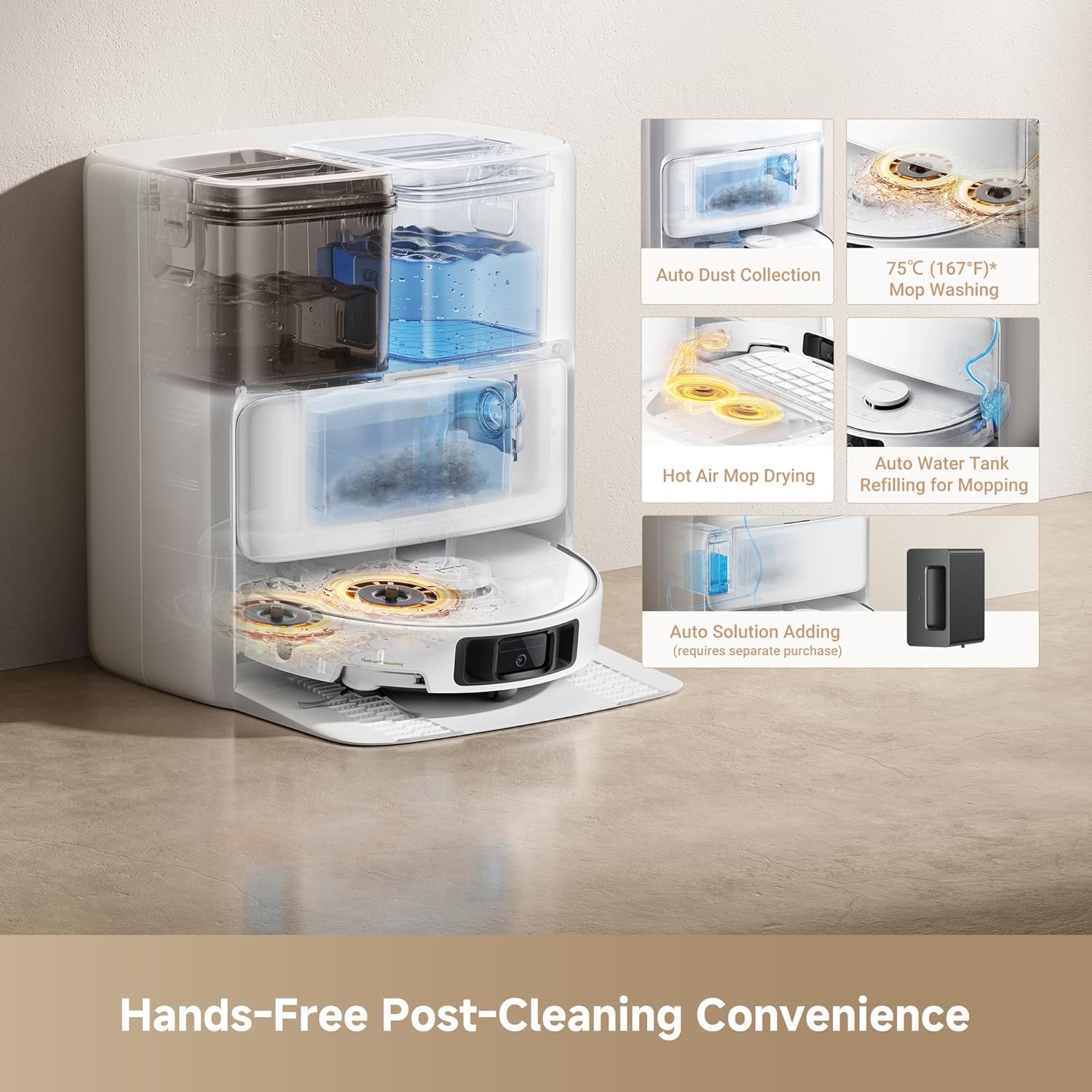
Image: A transparent view of the Mova P50 Ultra's base station, highlighting its auto dust collection, 75°C mop washing, hot air mop drying, auto water tank refilling, and auto solution adding features.
5. App Download and Connection
Download the official Mova cleaning app from your smartphone's app store. Follow the in-app instructions to connect the robot vacuum to your home Wi-Fi network and pair it with the app. This enables advanced features like mapping, scheduling, and cleaning mode adjustments.
Operating Instructions
1. Starting a Cleaning Cycle
Press the power button on the robot or use the Mova app to start a cleaning cycle. The robot will automatically begin mapping your home and cleaning according to its default settings or your customized preferences.
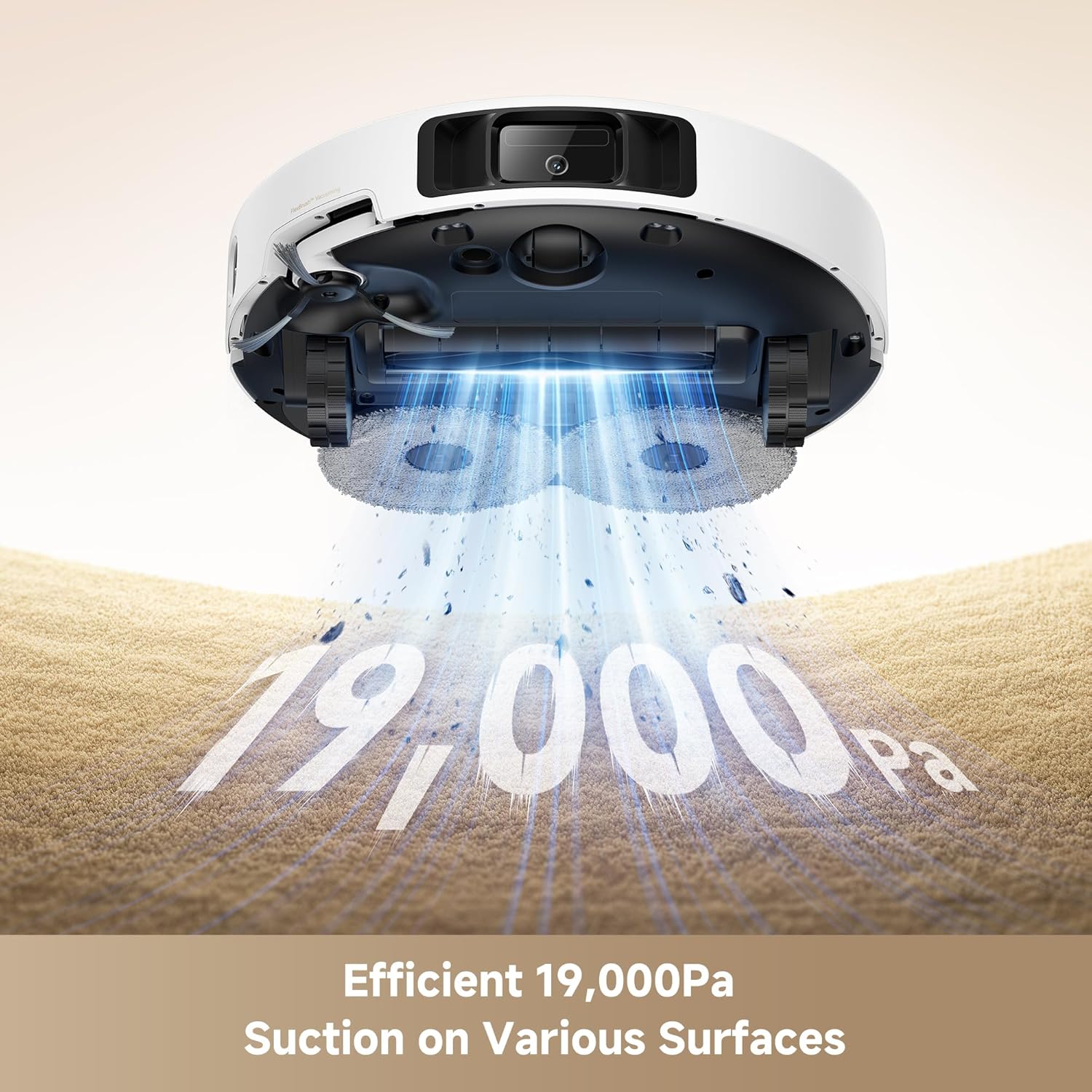
Image: The Mova P50 Ultra robot vacuum demonstrating its powerful 19,000 Pa suction capability on various surfaces, indicated by dust particles being lifted.
2. Cleaning Modes
The Mova P50 Ultra offers various cleaning modes accessible via the app:
- Vacuum Only: For dry debris collection.
- Mop Only: For wet mopping.
- Vacuum & Mop: Simultaneous vacuuming and mopping.
- Custom Cleaning: Allows selection of specific rooms or zones for cleaning.
- Carpet Cleaning Strategies: Adjust modes for carpets, including lifting the mop and side brush to prevent wetting.

Image: The Mova P50 Ultra extending its side brush to reach deep into corners, illustrating its ability to clean up to 4cm (1.57in) further.
3. Mapping and Navigation
The robot uses advanced sensors for accurate mapping and obstacle avoidance. It can create multi-level maps and plan efficient cleaning paths. Ensure the cleaning area is free of small obstacles and loose cables for optimal performance.

Image: The Mova P50 Ultra positioned in a right-angle corner, demonstrating its 100% right-angle corner coverage and ability to clean 0mm along edges.
Maintenance
Regular maintenance ensures the longevity and optimal performance of your Mova P50 Ultra.
1. Dust Bag Replacement (Base Station)
The Base Station's dust bag can hold debris for up to 75 days. Replace the dust bag when the indicator light on the Base Station or the app notifies you.
2. Mop Pad Cleaning and Drying
The Base Station automatically cleans mop pads with 75°C (167°F) hot water and dries them to prevent odors. Periodically inspect mop pads for wear and replace if necessary.
3. Water Tank Maintenance
Empty the dirty water tank regularly. Clean both the clean and dirty water tanks periodically to prevent mold or residue buildup.
4. Main Brush and Side Brush Cleaning
Remove hair and debris from the main brush and side brush regularly. The CleanChop detangling brush (sold separately) can further assist in tangle-free vacuuming.
5. Filter Cleaning
Clean the HEPA filter in the robot's dust box periodically. Tap out loose debris and rinse if necessary (ensure it is completely dry before reinstallation).

Image: A cutaway view of the Mova P50 Ultra illustrating its CleanLift system, showing how the mop pads lift by 10.5mm and the side brush by 10mm for carpet care.
Troubleshooting
| Problem | Possible Cause | Solution |
|---|---|---|
| Robot not charging | Not properly docked; Base Station not powered; Charging contacts dirty. | Ensure robot is correctly aligned with charging contacts; Check power connection to Base Station; Clean charging contacts on both robot and Base Station. |
| Poor cleaning performance | Dust bag full; Brushes tangled; Filter clogged; Mop pads dirty. | Replace dust bag; Clean main brush and side brush; Clean or replace filter; Clean or replace mop pads. |
| Robot gets stuck frequently | Obstacles in path; Loose cables; Dark surfaces. | Clear area of small obstacles and cables; Use no-go zones in app for problematic areas. |
| Mop pads not drying properly | Base Station vents blocked; High humidity. | Ensure Base Station vents are clear; Operate in a well-ventilated area. |
Specifications
| Feature | Detail |
|---|---|
| Brand | Mova |
| Model Name | P50 Ultra |
| Suction Power | 19,000 Pa |
| Mop Washing Temperature | 75°C (167°F) |
| Dust Bag Capacity | 3.2L (up to 75 days) |
| Battery Life | 3.5 Hours |
| Filter Type | HEPA |
| Product Dimensions | 20"L x 21"W x 24"H |
| Item Weight | 45.1 pounds |
| UPC | 850067619918 |
Warranty and Support
The Mova P50 Ultra comes with a 3-Year Warranty, ensuring reliable quality. For warranty details, please refer to the official Mova website or contact customer support. Specific terms and conditions may apply.
For technical support, troubleshooting assistance, or to purchase replacement parts, please visit the official Mova website or contact their customer service department. Contact information can typically be found on the product packaging or the Mova brand store on Amazon.
Visit the Mova Store on Amazon for more information and accessories.
Ask a question about this manual
Ask about setup, troubleshooting, compatibility, parts, safety, or missing instructions. Manuals+ will review the question and use this page’s manual context to help answer it.