
Allsmartlife 1172X
Allsmartlife Flush Mount Ceiling Fan with Lights
Model: 1172X (42-inch)
1. Introduction
Thank you for choosing the Allsmartlife Flush Mount Ceiling Fan with Lights. This manual provides essential information for the safe installation, operation, and maintenance of your new ceiling fan. This 42-inch model features a remote control, 3-color temperature (3CCT) dimmable LED light, 6-speed settings, and a noiseless reversible DC motor, suitable for both indoor and outdoor covered spaces.
Please read this manual thoroughly before installation and retain it for future reference.
2. Safety Information
Important Safety Instructions:
- Always disconnect power at the circuit breaker before installation, cleaning, or servicing.
- All electrical connections must comply with local codes, ordinances, and the National Electrical Code (NEC). If you are unfamiliar with electrical wiring, consult a qualified electrician.
- The fan must be mounted to a structurally sound ceiling joist or outlet box capable of supporting a minimum of 35 lbs (15.9 kg).
- Ensure the fan blades are at least 7 feet (2.1 meters) from the floor.
- Do not operate the fan with damaged wiring or components.
- This product is ETL certified, indicating compliance with North American safety standards.
3. Package Contents
Verify that all components are present before beginning installation:
- Ceiling Fan Motor Assembly
- Fan Blades (5)
- Light Kit
- Remote Control with Wall Mount Bracket
- Mounting Hardware (screws, wire nuts, etc.)
- Instruction Manual

Image: Overview of the Allsmartlife 42-inch Flush Mount Ceiling Fan components, including the main motor unit, five fan blades, the integrated LED light kit, and the remote control with its wall bracket.
4. Product Specifications
| Feature | Specification |
|---|---|
| Brand | Allsmartlife |
| Model Number | 1172X |
| Size | 42-inch |
| Color | Matte Black |
| Material | Engineered Wood, Metal |
| Power Source | AC/DC |
| Voltage | 120 Volts |
| Wattage | 28 watts |
| Control Method | Remote Control |
| Special Features | LED Light, Quiet Operation, Remote Controlled, Timer, Reversible DC Motor, Sleep Mode |
| Room Type | Bedroom, Dining Room, Home Office, Kitchen, Living Room |
| Indoor/Outdoor Usage | Indoor, Outdoor (covered patio, humidity not exceeding 70%, avoid direct rain exposure) |
| Mounting Type | Flush Mount |
| Product Dimensions | 40 x 40 x 10.5 inches (L x W x H) |
| Item Weight | 13.5 pounds |

Image: Dimensional diagram of the 42-inch ceiling fan, indicating a total width of 42 inches and a height of 10 inches from the ceiling to the bottom of the light kit.
5. Setup and Installation
Before You Begin:
- Turn off power at the circuit breaker to avoid electrical shock.
- Ensure the mounting location can support the fan's weight.
- Gather necessary tools (screwdriver, wire strippers, ladder, etc.).
Installation Steps:
- Mounting Bracket Installation: Secure the mounting bracket to the ceiling outlet box using the provided screws. Ensure it is firmly attached.
- Wiring Connections: Connect the fan's electrical wires to the household wiring according to the wiring diagram in the full instruction manual. Use wire nuts to secure connections.
- Fan Assembly Mounting: Carefully lift the fan motor assembly and attach it to the mounting bracket. The fan includes a metal hook to temporarily hold the assembly while wiring.
- Blade Attachment: Attach the five fan blades to the motor housing. The blades are reversible, offering a matte black or walnut woodgrain finish. Choose your preferred side.
- Light Kit Installation: Connect the light kit wiring and secure the light kit to the bottom of the fan motor assembly.
- Power Restoration: Once all connections are secure and the fan is fully assembled, restore power at the circuit breaker.
For detailed visual instructions, search for installation videos using the model number [DY1172X] on Google.

Image: Detailed view of the fan's construction, showing the aerodynamic blade design, the canopy trim ring designed to prevent nesting, and the high-hardness plywood material of the blades.
6. Operating Instructions
Your Allsmartlife ceiling fan is operated using the included remote control.
Remote Control Functions:

Image: Remote control layout with labels for each function, including fan speed, light control, color temperature, timer, and directional modes.
- Fan ON/OFF: Press the power button to turn the fan on or off.
- Fan Speed (1-6): Buttons 1 through 6 adjust the fan speed from lowest (1) to highest (6).
- Light ON/OFF: Press the light bulb button to turn the light on or off independently.
- Brightness Adjustment (+/-): Press and hold the '+' or '-' buttons to increase or decrease the light brightness (10% to 100%).
- Color Temperature (WW/NW/DW): Press 'WW' for Warm White (3000K), 'NW' for Natural White (4000K), or 'DW' for Daylight White (6500K). The light has a memory function for the last setting.
- Forward/Reverse: Press the circular arrow button to switch between summer (downward airflow) and winter (upward airflow) modes.
- Sleep Mode: Press the crescent moon button to activate Sleep Mode, which automatically varies fan speed to simulate natural wind.
- Timer (1H/3H/6H): Set the fan to turn off automatically after 1, 3, or 6 hours.
Fan Modes:
- Summer Mode (Downward Airflow): The fan rotates counter-clockwise, pushing cool air down, creating a wind-chill effect.
- Winter Mode (Upward Airflow): The fan rotates clockwise, drawing air up towards the ceiling, circulating warm air trapped near the ceiling throughout the room.
- Sleep Mode: This patented mode automatically varies the fan speed every 20 seconds across three levels, mimicking a gentle, natural breeze for enhanced comfort during sleep.
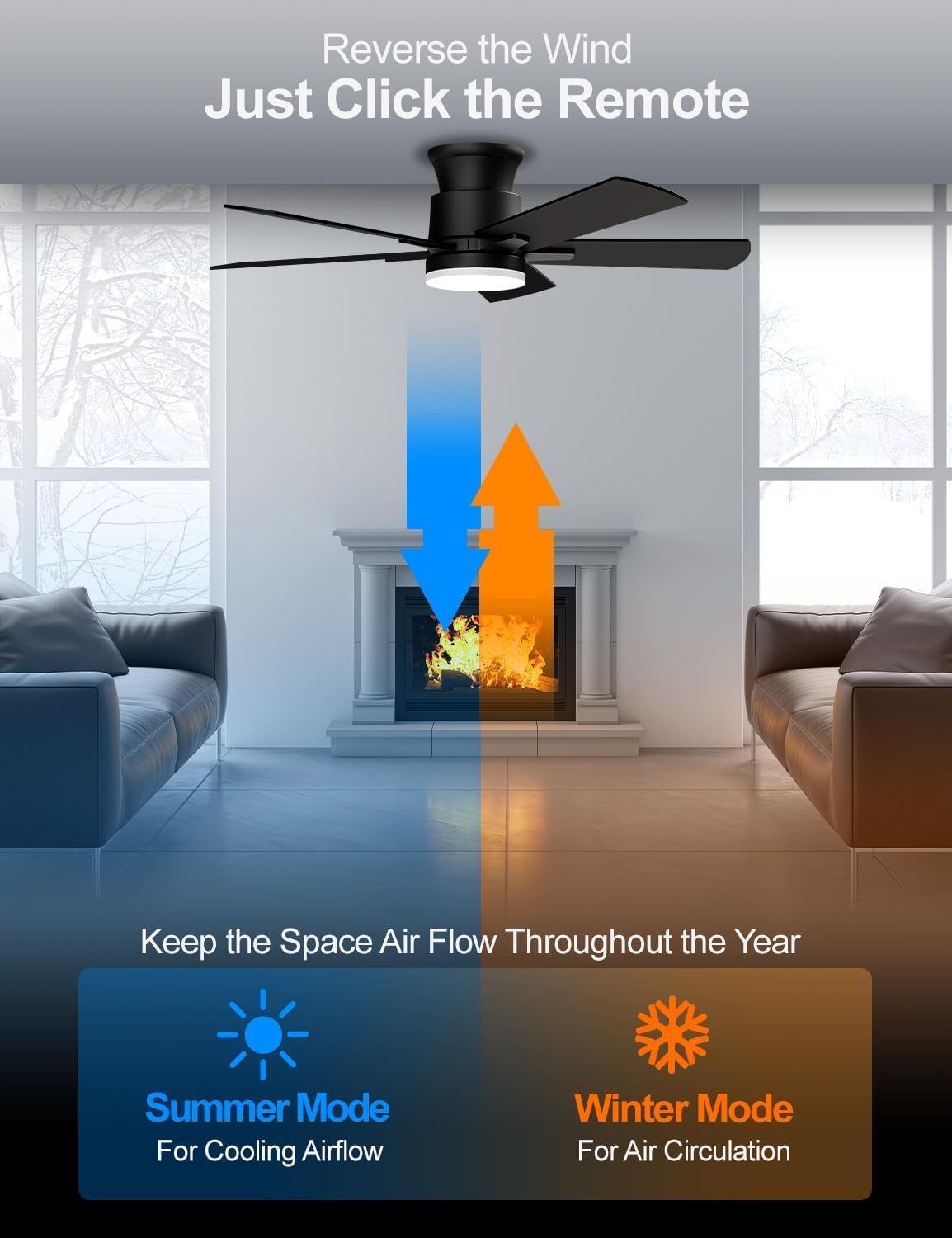
Image: Visual representation of the fan's reversible airflow, demonstrating how it provides cooling airflow in summer and circulates air for warmth in winter.

Image: Explanation of the Sleep Mode, illustrating its function of creating a soothing, natural breeze by automatically switching fan speeds every 20 seconds.
7. Maintenance
Regular maintenance ensures optimal performance and extends the life of your ceiling fan.
- Cleaning: Turn off power before cleaning. Use a soft, damp cloth to wipe down the fan blades and motor housing. Do not use abrasive cleaners or solvents, as they may damage the finish.
- Blade Balance: If the fan wobbles, check that all blade screws are tight and that the blades are evenly balanced. A balancing kit (not included) can be used if necessary.
- Connections: Periodically check all electrical connections and mounting hardware to ensure they remain secure.
8. Troubleshooting
Refer to the table below for common issues and their solutions.
| Problem | Possible Cause | Solution |
|---|---|---|
| Fan does not start | No power to the fan; Loose wire connections; Remote control battery low. | Check circuit breaker; Verify all wire connections are secure; Replace remote control battery. |
| Light does not work | Light kit wiring loose; LED driver issue. | Check light kit connections; Contact customer support if LED driver is suspected. |
| Remote control not responding | Battery low or incorrectly installed; Remote not paired. | Replace battery, ensure correct polarity; Refer to remote pairing instructions (if applicable, usually automatic). |
| Fan wobbles | Loose blade screws; Unbalanced blades; Loose mounting bracket. | Tighten all blade screws; Use a blade balancing kit; Ensure mounting bracket is securely fastened to the ceiling. |
| Excessive noise | Loose screws; Blades rubbing; Motor issue. | Check and tighten all screws; Ensure blades are not touching any part of the fan housing; Contact customer support if motor noise persists. |
9. Warranty and Customer Support
Allsmartlife offers a lifetime of free replacement service for parts for this ceiling fan. If you encounter any issues or require assistance with parts, please contact our customer support team.
For further assistance, please refer to the contact information provided with your purchase or visit the official Allsmartlife website.
Ask a question about this manual
Ask about setup, troubleshooting, compatibility, parts, safety, or missing instructions. Manuals+ will review the question and use this page’s manual context to help answer it.