
1. Introduction
This manual provides detailed instructions for the installation, operation, maintenance, and troubleshooting of your AVSIILE LED Bathroom Sink Faucet, Model AVS-PB-G02. Please read this manual thoroughly before installation and use to ensure proper function and longevity of the product. Retain this manual for future reference.
Safety Information
- Always turn off the main water supply before beginning any installation or maintenance.
- Wear appropriate personal protective equipment, such as safety glasses and gloves, during installation.
- If you are unsure about any part of the installation process, consult a qualified plumber.
- Ensure all connections are secure to prevent leaks.
- Do not use abrasive cleaners or harsh chemicals on the faucet finish.
2. Package Contents
Verify that all components listed below are included in your package before beginning installation. If any parts are missing or damaged, please contact AVSIILE customer support.
- LED Bathroom Sink Faucet (Main Unit)
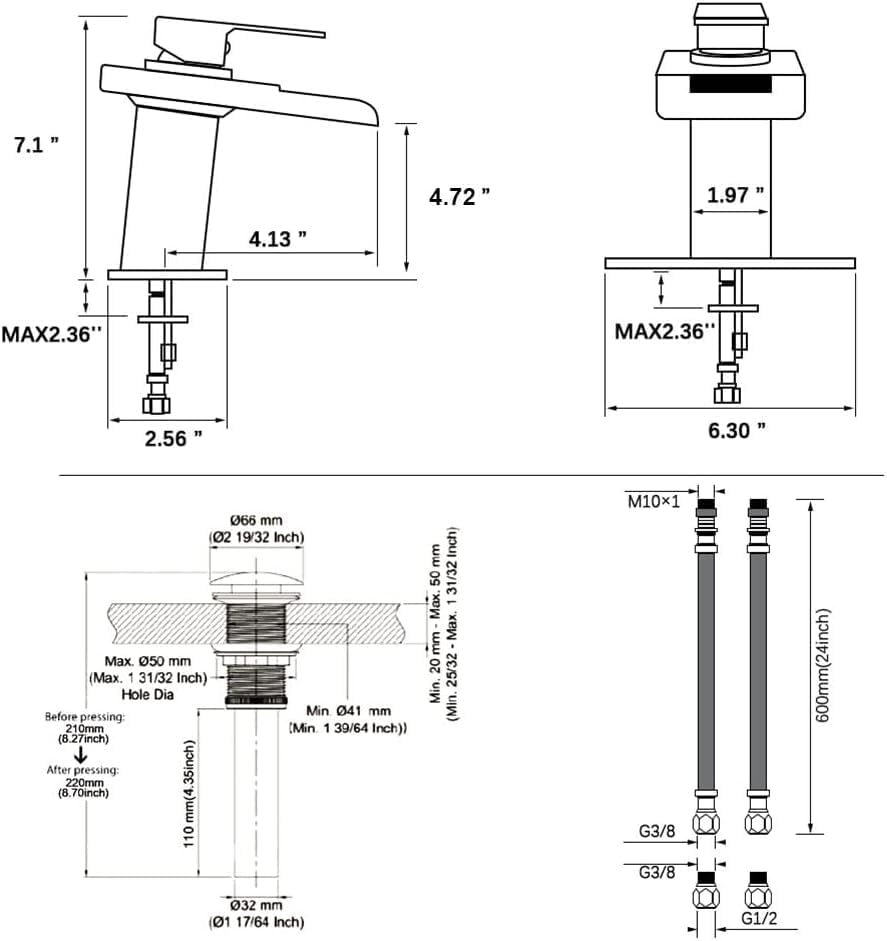
- Deck Plate (Optional, 6.3 inches)
- Pop-Up Drain Assembly
- Hot and Cold Water Supply Lines (24 inches)
- Mounting Hardware (Gasket, Washer, Mounting Nut)
- Instruction Manual (This document)
- Tailpiece

3. Product Specifications
| Feature | Detail |
|---|---|
| Model Name | AVS-PB-G02 |
| Brand | AVSIILE |
| Material | Solid 304 Stainless Steel (H59 Brass internal components) |
| Finish | Brushed Gold |
| Mounting Type | Deck Mount (Single Hole or 3-Hole with Deck Plate) |
| Number of Handles | 1 |
| Spout Design | Waterfall |
| Special Features | Temperature-Sensitive LED Aerator, Pop Up Drain, Lead-Free, Leak Resistant |
| Maximum Flow Rate | 1.2 Gallons Per Minute (GPM) |
| Product Dimensions (D x W x H) | 4.13" x 6.3" x 7.1" |
| Item Weight | 3.94 pounds |
| Water Supply Hose Length | 24 inches |
| Batteries Required | No (LED powered by water flow) |
Dimensions and Compatibility



4. Installation Instructions
Before You Begin
- Turn off the main water supply to your home.
- Clear the area under the sink for easy access.
- Ensure your sink has a compatible hole configuration (single hole or 4-inch centerset). Refer to Figure 3.
- Gather necessary tools: adjustable wrench, plumber's putty or silicone sealant, screwdriver, flashlight.
Faucet Installation Steps
- Prepare the Sink Hole: If installing on a 3-hole sink, place the optional deck plate over the center hole. Ensure the rubber gasket is properly seated under the deck plate.
- Install the Faucet: Insert the faucet body through the hole(s) in the sink/deck plate. Ensure the faucet is centered and the handle is facing forward.
- Secure the Faucet: From underneath the sink, place the rubber washer, then the metal washer, and finally thread the mounting nut onto the faucet shank. Tighten the mounting nut securely with an adjustable wrench, ensuring the faucet is stable and straight. Do not overtighten.
- Connect Water Supply Lines: Connect the hot and cold water supply lines (included) to the corresponding inlets on the bottom of the faucet. The lines are typically marked or color-coded (red for hot, blue for cold). Hand-tighten first, then use a wrench for a final quarter-turn. Connect the other ends of the supply lines to your hot and cold water shut-off valves.
- Install Pop-Up Drain: Follow the separate instructions provided with the pop-up drain assembly. Ensure a watertight seal using plumber's putty or silicone sealant around the drain flange before inserting it into the sink drain hole. Connect the tailpiece to the P-trap.
- Check for Leaks: Once all connections are made, slowly turn on the main water supply. Check all connections for leaks. If leaks are detected, tighten the connections slightly until the leak stops.
5. Operation
Using the Faucet
- Water Flow: Lift the single handle to turn on the water flow. The higher the handle is lifted, the greater the water flow.
- Temperature Control: Move the handle left for hot water and right for cold water. Adjust the handle position to achieve the desired water temperature.
- Waterfall Spout: The wide spout creates a gentle waterfall effect, enhancing the aesthetic and user experience.
LED Temperature Indicator
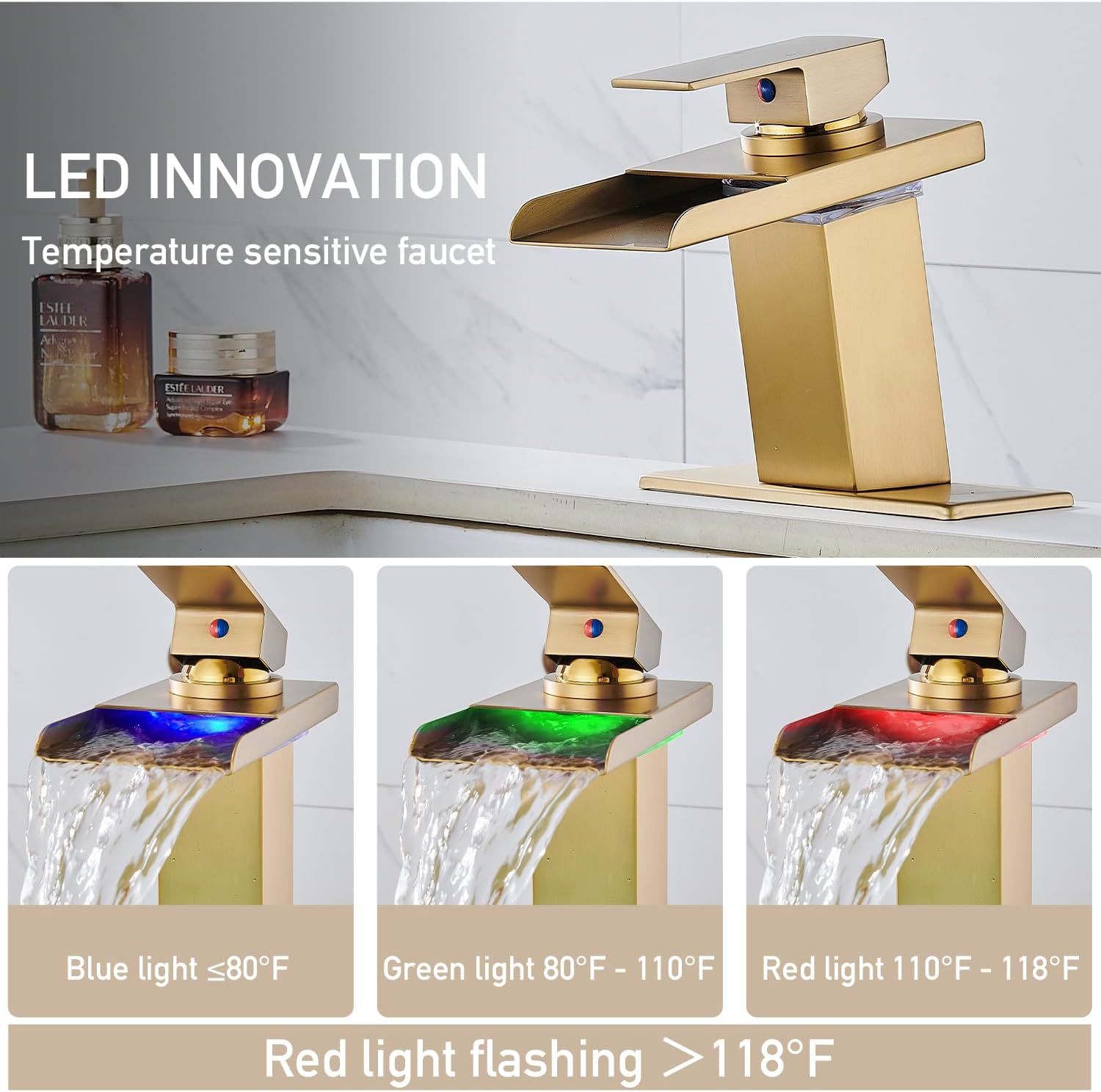
The AVSIILE LED Faucet features an innovative temperature-sensitive LED light system, powered by water flow, requiring no batteries or external power. The LED color changes to indicate the water temperature:
- Blue Light: Water temperature is ≤80°F (26.7°C).
- Green Light: Water temperature is between 80°F (26.7°C) and 110°F (43.3°C).
- Red Light: Water temperature is ≥110°F (43.3°C).
- Flashing Red Light: Water temperature is >118°F (47.8°C), indicating very hot water.
6. Maintenance
Cleaning the Faucet
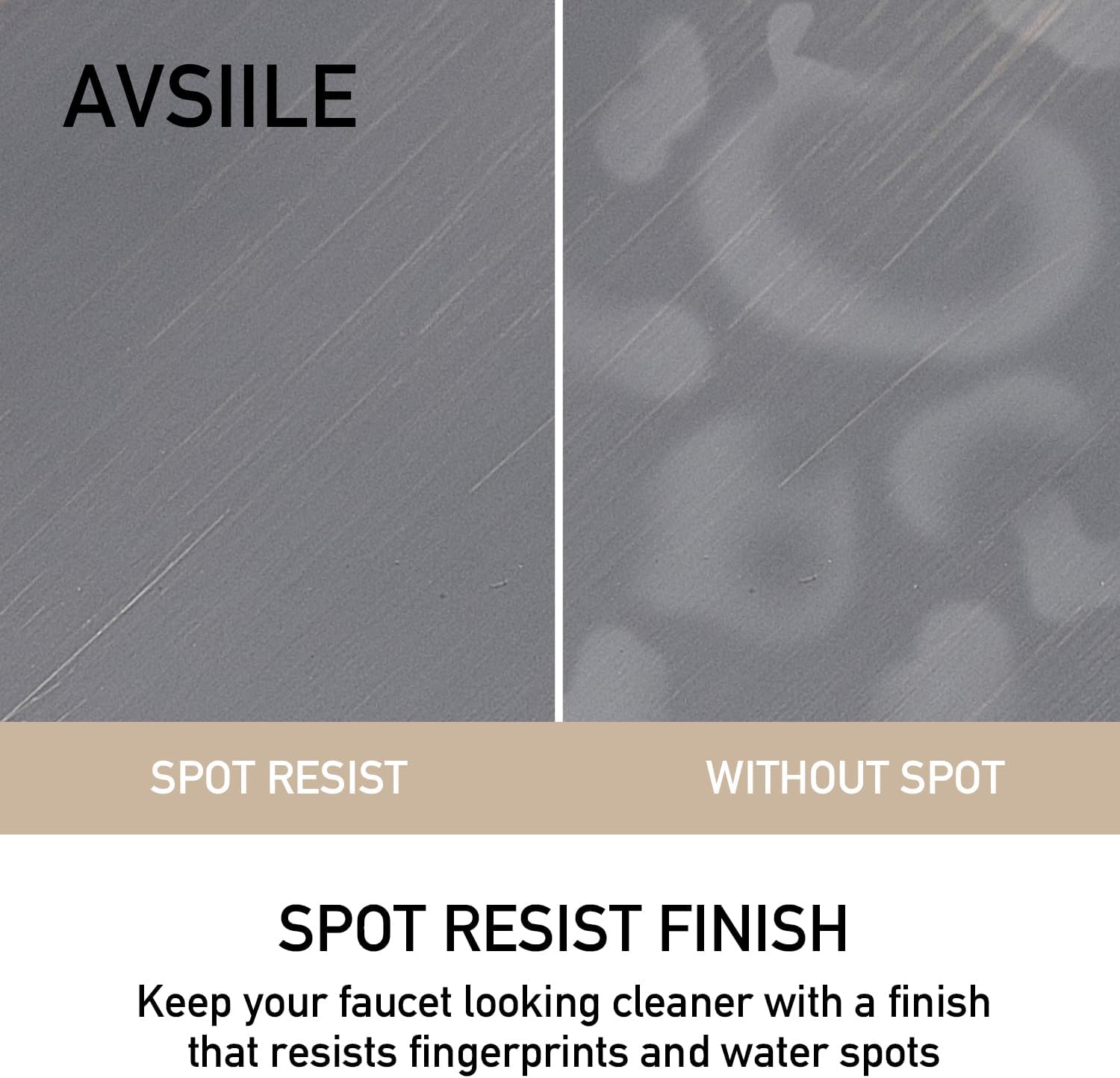
- To maintain the brushed gold finish, clean regularly with a soft, damp cloth.
- Use mild soap and water if necessary, then rinse thoroughly and dry with a soft cloth to prevent water spots.
- Do not use abrasive cleaners, harsh chemicals, or scouring pads as these can damage the finish and void the warranty.
- For stubborn water spots, a 50/50 solution of white vinegar and water can be used, followed by a thorough rinse and dry.

Aerator Maintenance
Periodically check the aerator for mineral buildup or debris, which can affect water flow and LED function. If necessary, unscrew the aerator (usually located at the tip of the spout), clean it with a soft brush and vinegar solution, then rinse and reattach.
7. Troubleshooting
| Problem | Possible Cause | Solution |
|---|---|---|
| Low Water Flow |
|
|
| Faucet Leaks from Base |
|
|
| Dripping from Spout |
|
|
| LED Light Not Working |
|
|
8. Warranty and Customer Support
Warranty Information
AVSIILE products are manufactured to high-quality standards and are backed by a standard manufacturer's warranty against defects in materials and workmanship. For specific warranty terms and conditions, please refer to the warranty card included with your purchase or contact AVSIILE customer support. Keep your proof of purchase for warranty claims.
Customer Support
If you have any questions, require assistance with installation, or need to report a missing or damaged part, please contact AVSIILE customer support. You can typically find contact information on the product packaging or the official AVSIILE website.
For online support, visit the AVSIILE Store on Amazon.