
1. Introduction
The artfone G3 is a 4G VoLTE flip mobile phone designed for ease of use, particularly for seniors and children. It features a user-friendly interface with large buttons, a clear display, and essential functions like an SOS button for emergencies. This manual provides detailed instructions for setting up, operating, maintaining, and troubleshooting your artfone G3 phone.

Figure 1.1: artfone G3 Flip Mobile Phone (Open)
This image displays the artfone G3 flip phone in its open state, highlighting its large, easy-to-read keypad and clear display, designed for user convenience.
2. What's in the Box
Please check the package contents upon unboxing to ensure all items are present:
- 1x artfone G3 Mobile Phone (Battery not installed)
- 1x 1300mAh Battery
- 1x USB Charger Cable
- 1x Charging Base/Stand
- 1x User Manual

Figure 2.1: Package Contents
This image shows all the components included in the artfone G3 phone package: the phone itself, the battery, a USB charging cable, the charging base, and the user manual.
3. Setup Guide
3.1 Installing the Battery and SIM Card
- Remove the Back Cover: Gently pry open the back cover of the phone using the notch provided, usually located at the bottom edge.
- Insert SIM Card: Locate the SIM card slot(s). The artfone G3 supports Nano SIM cards. Carefully insert your activated Nano SIM card into the designated slot, ensuring the gold contacts face downwards and the cut corner aligns correctly.
- Insert Micro SD Card (Optional): If you wish to expand storage, insert a Micro SD card (up to 64GB) into its dedicated slot.
- Install Battery: Place the 1300mAh battery into the battery compartment, aligning the gold contacts on the battery with the contacts in the phone.
- Replace Back Cover: Press the back cover firmly until it clicks into place, ensuring it is securely fastened.

Figure 3.1: Battery and SIM Card Installation
This diagram illustrates the internal layout of the artfone G3, showing where to insert the 1300mAh battery, Nano SIM card, and optional Micro SD card.
3.2 Charging the Phone
Before first use, fully charge the phone battery. The artfone G3 offers two charging methods:
- Using the Charging Base: Connect the USB charger cable to the charging base and then plug the charger into a power outlet. Place the phone into the charging base, ensuring it sits securely and the charging indicator appears on the screen.
- Direct USB-C Charging: Alternatively, connect the USB charger cable directly to the USB-C port on the phone and plug the charger into a power outlet.
A full charge typically takes a few hours. The battery has a capacity of 1300mAh and provides approximately 7 hours of talk time.
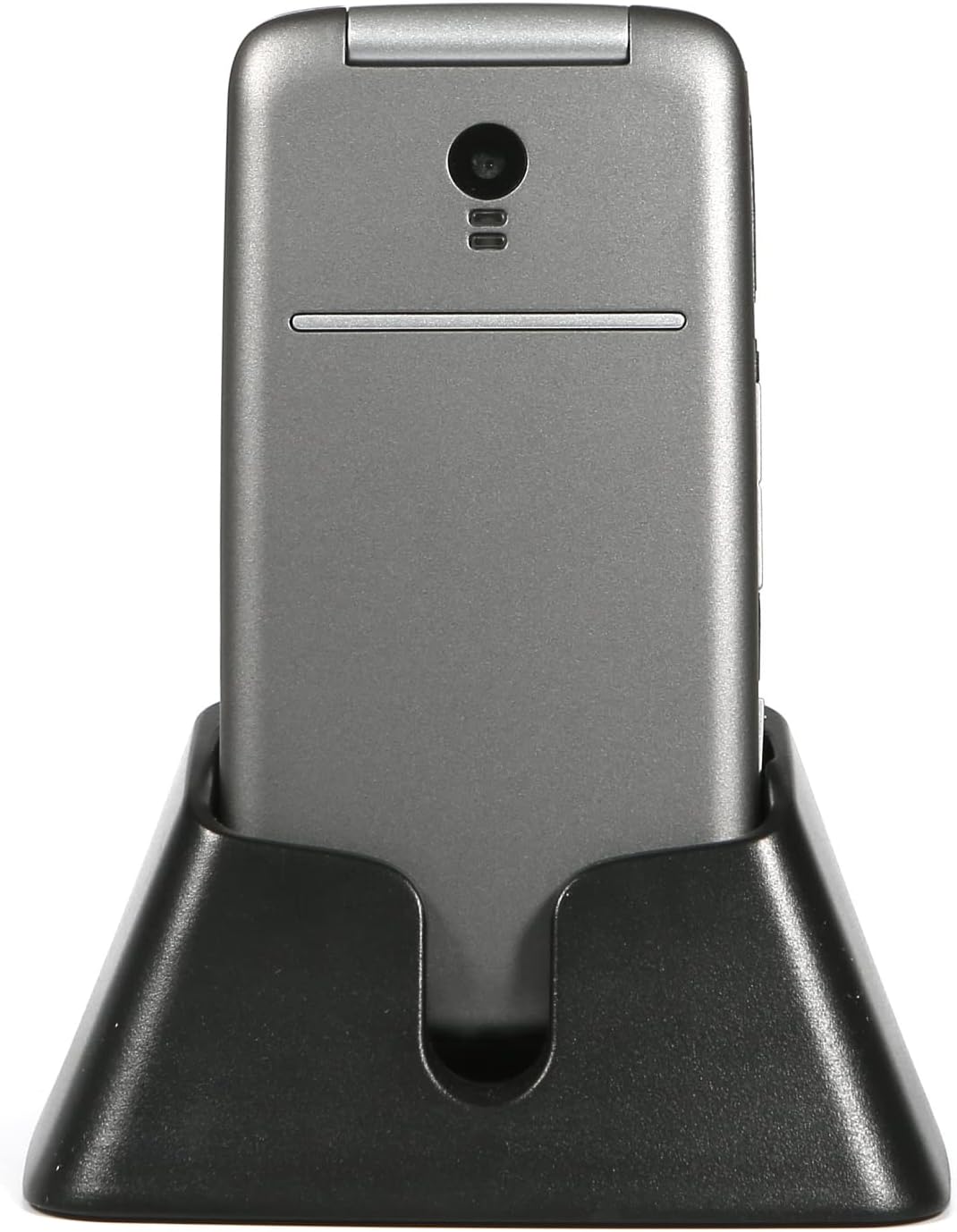
Figure 3.2: Phone in Charging Dock
This image shows the artfone G3 phone conveniently placed in its dedicated charging dock, ready to be powered up.
4. Operating Instructions
4.1 Powering On/Off
- Power On: Press and hold the red End Call/Power button until the screen lights up.
- Power Off: Press and hold the red End Call/Power button until the power off options appear, then select 'Power Off'.
4.2 Making and Receiving Calls
- Dialing: Use the large keypad to enter the phone number. The talking numbers feature will announce each digit as you press it. Press the green Call button to initiate the call.
- Answering Calls: Simply flip open the phone to answer an incoming call. Alternatively, press the green Call button.
- Ending Calls: Flip the phone closed or press the red End Call button.
4.3 SOS Emergency Function
The artfone G3 features a dedicated SOS button for emergencies. You can set up to five emergency contacts.
- Setting SOS Contacts: Navigate to the SOS settings in the phone's menu to add up to five emergency numbers.
- Activating SOS: In an urgent situation, press and hold the SOS button on the back of the phone. The phone will automatically send an emergency message and then sequentially dial the pre-set emergency contacts until one answers.

Figure 4.1: SOS Button Location
This image points out the location of the dedicated SOS emergency button on the back of the artfone G3 phone, along with the side buttons for easy access.
4.4 Additional Features
- Talking Numbers: The keypad announces numbers as they are pressed, aiding users with visual impairments.
- Time Announcement: Long press the volume key to hear the current time announced.
- Flashlight: Activate the built-in flashlight using the dedicated side switch.
- FM Radio & Bluetooth: Access these features through the phone's main menu for entertainment and connectivity.
- Camera: The 0.3 MP rear camera allows for basic photo capture.
- Speed Dial: Assign frequently called contacts to A/B keys and numbers 1-9 for quick dialing.
- Blacklist: Block unwanted calls by adding up to 50 numbers to the blacklist.

Figure 4.2: Telling Time Button
This image illustrates the artfone G3's feature to announce the time, with a close-up of the side button used to activate this function.

Figure 4.3: Large Keypad and Display
This image provides a detailed view of the artfone G3's large, well-spaced keypad and clear display, emphasizing its user-friendly design.
5. Maintenance
To ensure the longevity and optimal performance of your artfone G3 phone, follow these maintenance guidelines:
- Keep Dry: Avoid exposing the phone to moisture, rain, or liquids, as this can damage internal components.
- Clean Gently: Use a soft, dry cloth to clean the phone's surface. Do not use harsh chemicals or abrasive cleaners.
- Avoid Extreme Temperatures: Do not expose the phone to very high or very low temperatures, as this can affect battery life and overall performance.
- Protect from Drops: While the phone has passed a 120,000 flip test for durability, avoid dropping it or subjecting it to strong impacts.
- Store Properly: When not in use for extended periods, store the phone in a cool, dry place.

Figure 5.1: Reliability Test
This image demonstrates the artfone G3 undergoing a reliability test, specifically a flip test, indicating its durable design built to withstand repeated opening and closing.
6. Troubleshooting
If you encounter issues with your artfone G3 phone, refer to the following common troubleshooting steps:
| Problem | Possible Cause | Solution |
|---|---|---|
| Phone does not power on | Low battery; Battery not installed correctly; Damaged battery. | Charge the phone for at least 30 minutes. Ensure battery is correctly inserted. Try a different charger or battery if available. |
| No network signal | SIM card not inserted correctly; Out of network coverage; Incompatible carrier. | Reinsert the SIM card. Move to an area with better signal. Verify carrier compatibility (e.g., not compatible with Verizon). |
| Cannot make/receive calls | No network signal; SIM card issues; Call barring enabled. | Check network signal. Ensure SIM card is active. Disable any call barring settings in the menu. |
| Sound is low or distorted | Volume settings too low; Speaker/earpiece obstructed. | Increase call volume using side buttons. Ensure speaker and earpiece are clean and unobstructed. |
| Phone freezes or crashes | Software glitch; Low memory. | Remove and reinsert the battery to restart. Avoid running too many applications simultaneously. |
If the problem persists after trying these steps, please contact artfone customer support for further assistance.
7. Specifications
Detailed technical specifications for the artfone G3 phone:
- Model Name: G3
- Product Dimensions: 4.02 x 2.01 x 0.79 inches
- Item Weight: 7.8 ounces
- Operating System: artfone OS
- Screen Size: 2.4 Inches
- Resolution: 240x320 pixels
- Human Interface Input: Keypad
- Cellular Technology: 4G VoLTE
- Wireless Communication Technologies: Bluetooth, Cellular
- Connectivity Technologies: USB (USB-C)
- Battery Capacity: 1300 Milliamp Hours (included)
- Phone Talk Time: 7 Hours
- Memory Storage Capacity: 0.13 GB (internal)
- RAM Memory Installed Size: 40 MB
- CPU Speed: 1000 MHz
- Camera: Rear (0.3 MP)
- Audio Jack: 3.5 mm
- Form Factor: Foldable Case
- Color: G3 Black
8. Warranty and Support
For warranty information and customer support, please refer to the documentation included with your purchase or visit the official artfone website. You may also contact the seller directly for assistance with product issues or inquiries.
Manufacturer: artfone
First Available Date: June 27, 2024


