
Roinvou Radio Coche para Renault Megane 3 2008-2014
Roinvou 9-inch Android Car Radio User Manual for Renault Megane 3 (2008-2014)
Comprehensive instructions for installation, operation, and maintenance of your Roinvou car radio system.
1. Introduction
This manual provides detailed instructions for the Roinvou 9-inch Android Car Radio, designed specifically for Renault Megane 3 models manufactured between 2008 and 2014. This system features an updated Android operating system (Android 15), 2GB RAM, 64GB ROM, a 9-inch Full HD 1080P capacitive touchscreen, wireless CarPlay, Android Auto, GPS navigation, Bluetooth, FM/RDS radio, steering wheel control (SWC) support, and includes a rear camera.
Please read this manual thoroughly before installation and operation to ensure proper use and to maximize your device's functionality.
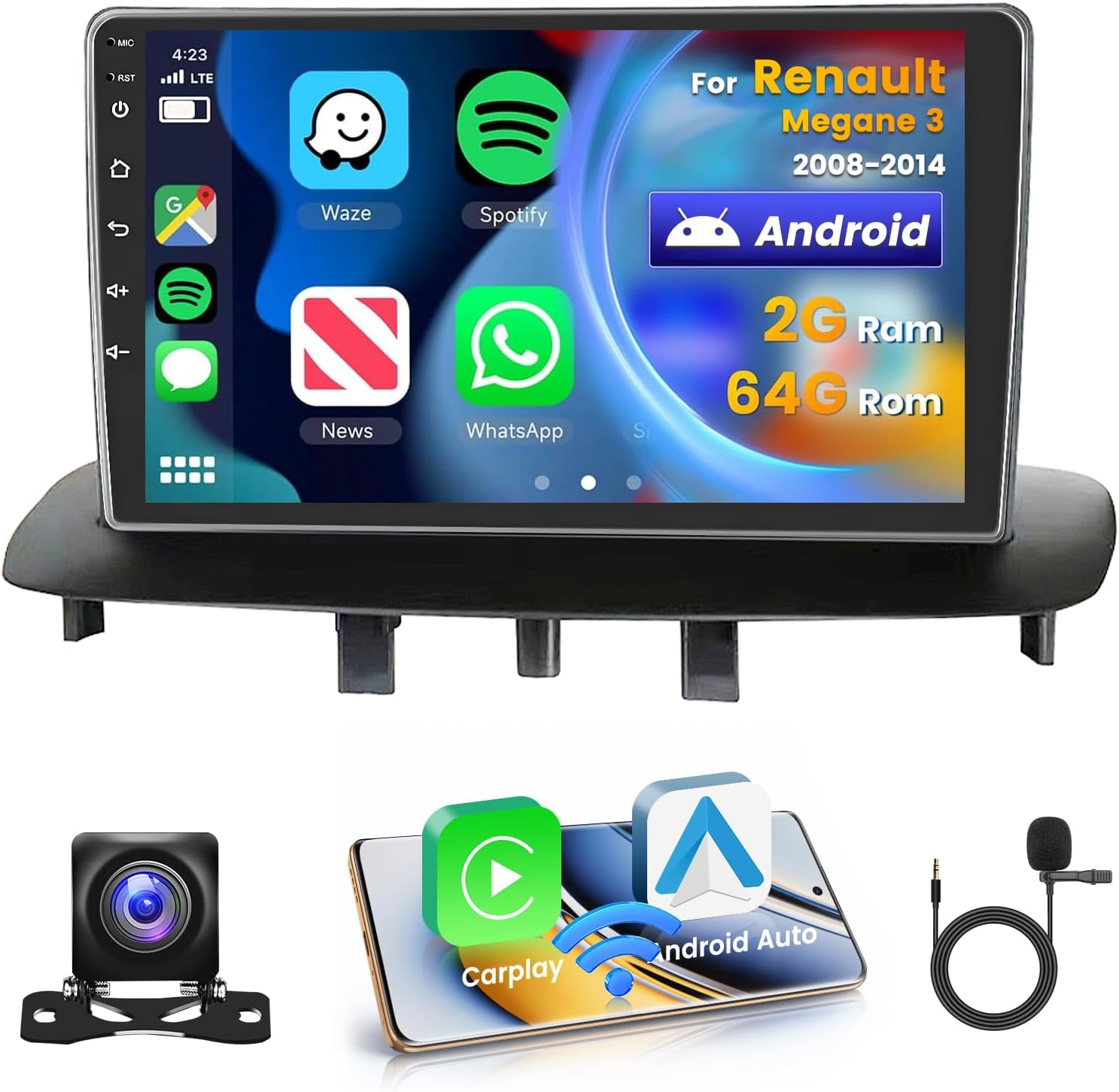
Image 1.1: Roinvou 9-inch Android Car Radio with key features and included accessories.
2. Vehicle Compatibility
This car radio is compatible with Renault Megane 3 models from 2008 to 2014. It is crucial to verify your car's dashboard configuration before installation.
Important: This product is only applicable to car models with dashboard configuration 'A'. If your car's dashboard matches configuration 'B' (with an existing navigation screen in the upper center console), this product is not compatible.

Image 2.1: Dashboard compatibility check for Renault Megane 3. Model A (left) is compatible, Model B (right) is not.

Image 2.2: Visual representation of the car radio installed in a compatible Renault Megane 3 dashboard.
3. Package Contents
Please check the package carefully to ensure all components are present:
- Roinvou Car Radio for Renault Megane 3 (2008-2014)
- Power Cable
- CANBUS Decoder
- Circuit Board
- Radio Antenna
- RCA Cable
- Rear Camera Input Cable
- GPS Antenna
- Dual USB Cable
- Rear View Camera (AHD)
- External Microphone
- Installation Accessories and Tool

Image 3.1: Overview of all items included in the product package.
4. Installation and Setup
4.1. Wiring Port Overview
Familiarize yourself with the main wiring ports on the back of the car radio unit:
- Power Cable connection
- RCA Cable connection
- USB Cable connection
- Camera Input connection
- GPS Antenna connection

Image 4.1: Main wiring connections for the Roinvou car radio.
4.2. Reversing Camera Wiring
The included AHD rear view camera requires specific wiring for proper functionality. Ensure the reverse input cable is connected even if the camera is not immediately used, as this can affect Bluetooth and Wi-Fi signal reception.
- Red Cable (1): Connects to the positive terminal of the car's reverse light cable.
- Black Cable (2): Connects to the negative terminal of the car's reverse light cable.
- The other two red extension cables (3 and 4) do not require connection.

Image 4.2: Detailed wiring instructions for the reversing camera.
4.3. CANBUS Connection and Steering Wheel Control (SWC)
The CANBUS decoder facilitates communication between the car radio and your vehicle's systems, including steering wheel controls.
- Without CANBUS Decoder: Connect the plugs or the steering wheel control wires (Key1/Key2) in the power cable to the corresponding port or wire of your original car. Then, navigate to Settings > Car Settings > General (enter SWC setting interface) to manually match and activate the button functions.
- With CANBUS Decoder: Connect the CANBUS before powering on the machine. Then, go to Settings > Car Settings > Factory (000000) > CarType Setting. Select the brand of the CANBUS decoder and then the matching model and year according to your vehicle's specifications to ensure SWC works correctly.
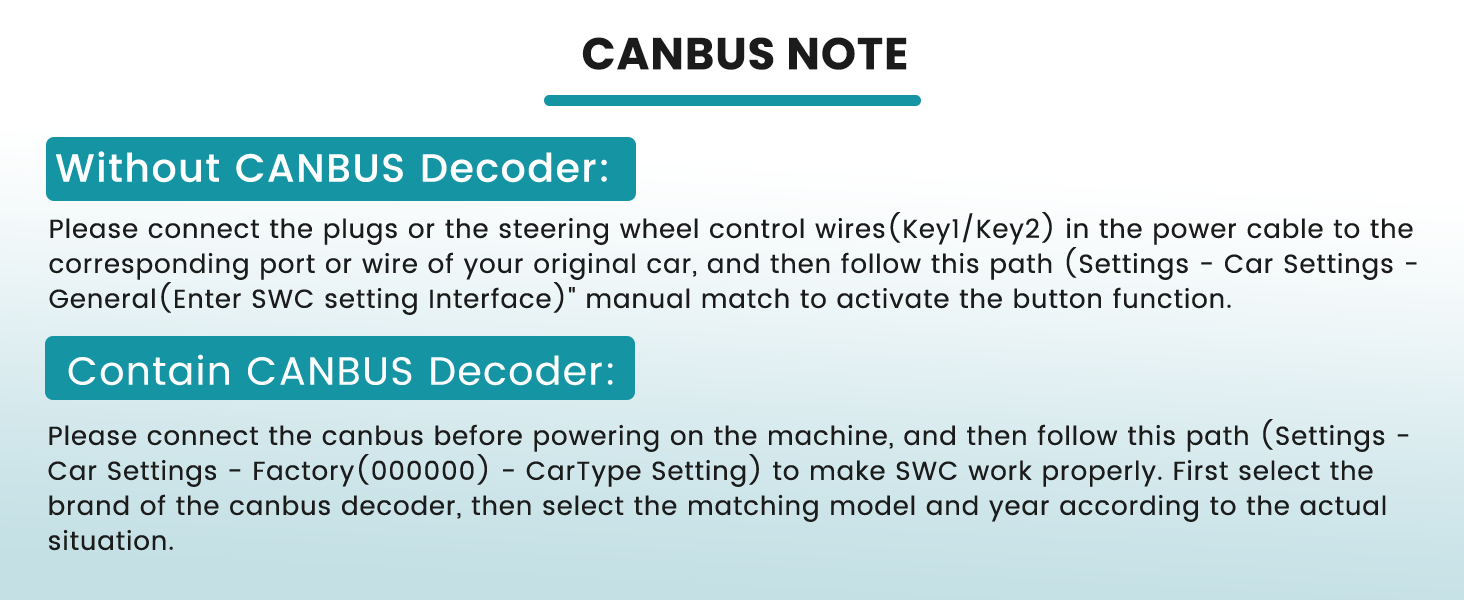
Image 4.3: CANBUS wiring and configuration notes.
5. Operating Instructions
5.1. CarPlay, Android Auto, and Mirror Link
The Roinvou car radio supports both wired and wireless connections for Apple CarPlay and Android Auto. It also features Mirror Link functionality for screen mirroring.
- CarPlay & Android Auto: Once connected, you can make calls, listen to music, and navigate using your smartphone's interface directly on the car radio screen.
- Mirror Link (iOS/Android):
- Android Phones: Connect via USB and Wi-Fi for bidirectional control (phone to device and device to phone).
- iOS Phones: Connect via Wi-Fi for unidirectional control (projection from phone to device).

Image 5.1: CarPlay, Android Auto, and Mirror Link features.

Image 5.2: Wireless connectivity for CarPlay and Android Auto.
5.2. GPS Navigation and Wi-Fi Connectivity
The car radio includes an integrated GPS navigation function, supporting both online and offline navigation. Connect to Wi-Fi to access online maps, download applications, or stream media.
- Offline Navigation: Maps can be purchased and downloaded from the Play Store for use without an internet connection.
- Online Navigation: With Wi-Fi connected, use Google Maps or other online navigation apps for real-time traffic and updated routes.
- Wi-Fi Applications: Access various applications, streaming services, and online content when connected to a Wi-Fi hotspot.

Image 5.3: GPS navigation and Wi-Fi features in use.
5.3. Steering Wheel Control and Rear View Camera
Enhance driving safety and convenience with steering wheel controls and the included AHD rear view camera.
- Steering Wheel Control (SWC): Configure SWC buttons in the settings to control radio functions without taking your hands off the wheel.
- AHD Rear View Camera: The waterproof camera provides an ultra-wide angle and HD night vision. When reverse gear is engaged, the camera feed automatically displays on the screen.

Image 5.4: Steering wheel control options and rear view camera display.
5.4. Bluetooth and FM/RDS Radio
Enjoy hands-free communication and high-quality radio reception.
- Bluetooth: Connect your smartphone for hands-free calls with clear sound quality. Music titles and artist names are displayed during playback. The system supports auto-loading of your phone book.
- FM/RDS Radio: Provides stable FM/RDS reception for channel broadcasting, weather forecasts, and real-time traffic conditions with optimized sound quality.

Image 5.5: Bluetooth hands-free calling and FM/RDS radio interface.
5.5. UI Themes and EQ Settings
Personalize your user experience with various interface themes and audio equalization options.
- UI Themes: Choose from 26 different desktop interface themes to match your preference.
- EQ Settings: Customize sound output with a personalized equalization function, offering various sound adjustments like Classic, Pop, Rock, Jazz, etc., to achieve your preferred audio effects.

Image 5.6: Customizable UI themes and advanced EQ settings.
6. Maintenance
To ensure the longevity and optimal performance of your Roinvou car radio, follow these maintenance guidelines:
- Screen Cleaning: Use a soft, lint-free cloth to gently wipe the touchscreen. For stubborn smudges, slightly dampen the cloth with water or a screen-safe cleaner. Avoid harsh chemicals or abrasive materials.
- Software Updates: Periodically check for available software updates through the system settings or the manufacturer's website. Keeping the software updated ensures access to the latest features and performance improvements.
- Environmental Conditions: Avoid exposing the unit to extreme temperatures, direct sunlight for prolonged periods, or excessive moisture.
- Cable Connections: Ensure all cables are securely connected. Loose connections can lead to intermittent functionality or signal loss.
7. Troubleshooting
If you encounter issues with your Roinvou car radio, refer to the following common troubleshooting steps:
- No Power:
- Check all power cable connections.
- Verify the car's fuse related to the radio.
- Ensure the car's ignition is on.
- No Sound:
- Check volume levels on the radio and your connected device (if using Bluetooth/CarPlay).
- Verify speaker wire connections.
- Ensure the audio output mode is correctly selected.
- GPS Signal Loss:
- Ensure the GPS antenna is properly installed and has a clear view of the sky.
- Check the GPS antenna connection to the unit.
- Bluetooth/Wi-Fi Connectivity Issues:
- Ensure Bluetooth/Wi-Fi is enabled on both the car radio and your device.
- Try unpairing and re-pairing devices.
- Confirm the reverse input cable is connected, as it can affect signal reception (refer to Section 4.2).
- Steering Wheel Controls Not Working:
- Review the CANBUS connection and configuration steps in Section 4.3.
- Ensure the correct car model and year are selected in the factory settings.
- Screen Unresponsive:
- Perform a soft reset by pressing and holding the power button (if available) or by turning off the car ignition and restarting.
If problems persist, please contact Roinvou customer support for further assistance.
8. Product Specifications
| Brand | Roinvou |
| Model Name | Radio Coche para Renault Megane 3 2008-2014 |
| Manufacturer Reference | Roinvou-A7084A3796A4MI2EU31T |
| Compatible Vehicle Service Type | Car |
| Screen Size | 9 Inches |
| Special Feature | Touchscreen |
| Connectivity Technology | Bluetooth, USB, Wi-Fi |
| Audio Output Mode | APE/FLAC/WAV/MP3/WMA |
| Mounting Type | Dashboard Mount |
| Package Dimensions | 33 x 30 x 10.5 cm; 2.08 kg |
9. Warranty and Support
Roinvou is committed to providing high-quality products and excellent customer service.
- Product Quality: We continuously strive for better product quality and customer satisfaction.
- Installation and Usage Support: If you encounter any issues during installation or use, effective communication with our support team can help resolve them.
- Pre-purchase Compatibility: If you have questions about product compatibility before purchasing, please send photos of your car's dashboard to our customer service team for assistance.
For customer service inquiries, please refer to the contact information below:

Image 9.1: Roinvou customer support contact details.
Email: roinvouservices@163.com
Our customer service team is available to assist you.
Related documentsRadio Coche para Renault Megane 3 2008-2014


Ask a question about this manual
Ask about setup, troubleshooting, compatibility, parts, safety, or missing instructions. Manuals+ will review the question and use this page’s manual context to help answer it.