
1. Introduction
This manual provides essential instructions for the safe and efficient operation of your YIXZSWD 55-inch Digital Signage Display, model NT-55. Please read this manual thoroughly before using the product and retain it for future reference. This digital signage display is designed for various commercial applications, offering high-quality visual experiences and versatile content management.
2. Safety Information
- Ensure the power supply matches the voltage requirements specified on the product label.
- Do not expose the device to rain, moisture, or extreme temperatures.
- Avoid blocking ventilation openings to prevent overheating.
- Do not attempt to disassemble or repair the unit yourself. Refer all servicing to qualified personnel.
- Keep the device away from strong magnetic fields.
- Clean the screen with a soft, dry cloth. Do not use liquid cleaners or aerosols directly on the screen.
3. Package Contents
Carefully unpack the box and ensure all the following items are present and in good condition:

Image: Overview of included components.
- Display Body (1)
- Base (1)
- Power Cord (1)
- Key (1)
- Wheels (4)
- Cross Screw Driver (1)
- Instructions Manual (1)
- Remote Controller (1)
- Allen Wrench (1)
- 16GB USB Drive (1)
- Screwdriver (1)
- Long Screw (1)
4. Setup
4.1 Assembly
- Attach the Base: Carefully align the display body with the base. Secure it using the provided screws and screwdriver/Allen wrench.
- Install Wheels (Optional): If mobility is desired, attach the four wheels to the bottom of the base.
4.2 Initial Power-On
- Connect the power cord to the display and then to a suitable power outlet.
- Press the power button, usually located on the side or back of the unit.
- The display will boot up, showing the Android operating system interface.
5. Operating Instructions
5.1 Power On/Off Settings
The display supports scheduled power on/off times, allowing for automated operation based on your business hours.

Image: Time Power On/Off Settings.
- Access the system settings via the remote control or on-screen interface.
- Navigate to the 'Timer' or 'Schedule' section.
- Set desired power-on and power-off times for daily or weekly operation.
5.2 Media Playback (Plug and Play)
The display supports direct media playback from USB drives and SD cards.
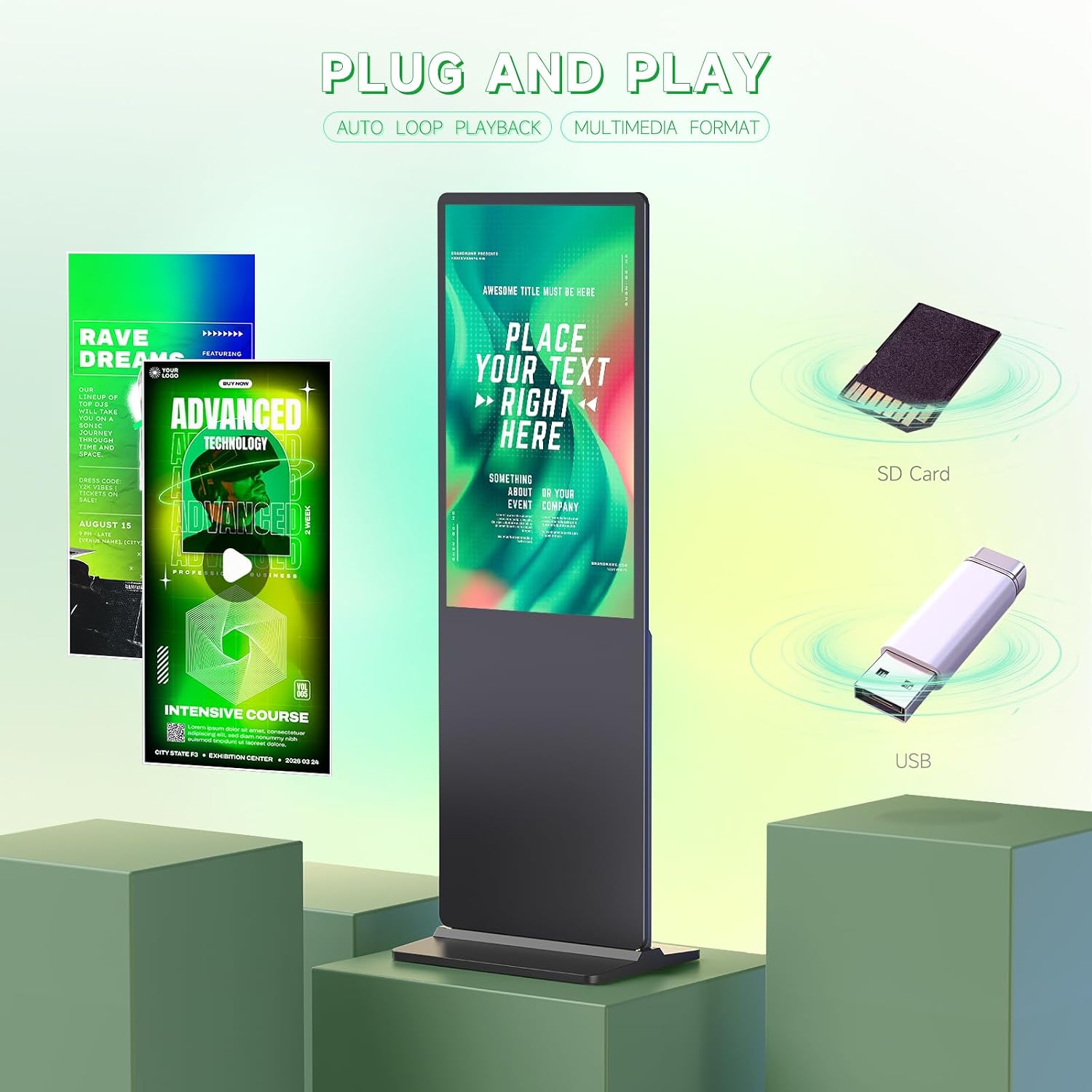
Image: Plug and Play Media Playback.
- Insert a USB drive into the USB port or an SD card into the SD card slot.
- The system will typically detect the storage device and prompt for media playback.
- Supported media formats include common image (JPEG, PNG) and video (MP4, AVI) files.
- The display supports auto-loop playback for continuous content display.
5.3 Multi-Format Input and Connectivity
The display offers various input options for diverse content sources.

Image: Multi-Format Input Support.
- HDMI Input: Connect external devices such as media players, computers, or set-top boxes via the HDMI port for high-definition signal input.
- Wi-Fi & Network Connection: Connect the display to your local network via Wi-Fi or an Ethernet cable for online content updates and remote management.
- Android OS: The integrated Android 9.0 operating system allows for software installation and advanced content management applications.
5.4 Display Features
The NT-55 features an IPS Full HD screen for superior visual quality.

Image: 55-inch 4K UHD IPS LCD Screen Details.

Image: Native 1080P HD and 178° Wide Viewing Angle.
- IPS Full HD: Provides vibrant colors and sharp images with a wide 178° viewing angle.
- 4K UHD Resolution: Supports up to 3840 x 2160 resolution for detailed content display.
- Built-in Speakers: Two 8Ω 5W speakers provide audio output for multimedia content.
6. Maintenance
- Cleaning: Gently wipe the screen with a soft, lint-free cloth. For stubborn marks, slightly dampen the cloth with water. Do not spray liquids directly onto the screen. Clean the exterior casing with a dry cloth.
- Software Updates: Periodically check for system software updates through the Android settings to ensure optimal performance and security.
- Storage: When not in use for extended periods, store the display in a cool, dry place, protected from dust and direct sunlight.
7. Troubleshooting
| Problem | Possible Cause | Solution |
|---|---|---|
| No power | Power cord not connected; Power outlet faulty; Power button not pressed. | Ensure power cord is securely connected; Test power outlet with another device; Press the power button firmly. |
| No image on screen | Incorrect input source selected; HDMI cable loose/faulty; Media file corrupted. | Check input source settings; Reconnect or replace HDMI cable; Try a different media file or source. |
| No sound | Volume too low/muted; External speakers not connected; Audio settings incorrect. | Increase volume or unmute; Ensure external speakers are properly connected if used; Check audio output settings in Android OS. |
| Remote control not working | Batteries depleted; Obstruction between remote and sensor; Remote sensor blocked. | Replace batteries; Remove any obstructions; Ensure remote sensor on display is clear. |
| Wi-Fi connection issues | Incorrect password; Router too far; Network issues. | Verify Wi-Fi password; Move display closer to router or use Ethernet; Restart router. |
8. Specifications
| Feature | Detail |
|---|---|
| Brand | YIXZSWD |
| Model Number | nt-55 |
| Screen Size | 55 Inches |
| Display Resolution | 3840 x 2160 (4K UHD) |
| Screen Type | IPS LCD |
| Aspect Ratio | 16:9 |
| Refresh Rate | 60 Hz |
| Response Time | 6 milliseconds |
| Viewing Angle | 178 Degrees |
| Connectivity Technology | Wi-Fi, USB, HDMI |
| HDMI Ports | 1 |
| USB Ports | 1 |
| Special Feature | Built-in Speaker (8Ω 5W x 2) |
| Operating System | Android 9.0 |
| Item Dimensions (D x W x H) | 45P x 76.4l x 196H centimeters |
| Color | Black |
| Country of Origin | China |
9. Warranty and Support
YIXZSWD provides a 3-year after-sales warranty service for this product to ensure its normal operation. If you have any questions, require assistance, or encounter any issues such as missing accessories or damaged products after receiving your order, please contact us directly through Amazon. Our technical support team is available to assist you.
For bulk orders or customization services, please also reach out to us via Amazon.