
Introduction
This manual provides essential information for setting up, operating, maintaining, and troubleshooting your Lenovo ThinkPad E16 Gen 3 Laptop. Designed for business and professional use, this laptop features an Intel Core Ultra 7 255H processor, 16GB DDR5 RAM, and a 1TB PCIe NVMe M.2 SSD, running on Windows 11 Pro.
Product Overview
The Lenovo ThinkPad E16 Gen 3 is engineered for productivity and security. Key features include a 16-inch WUXGA anti-glare display, a full-size backlit keyboard with a numeric keypad, and advanced security options like a fingerprint reader and webcam privacy shutter.
Processor and Performance
Equipped with the Intel Core Ultra 7 255H processor, featuring 16 cores and 16 threads, with a Max Turbo frequency of up to 5.1GHz. It includes an integrated Intel Arc 140T GPU and an NPU for Intel AI Boost, providing up to 13 TOPS for enhanced AI-powered tasks.

Image: Detailed specifications of the Intel Core Ultra 7 255H processor, highlighting core count, threads, turbo frequency, and cache.
Security Features
The laptop incorporates advanced security measures including a discrete Trusted Platform Module (dTPM) for data encryption, a fingerprint reader integrated into the power button for secure logins, and an FHD hybrid infrared (IR) camera. A physical privacy shutter for the webcam provides additional control over your privacy.

Image: A visual representation of the laptop's security features, including the TPM chip, fingerprint reader, and webcam privacy shutter.
Ports and Connectors
The ThinkPad E16 Gen 3 offers a comprehensive selection of ports for connectivity and peripherals:

Image: Side view of the laptop illustrating the location and type of various ports.
- USB-A (USB 5Gbps / USB 3.2 Gen 1)
- Ethernet (RJ-45)
- Kensington Nano Security Slot
- HDMI 2.1, up to 4K/60Hz
- USB-C (USB 20Gbps / USB 3.2 Gen 2x2), with USB PD 3.1 and DisplayPort 1.4
- USB-C (Thunderbolt 4 / USB4 40Gbps), with USB PD 3.1 and DisplayPort 2.1
- USB-A (USB 10Gbps / USB 3.2 Gen 2), Always On
- Headphone / microphone combo jack (3.5mm)
Physical Dimensions
The laptop is designed for portability and efficiency. Its dimensions are approximately 14.01 inches (W) x 9.80 inches (D) x 0.67 inches (H) at the front/rear, with a maximum thickness of 0.83 inches. It weighs starting at 3.59 lbs (1.63 kg).
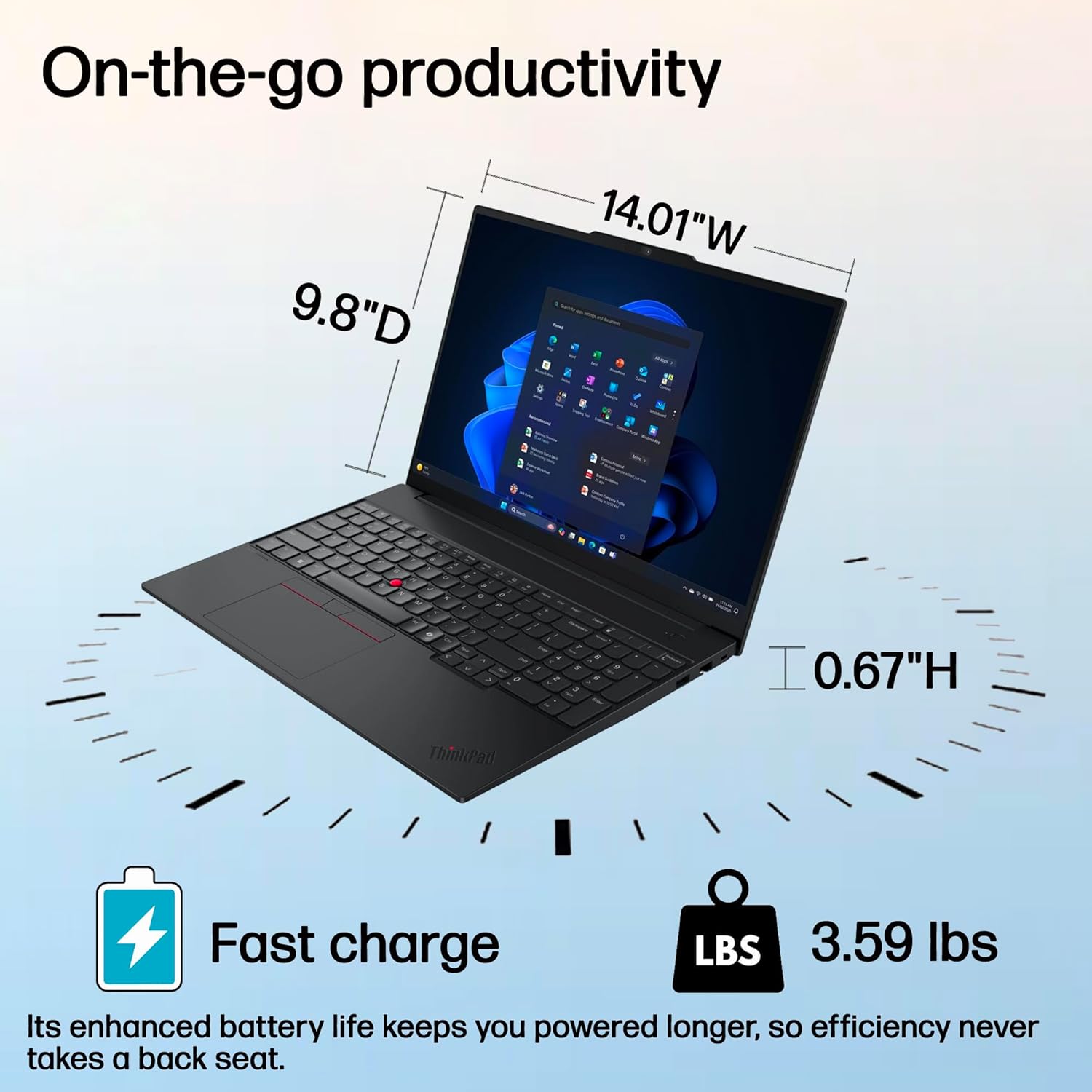
Image: Diagram showing the width, depth, and height of the laptop, along with its weight and fast charge capability.
Setup
Initial Power-On
- Unpack: Carefully remove the laptop and all accessories from the packaging.
- Connect Power: Connect the 65W USB-C power adapter to the laptop and a power outlet.
- Power On: Press the power button, located on the side or top right of the keyboard area, to turn on the laptop.
- Operating System Setup: Follow the on-screen instructions to complete the Windows 11 Pro setup, including language selection, network connection, and user account creation.
Connecting Peripherals
Utilize the available USB-A, USB-C (Thunderbolt 4), and HDMI ports to connect external displays, mice, keyboards, and other compatible devices.
Operating the Laptop
Display
The 16-inch WUXGA (1920x1200) IPS display offers 300 nits brightness and an anti-glare finish for comfortable viewing in various lighting conditions. It covers 45% NTSC color gamut.

Image: The laptop display showcasing vibrant colors, emphasizing its audiovisual capabilities.
Keyboard and Input
The full-size keyboard is backlit for use in low-light environments and includes a dedicated numeric keypad for data entry. The TrackPoint pointing device and a multi-touch touchpad provide versatile navigation options.

Image: Close-up of the laptop's keyboard, highlighting the numeric keypad and TrackPoint for enhanced comfort and efficiency.
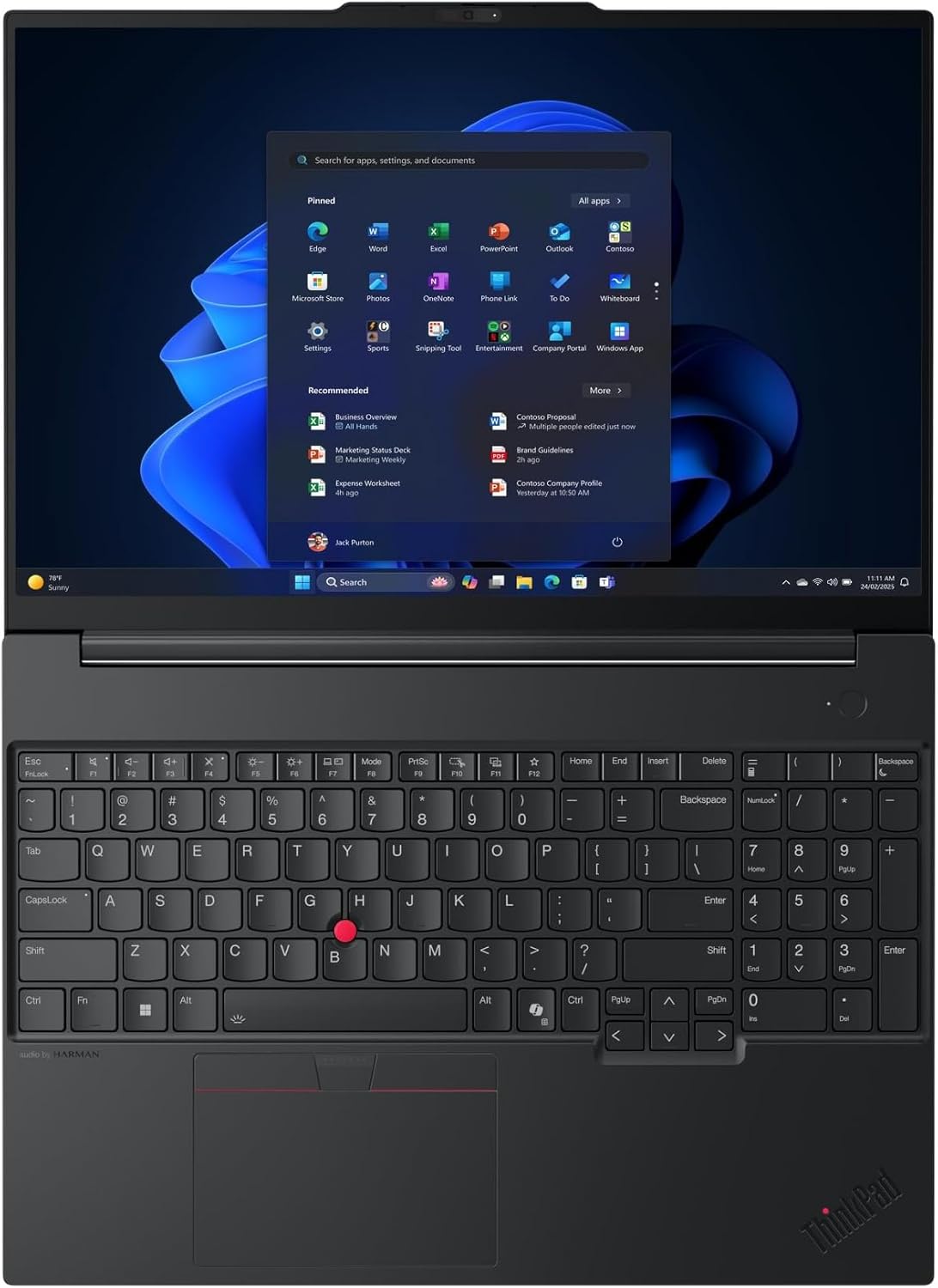
Image: Top-down view of the laptop's keyboard, showing the full layout including the numeric keypad and touchpad.
Webcam and Microphone
The integrated FHD 1080p + IR Hybrid camera is suitable for video conferencing and secure facial recognition logins. A physical privacy shutter is included for the webcam. Dual array microphones ensure clear audio input.
Audio
Experience enhanced audio with stereo speakers (2W x2) featuring Dolby Atmos and audio by HARMAN, providing clear sound for calls, media, and presentations.
Wireless Connectivity
The laptop supports Intel Wi-Fi 6E AX211 for fast and reliable wireless internet access and Bluetooth 5.3 for connecting wireless peripherals.
Maintenance
- Cleaning: Use a soft, lint-free cloth slightly dampened with water or a screen cleaner to clean the display. For the keyboard and chassis, use a soft cloth. Avoid harsh chemicals.
- Software Updates: Regularly update your Windows operating system and drivers to ensure optimal performance and security.
- Battery Care: To prolong battery life, avoid extreme temperatures and allow the battery to discharge partially before recharging.
- Storage Management: Periodically review and delete unnecessary files to maintain sufficient storage space and system performance.
Troubleshooting
If you encounter issues with your laptop, consider the following basic troubleshooting steps:
- No Power: Ensure the power adapter is securely connected to both the laptop and a working power outlet. Try a different outlet if necessary.
- Display Issues: If the screen is blank, try connecting an external monitor to check if the issue is with the laptop's display. Adjust display settings in Windows.
- Slow Performance: Close unnecessary applications, check for background processes, and ensure your system is up-to-date. Consider running a disk cleanup.
- Peripheral Not Working: Ensure the peripheral is correctly connected. Try a different port or restart the laptop. Check the device manager for driver issues.
- Network Connectivity: Verify Wi-Fi is enabled and connected to the correct network. For Ethernet, ensure the cable is properly connected. Restart your router if other devices also have network issues.
For more complex issues, refer to the Lenovo support website or contact customer service.
Specifications
| Feature | Detail |
|---|---|
| Brand | Lenovo |
| Model Name | ThinkPad E16 Gen 3 |
| Processor | Intel Core Ultra 7 255H (16C/16T, up to 5.1GHz) |
| Graphics | Integrated Intel Arc 140T GPU |
| RAM | 16GB DDR5 |
| Storage | 1TB PCIe NVMe M.2 SSD |
| Operating System | Windows 11 Pro |
| Display | 16" WUXGA (1920x1200) IPS 300nits Anti-glare |
| Webcam | FHD 1080p + IR Hybrid with Privacy Shutter |
| Audio | Stereo speakers (2W x2), Dolby Atmos, audio by HARMAN |
| Connectivity | Intel Wi-Fi 6E AX211, Bluetooth 5.3, Ethernet (RJ-45) |
| Ports | 2x USB-A, 2x USB-C (1x Thunderbolt 4), 1x HDMI 2.1, 1x Headphone/Mic Combo, 1x RJ-45 |
| Security | Firmware TPM 2.0, Fingerprint Reader, Kensington Nano Security Slot |
| Dimensions (WxDxH) | 14.01 x 9.80 x 0.67-0.83 inches |
| Weight | Starting at 3.59 lbs (1.63 kg) |
| Power Adapter | 65W USB-C |
Warranty and Support
Your Lenovo ThinkPad E16 Gen 3 Laptop comes with a limited warranty. For detailed information regarding warranty terms, coverage, and duration, please refer to the documentation included with your product or visit the official Lenovo support website.
Lenovo also offers optional protection plans for extended coverage. For technical assistance, driver downloads, or service requests, please visit support.lenovo.com.


