1. Introduction
Thank you for purchasing the CCGIRU 5000 CFM 16" Oscillating Pedestal Fan. This manual provides important information for the safe and efficient operation of your fan. Please read it thoroughly before assembly, operation, or maintenance, and retain it for future reference.
Important Safety Instructions
To reduce the risk of fire, electric shock, or injury, observe the following safety precautions:
- Always unplug the fan before cleaning, servicing, or relocating.
- Do not operate any fan with a damaged cord or plug. Discard fan or return to an authorized service facility for examination and/or repair.
- Do not run cord under carpeting. Do not cover cord with throw rugs, runners, or similar coverings. Arrange cord away from traffic area and where it will not be tripped over.
- Do not insert or allow fingers or foreign objects to enter any ventilation or exhaust opening as this may cause an electric shock or fire, or damage the fan.
- Do not block air intakes or exhaust in any manner. Do not use on soft surfaces, like a bed, where openings may become blocked.
- This fan is intended for indoor use only. Do not use outdoors.
- This fan is designed for industrial and commercial environments. Be aware that it produces significant airflow and associated noise.
- Ensure the fan is placed on a stable, level surface to prevent tipping.
- Keep children and pets away from the fan during operation.
2. Product Overview and Components
The CCGIRU 16" Oscillating Pedestal Fan is a heavy-duty unit designed for effective air circulation in commercial, warehouse, and garage settings. It features a powerful motor, three speed settings, oscillation, and adjustable height and tilt.

Figure 1: Fully assembled CCGIRU 16-inch Oscillating Pedestal Fan. This image shows the fan head with protective grille, the adjustable stand pole, and the stable round base.
Package Contents
Verify that all components are present before beginning assembly:
- Fan Head Assembly (Motor, Blades, Front and Rear Grilles)
- Adjustable Stand Pole (Upper and Lower sections)
- Base with Weighted Insert
- Base Cover
- Height Adjustment Knob/Collar
- Fasteners and Tools (if applicable)
- Instruction Manual
3. Setup and Assembly
Assembly is required. Follow these steps carefully to ensure proper and safe setup.
- Attach Base to Stand Pole: Place the weighted base on a flat surface. Insert the lower section of the stand pole into the center opening of the base. Secure it from underneath the base using the provided screws and washers. Ensure it is tightened firmly.
- Install Base Cover: Slide the decorative base cover over the lower stand pole, resting it on the weighted base to conceal the fasteners.
- Assemble Adjustable Pole: Insert the upper section of the stand pole into the lower section. Secure it with the height adjustment knob/collar. Do not overtighten yet, as height will be adjusted later.
- Mount Fan Head: Carefully place the fan head assembly onto the top of the adjustable stand pole. Align the mounting holes and secure it with the provided screw or locking mechanism. Ensure the fan head is stable and does not wobble.
- Check Grille and Blades: Verify that the front and rear grilles are securely fastened and that the fan blades are free from obstruction and rotate smoothly by hand.

Figure 2: Examples of the CCGIRU Pedestal Fan in use within a warehouse and garage environment, demonstrating its suitability for large spaces.
4. Operating Instructions
Once assembled, your fan is ready for operation. Ensure the fan is plugged into a suitable electrical outlet (AC power).
Power and Speed Control
The fan features a pull chain switch for power and speed selection.
- OFF: Initial state.
- Pull 1: Low Speed (approximately 4300 CFM)
- Pull 2: Medium Speed (approximately 4700 CFM)
- Pull 3: High Speed (approximately 5000 CFM)
- Pull 4: Returns to OFF.
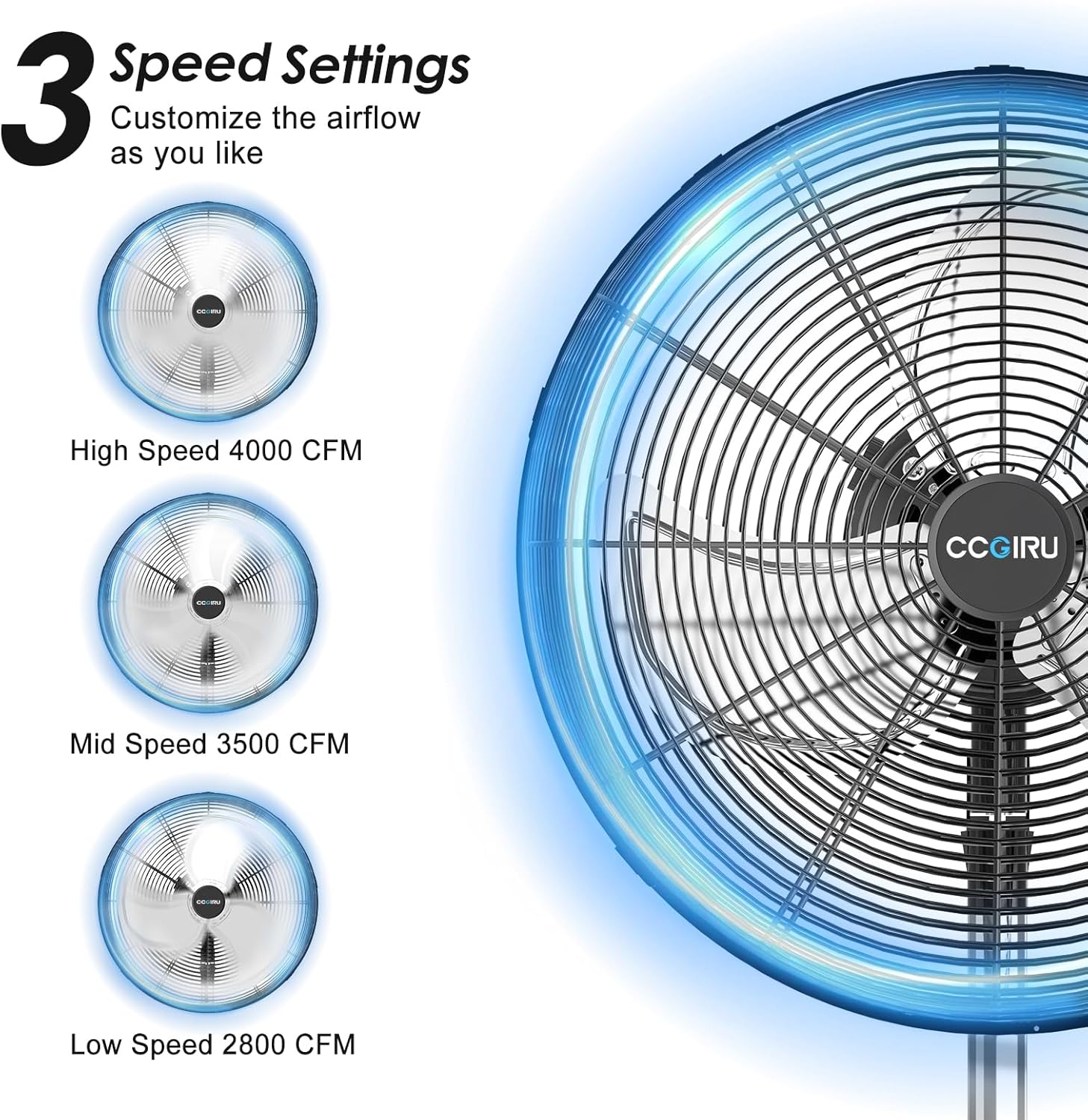
Figure 3: Visual representation of the fan's three speed settings: Low, Mid, and High, indicating varying airflow capacities.
Oscillation Function
To activate or deactivate the oscillation feature:
- To Oscillate: Locate the oscillation knob on the top-rear of the motor housing. Pull the knob up to engage oscillation. The fan head will sweep approximately 80 degrees from left to right.
- To Stop Oscillation: Push the knob down to lock the fan head in a stationary position.

Figure 4: Illustration of the fan's 80-degree oscillation range and the pull/press mechanism for activating or deactivating this function.
Adjustable Height and Tilt
Customize the fan's position for optimal airflow:
- Height Adjustment: Loosen the height adjustment knob/collar on the stand pole. Carefully raise or lower the upper pole section to the desired height (between 38.58" and 51.57"). Tighten the knob firmly to secure the height.
- Tilt Adjustment: Loosen the tilting knob located on the side of the fan head assembly. Adjust the fan head vertically to the desired angle (up to 15 degrees). Tighten the knob to secure the tilt.

Figure 5: Diagram illustrating the adjustable height feature of the fan, ranging from 38.5 inches to 51.5 inches.

Figure 6: Illustration of the fan's 15-degree manual vertical tilt capability and the location of the tilting knob for adjustment.
5. Care and Maintenance
Regular cleaning and proper maintenance will ensure the longevity and optimal performance of your fan.
- Always unplug the fan before cleaning.
- Cleaning the Grilles and Blades: Use a soft, damp cloth to wipe the exterior surfaces. For stubborn dust, the grilles can be removed (refer to assembly steps in reverse) to clean the blades. Ensure all parts are completely dry before reassembling and operating the fan. Do not use abrasive cleaners or solvents.
- Motor Maintenance: The motor is permanently lubricated and requires no additional oiling. Keep the motor housing clean and free of dust.
- Storage: When not in use for extended periods, store the fan in a cool, dry place, preferably in its original packaging or covered to protect it from dust.
6. Troubleshooting Guide
If you experience issues with your fan, consult the following table before contacting customer support.
| Problem | Possible Cause | Solution |
|---|---|---|
| Fan does not turn on | No power supply Damaged power cord/plug Motor malfunction | Ensure fan is plugged into a live outlet. Check circuit breaker. Inspect cord and plug for damage. Do not use if damaged. Contact customer support if motor issue is suspected. |
| Fan operates but airflow is weak | Grilles or blades are dirty Fan is too far from area Incorrect speed setting | Clean grilles and blades (ensure fan is unplugged). Relocate fan closer to the desired area. Select a higher speed setting. |
| Fan is excessively noisy | Loose parts Obstruction in blades Normal industrial fan noise | Check for loose screws or components and tighten. Unplug fan and remove any obstructions from blades. Note that this is an industrial fan and will produce more noise than typical household fans. |
| Oscillation not working | Oscillation knob not engaged correctly | Ensure the oscillation knob on the motor housing is pulled up firmly. |
| Fan head does not tilt or adjust height | Adjustment knobs are too tight or too loose | Loosen the respective knob, adjust, then tighten firmly. |
7. Product Specifications
Technical details for the CCGIRU 16" Oscillating Pedestal Fan.
| Feature | Detail |
|---|---|
| Brand | CCGIRU |
| Model Name | FE8-40S3dO(5) |
| Electric Fan Design | Floor Fan / Pedestal Fan |
| Size | 16 inches |
| Air Flow Capacity | Up to 5000 Cubic Feet Per Minute (CFM) |
| Number of Power Levels | 3 (Low, Medium, High) |
| Oscillation | 80 degrees (Left to Right) |
| Adjustable Height | 38.58" to 51.57" |
| Adjustable Tilt | Up to 15 degrees (Manual Vertical) |
| Power Source | AC (Corded Electric) |
| Control Method | Pull Chain |
| Construction | Heavy-duty metal, aluminum blades, rust-resistant grilles |
| Safety Certification | UL Listed |
| Item Weight | 23 pounds |
| Indoor/Outdoor Usage | Indoor |
8. Warranty and Customer Support
For warranty information or if you require assistance with your CCGIRU fan, please refer to the product packaging or contact the retailer where the product was purchased. You may also visit the official CCGIRU website for support resources.


