
SMARTDEVIL ea470735-2a6c-4427-8b84-bb4249ffff09
SMARTDEVIL Portable Mini Humidifier User Manual
Model: B0F1F2KS21
1. Product Overview
The SmartDevil Portable Mini Humidifier is designed to enhance air quality and comfort in small spaces such as bedrooms, offices, or even cars. Featuring a 500ml capacity, quiet operation, and two mist modes, it provides effective humidification and an optional night light for a soothing environment.
Key Features:
- Large Mist Output: Effectively moisturizes dry air by adjusting atomizing sheet current.
- Automatic Shut-Off & Night Light: Safety feature turns off spray modes when water is low. Includes an optional night light.
- Quiet Operation: Operates at a near-silent 25dB, ideal for undisturbed sleep or work.
- Two Mist Modes: Choose between continuous spray and intermittent spray (5 seconds on, 1 second off).
- Essential Oil Pad: Allows for the addition of 2-3 drops of essential oils for aromatherapy.
2. Package Contents
Upon unboxing, please ensure all items are present:
- SmartDevil Portable Mini Humidifier (1 unit)
- USB Cable (1 unit)
- User Manual (1 unit)
- Replacement Cotton Swabs (2 units)
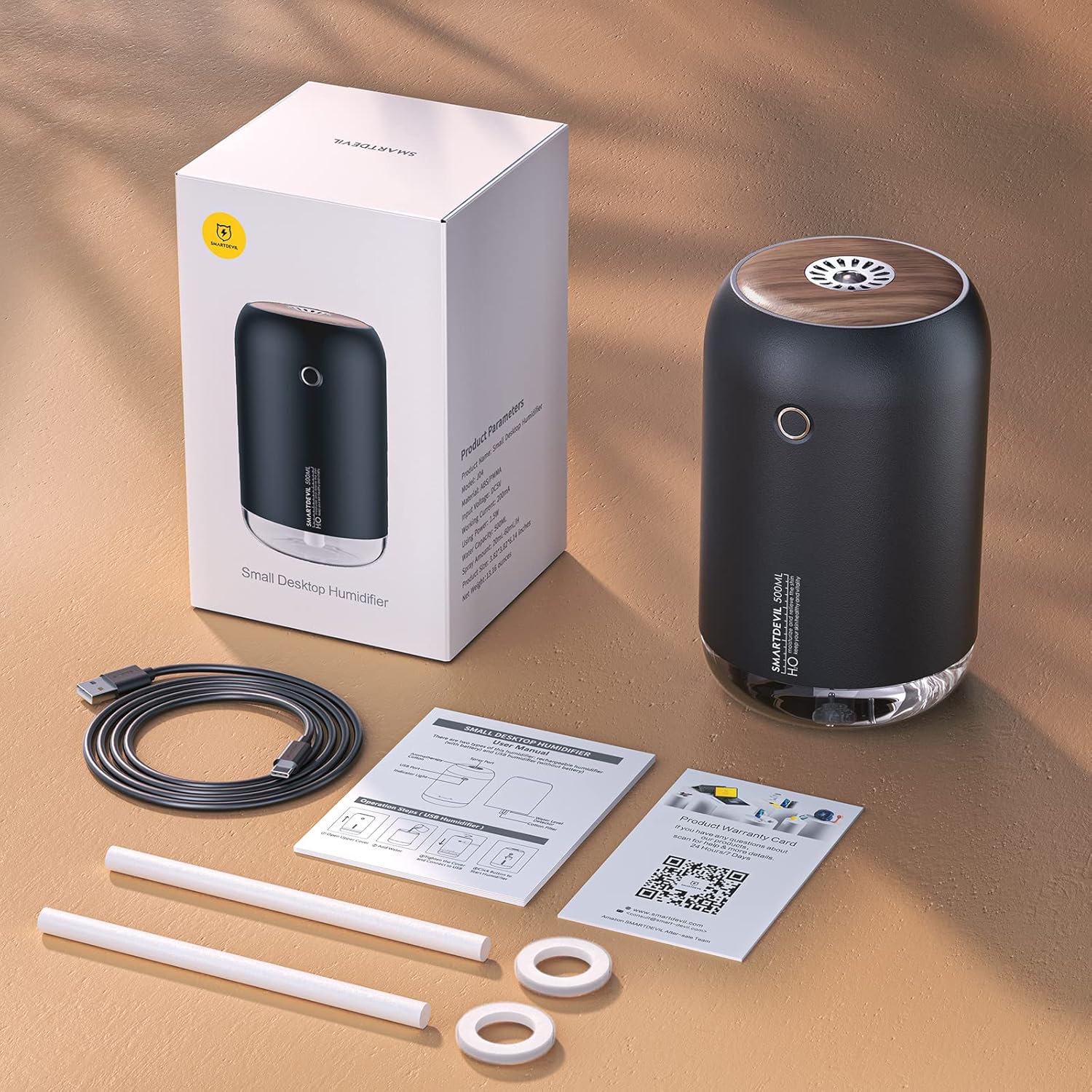
Image: Contents of the SmartDevil Portable Mini Humidifier package.
3. Setup Instructions
- Prepare the Cotton Swab: Before first use, or when replacing, completely soak the cotton swab in water for 1-2 minutes. Ensure the small spring at the bottom of the cotton swab tube is not lost during this process.
- Open the Humidifier: Gently twist the top cover counter-clockwise to open the water tank.
- Fill Water Tank: Fill the water tank with tap water. CAUTION: Do not use bottled or distilled water. Do not fill water above the "MAX" water line.
- Add Essential Oils (Optional): If desired, add 2-3 drops of essential oils onto the designated essential oil pad. CAUTION: Do not drop essential oil directly into the water tank or spray port to prevent blockage.
- Close the Humidifier: Rotate the top cover clockwise to securely tighten it. Proper installation helps prevent water leakage.
- Connect Power: Plug the USB cable into the humidifier's USB-C port and connect the other end to a compatible USB power source (e.g., adapter, power bank, laptop, car charger hub).

Image: SmartDevil Humidifier powered via USB.
Video: Official SmartDevil demonstration of the portable mini humidifier, including setup and operation.
4. Operating Instructions
The humidifier features a simple control button for all functions.
- Power On/Continuous Mist: Press the power button once to initiate continuous misting. The night light will also turn on.
- Intermittent Mist Mode: Press the power button a second time for intermittent misting (5 seconds on, 1 second off).
- Turn Off Spray: Press the power button a third time to turn off the mist function. The night light will remain on.
- Turn Off Night Light: Press and hold the power button for 2 seconds to turn off the night light.
- Automatic Shut-Off: The humidifier will automatically turn off all spray modes when the water level is lower than the water level probe in the tank, ensuring safety.

Image: Humidifier demonstrating continuous and intermittent mist modes.
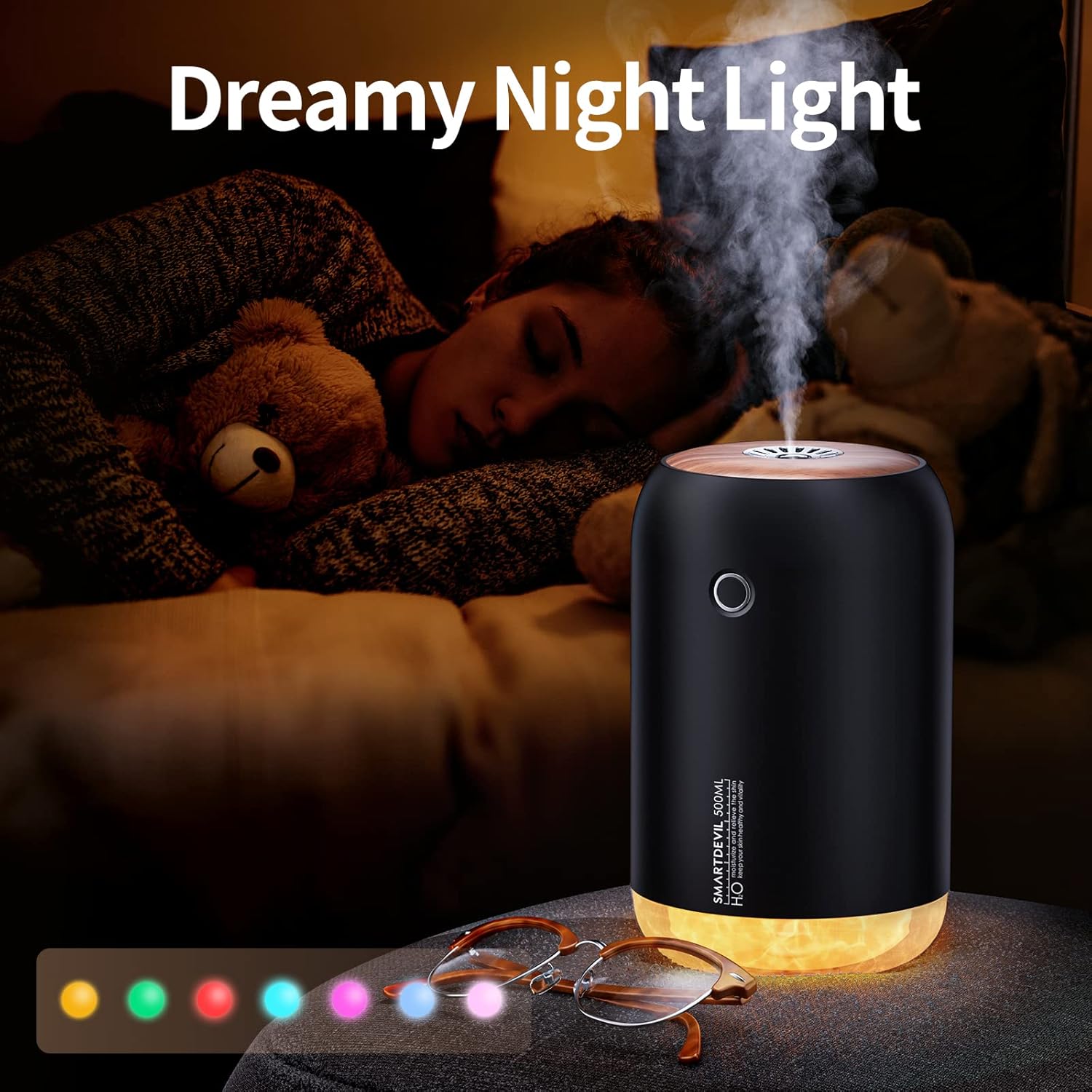
Image: Humidifier showcasing its night light feature.
5. Maintenance
Regular maintenance ensures optimal performance and longevity of your humidifier.
- Water Type: Always use tap water. Avoid bottled or distilled water as they can cause condensation issues or reduce mist output.
- Cleaning the Water Tank: Clean the water tank regularly to prevent mineral buildup and maintain hygiene.
- Cotton Swab Care: The cotton swab should be kept moist. If the mist output decreases, ensure the cotton swab is fully saturated or replace it with a new one.
- Essential Oil Pad: Clean the essential oil pad as needed. Do not allow essential oils to enter the water tank or spray port.

Image: Internal components of the humidifier, highlighting the cotton swab and atomizer.
6. Troubleshooting
If you encounter any issues, please refer to the following common solutions:
- No Mist or Low Mist Output:
- Ensure the cotton swab is completely soaked before use.
- Verify that the spring at the bottom of the cotton swab tube is correctly installed.
- Check if the water tank is filled with tap water. Distilled or bottled water can cause issues.
- Ensure the humidifier is securely plugged into a sufficient power source (5V DC). Insufficient voltage can cause the unit to shut off or produce no mist.
- Condensation Around Mist Outlet:
- This can occur with filtered or distilled water. Use tap water to mitigate this issue.
- Unit Shuts Off Unexpectedly:
- Check the water level. The unit has an automatic shut-off feature when water is low.
- Ensure the power adapter provides adequate voltage (5V DC).
- Water Leakage:
- Ensure the top cover is securely tightened clockwise.
- Do not overfill the water tank beyond the "MAX" line.
7. Product Specifications
| Brand | SMARTDEVIL |
| Model Number | ea470735-2a6c-4427-8b84-bb4249ffff09 |
| Color | Black |
| Product Dimensions | 3.8"D x 3.8"W x 5.7"H |
| Item Weight | 13.7 ounces |
| Water Tank Capacity | 500 Milliliters |
| Voltage | 5 Volts (DC) |
| Noise Level | 25dB |
| Room Type | Bedroom, Office |
8. Warranty and Support
For warranty information, product support, or any inquiries, please visit the official SmartDevil support page:
You may also refer to the user manual included in your package for detailed warranty terms and contact information.
Related Documents - ea470735-2a6c-4427-8b84-bb4249ffff09
 |
SMARTDEVIL Portable Mini Humidifier User Manual This document provides instructions and specifications for the SMARTDEVIL Portable Mini Humidifier, a compact air humidifier designed for personal use in bedrooms, offices, and cars. It details features such as two mist modes, auto shut-off, and quiet operation. |
 |
SmartDevil E07 True Wireless Bluetooth Earbuds User Manual Comprehensive user manual for the SmartDevil E07 True Wireless Bluetooth Earbuds, covering packing list, product introduction, operational specifications, pairing, charging, and safety information. |
 |
Farmers Friend Haven High Tunnel Assembly and Instruction Manual Comprehensive assembly and instruction manual for the Farmers Friend Haven High Tunnel. This guide provides step-by-step instructions for setting up your high tunnel, including ground post installation, bow assembly, purlin installation, plastic sheeting application, and securing mechanisms. |
 |
Marley HDPE Pressure Manual: Comprehensive Guide to High-Density Polyethylene Pipe Systems This manual details Marley's High-Density Polyethylene (HDPE) pressure pipe systems, covering material grades, specifications, jointing methods (buttwelding, electrofusion), design considerations, and applications. Essential technical information for civil, agricultural, and industrial projects. |