1. Introduction
Thank you for choosing the Mirage Minisplit Inverter V32 Air Conditioner, model SETCVC181E. This unit is designed to provide efficient cooling and heating for your space, utilizing advanced Inverter technology and environmentally friendly R32 refrigerant. This manual provides essential information for the safe installation, operation, and maintenance of your air conditioner. Please read it thoroughly before use and retain it for future reference.

Image 1.1: The Mirage Minisplit Inverter V32 Air Conditioner seamlessly integrated into a living space, demonstrating its compact design.
2. Safety Information
To ensure safe operation and prevent damage to the unit or injury to users, please observe the following safety precautions:
- Professional Installation: Installation, maintenance, and repair must be performed by qualified service personnel. Improper installation can lead to electric shock, fire, or water leakage.
- Electrical Safety: Ensure the power supply matches the unit's specifications. Do not use damaged power cords or plugs. Never operate the unit with wet hands.
- Refrigerant: This unit uses R32 refrigerant. Do not attempt to modify or tamper with the refrigerant circuit. R32 is mildly flammable.
- Children and Pets: Keep children and pets away from the unit, especially during operation. Do not allow children to play with the remote control.
- Cleaning: Always disconnect power before cleaning the unit. Use a soft, dry cloth. Do not use harsh chemicals or abrasive cleaners.
- Obstructions: Do not block the air inlet or outlet of the indoor or outdoor unit.
3. Product Overview
The Mirage Minisplit Inverter V32 consists of an indoor unit and an outdoor unit. The indoor unit is designed for wall mounting and features a sleek, white finish with an integrated display.

Image 3.1: Front view of the indoor unit, showcasing the Mirage logo and V32 Inverter branding.
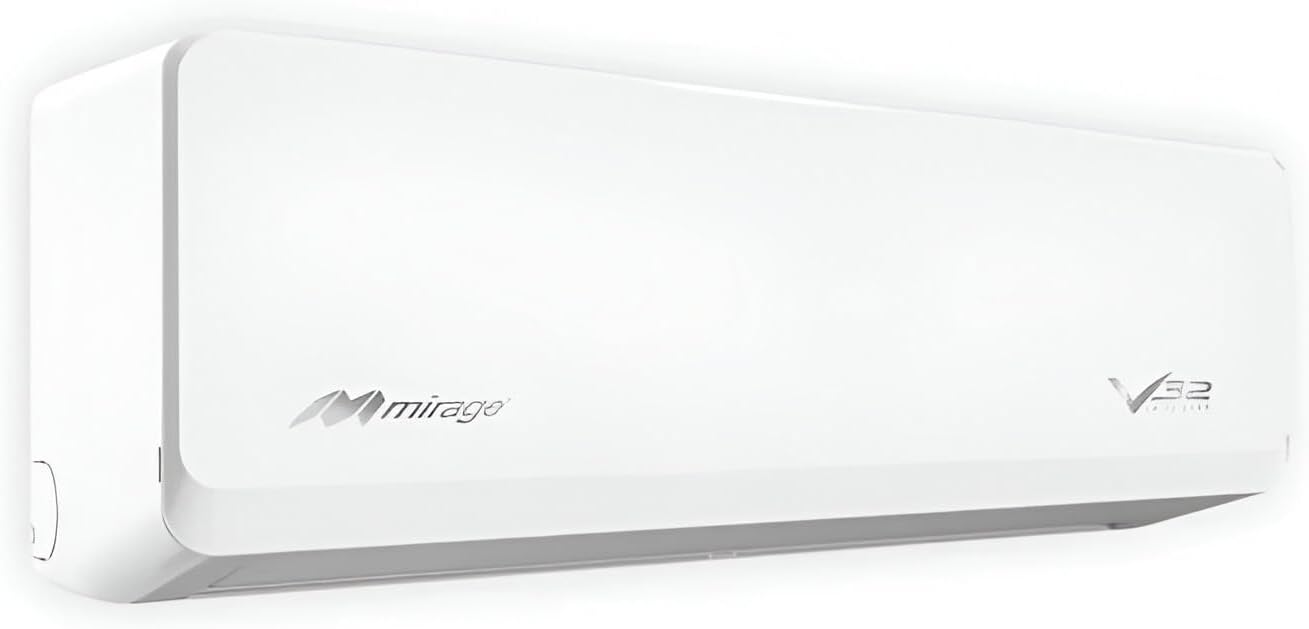
Image 3.2: Angled perspective of the indoor unit, highlighting its slim profile and modern design.
Key Features:
- Inverter Technology: Provides precise temperature control and energy efficiency by adjusting compressor speed.
- Cooling and Heating: Offers year-round comfort with both cooling and heating functions.
- R32 Refrigerant: An eco-friendly refrigerant with lower environmental impact.
- High SEER Rating: An efficiency rating of 17.6 SEER indicates reduced energy consumption.
- Quiet Operation: Designed for low noise levels, contributing to a peaceful environment.
4. Setup and Installation
Installation of the Mirage Minisplit Inverter V32 requires specialized tools and knowledge. It is mandatory to have the unit installed by a certified HVAC technician to ensure proper function, safety, and warranty validity.
General Installation Steps (for reference only; to be performed by a professional):
- Site Selection: Choose appropriate locations for both indoor and outdoor units, considering air circulation, drainage, and structural support.
- Mounting the Indoor Unit: Securely attach the mounting plate to the wall, then mount the indoor unit.
- Outdoor Unit Placement: Position the outdoor unit on a stable, level surface, ensuring adequate clearance for airflow.
- Refrigerant Piping: Connect the refrigerant lines between the indoor and outdoor units, ensuring proper insulation and leak-free connections.
- Drainage: Install the condensate drain pipe to ensure proper water removal from the indoor unit.
- Electrical Wiring: Connect the power supply and communication wiring according to the wiring diagram provided with the unit. Ensure all electrical connections are secure and comply with local codes.
- Vacuuming and Charging: Evacuate the refrigerant lines to remove air and moisture, then charge the system with the correct amount of R32 refrigerant.
- Test Run: Perform a test run to verify all functions are operating correctly and there are no leaks or unusual noises.
5. Operating Instructions
Your Mirage Minisplit Inverter V32 is controlled via a wireless remote control (not pictured, but standard for minisplit units). Familiarize yourself with the remote's buttons and the indoor unit's display.

Image 5.1: The digital display on the indoor unit, typically showing the set temperature or operating status.
Basic Operations:
- Power ON/OFF: Press the ON/OFF button to start or stop the unit.
- Mode Selection: Press the MODE button to cycle through available modes: AUTO, COOL (cooling), DRY (dehumidifying), FAN (fan only), and HEAT (heating).
- Temperature Adjustment: Use the TEMP UP (▲) and TEMP DOWN (▼) buttons to set your desired temperature.
- Fan Speed: Press the FAN button to adjust the fan speed (Auto, Low, Medium, High).
- Swing Function: Use the SWING button to control the vertical airflow direction.
- Timer Function: Set the unit to turn on or off automatically after a specified period using the TIMER ON or TIMER OFF buttons. Refer to your remote control manual for detailed instructions.
6. Maintenance
Regular maintenance ensures optimal performance and extends the lifespan of your air conditioner. Always disconnect power before performing any maintenance.
User Maintenance:
- Air Filter Cleaning: The air filters should be cleaned every two weeks or more frequently depending on usage and air quality. Open the front panel of the indoor unit, remove the filters, and wash them with lukewarm water and mild detergent. Rinse thoroughly, dry completely in a shaded area, and reinstall.
- Indoor Unit Surface Cleaning: Wipe the indoor unit's surface with a soft, dry cloth. For stubborn dirt, use a damp cloth with a neutral detergent, then wipe dry.
Professional Maintenance (Recommended Annually):
- Coil Cleaning: The indoor and outdoor unit coils should be professionally cleaned to remove accumulated dust and debris, which can impede heat exchange.
- Refrigerant Level Check: A technician can check the refrigerant charge and inspect for any leaks.
- Drainage System Inspection: Ensure the condensate drain pan and pipe are clear and free of blockages.
- Electrical Connections: Verify all electrical connections are tight and free from corrosion.
7. Troubleshooting
Before contacting service, please check the following common issues:
| Problem | Possible Cause | Solution |
|---|---|---|
| Unit does not start | No power; circuit breaker tripped; remote control batteries low. | Check power supply; reset circuit breaker; replace remote control batteries. |
| Insufficient cooling/heating | Dirty air filters; blocked air intake/outlet; incorrect temperature setting; doors/windows open. | Clean air filters; remove obstructions; adjust temperature; close doors/windows. |
| Unusual noise | Loose parts; foreign objects; unit not level. | Check for loose parts or objects; ensure unit is level. If noise persists, contact service. |
| Water leakage from indoor unit | Blocked drain pipe; improper installation. | Check and clear drain pipe; contact professional for inspection. |
| Remote control not working | Batteries dead or incorrectly inserted; obstruction between remote and unit. | Replace batteries; ensure clear line of sight to indoor unit. |
If the problem persists after attempting these solutions, please contact a qualified service technician.
8. Specifications
Detailed technical specifications for the Mirage Minisplit Inverter V32 Air Conditioner (Model SETCVC181E).
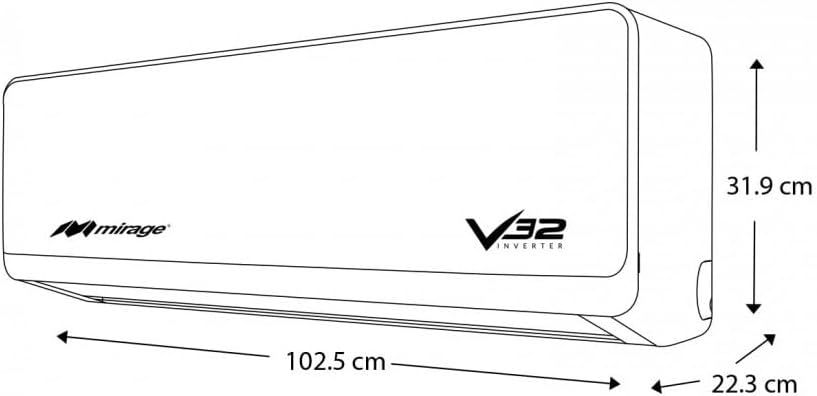
Image 8.1: Dimensional drawing of the indoor unit, showing approximate measurements of 90.8 cm width, 29.5 cm depth, and 22 cm height.
| Feature | Specification |
|---|---|
| Brand | Mirage |
| Model Number | SETCVC181E |
| Type | Minisplit Inverter (Cooling & Heating) |
| Capacity | 1.5 Ton (approx. 18,000 BTU) |
| Refrigerant | R32 |
| SEER (Seasonal Energy Efficiency Ratio) | 17.6 |
| Voltage | 230.0 Volts |
| Power (Cooling) | 1600 Watts (approximate) |
| Noise Level (Indoor Unit) | 44 Decibels |
| Indoor Unit Dimensions (W x D x H) | 90.8 x 29.5 x 22 cm |
| Indoor Unit Weight | 48.3 kg (This weight seems high for an indoor unit, typically includes outdoor unit weight in total product weight. Clarification needed from manufacturer for precise breakdown.) |
| Special Features | Inverter Compressor, Advanced Cooling |
| Power Source | Wired Electric |
9. Warranty and Support
Mirage products are manufactured to high-quality standards and are covered by a manufacturer's warranty. The specific terms and duration of your warranty may vary based on your region and purchase date. Please refer to the warranty card included with your product or visit the official Mirage website for detailed information.
For technical support, service requests, or warranty claims, please contact Mirage customer service or your authorized dealer. Ensure you have your product model number (SETCVC181E) and proof of purchase available when contacting support.
Mirage Customer Service: Please refer to your local Mirage contact information or the official Mirage website for support channels.


