1. Introduction
The HEX BOTS Glow-in-The-Dark Gecko is a remote-controlled robot toy designed to mimic the movement of a real gecko, capable of crawling across floors and scaling smooth vertical surfaces. This model features a glow-in-the-dark design and LED light eyes for enhanced play in low-light conditions. The full-function remote control provides intuitive operation within a range of up to 25 feet (8 meters).
2. What's in the Box
- 1 HEX BOTS Glow-in-the-Dark Gecko
- 1 Remote Control
- 1 USB Charging Cable
- 1 Instruction Guide

Image: The HEX BOTS Glow-in-the-Dark Gecko, its remote control, and the USB charging cable are displayed on a white background.
3. Setup
3.1 Remote Control Battery Installation
- Locate the battery compartment on the back of the remote control.
- Using a small Phillips head screwdriver (not included), open the battery compartment.
- Insert 2 AAA batteries (not included), ensuring correct polarity (+/-).
- Securely close the battery compartment with the screw.
3.2 Gecko Charging
- Locate the USB charging port on the underside of the Gecko.
- Connect the included USB charging cable to the Gecko's charging port.
- Connect the other end of the USB cable to a powered USB port (e.g., computer, USB wall adapter).
- The Gecko's LED eyes will indicate charging status (refer to the instruction guide for specific light indicators). Charging typically takes approximately 30 minutes for a full charge.
Video: An official product video demonstrating the HEX BOTS Glow-in-the-Dark Gecko in action, showcasing its wall-climbing capabilities and glowing features.
4. Operating Instructions
4.1 Powering On
- Turn on the Gecko by sliding the power switch located on its underside. The LED eyes will illuminate.
- Turn on the remote control.
4.2 Movement Modes
The Gecko features two primary movement modes: Floor Mode and Wall Mode. A switch on the Gecko's underside allows you to select the desired mode. For wall climbing, ensure the switch is set to Wall Mode, which activates the suction mechanism.
4.3 Remote Control Functions
Use the directional buttons on the remote control to maneuver the Gecko. It can move forward, backward, left, and right. The remote has a range of approximately 25 feet (8 meters).
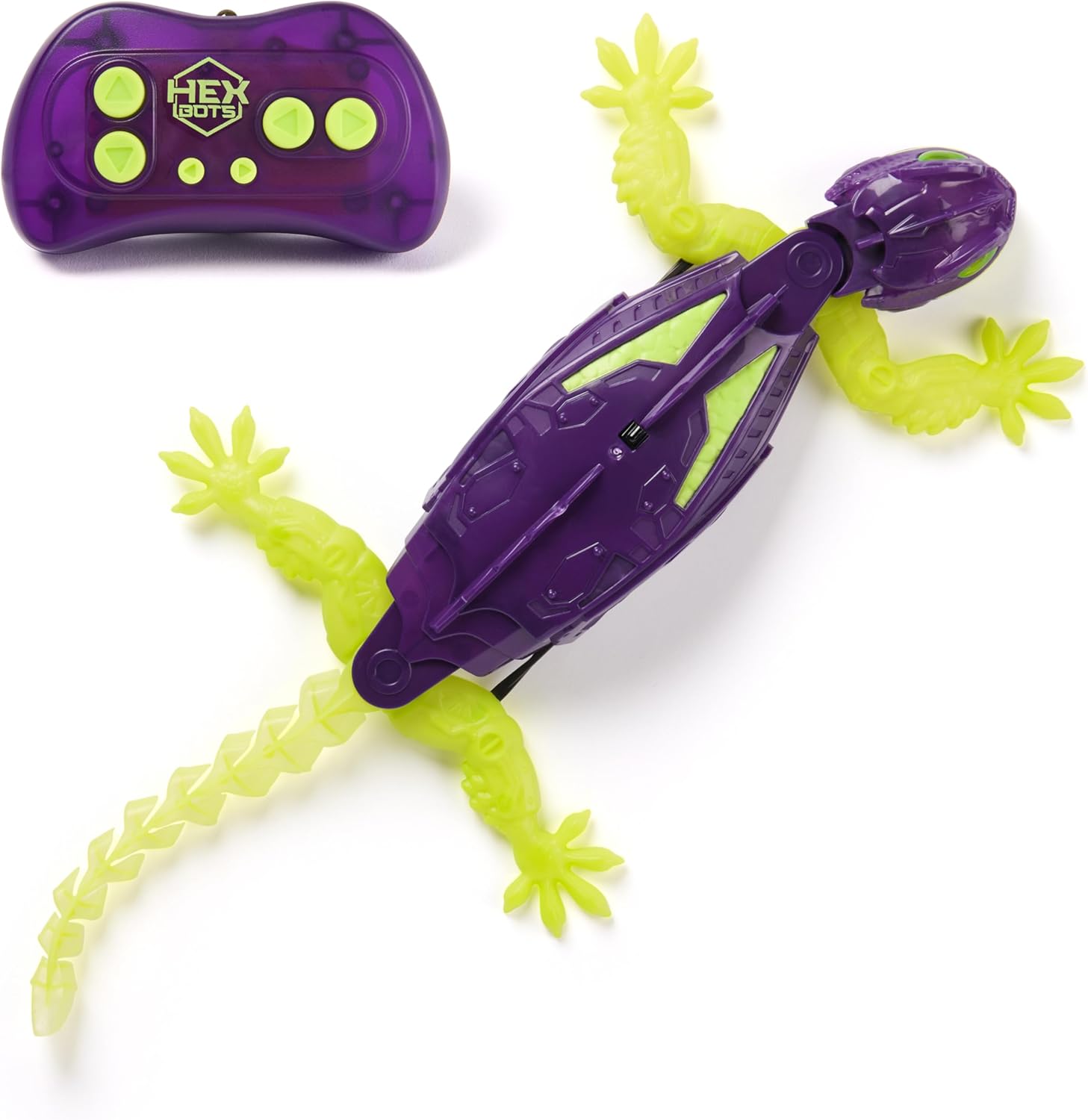
Image: The HEX BOTS Gecko, with its purple body and glowing green limbs, is shown alongside its matching remote control.
4.4 Wall Climbing
For optimal wall climbing performance, ensure the surface is smooth and clean. Textured surfaces, such as certain types of drywall, may reduce the Gecko's ability to maintain suction and climb effectively.
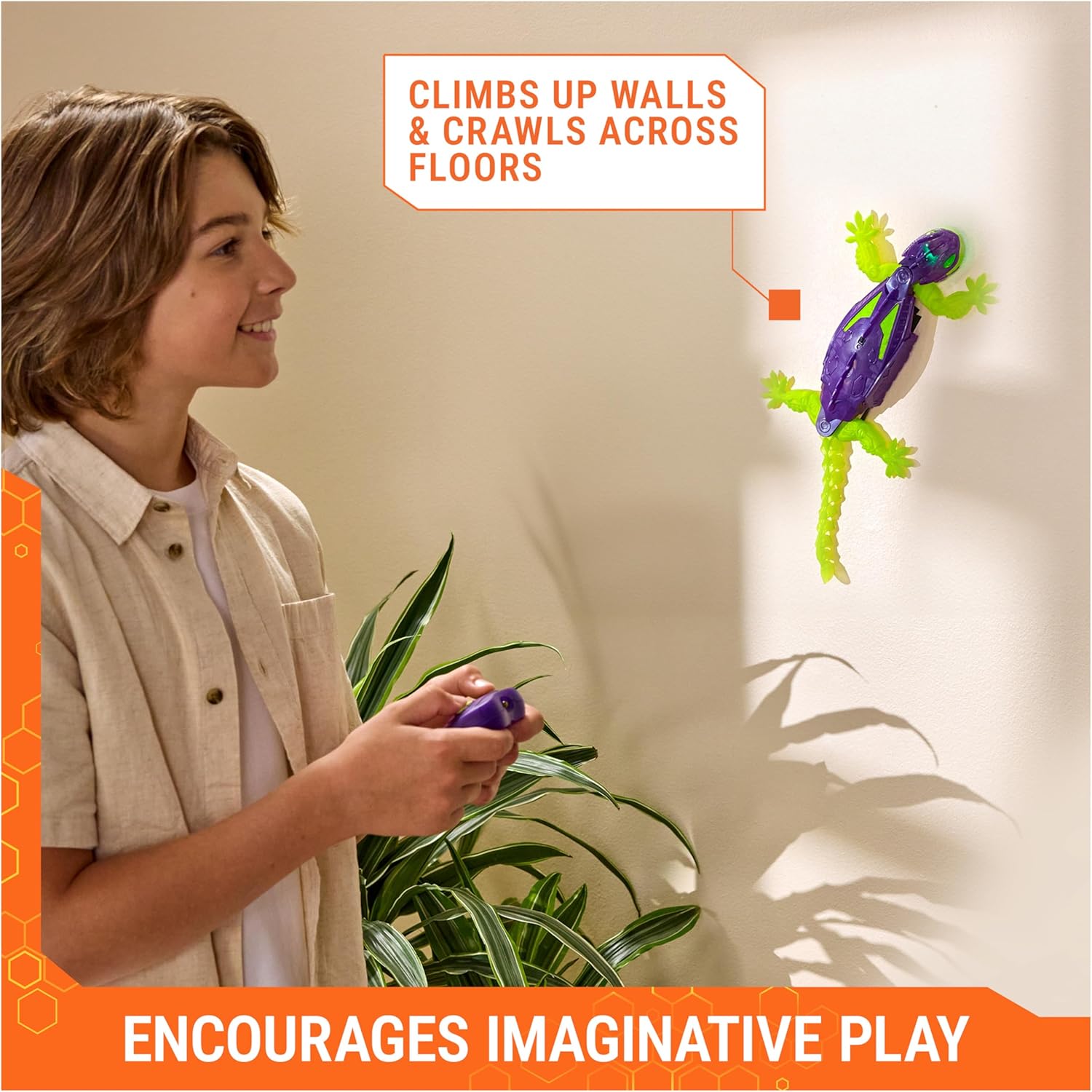
Image: A child uses the remote control to guide the HEX BOTS Gecko as it climbs a light-colored wall, demonstrating its wall-crawling feature.
4.5 Glow-in-the-Dark Feature
The Gecko's green limbs and tail are made of silicone that glows in the dark after exposure to light. The LED eyes also provide illumination, making the toy visible and engaging in dimly lit environments.

Image: The HEX BOTS Gecko is shown on a floor in a dark room, with its green limbs and tail visibly glowing, highlighting its glow-in-the-dark capability.
5. Maintenance
- Cleaning: Wipe the Gecko and remote control with a dry, soft cloth. Do not immerse in water or use harsh chemicals.
- Storage: Store the toy in a cool, dry place away from direct sunlight when not in use. Remove batteries from the remote control if storing for extended periods.
- Surface Care: Ensure the Gecko's suction pads are clean and free of dust or debris for optimal wall-climbing performance.
6. Troubleshooting
- Gecko not moving: Ensure the Gecko is fully charged and the power switch is in the ON position. Check that the remote control batteries are fresh and correctly installed.
- Gecko not sticking to walls: Verify that the Gecko is in Wall Mode. Ensure the wall surface is smooth, clean, and free of texture or dust. The suction mechanism requires a flat, non-porous surface.
- Reduced remote control range: Replace the AAA batteries in the remote control. Ensure there are no obstructions between the remote and the Gecko.
7. Specifications
| Product Dimensions | 12.13 x 2.13 x 8.13 inches |
| Item Weight | 11.2 ounces |
| Item Model Number | 6075822 |
| Manufacturer Recommended Age | 4 years and up |
| Batteries (Remote) | 2 AAA batteries required (not included) |
| Batteries (Gecko) | Rechargeable via USB (cable included) |
| Manufacturer | Spin Master |
8. Warranty and Support
For warranty information or product support, please refer to the contact details provided on the product packaging or visit the official HEX BOTS website. Keep your purchase receipt as proof of purchase.


