
Introduction
This manual provides instructions for the proper installation, operation, and maintenance of your DCCStands PAX Elys Tablet A3700 Stand (Model: DCCS-A3700-B). Please read this manual thoroughly before use to ensure safe and efficient operation.
The stand is designed to securely hold the PAX Elys Tablet A3700, facilitating customer interactions and protecting the equipment. It features a robust mild steel construction with a durable powder-coated finish.
Safety Information
Always ensure the stand is securely mounted to a stable surface to prevent tipping or damage to the tablet. Do not overtighten screws during installation. Keep out of reach of children.
What's in the Box
- DCCStands PAX Elys Tablet A3700 Stand
- Mounting Hardware (4x screws, adhesive glue pad)
Note: The PAX Elys Tablet A3700 and PIN Pad/Terminal are not included with this stand.
Setup and Installation
The DCCStands PAX Elys Tablet A3700 Stand offers two mounting options: screw-down or adhesive pad.
Option 1: Screw-Down Installation
- Positioning: Choose a stable, flat surface for installation. Ensure there is enough space for the tablet and customer interaction.
- Marking Holes: Place the stand in the desired location. Use a pencil or marker to mark the positions of the four screw holes on the base of the stand onto the surface.
- Drilling Pilot Holes (if necessary): Depending on your surface material, you may need to drill pilot holes. Use an appropriate drill bit size for the provided screws.
- Securing the Stand: Align the stand with the marked or drilled holes. Insert the four screws through the stand's base and into the surface. Tighten the screws firmly but do not overtighten.
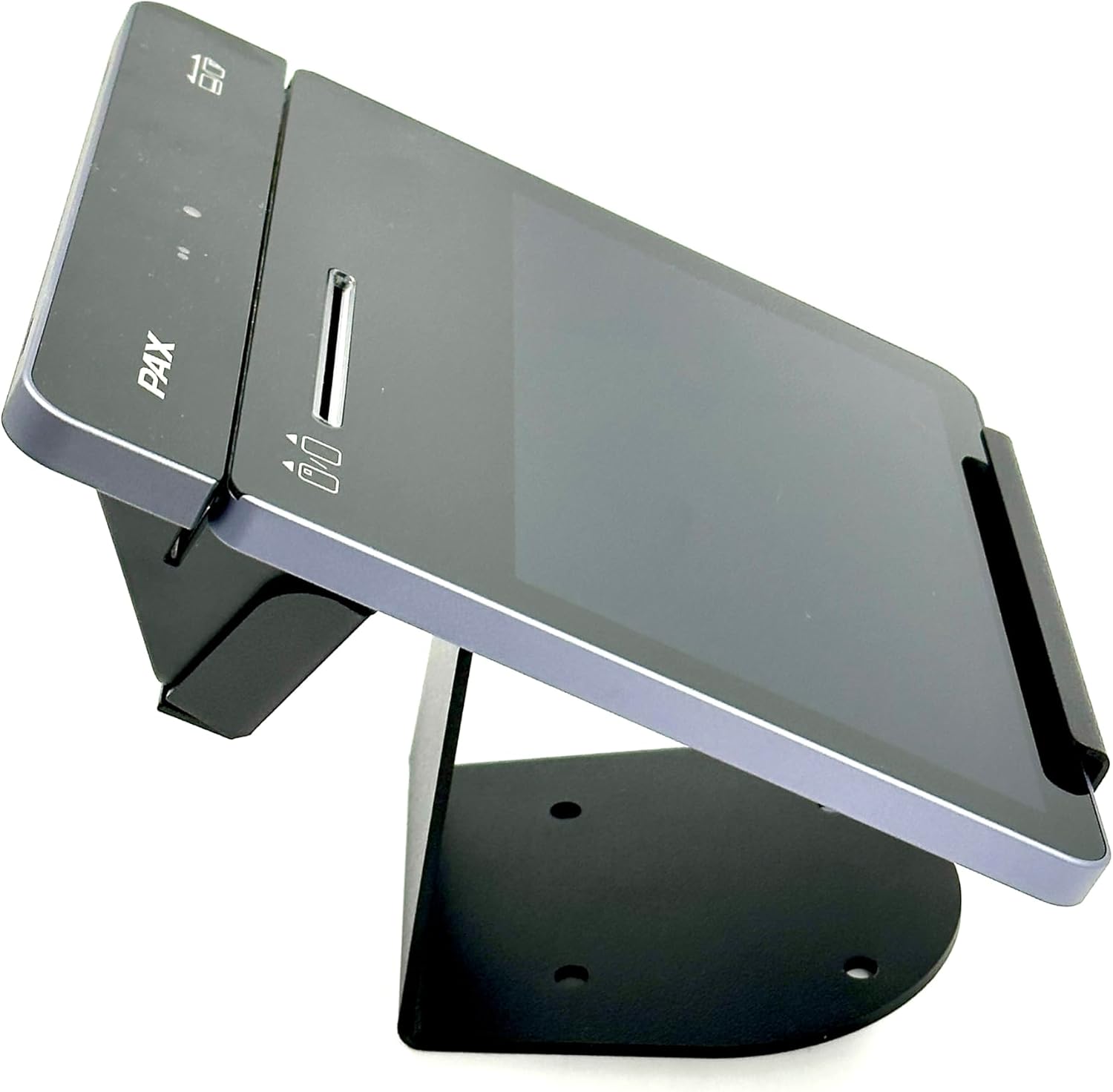
Image: Bottom view of the stand, illustrating the screw holes for secure mounting to a surface.
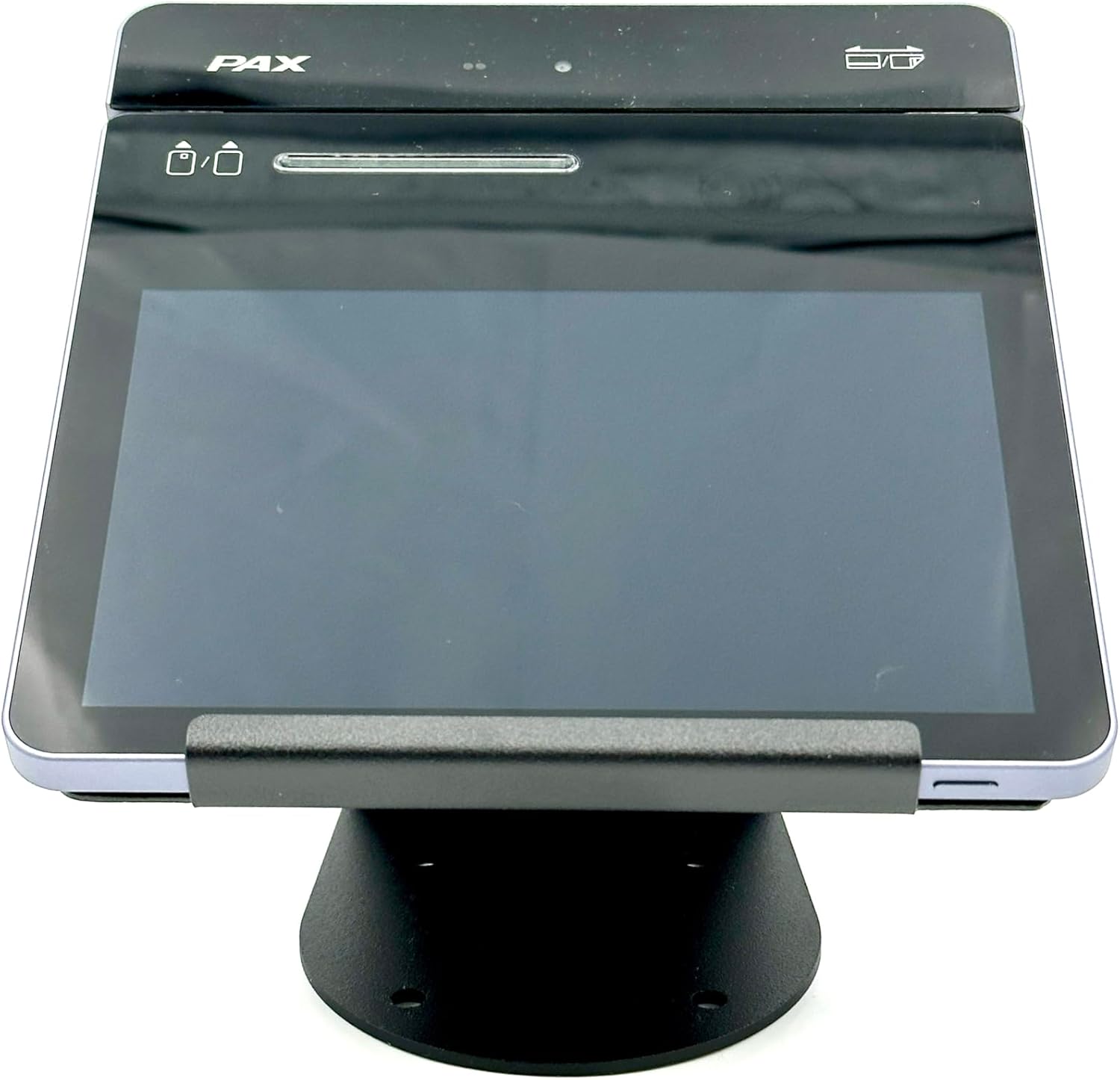
Image: Top view of the stand's base, showing the integrated mounting hardware and screw points.
Option 2: Adhesive Pad Installation
- Surface Preparation: Ensure the mounting surface is clean, dry, and free of dust or grease.
- Applying Adhesive: Peel the protective backing from the adhesive glue pad. Carefully align and press the adhesive pad firmly onto the bottom of the stand's base.
- Mounting the Stand: Position the stand on the desired surface. Press down firmly for at least 30 seconds to ensure a strong bond. Allow the adhesive to cure for several hours (refer to adhesive pad instructions if provided) before placing the tablet on the stand.
Attaching the PAX Elys Tablet A3700
- Aligning the Tablet: Carefully align the PAX Elys Tablet A3700 with the stand's cradle. The stand is designed to fit the tablet snugly.
- Securing the Tablet: Gently slide the tablet into the stand until it is fully seated and stable. Ensure all ports and buttons remain accessible as intended.

Image: Side view of the PAX Elys Tablet A3700 securely placed on the DCCStands stand.
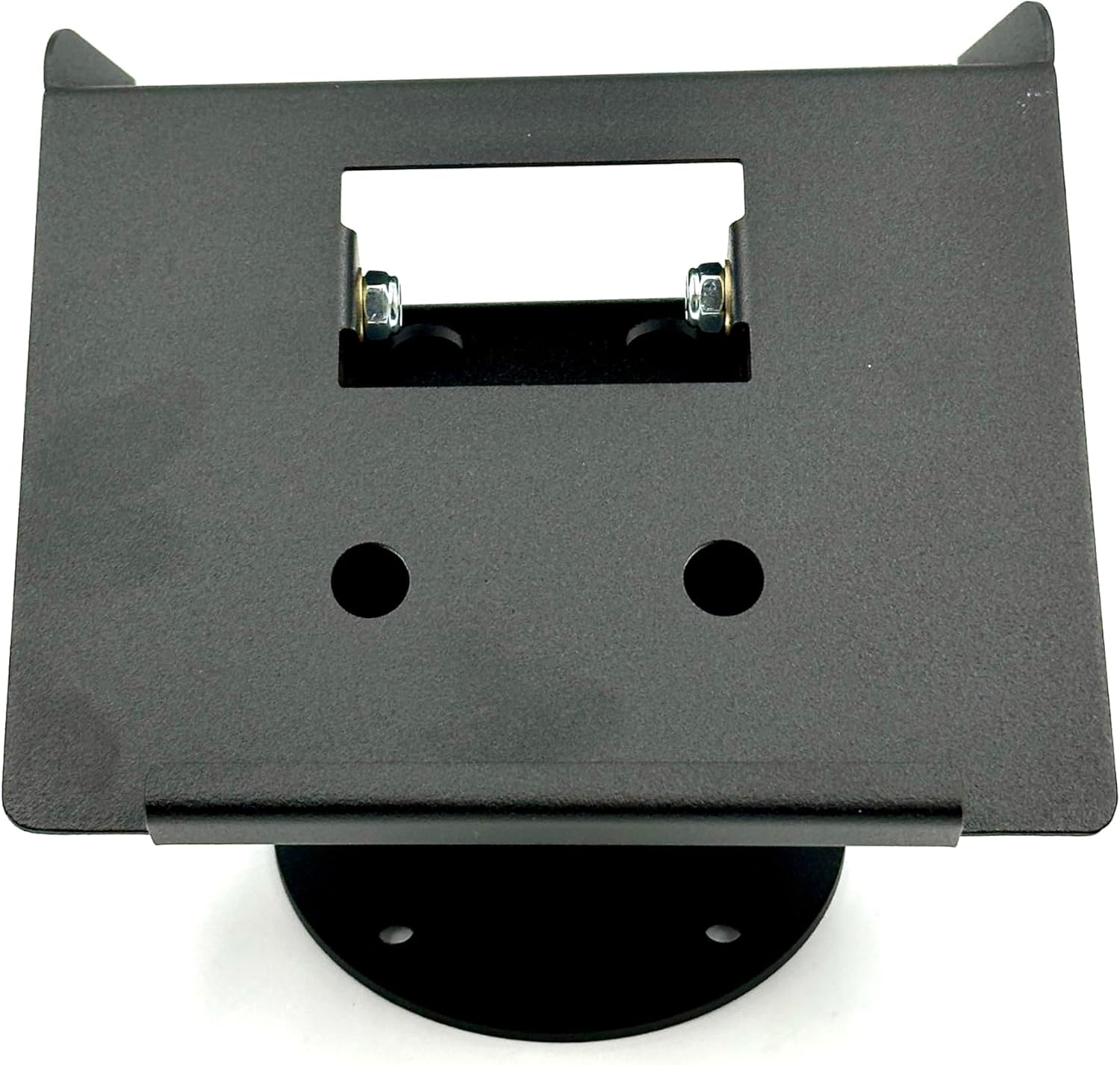
Image: Angled view of the PAX Elys Tablet A3700 positioned on the stand, ready for use.

Image: Front view of the PAX Elys Tablet A3700 securely held by the stand, showing the tablet's display.
Operating Instructions
Once the stand is securely installed and the PAX Elys Tablet A3700 is placed within it, the stand requires no further operational input. It serves as a stable and ergonomic base for your tablet.
- Customer Interaction: The stand's design brings the terminal closer to the customer, facilitating seamless interactions.
- Stability: The robust construction ensures the tablet remains stable during use, reducing the risk of accidental damage.
- Accessibility: The stand maintains full access to the tablet's screen, card readers, and other essential functions.
Maintenance and Care
- Cleaning: Wipe the stand with a soft, damp cloth. Avoid using abrasive cleaners or solvents, as these may damage the powder-coated finish.
- Inspection: Periodically check the mounting screws (if used) to ensure they remain tight. Inspect the stand for any signs of wear or damage.
- Storage: If storing the stand, ensure it is kept in a dry environment away from extreme temperatures.
Troubleshooting
| Problem | Possible Cause | Solution |
|---|---|---|
| Stand is wobbly after screw-down installation. | Screws are loose or not fully tightened. | Ensure all four screws are securely tightened. Check the mounting surface for unevenness. |
| Tablet does not fit securely in the stand. | Incorrect tablet model or improper placement. | Verify that you are using a PAX Elys Tablet A3700. Ensure the tablet is correctly aligned and fully seated in the stand's cradle. |
| Adhesive pad not holding firmly. | Surface not clean, dry, or smooth; insufficient curing time. | Clean and dry the surface thoroughly before application. Apply firm pressure for the recommended time and allow sufficient curing time before use. |
Specifications
- Model Number: DCCS-A3700-B
- Compatible Devices: PAX Elys Tablet A3700
- Material: Robust Mild Steel
- Finish: Durable Powder Coated
- Height: 4 inches (approximate)
- Mounting Type: Tabletop (Screw-down or Adhesive)
- Item Weight: 1.25 pounds
- Package Dimensions: 7 x 7 x 4 inches
- Color: Black
Warranty and Support
For information regarding warranty coverage and customer support, please refer to the DCCStands official website or contact your retailer. Keep your purchase receipt as proof of purchase.
For technical assistance or inquiries, please contact DCCStands customer service.
DCCStands Contact Information:
- Website: www.dccstands.com
- Email: support@dccstands.com