
Introduction
Thank you for choosing the Vevor KSW850 High-Speed Automatic Coin Counter and Sorter. This machine is designed for efficient and accurate counting, sorting, and wrapping of various coins, significantly improving your work efficiency. Please read this manual thoroughly before operation to ensure proper use and maintenance.
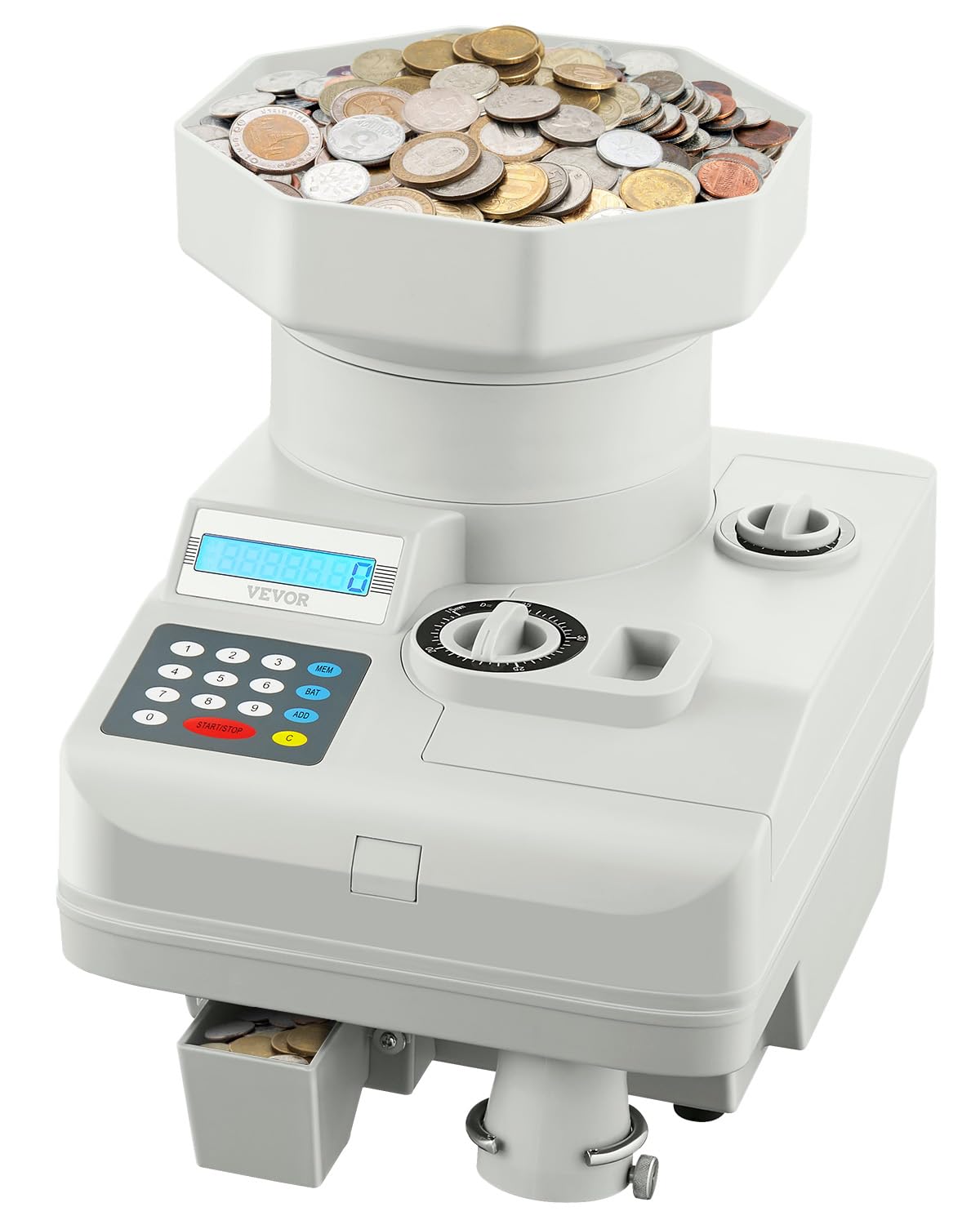
Image: The Vevor KSW850 coin counter, showing coins in the hopper and a collection bag attached. This machine is designed for quick and efficient coin sorting.
Safety Instructions
- Ensure the power supply matches the machine's requirements.
- Do not operate the machine with wet hands.
- Keep the machine away from water and high humidity environments.
- Place the machine on a stable, level surface.
- Do not attempt to open or repair the machine yourself. Contact qualified service personnel.
- Keep children and pets away from the machine during operation.
- Unplug the machine before cleaning or maintenance.
Package Contents
Verify that all items are present in the package:
- 1x Main Unit
- 1x Coin Discharge Hopper
- 3x Belts (2 Small, 1 Large)
- 1x Coin Overflow Hopper
- 1x Coin Overflow Bin
- 1x Money Bag
- 1x Power Cord
- 1x User Manual
Product Overview
Familiarize yourself with the components of your Vevor KSW850 coin counter:

Image: A detailed diagram of the Vevor KSW850 coin counter, highlighting key components such as the Hopper, Thickness Adjusting Knob, Diameter Adjusting Knob, START/STOP Key, Rejected Coin Box, and Coin Outlet.
- Hopper: Where coins are loaded for sorting.
- Thickness Adjusting Knob: Used to set the machine for different coin thicknesses.
- Diameter Adjusting Knob: Used to set the machine for different coin diameters.
- START/STOP Key: Initiates or pauses the counting and sorting process.
- Rejected Coin Box: Collects coins that do not match the set parameters or are foreign objects.
- Coin Outlet: Where sorted coins are discharged, typically into a bag or chute.
Setup
- Unpacking: Carefully remove the coin counter and all accessories from the packaging. Retain packaging for future storage or transport.
- Placement: Place the main unit on a stable, flat, and dry surface. Ensure there is enough space around the machine for operation and maintenance.
- Connect Power: Insert the power cord into the machine's power input and then into a suitable electrical outlet.
- Attach Collection Bag: Connect the provided money bag or a coin chute to the coin outlet area. Ensure it is securely attached to prevent coins from spilling.
Operating Instructions
The Vevor KSW850 is designed for simple and efficient operation.

Image: The Vevor KSW850 in action, demonstrating its high-speed sorting capability of up to 1300 coins per minute.
- Power On: Turn on the machine using the power switch (if available, otherwise assume it powers on when plugged in).
- Adjust for Coin Size:
- Use the Diameter Adjusting Knob to set the appropriate diameter for the coins you wish to sort.
- Use the Thickness Adjusting Knob to set the appropriate thickness for the coins.
- Note: Accurate adjustment is crucial for precise sorting and to prevent jams. Refer to coin specifications for your local currency if needed.
- Load Coins: Place the coins into the Hopper. Avoid overfilling to ensure smooth operation. The large capacity hopper can hold up to 11,000 coins.
- Start Sorting: Press the START/STOP Key to begin the sorting process. The machine will automatically count and sort the coins.
- Monitor Operation: Observe the machine during operation. Coins that do not match the set parameters will be directed to the Rejected Coin Box.
- Collection: Sorted coins will be discharged into the attached money bag or chute. When the bag is full, replace it with an empty one.
- Stop Sorting: Press the START/STOP Key again to pause or stop the sorting process.
- Power Off: Once finished, turn off the machine and unplug it from the power outlet.

Image: A comparison highlighting the Vevor KSW850's large capacity hopper, capable of holding up to 11,000 coins, reducing the need for frequent emptying.

Image: The Vevor KSW850 demonstrating its easy wrapping feature, with a fabric money bag attached to the coin outlet for convenient collection and storage.
Maintenance
Regular maintenance ensures the longevity and optimal performance of your coin counter.
- Cleaning: Regularly clean the hopper, coin pathways, and rejected coin box to remove dust, debris, and foreign objects. Use a soft, dry cloth. Do not use abrasive cleaners or solvents.
- Belt Inspection: Periodically check the sorting belts for wear and tear. Replace them if they show signs of damage or reduced performance. (Replacement belts are included in the package).
- Sensor Cleaning: Gently clean any visible sensors with a soft brush or compressed air to ensure accurate counting.
- Storage: When not in use for extended periods, store the machine in a dry, dust-free environment.
Troubleshooting
If you encounter issues with your Vevor KSW850, refer to the following common problems and solutions:
| Problem | Possible Cause | Solution |
|---|---|---|
| Machine does not power on. | Power cord not connected; power outlet faulty. | Ensure power cord is securely plugged in. Test the outlet with another device. |
| Coins are not sorting correctly or jamming. | Incorrect diameter/thickness settings; foreign objects; dirty coin pathways. | Adjust diameter and thickness knobs accurately. Remove any foreign objects. Clean coin pathways and sensors. |
| Sorting speed is slow. | Overfilled hopper; worn belts; internal obstruction. | Do not overfill the hopper. Check and replace worn belts. Inspect for internal obstructions (unplug first). |
| Coins are not being collected in the bag. | Bag not properly attached; coin outlet blocked. | Ensure the money bag is securely attached to the coin outlet. Clear any blockages in the coin outlet. |
If the problem persists after attempting these solutions, please contact Vevor customer support for assistance.
Specifications
Detailed technical specifications for the Vevor KSW850 Coin Counter:

Image: A visual representation of the Vevor KSW850's dimensions and a summary of its key specifications, including power, sorting speed, and capacity.
| Feature | Detail |
|---|---|
| Model Number | KSW850 |
| Brand | Vevor |
| Power | 80W |
| Sorting Speed | Up to 1300 pcs/min |
| Coin Storage Capacity | Up to 11,000 pcs |
| Collection Method | Fabric Bag + Coin Reject Box |
| Supports Currencies | All Currencies (Based on Size) |
| Product Dimensions (L x W x H) | 35.99 x 27.99 x 35 cm (approx. 14.17 x 11.02 x 13.78 inches) |
| Product Weight | 9.6 kg (approx. 21.16 lbs) |
| First Available Date | March 28, 2025 |
Versatile Applications
The Vevor KSW850 coin counter is suitable for various environments requiring efficient coin management.

Image: A collage showing the Vevor KSW850 being used in various settings, including retail stores, laundromats, restaurants, and homes, demonstrating its adaptability.
- Retail Stores: Quickly count and sort daily coin receipts.
- Laundromats: Efficiently process large volumes of coins from machines.
- Restaurants: Manage cash transactions and prepare coin rolls.
- Homes/Personal Use: Organize coin collections or savings.
Warranty and Support
For warranty information or technical support, please refer to the warranty card included with your product or visit the official Vevor website. Keep your purchase receipt as proof of purchase.
If you require further assistance, please contact Vevor customer service.