
1. Introduction
The CAMWAY PS1/PS2 to HDMI Adapter is designed to convert the AV signal from your PlayStation 1 or PlayStation 2 game console to a 1080P (60Hz) HDMI output. This allows you to connect your classic gaming consoles to modern HDTVs or monitors, preserving the original aspect ratio and graphics for a nostalgic gaming experience.
Key features include:
- Converts PS1/PS2 AV signal to 1080P (60Hz) HDMI.
- Supports aspect ratio switching between 4:3 and 16:9.
- Plug and Play functionality, no additional drivers required.
- Integrated cable design with PS1/PS2 interface and HDMI connector.
- Lightweight and portable design.

Figure 1: CAMWAY PS1/PS2 to HDMI Adapter. This image shows the main product, a black cable with a PS2 connector on one end, a USB power connector, and an HDMI output with a 4:3/16:9 switch.

Figure 2: Exploded view of the professional video conversion chip, highlighting its role in converting PS1/PS2 signals to 1080P (60Hz) HDMI with 16:9/4:3 aspect ratio support.
2. Setup Instructions
Follow these steps to connect your PS1 or PS2 console to an HDTV using the CAMWAY HDMI Adapter:
- Connect to Console: Insert the PS1/PS2 connector of the adapter into the AV Multi Out port on your PlayStation 1 or PlayStation 2 console.
- Connect to Display: Plug the HDMI connector of the adapter into an available HDMI input port on your HDTV or monitor.
- Power the Adapter: Connect the included USB power cable to the adapter and then to a 5V power source. This can be a USB port on your TV or a USB wall adapter (not included). The adapter requires external power to function correctly.
- Select Input: On your HDTV or monitor, select the corresponding HDMI input source.

Figure 3: Connection diagram showing a PS1/PS2 console connected to the adapter, which is then connected to an HDTV and powered via USB.

Figure 4: A user connecting the adapter to a PS2 console and playing on a modern TV, illustrating the simple plug-and-play setup.
3. Operating Instructions
3.1 Aspect Ratio Switching
The adapter features a switch to toggle between 4:3 and 16:9 aspect ratios. This allows you to display your games in their original format (4:3 for classic titles) or stretched to fit a widescreen display (16:9).
- 4:3 Mode: Select this mode for classic games to maintain their original, unstretched appearance. Black bars may appear on the sides of widescreen TVs.
- 16:9 Mode: Select this mode to fill a widescreen TV. Note that this will stretch the original 4:3 image.
To switch the aspect ratio, locate the small switch on the HDMI connector housing and slide it to your desired setting (4:3 or 16:9).

Figure 5: Comparison of 4:3 and 16:9 aspect ratios on a display, highlighting the switch on the adapter for selection.
4. Maintenance
The CAMWAY PS1/PS2 to HDMI Adapter requires minimal maintenance. Keep the device clean and dry. Avoid exposing it to extreme temperatures, humidity, or direct sunlight. Do not attempt to disassemble or repair the adapter yourself, as this will void the warranty.
5. Troubleshooting
If you encounter issues with your CAMWAY PS1/PS2 to HDMI Adapter, please refer to the following common problems and solutions:
- No Signal / Malfunction / Blue Screen:
- Ensure the PS1/PS2 console's resolution is set to 480P.
- Verify that your television or monitor supports 1080P resolution.
- Check all cable connections to ensure they are secure.
- Confirm the USB power cable is connected to a stable 5V power source.
- Switch to a different HDMI input on your TV.
- Image Quality Not Improved:
The adapter converts the signal but does not enhance the original input signal quality. The sharpness of the HDMI output image depends directly on the quality of the input signal from your PS1/PS2 console. This converter does not upscale or improve the image quality beyond its original resolution.
6. Specifications
| Feature | Detail |
|---|---|
| Model Number | CAM071 |
| Input Video Format | PAL/NTSC3.58/NTSC4.43/SECAM/PAL/M/PAL/N |
| Output Resolution | 1080P (60Hz) |
| Aspect Ratio Support | 4:3 / 16:9 (Switchable) |
| Output Video Format | HDMI 1.3 and DVI 1.0 |
| Power Supply | DC +5V (via USB) |
| PS1/PS2 Interface Cable Length | 150 cm (approx. 59 inches) |
| USB Cable Length | 100 cm (approx. 39 inches) |
| Package Dimensions | 19 x 17.2 x 1.9 cm (approx. 7.5 x 6.8 x 0.75 inches) |
| Weight | 79 grams (approx. 2.8 ounces) |
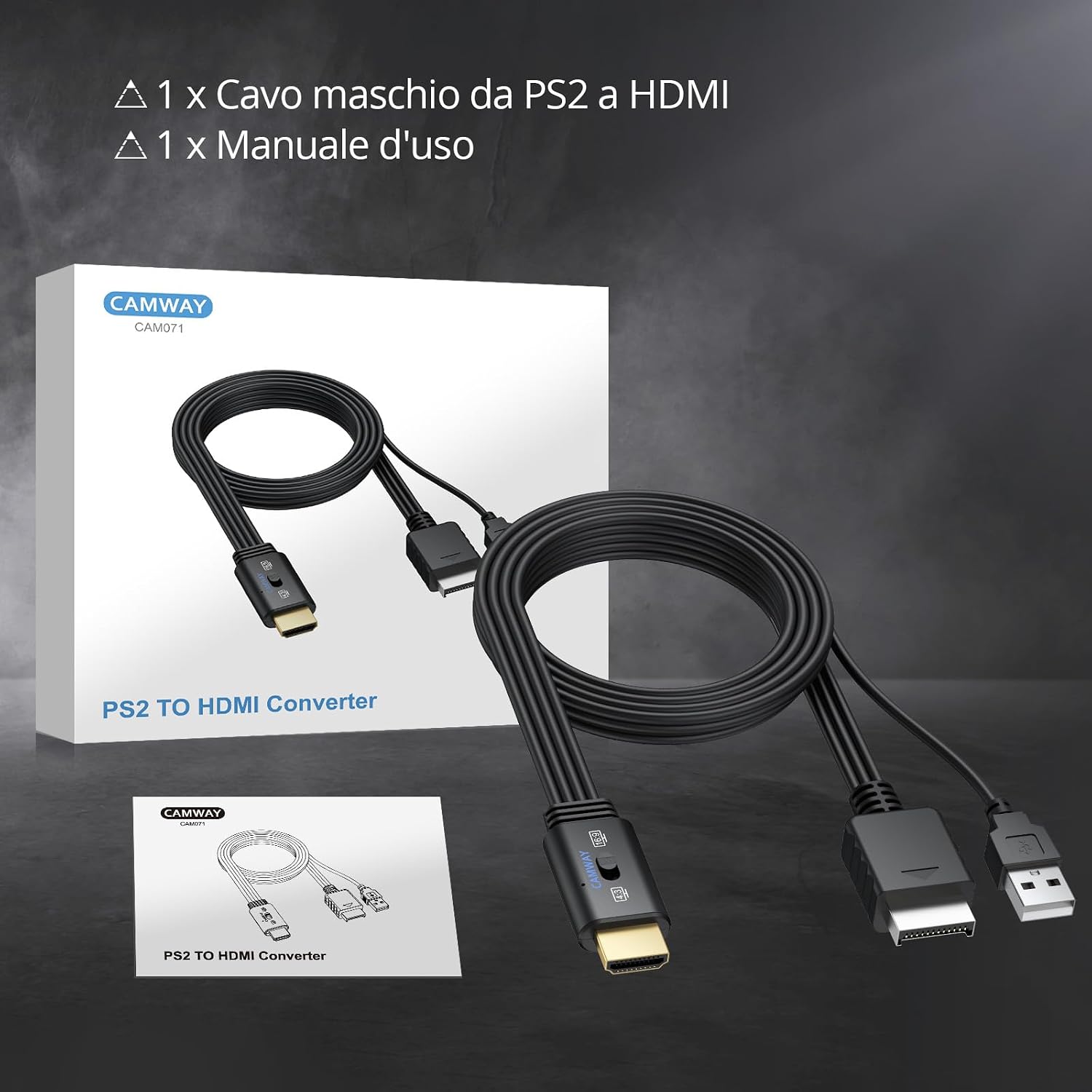
Figure 6: Image showing the product packaging, the adapter cable, and a user manual. This illustrates what is included in the package.
7. Warranty and Support
For information regarding warranty and return policies, please refer to the retailer's specific terms and conditions where the product was purchased. For general support or inquiries, please visit the CAMWAY Store.
If you wish to return a product within 30 days of receipt because you have changed your mind, consult the retailer's help page on returns. If you have received a defective or damaged product, consult the retailer's help page on defective items. For specific information on purchases made on the Marketplace, consult the retailer's help page.
