
Introduction
This manual provides essential instructions for the safe and effective use of your Kircuit 12V AC/DC Adapter. This adapter is designed to provide power to or charge compatible devices, specifically the SGIN SGIN-X15 M15 Series, Model J302-1203000UX. Please read this manual thoroughly before use and retain it for future reference.
Safety Information
To prevent injury or damage to your device, please observe the following safety precautions:
- Read all instructions before using the adapter.
- Do not expose the adapter to water, rain, or excessive moisture.
- Keep the adapter away from heat sources, direct sunlight, and flammable materials.
- Ensure proper ventilation around the adapter during use. Do not cover it.
- Do not attempt to open, modify, or repair the adapter. Refer servicing to qualified personnel.
- Use only with devices that match the adapter's voltage and current specifications (12V DC, 3A).
- Unplug the adapter from the wall outlet when not in use or during electrical storms.
- Keep out of reach of children.
Package Contents
Verify that all items are present in your package:
- 1 x Kircuit 12V AC/DC Adapter

Image: The Kircuit 12V AC/DC Adapter, showing the main unit with its two-prong plug and the attached cable leading to a barrel connector.
Setup
Follow these steps to connect your AC/DC adapter:
- Identify Device Port: Locate the power input port on your SGIN SGIN-X15 M15 Series device. Ensure it is a compatible barrel-type connector.
- Connect to Device: Carefully insert the barrel connector of the Kircuit adapter into your device's power input port. Ensure a firm and secure connection.
- Plug into Outlet: Insert the two-prong AC plug of the adapter into a standard electrical wall outlet (100-240VAC, 50/60Hz).
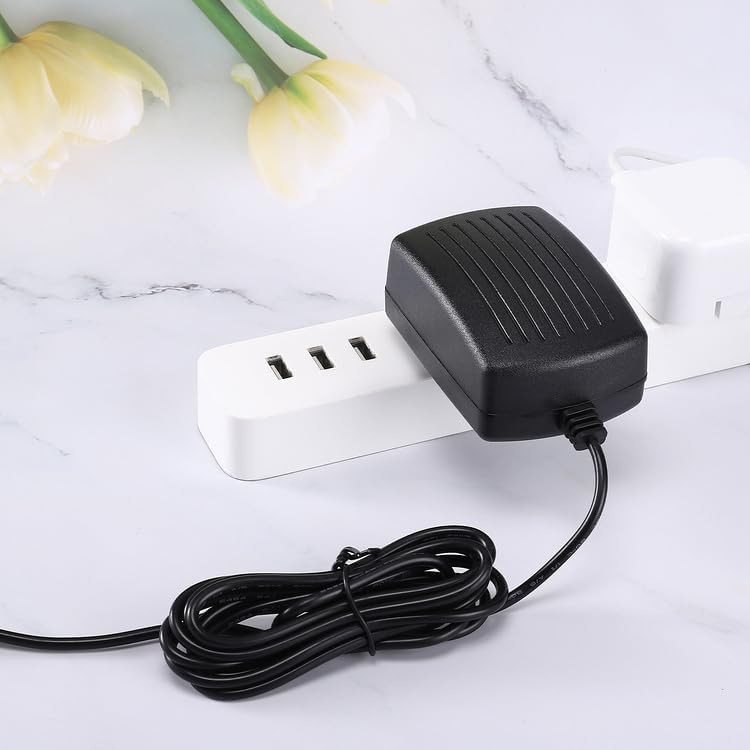
Image: The Kircuit 12V AC/DC Adapter plugged into a power strip, demonstrating a typical connection scenario.
The adapter is now ready to supply power to your device.
Operating Instructions
Once properly connected, the Kircuit 12V AC/DC Adapter will automatically begin to power your compatible device or charge its internal battery, if applicable. No further user interaction is typically required for basic operation.
- Ensure the adapter and device are placed on a stable, flat surface with adequate air circulation.
- Avoid disconnecting the adapter abruptly from the device during critical operations to prevent data loss or system instability.
- To disconnect, first unplug the adapter from the wall outlet, then carefully remove the barrel connector from your device.
Maintenance
Proper care ensures the longevity and optimal performance of your adapter:
- Cleaning: Disconnect the adapter from all power sources before cleaning. Use a soft, dry cloth to wipe the exterior. Do not use liquid cleaners, solvents, or abrasive materials.
- Storage: When not in use, store the adapter in a cool, dry place, away from direct sunlight and extreme temperatures.
- Cable Care: Avoid sharp bends, kinks, or excessive pulling on the power cord. Do not place heavy objects on the cable.
- Inspection: Periodically inspect the adapter and cable for any signs of damage, such as frayed wires or cracked casing. If damage is found, discontinue use immediately.
Troubleshooting
If you encounter issues with your adapter, refer to the following common solutions:
- Device Not Powering On/Charging:
- Ensure the adapter is fully plugged into both the wall outlet and your device.
- Test the wall outlet with another device to confirm it is functional.
- Verify that your device is compatible with a 12V DC input and that the barrel connector fits securely.
- Confirm that your device's power requirements do not exceed 12V 3A (36W).
- Adapter Feels Warm During Use:
- It is normal for the adapter to generate some heat during operation.
- Ensure the adapter has adequate ventilation and is not covered.
- If the adapter becomes excessively hot to the touch or emits a burning smell, immediately unplug it from the wall and your device, and discontinue use.
- Loose Connection:
- If the connection feels loose, ensure the barrel connector is fully inserted into the device's port.
- Avoid wiggling the connector while it is plugged in, as this can damage the port or the connector.
If these steps do not resolve the issue, please contact customer support.
Specifications
| Brand | Kircuit |
| Model Number | J302-1203000UX |
| Input Voltage | 100-240VAC, 50/60Hz |
| Output Voltage | 12V DC |
| Output Current | 3A |
| Wattage | 36W |
| Connector Type | Barrel |
| Compatible Devices | SGIN SGIN-X15 M15 Series, Model J302-1203000UX |
| Protection Features | OVP (Over Voltage Protection), OCP (Over Current Protection), SCP (Short Circuit Protection) |

Image: The Kircuit 12V AC/DC Adapter with its power cord, indicating a length of 6.5 feet.
Warranty and Support
For technical assistance, warranty claims, or product inquiries, please contact your retailer or the manufacturer directly. Refer to your purchase documentation for specific warranty terms and conditions.