1. Introduction
This manual provides essential instructions for the safe and efficient use of your Toshiba Lifestyle SCS-SCK7010 Instantaneous Warm Water Bidet Toilet Seat. Please read this manual thoroughly before installation and operation, and keep it for future reference. The SCS-SCK7010 features instantaneous water heating, a stainless steel nozzle for hygiene, automatic deodorization, and a power-saving timer function.
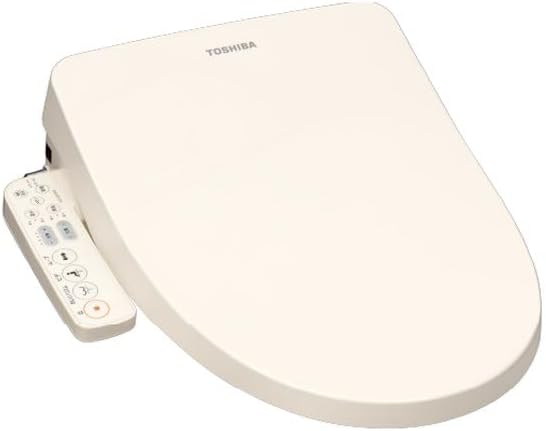
Figure 1.1: Toshiba Lifestyle SCS-SCK7010 Bidet Toilet Seat. This image displays the complete bidet toilet seat unit in pastel ivory, including the attached remote control.
2. Safety Information
To ensure safe operation and prevent injury or damage, always adhere to the following safety precautions:
- Electrical Safety: Ensure the product is connected to a properly grounded electrical outlet. Do not use extension cords or adapters. Keep the power cord away from heat sources and sharp edges.
- Water Connection: Connect the bidet to a potable water supply only. Ensure all water connections are secure to prevent leaks. Do not use recycled or non-potable water.
- Installation: Installation should be performed by a qualified individual or follow the instructions carefully. Improper installation can lead to water leakage, electric shock, or fire.
- Cleaning: Disconnect the power supply before cleaning the unit. Use only mild detergents and a soft cloth. Avoid abrasive cleaners or solvents.
- Children and Vulnerable Individuals: This appliance is not intended for use by persons with reduced physical, sensory or mental capabilities, or lack of experience and knowledge, unless they have been given supervision or instruction concerning use of the appliance by a person responsible for their safety.
- Maintenance: Do not attempt to repair the unit yourself. Contact authorized service personnel for any repairs.
3. Package Contents
Verify that all the following items are included in your product package:
- Mounting Bolt Set (1 set)
- Main Unit Fixing Plate (1 piece)
- Tank Water Supply Hose (approx. 0.5m)
- Main Unit Water Supply Hose (approx. 1m)
- Branch Fitting (1 piece)
- Spanner (1 piece)
- Deodorizing Filter (pre-installed in the main unit)
- User Manual (this document)
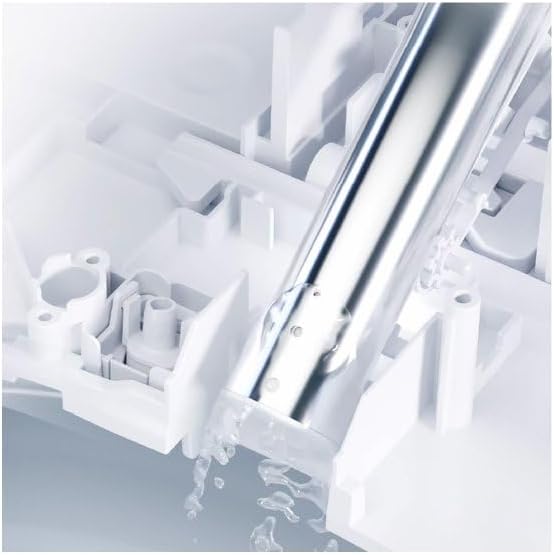
Figure 3.1: Installation Components. This image illustrates various parts required for installation, including hoses and fittings, which are typically found in the package contents.
4. Setup and Installation
Proper installation is crucial for the functionality and safety of your bidet toilet seat. It is recommended to consult a professional plumber if you are unsure about any steps. Basic installation typically involves:
- Preparation: Turn off the water supply to your toilet and flush to empty the tank. Disconnect the existing toilet seat.
- Install Branch Fitting: Connect the provided branch fitting to the toilet's water supply valve.
- Mount Fixing Plate: Secure the main unit fixing plate to the toilet bowl using the mounting bolt set.
- Attach Bidet Unit: Slide the bidet toilet seat onto the fixing plate until it clicks into place.
- Connect Water Hoses: Connect the tank water supply hose from the branch fitting to the toilet tank, and the main unit water supply hose from the branch fitting to the bidet unit. Ensure all connections are tight using the provided spanner.
- Electrical Connection: Plug the bidet's power cord into a grounded electrical outlet.
- Test: Slowly turn on the water supply and check for leaks. Plug in the unit and test basic functions.
For detailed visual instructions, refer to the diagrams in the printed manual or online resources. Many users have successfully performed DIY installation by following detailed guides.
5. Operating Instructions
Your SCS-SCK7010 bidet toilet seat is designed for ease of use with several advanced features:
5.1. Instantaneous Water Heating
The instantaneous heating system warms water only when needed, providing a continuous supply of warm water while being energy-efficient. There is no water tank, reducing standby power consumption.
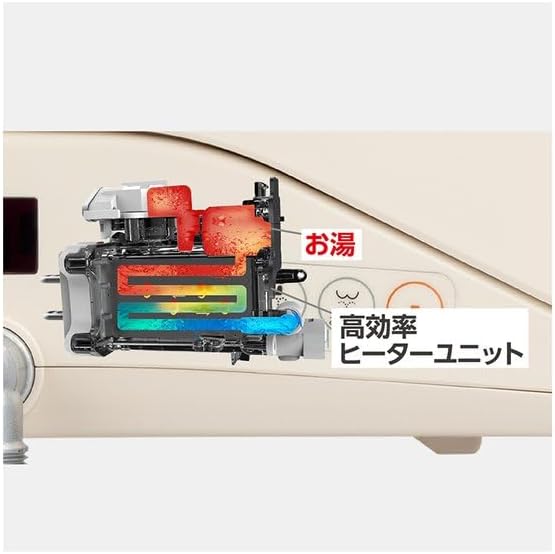
Figure 5.1: Instantaneous Heating Unit. This diagram illustrates the internal high-efficiency heater unit responsible for rapidly warming water on demand.
5.2. Wash Functions
Use the remote control or side panel buttons to select your desired wash function (e.g., posterior wash, feminine wash). Adjust water pressure and nozzle position as needed.
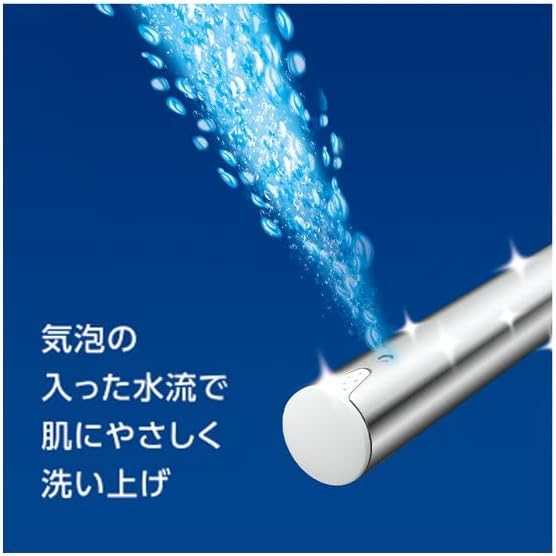
Figure 5.2: Aerated Water Flow. This image shows the bidet nozzle emitting a gentle, aerated water stream, designed for comfortable and effective cleaning.
5.3. Auto Deodorization
The built-in deodorizing filter automatically activates to reduce unpleasant odors during and after use.
5.4. Timer Power Saving Function
Set the timer to automatically turn off the seat heater during periods of infrequent use, such as overnight. This feature can be set in 5 stages, from 9 to 5 hours, allowing you to customize power saving according to your lifestyle and reduce electricity costs.
5.5. Control Panel
The control panel, typically located on the side of the unit or as a remote, allows you to manage all functions. Buttons include Stop, Posterior Wash, Feminine Wash, Deodorization, Water Pressure adjustment, Nozzle Position adjustment, Warm Water temperature, Seat Temperature, Memory functions, and Power Saving Timer.
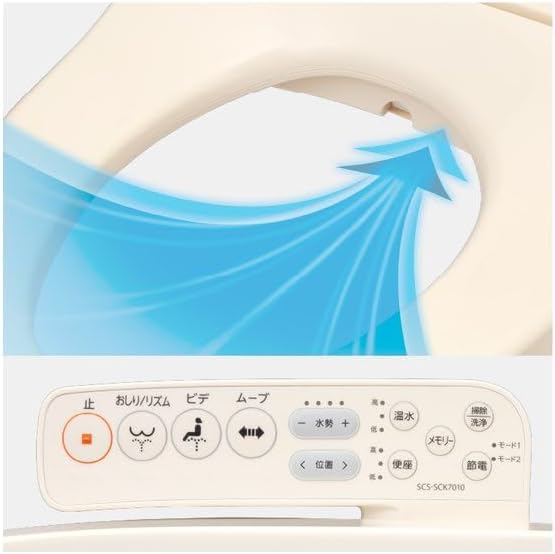
Figure 5.3: Control Panel. This image displays the user interface with various buttons for controlling wash functions, temperature, and other settings.
6. Maintenance
Regular cleaning ensures hygiene and extends the lifespan of your bidet toilet seat.
6.1. Nozzle Cleaning
The stainless steel nozzle is designed to resist scratches and is easy to clean. The unit features an automatic nozzle cleaning function. Additionally, a "Raku-Raku Nozzle Cleaning Mode" allows you to manually extend the nozzle for easy wiping with a brush or cloth. Simply press the designated button to activate this mode.
Figure 6.1: Nozzle Cleaning Mechanism. This image shows the nozzle area, highlighting its stainless steel construction and the design for easy cleaning.
6.2. General Cleaning
Wipe the exterior of the unit with a soft, damp cloth. For stubborn stains, use a mild, non-abrasive cleaner. Ensure the power is disconnected before cleaning.
7. Troubleshooting
If you encounter issues with your bidet toilet seat, refer to the following common troubleshooting steps:
- No Power: Check if the power cord is securely plugged into a functional electrical outlet. Verify that the circuit breaker has not tripped.
- No Water Flow: Ensure the water supply valve is fully open. Check for any kinks in the water supply hoses.
- Water Not Warm: Confirm that the warm water setting is activated and the temperature is set appropriately. Allow a moment for the instantaneous heater to warm the water.
- Wash Function Not Activating: The bidet typically requires a user to be seated for wash functions to activate. Ensure the seat sensor is properly engaged. Some older models or specific designs might use a microswitch, which can sometimes be sensitive to seating position.
- Deodorizer Not Working: Check if the deodorizing filter is properly installed and not clogged.
If the problem persists after attempting these steps, please contact customer support.
8. Specifications
| Brand | Toshiba Lifestyle |
| Model Number | SCS-SCK7010 |
| Product Dimensions | 53 cm (Length) x 45.6 cm (Width) x 2.51 cm (Height) |
| Product Weight | 4.8 kg |
| Color | Pastel Ivory |
| Style | Modern |
| Power Source | AC 100V (Standard for Japan) |
| Heating Method | Instantaneous |
| Nozzle Material | Stainless Steel |
9. Warranty and Support
9.1. Manufacturer's Warranty
This Toshiba Lifestyle SCS-SCK7010 bidet toilet seat comes with a 1-year manufacturer's warranty from the date of purchase. Please retain your proof of purchase for warranty claims. The warranty covers defects in materials and workmanship under normal use.
9.2. Customer Support
For technical assistance, troubleshooting beyond this manual, or warranty service, please contact Toshiba Lifestyle customer support. Refer to the contact information provided with your product documentation or visit the official Toshiba Lifestyle website.
Online Resources: For additional information and support, you may visit the Toshiba Lifestyle Brand Store on Amazon.


