
1. Introduction
Thank you for choosing the Enhulk PC40 Pool Vacuum. This manual provides essential information for the safe and efficient operation, maintenance, and troubleshooting of your new pool cleaner. Please read it thoroughly before first use and keep it for future reference.
2. Safety Information
WARNING: Read all safety warnings and all instructions before using this product. Failure to follow the warnings and instructions may result in electric shock, fire, and/or serious injury.
- Always ensure the charging port is dry before charging.
- Store the machine in a dry place when not in use.
- Do not use the vacuum for cleaning algae or silt, as this may affect performance.
- Keep children and pets away from the pool area during operation.
- Ensure the suction head is placed at least 11 inches underwater for optimal performance.
- Do not operate the vacuum out of water.
3. Package Contents
Verify that all items listed below are included in your package:
- Enhulk PC40 Pool Vacuum Unit
- 12.2" Removable Vacuum Head with Side Brushes
- Telescopic Pole (extends from 3.2ft to 6.4ft)
- Rechargeable Lithium Battery (pre-installed)
- Magnetic Charging Cable
- Removable Filter Screen
- Pool Skimmer Net
- User Manual
4. Setup and Assembly
The Enhulk PC40 Pool Vacuum is designed for tool-free assembly. Follow these steps to prepare your vacuum for use:
- Install the Filter: Ensure the removable filter screen is correctly seated inside the vacuum unit.
- Attach the Vacuum Head: Align the 12.2" removable vacuum head with the main unit and snap it into place.
- Attach the Handle/Pole:
- For handheld use, attach the short handle directly to the vacuum unit.
- For extended reach, connect the telescopic pole to the vacuum unit. The pole extends from 3.2ft to 6.4ft.
- Initial Charge: Before first use, fully charge the lithium battery using the magnetic charging cable. The charging time is approximately 90 minutes.

Image: The Enhulk PC40 Pool Vacuum connected to its magnetic charging cable. The unit features a clear debris canister and a red power switch.

Image: A person using the Enhulk PC40 Pool Vacuum with its telescopic pole to clean a pool. The pole extends to reach deeper areas.
5. Operating Instructions
Follow these steps for effective pool cleaning:
- Pre-clean (Optional but Recommended): For optimal performance, use the included skimmer net to remove large debris like leaves from the pool surface before using the vacuum.
- Power On: Turn on the vacuum unit using the power switch.
- Submerge: Carefully submerge the vacuum head into the water. Ensure the suction head is at least 11 inches underwater for maximum cleaning power.
- Clean: Move the vacuum slowly across the pool floor, stairs, and corners. The side brushes on the vacuum head assist in dislodging dirt and debris.
- Runtime: The Enhulk PC40 offers up to 80 minutes of continuous runtime on a full charge.
- Power Off: Once cleaning is complete, turn off the vacuum unit and remove it from the water.
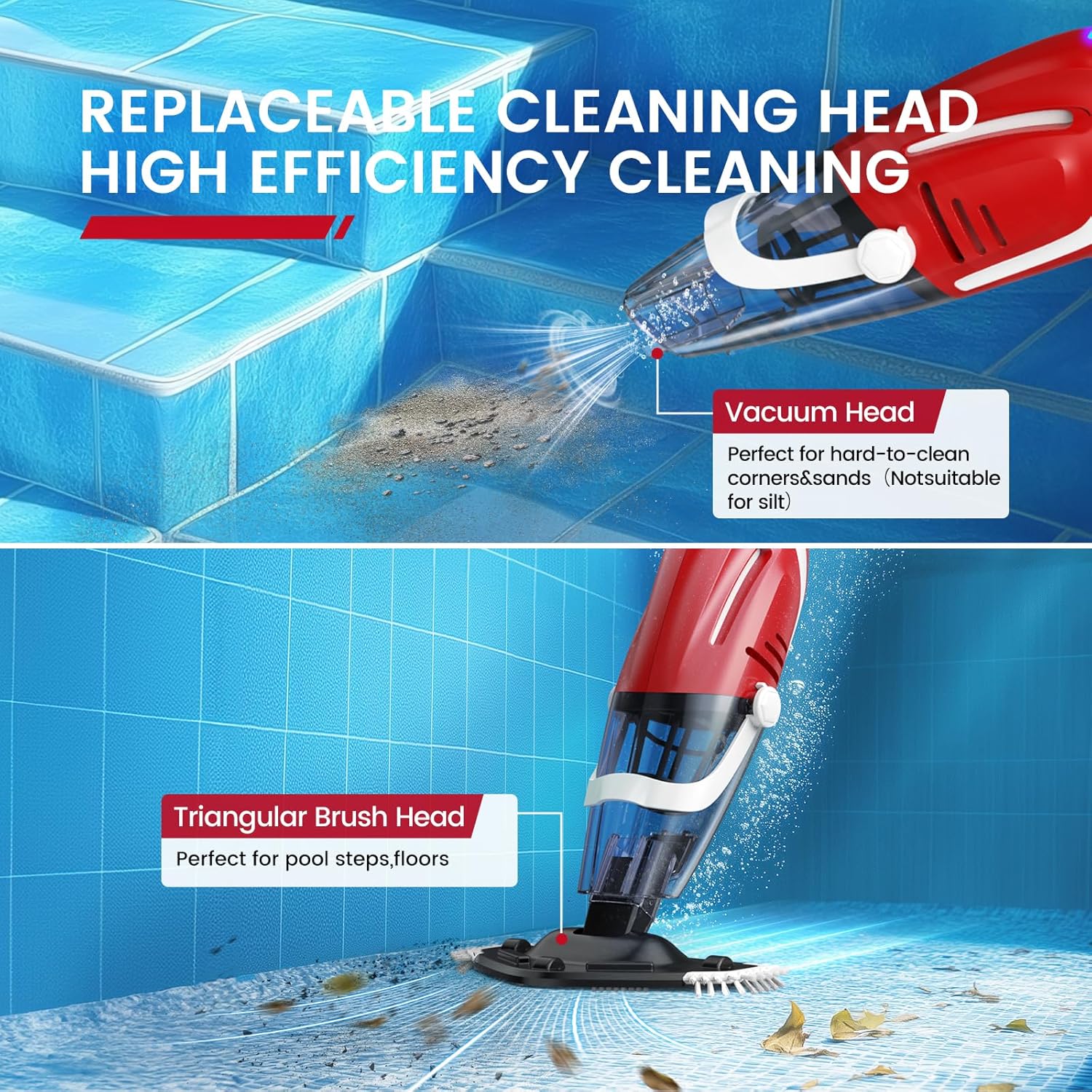
Image: The Enhulk PC40 Pool Vacuum's cleaning head with side brushes actively collecting debris from the pool floor. The image highlights its strong suction power.

Image: Various pool types where the Enhulk PC40 Pool Vacuum can be used, including in-ground pools, spas, hot tubs, and above-ground pools.
Video: A demonstration of the 2025 Upgraded Cordless Pool Vacuum for Above Ground pools, showcasing its assembly and cleaning capabilities.
6. Maintenance
Regular maintenance ensures the longevity and optimal performance of your Enhulk PC40 Pool Vacuum.
- Empty and Clean Filter: After each use, remove the filter screen and empty any collected debris. Rinse the filter thoroughly with clean water.
- Clean Vacuum Head: Rinse the vacuum head and brushes to remove any clinging debris.
- Dry Charging Port: Always wipe the charging port dry after cleaning to prevent damage.
- Storage: Store the vacuum in a dry place, away from direct sunlight and extreme temperatures. Ensure the battery is fully charged before long-term storage.
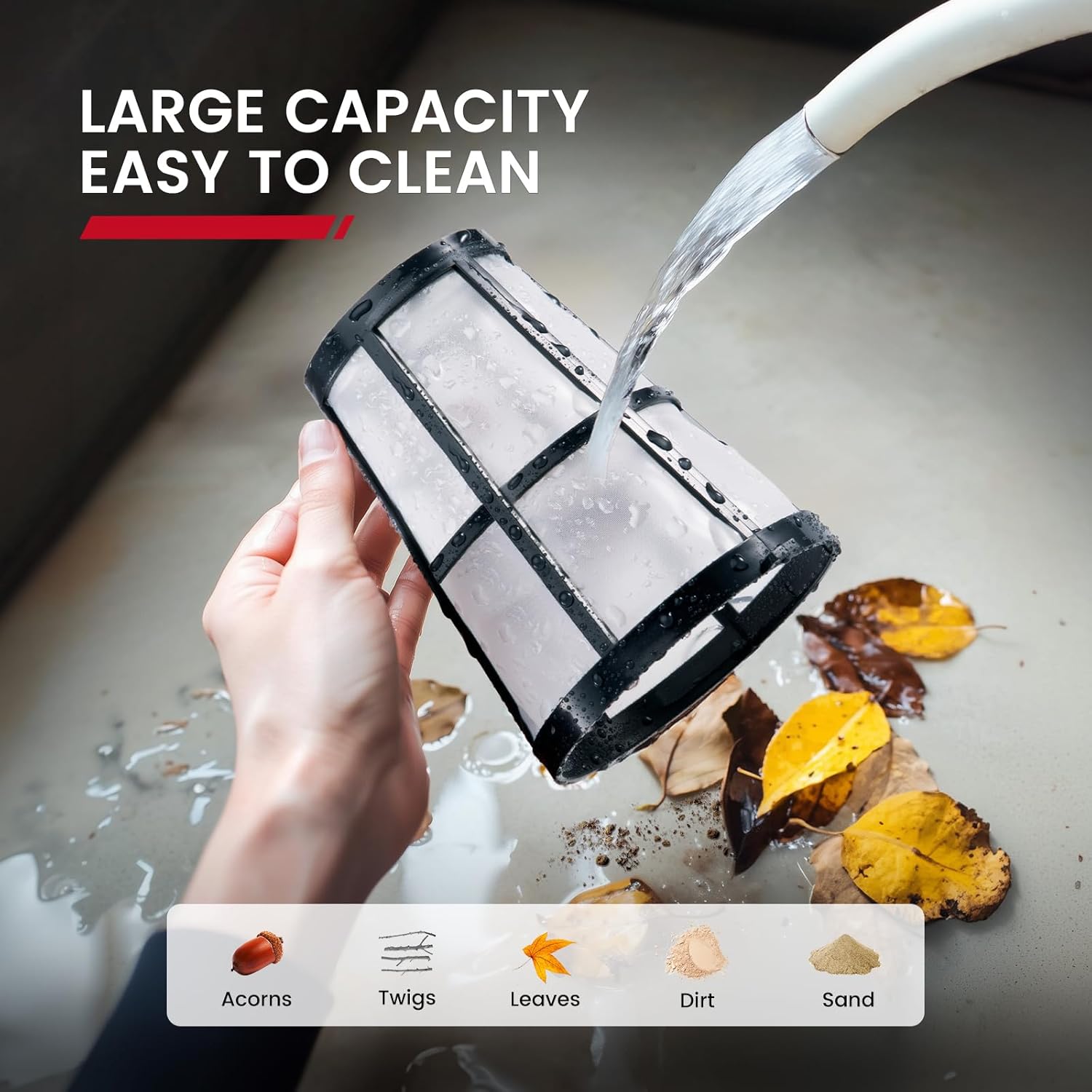
Image: A hand rinsing the removable filter screen of the Enhulk PC40 Pool Vacuum under running water, showing collected leaves, dirt, and sand.
7. Troubleshooting
If you encounter issues with your Enhulk PC40 Pool Vacuum, refer to the following common problems and solutions:
| Problem | Possible Cause | Solution |
|---|---|---|
| Reduced Suction Power | Clogged filter screen; Low battery; Large debris blocking intake. | Clean or replace filter; Recharge battery; Remove large debris manually. |
| Vacuum Not Turning On | Battery not charged; Power switch in OFF position. | Charge battery fully; Ensure power switch is in ON position. |
| Debris Escaping Vacuum | Filter screen improperly installed or damaged. | Re-install filter correctly; Replace damaged filter. |
8. Specifications
| Feature | Detail |
|---|---|
| Model Name | PC40 Pool Vacuum |
| Power Source | Battery Powered (1 Lithium Ion battery included) |
| Battery Capacity | 40 Watt Hours |
| Max Runtime | 80 minutes |
| Charging Time | 90 minutes |
| Suction Power | 18.5 Gal/Min |
| Telescopic Pole Length | 3.2ft to 6.4ft |
| Vacuum Head Width | 12.2 inches (with side brushes) |
| Item Weight | 7.48 pounds (3.4 Kilograms) |
| Product Dimensions | 24.4"L x 19.7"W x 16.5"H |
| Material | Plastic |
| Color | Red |
9. Warranty and Support
For warranty information or technical support, please refer to the contact details provided with your purchase documentation or visit the official Enhulk website.


