
Introduction
This manual provides detailed instructions for the operation and maintenance of your LEOTEC AM FM Bluetooth Portable Radio, Model LT-1808. Please read this manual thoroughly before using the device to ensure proper function and longevity.
Key Features
- AM/FM Radio: Supports both AM and FM bands for broad station access.
- Bluetooth Connectivity: Seamlessly connect to Bluetooth-enabled devices for audio playback.
- 10 White Noise Sounds: Includes various soothing sounds for relaxation and sleep.
- Digital Sleep Timer: Customizable sleep timer from 5 to 90 minutes.
- Headphone Jack: 3.5mm jack for private listening.
- Dual Power Sources: Operates via AC power cord or 4 AA batteries (not included).
- Portable Design: Compact and lightweight with a convenient handle for easy transport.
- Large LCD Display: Clear digital display for frequency and settings.
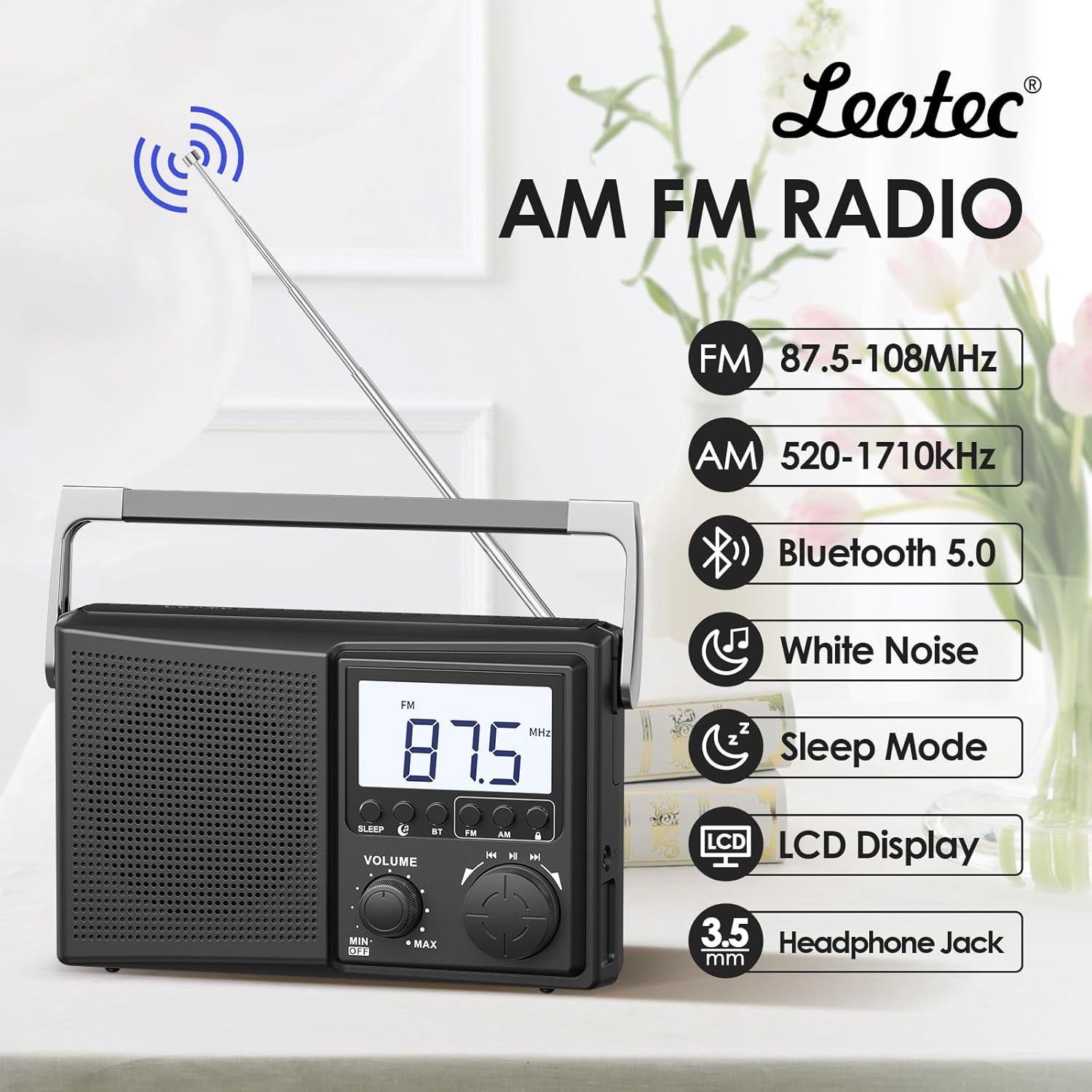
Figure 1: Overview of the LEOTEC AM FM Bluetooth Portable Radio's key features.
Product Components
The LEOTEC LT-1808 radio includes the following main components:
- Main Unit (Radio)
- AC Power Cord
- Telescopic Antenna
- Integrated Carry Handle
- Volume Control Knob
- Tuning Knob
- Mode Selection Buttons (Sleep, BT, FM, AM)
- LCD Display
- 3.5mm Headphone Jack
- Battery Compartment (for 4 AA batteries, not included)
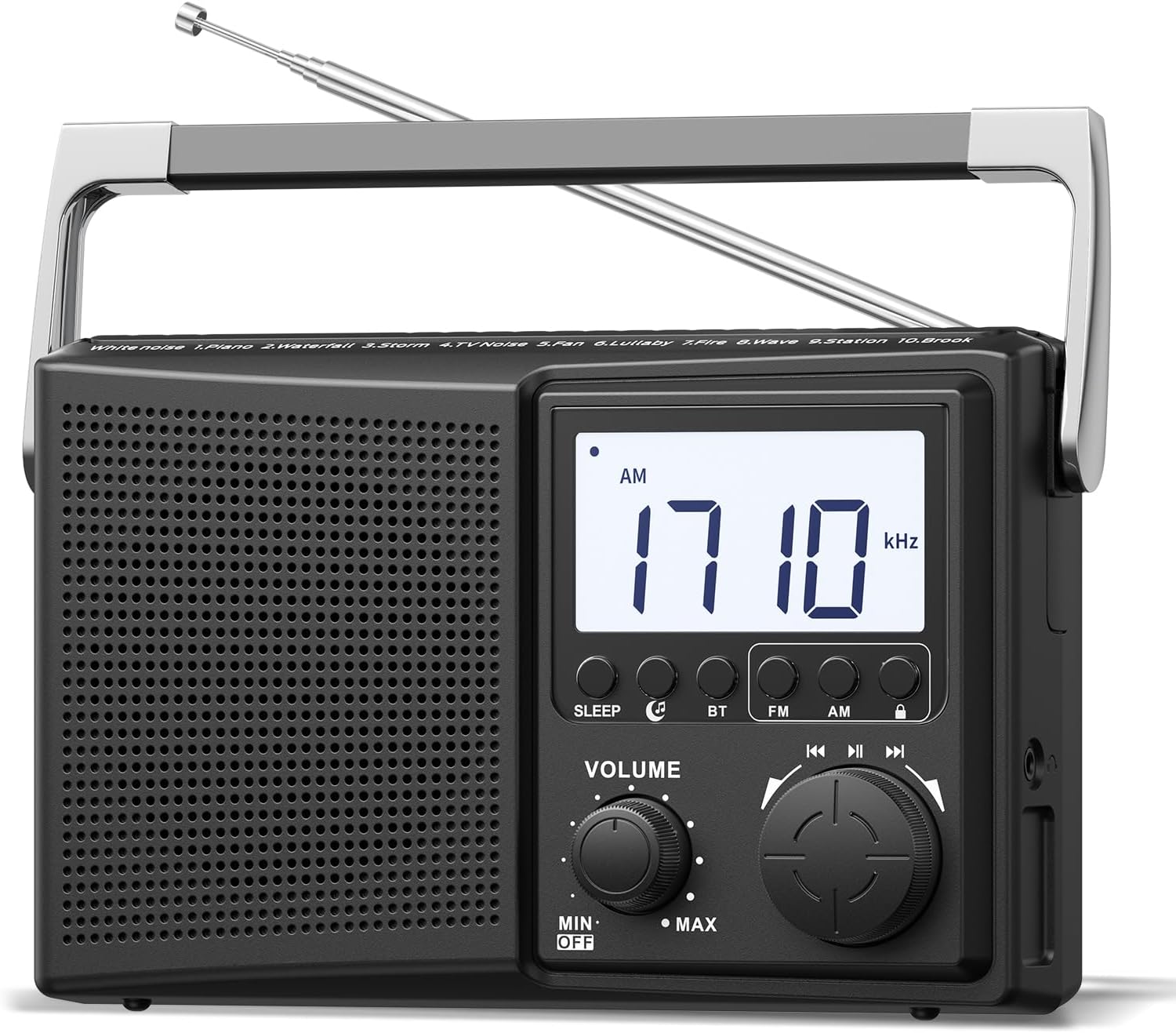
Figure 2: Front view of the radio, highlighting controls and display.
Setup
1. Powering the Radio
The radio can be powered by two methods:
- AC Power: Connect the provided AC power cord to the radio's power input and then to a standard 120V wall outlet.
- Battery Power: Open the battery compartment on the back of the radio and insert 4 AA batteries (not included), ensuring correct polarity.
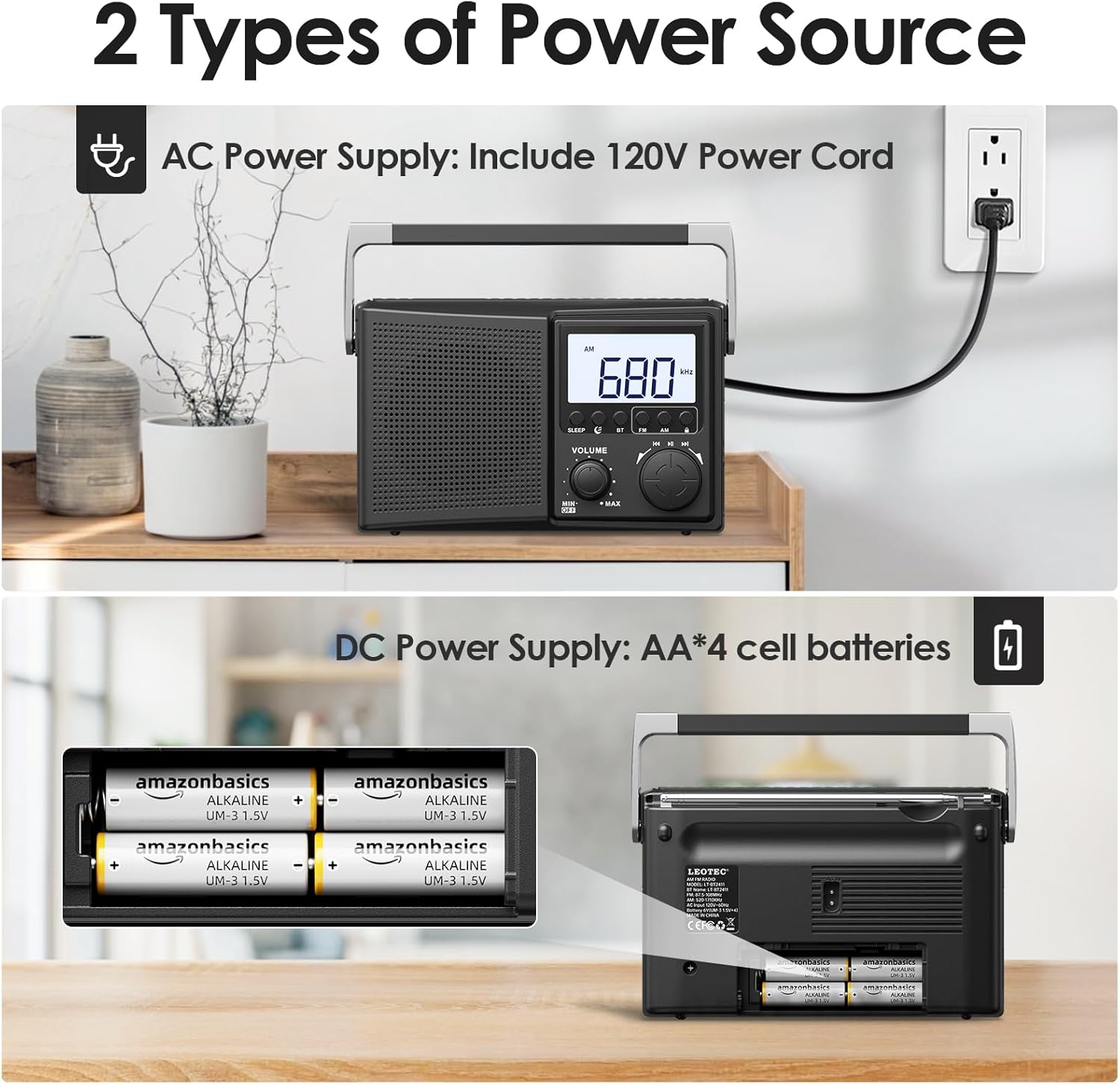
Figure 3: Powering the radio using either AC power or AA batteries.
2. Antenna Adjustment
For optimal FM and AM reception, extend the telescopic antenna fully and adjust its direction. For AM reception, rotating the entire radio may also improve signal quality.
Operation
1. Turning On/Off and Volume Control
Rotate the VOLUME knob clockwise to turn the radio on and increase the volume. Rotate counter-clockwise to decrease volume and turn the radio off.
2. Selecting Radio Bands (AM/FM)
Press the FM or AM button on the front panel to select the desired radio band. The selected band will be displayed on the LCD screen.
3. Tuning Radio Stations
Rotate the large TUNING knob to scan for radio stations. The frequency will be displayed on the LCD screen. Adjust the antenna for best reception.

Figure 4: Digital display and tuning knob for precise station selection.
4. Bluetooth Pairing
- Press the BT button to enter Bluetooth mode. The display will indicate Bluetooth pairing mode.
- On your external device (e.g., smartphone), enable Bluetooth and search for available devices.
- Select "LEOTEC LT-1808" from the list to pair. A confirmation sound will indicate successful pairing.
- You can now play audio from your device through the radio.
5. White Noise Function
The radio offers 10 different white noise and nature sounds to aid relaxation or sleep. Press the dedicated white noise button (if available, or cycle through modes) to activate this feature. Use the tuning knob to select different sounds.
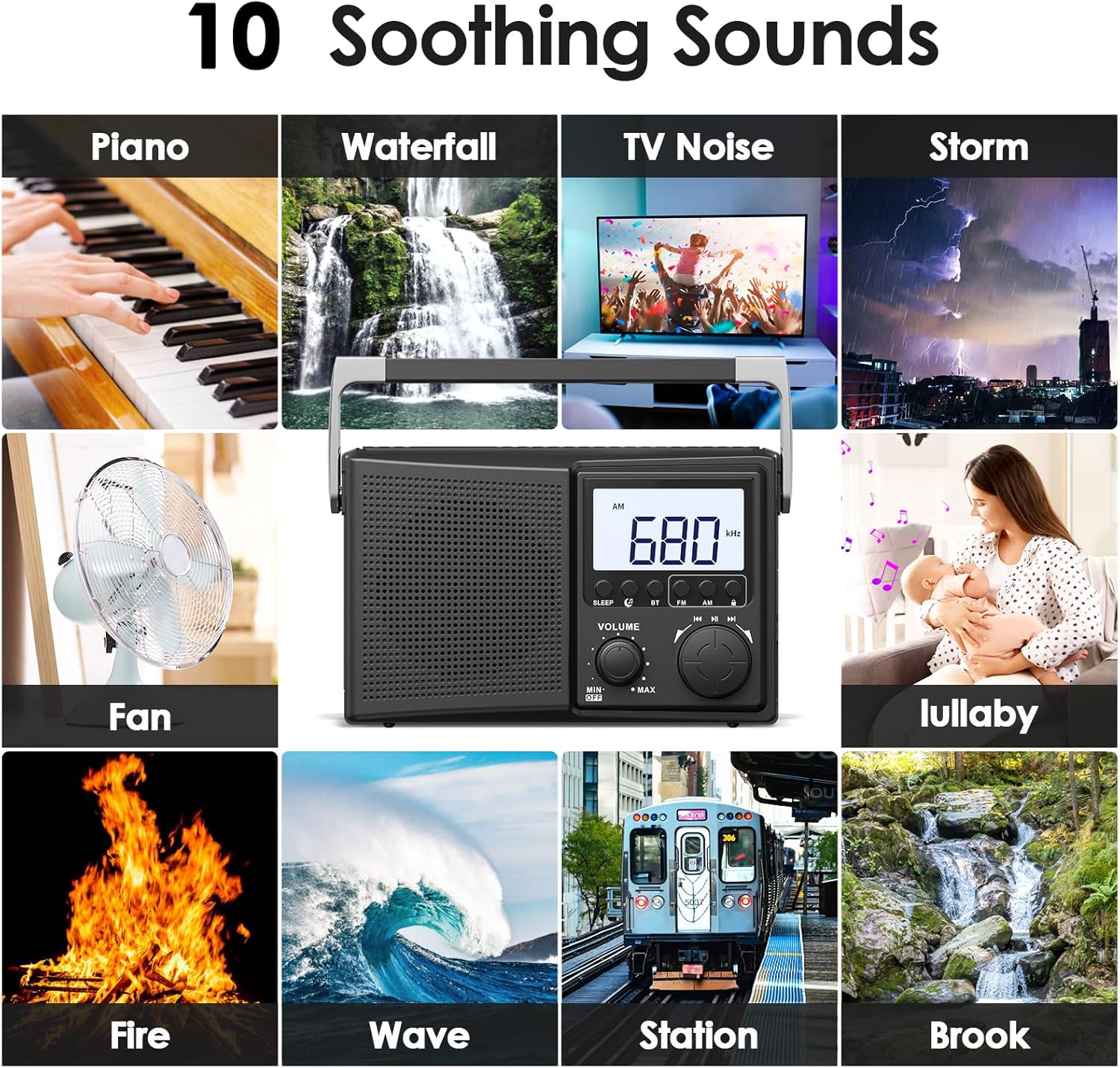
Figure 5: Selection of 10 white noise and nature sounds.
6. Digital Sleep Timer
To set the sleep timer:
- Press the SLEEP button.
- Repeatedly press the SLEEP button to cycle through available sleep times: 90, 80, 70, 60, 50, 40, 30, 20, 10, 5 minutes.
- The radio will automatically turn off after the selected duration.
- To cancel the sleep timer, press the SLEEP button until the timer display disappears or turn the radio off.
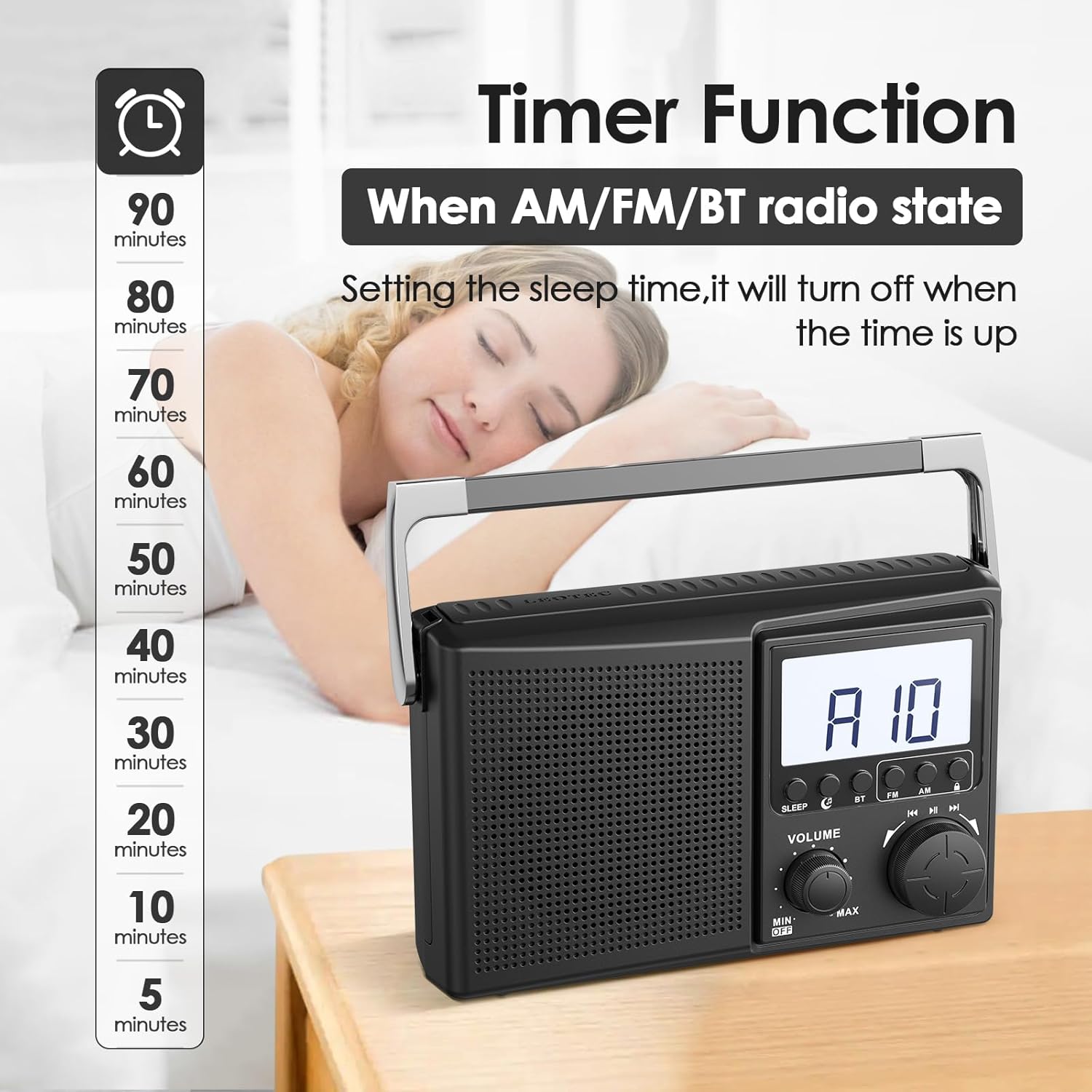
Figure 6: Setting the digital sleep timer for automatic power-off.
7. Headphone Use
For private listening, plug any standard 3.5mm wired headphones into the headphone jack located on the side of the radio. The internal speaker will automatically mute when headphones are connected.

Figure 7: Using the 3.5mm headphone jack for private audio.
Maintenance
- Clean the radio with a soft, dry cloth. Do not use liquid cleaners or abrasive materials.
- Avoid exposing the radio to extreme temperatures, direct sunlight, or high humidity.
- If using batteries, remove them if the radio will not be used for an extended period to prevent leakage.
Troubleshooting
| Problem | Possible Solution |
|---|---|
| No power | Check if the AC power cord is securely plugged in. If using batteries, ensure they are inserted correctly and are not depleted. |
| Poor radio reception | Fully extend and adjust the telescopic antenna. Try repositioning the radio. For AM, rotate the unit for better signal. |
| Bluetooth not connecting | Ensure the radio is in Bluetooth pairing mode. Check that Bluetooth is enabled on your external device and it is within range. Forget previous pairings on your device and try again. |
| No sound from headphones | Ensure headphones are fully plugged into the 3.5mm jack. Check headphone functionality with another device. |
Specifications
| Feature | Detail |
|---|---|
| Product Dimensions | 8.46 x 2.95 x 5.16 inches (21.5 x 7.5 x 13.1 cm) |
| Item Weight | 1.58 pounds (0.72 kg) |
| Power Source | Corded Electric (AC 120V) or 4 AA Batteries (not included) |
| Radio Bands Supported | AM/FM |
| Connectivity Technology | Bluetooth |
| Compatible Devices | Headphones (3.5mm wired), Smartphones (via Bluetooth) |
| Model Number | LT-1808 |
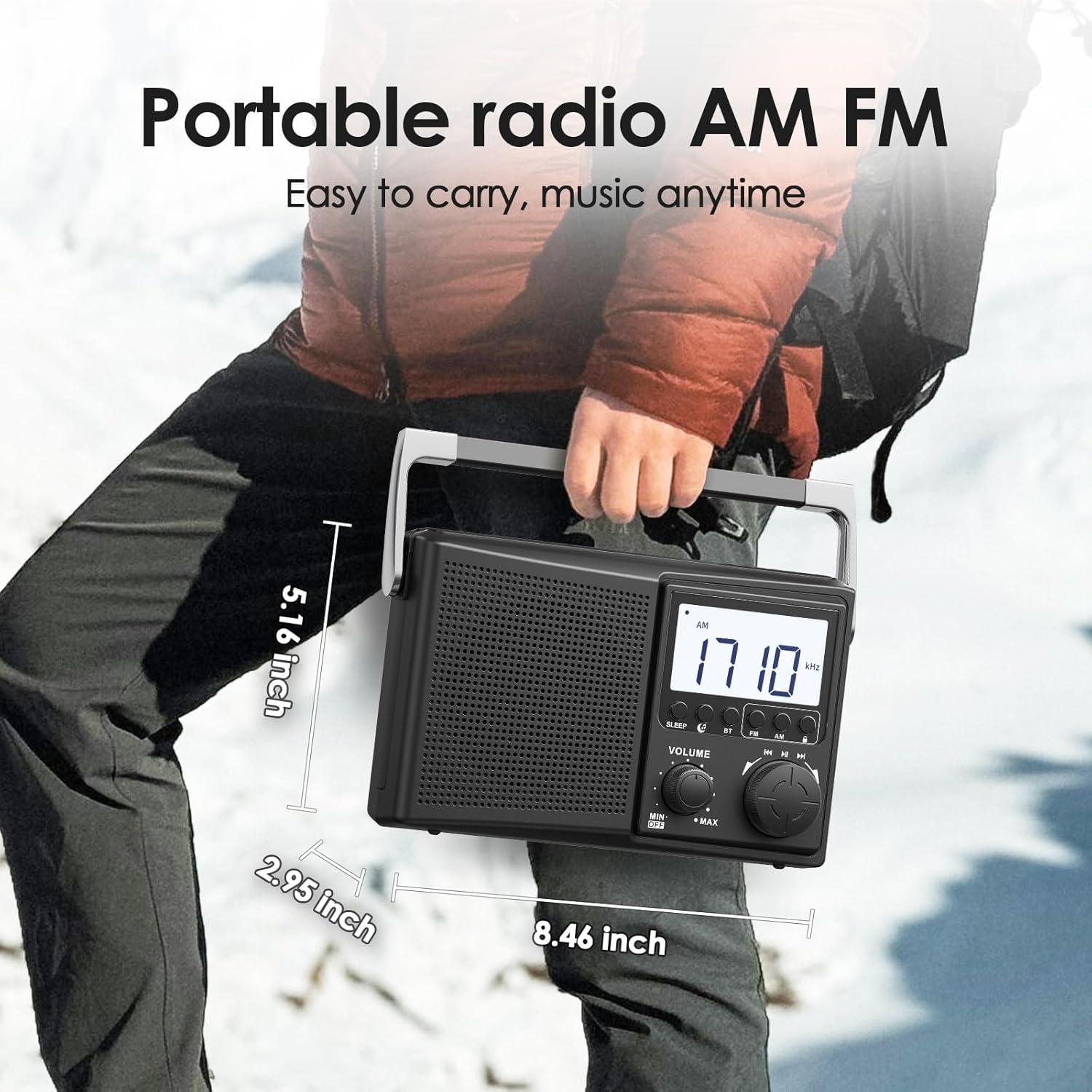
Figure 8: Physical dimensions of the LEOTEC LT-1808 radio.
Warranty and Support
For warranty information or technical support, please refer to the contact details provided with your product packaging or visit the official LEOTEC website. LEOTEC is committed to providing quality products and customer service.