
Introduction
This manual provides detailed instructions for the proper use and maintenance of your 1MORE Q21 Wireless Bluetooth Earbuds. Please read this manual thoroughly before using the product to ensure optimal performance and longevity.

Image: The 1MORE Q21 Wireless Bluetooth Earbuds, shown in their open charging case, highlighting their compact design and black matte finish.
What's in the Box
- 1MORE Q21 Wireless Bluetooth Earbuds (Left and Right)
- Charging Case
- USB Type-C Charging Cable (not included, user must provide)
- Silicone Ear Tips (Multiple Sizes)
- User Manual and Documentation
Setup
Initial Pairing
- Charge the Earbuds: Before first use, ensure the earbuds and charging case are fully charged. Place the earbuds into the charging case and connect the case to a power source using a USB Type-C cable. The indicator light on the case will show charging status.
- Activate Pairing Mode: Open the charging case. The earbuds will automatically enter pairing mode, indicated by a flashing light on the earbuds.
- Connect via Bluetooth: On your device (smartphone, tablet, laptop), go to Bluetooth settings and select "1MORE Q21" from the list of available devices. Once connected, a voice prompt will confirm successful pairing.
- Dual Device Connection: The earbuds support simultaneous connection to two devices. After connecting to the first device, disable Bluetooth on the first device. Then, connect to the second device. Re-enable Bluetooth on the first device, and the earbuds will connect to both.
App Installation and Customization
To unlock the full potential of your 1MORE Q21 earbuds, download the 1MORE MUSIC app from your device's app store. The app allows for firmware updates, sound customization, and control settings adjustments.
- Customizable Sound with APP Presets: Tailor your listening experience with 6 preset sound profiles through the companion app. You can also customize your own sound preferences and have them saved directly to your in-ear headphones.
- Touch Control Customization: The app allows you to customize the double-tap and triple-tap functions for playback control, volume adjustment, or voice assistant activation. The press-and-hold function is fixed for cycling through listening modes.
Operating Instructions
Touch Controls
The 1MORE Q21 earbuds feature intuitive touch controls on the stem of each earbud. These controls are responsive and can be customized via the 1MORE MUSIC app.
| Action | Function (Default) |
|---|---|
| Double Tap | Play/Pause |
| Triple Tap | Voice Control |
| Press and Hold | Cycle Listening Modes (ANC On/Off, Transparent) |
Listening Modes
The 1MORE Q21 offers various listening modes to adapt to your environment:
- Enhanced Active Noise Cancellation (ANC): Experience superior sound isolation with QuietMax Active Noise Cancellation technology. Precision microphones capture ambient noise and generate reverse sound waves, providing remarkable noise reduction. This mode is ideal for noisy environments.
- Transparency Mode: Allows you to hear your surroundings while still enjoying your audio, enhancing situational awareness.
- Normal Mode (ANC Off): Standard listening experience without active noise cancellation.

Image: A visual representation of QuietMax Intelligent Noise Reduction technology, illustrating how external sounds are counteracted for a quieter listening experience.
Sound Quality
The 1MORE Q21 earbuds are designed for high-fidelity audio reproduction:
- High-Resolution Sound for Audiophiles: With Hi-Res Audio Wireless certification and LDAC technology, these Bluetooth earbuds deliver high-definition, lossless audio for a true-to-life listening experience, comparable to wired headphones.
- Titanium Dynamic Drivers: Featuring 12.0mm titanium drivers, the earbuds offer low distortion (THD ≤ 1%) across the full frequency range, ensuring rich detail in every beat and note.

Image: An exploded view diagram illustrating the 12.0mm titanium-coated dynamic driver, emphasizing its role in delivering ultra-low distortion audio.

Image: A graphic demonstrating the 300% enhancement in sound quality and bitrate when using LDAC Lossless Bluetooth compared to standard SBC.
Battery and Charging
The 1MORE Q21 earbuds offer extended listening times with their efficient battery and charging case.
- Earbud Playback Time: Up to 7 hours on a single charge (with ANC off).
- Total Playback Time: The accompanying charging case provides an additional 23 hours, offering a total of 30 hours of uninterrupted use.
- Charging: Charge the case using a USB Type-C cable. There is no fast charging or wireless charging support.

Image: A diagram illustrating the battery life of the 1MORE Q21 earbuds, showing 5.5 hours per earbud with ANC off (27.5 hours total with case) and 4 hours per earbud with ANC on (20 hours total with case).
Maintenance
Proper maintenance ensures the longevity and performance of your earbuds.
- Durable and Sweat-Proof: Designed with an IPX5 rating, these earphones are resistant to sweat and rain, making them suitable for workouts and outdoor activities.
- Cleaning: Regularly clean the ear tips and charging contacts with a soft, dry cloth to prevent debris buildup and ensure proper charging and sound quality.
- Storage: When not in use, store the earbuds in their charging case to protect them and keep them charged.
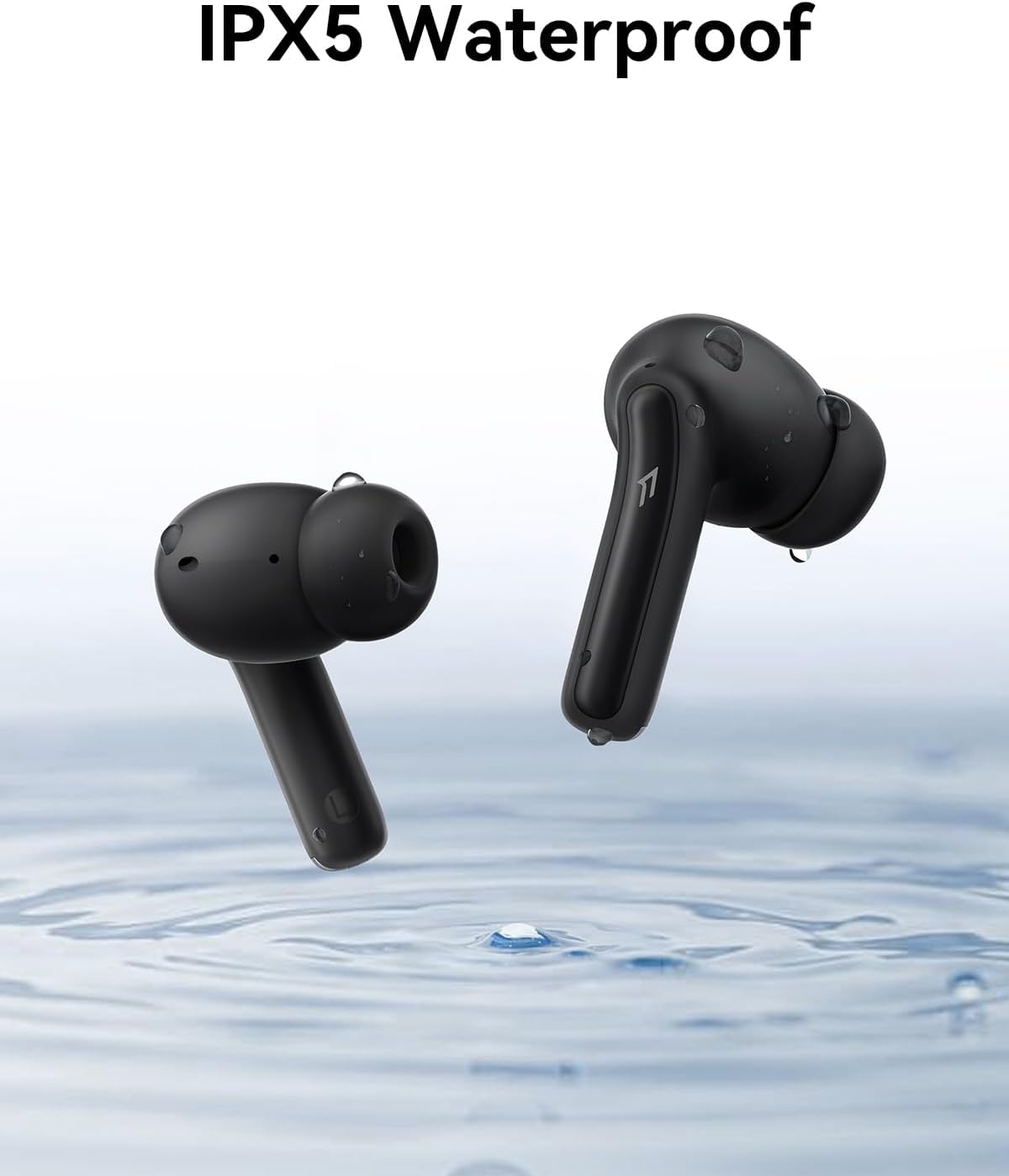
Image: The 1MORE Q21 earbuds are depicted with water droplets, illustrating their IPX5 waterproof rating, making them resistant to sweat and light rain.
Call Quality
The 1MORE Q21 earbuds are equipped with advanced microphone technology for clear communication.
- AI Dual-Microphone Call Noise Reduction: Stay connected with clear, high-quality calls even in noisy surroundings. The headphones are equipped with advanced AI noise reduction technology and dual microphones for an exceptional communication experience.

Image: A visual showing the AI Dual-Mics technology in action, indicating how the microphones work to provide crystal-clear call quality by reducing ambient noise.
Specifications
| Feature | Detail |
|---|---|
| Model Name | Q21 |
| Brand | 1MORE |
| Noise Control | Active Noise Cancellation (QuietMax) |
| Connectivity Technology | Wireless (Bluetooth 5.4) |
| Wireless Communication Range | 10 Meters |
| Audio Driver Type | 12.0mm Titanium Dynamic Driver |
| Audio Codec Support | SBC, AAC, LDAC (Hi-Res Audio Wireless Certified) |
| Battery Life (Earbuds) | Up to 7 hours (ANC off) |
| Total Battery Life (with Case) | Up to 30 hours |
| Water Resistance Level | IPX5 |
| Microphones | 4-Mic (AI Dual-Microphone Noise Reduction) |
| Control Type | App Control, Touch |
| Compatible Devices | Smartphones, Laptops, Tablets, Smart Speakers |
| Item Weight | 0.14 Kilograms (5 ounces) |
| UPC | 190280001573 |
Troubleshooting
Common Issues and Solutions
- Earbuds not pairing: Ensure earbuds are charged and in pairing mode. Turn off and on Bluetooth on your device. Forget the device in Bluetooth settings and try pairing again.
- Low volume: Adjust volume on both your device and through the earbuds' touch controls. Ensure ear tips provide a good seal.
- ANC not working effectively: Ensure ANC mode is activated via touch control or the app. Check for a proper seal with the correct size ear tips.
- Call quality issues: Ensure microphones are clean. Test in a quieter environment.
- App connectivity issues: Ensure the correct 1MORE MUSIC app is installed (not the 1MORE Music app). Restart the app and your device.
Warranty and Support
For warranty information and customer support, please refer to the official 1MORE website or contact their customer service directly. Keep your proof of purchase for warranty claims.
Online Support: www.1more.com


