
ULTIMEA Nova S90
Contents
ULTIMEA Nova S90 7.1.4ch Soundbar System User Manual
Model: Nova S90 | Brand: ULTIMEA
1. Product Overview
The ULTIMEA Nova S90 is a high-end 7.1.4 channel soundbar system designed to deliver an immersive home cinema experience with Dolby Atmos. This system includes a main soundbar, an 8-inch wireless subwoofer, and two wireless rear surround speakers, providing a total peak power output of up to 740W.
Key features include:
- True 7.1.4 Channel Surround Sound: Features up to 12 speakers, including 5 full-range speakers, 2 side-firing speakers, 1 separate 8-inch subwoofer, and 4 up-firing speakers.
- Dolby Atmos Support: Transforms your living room into a cinema with spatial audio.
- 4 Up-Firing Drivers: Skillfully reflect sound to distribute it evenly, allowing precise sound localization and reproduction.
- 360° ASL-Aural Spatial Localization Technology: Utilizes spherical sound field reproduction principles and real-time positioning technology for precise 360° audio immersion.
- 8-inch Wireless Jumbo Subwoofer: Equipped with an advanced magnetic circuit system and BassMAX technology for powerful bass.
- Future-Proof Connectivity: Includes 2 HDMI inputs and HDMI eARC for optimal audio and video transmission, supporting 4K HDR and Dolby Atmos.

Image: The ULTIMEA Nova S90 soundbar, 8-inch wireless subwoofer, and two wireless rear surround speakers.

Image: Diagram illustrating the 7.1.4 wireless high-end surround sound system setup in a living room, showing sound projection from the soundbar and rear speakers.
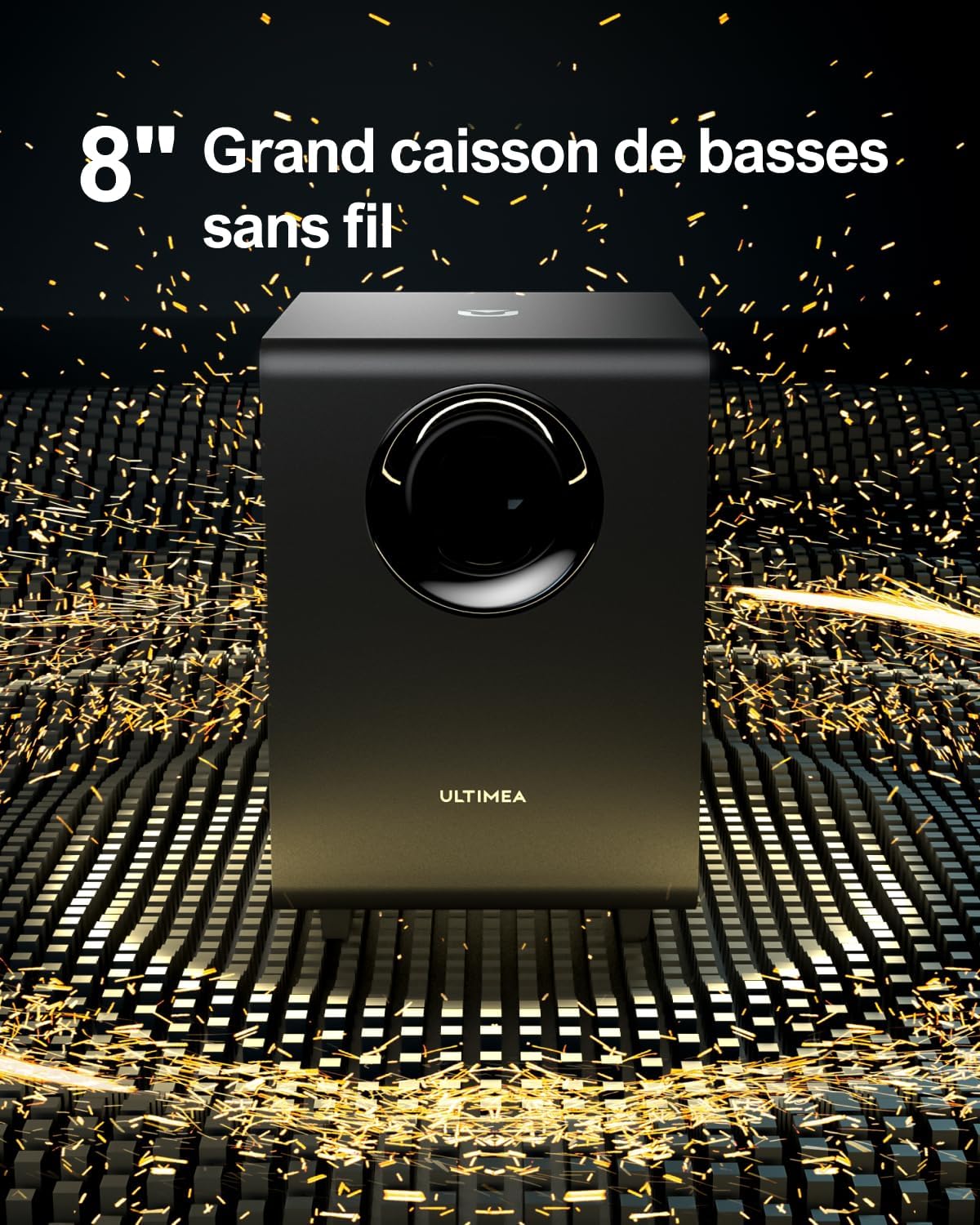
Image: Close-up of the 8-inch wireless subwoofer, highlighting its design and powerful bass capabilities.
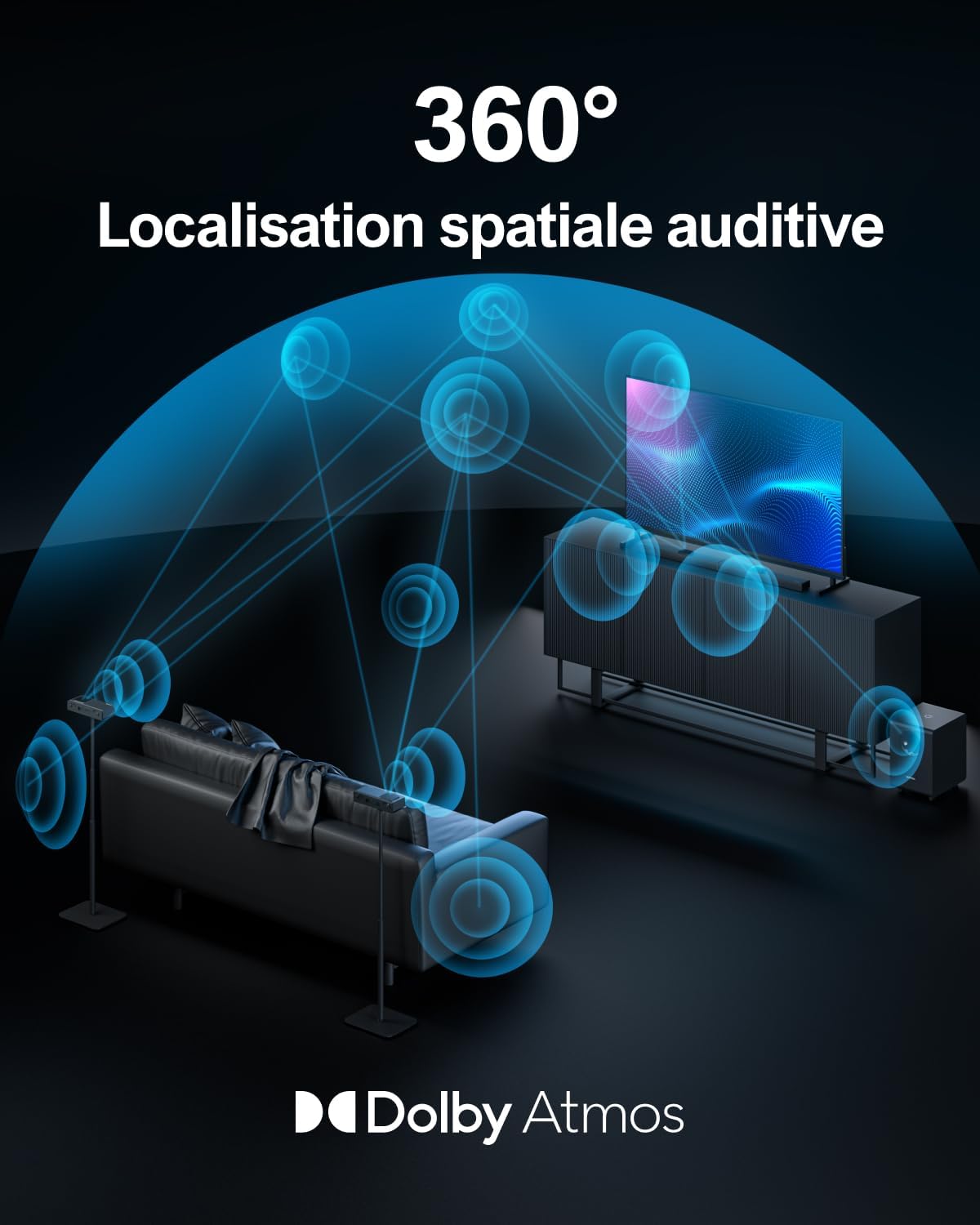
Image: Diagram showing 360-degree aural spatial localization technology with sound waves emanating from the soundbar and surrounding the listener, indicating precise sound positioning.

Image: A couple enjoying a movie with sound waves illustrating a customizable surround sound experience from the soundbar system.

Image: Two wireless rear surround speakers placed behind a sofa, showing sound waves projecting upwards and outwards for an immersive experience.

Image: The ULTIMEA Nova S90 soundbar and subwoofer integrated into a modern living room setup, demonstrating its aesthetic appeal and placement flexibility.
2. Safety Information
Please read all safety instructions carefully before using this product. Keep this manual for future reference.
- Do not expose the unit to rain, moisture, dripping, or splashing.
- Ensure proper ventilation; do not block any ventilation openings.
- Do not place the unit near heat sources such as radiators, heat registers, stoves, or other apparatus (including amplifiers) that produce heat.
- Protect the power cord from being walked on or pinched, particularly at plugs, convenience receptacles, and the point where they exit from the apparatus.
- Only use attachments/accessories specified by the manufacturer.
- Unplug this apparatus during lightning storms or when unused for long periods of time.
- Refer all servicing to qualified service personnel. Servicing is required when the apparatus has been damaged in any way.
3. Package Contents
Please check that all items are present and in good condition:
- ULTIMEA Nova S90 Soundbar
- Wireless Subwoofer
- Wireless Rear Surround Speakers (x2)
- Remote Control
- Power Cables
- HDMI Cable
- User Manual (this document)
4. Setup
4.1 Placement
- Soundbar: Place the soundbar centrally below your TV. Ensure it has clear line of sight to your listening position for optimal sound projection.
- Subwoofer: The wireless subwoofer can be placed anywhere in the room, preferably near the soundbar or in a corner for enhanced bass.
- Rear Surround Speakers: Position the two wireless rear surround speakers behind your main listening area, ideally at ear level, for the most effective surround sound experience.
4.2 Connections
- Power Connection: Connect the power cables to the soundbar, subwoofer, and rear speakers, then plug them into a power outlet.
- HDMI eARC Connection (Recommended): Connect one end of the HDMI cable to the HDMI eARC port on the soundbar and the other end to the HDMI eARC/ARC port on your TV. This provides the best audio quality and allows TV remote control of the soundbar volume.
- Other Connections (Optional): If your TV does not have an HDMI eARC/ARC port, you can use an Optical cable or Bluetooth for audio connection.
4.3 Wireless Pairing
The subwoofer and rear speakers are designed to pair automatically with the soundbar upon initial power-up. If pairing does not occur automatically:
- Ensure all units are powered on.
- Refer to the specific pairing instructions in the quick start guide included with your product for manual pairing steps.
5. Operating Instructions
5.1 Power On/Off
- Press the Power button on the soundbar or remote control to turn the system on or off.
5.2 Input Selection
- Use the 'Input' button on the remote control to cycle through available input sources (HDMI 1, HDMI 2, eARC, Optical, Bluetooth). The selected input will be displayed on the soundbar's LED panel.
5.3 Volume Control
- Adjust the master volume using the 'Volume Up' and 'Volume Down' buttons on the remote control.
- Individual volume levels for the subwoofer and surround speakers can be adjusted via the remote control for a personalized sound experience.
5.4 Sound Modes
- The Nova S90 offers various sound modes optimized for different content types (e.g., Movie, Music, News). Use the dedicated buttons on the remote control to switch between modes.

Image: Diagram illustrating the immersive sound field created by Dolby Atmos and SurroundX technologies, showing sound waves enveloping a listener in a room.
6. Maintenance
- Cleaning: Use a soft, dry cloth to clean the surfaces of the soundbar, subwoofer, and speakers. Do not use liquid cleaners or aerosols.
- Ventilation: Ensure that the ventilation openings are not blocked by dust or debris.
- Storage: If storing the unit for an extended period, unplug it from the power outlet and store it in a cool, dry place.
7. Troubleshooting
| Problem | Possible Cause | Solution |
|---|---|---|
| No power | Power cable not connected; Power outlet not active | Ensure power cables are securely connected and the outlet is active. |
| No sound | Incorrect input selected; Volume too low; Mute activated; Incorrect audio output on TV | Select correct input; Increase volume; Deactivate mute; Set TV audio output to external speakers (PCM or Bitstream). |
| Wireless speakers/subwoofer not connecting or unstable connection | Interference; Out of range; Pairing issue | Ensure units are within range and free from obstructions. Try re-pairing manually (refer to quick start guide). Minimize interference from other wireless devices. |
| Surround speakers are quiet or hiss strongly | Low volume setting for surround channels; Interference; Source audio not optimized for surround | Increase individual volume for surround speakers via remote. Check for interference. Ensure source content is true surround sound. |
| Subwoofer barely audible | Low volume setting for subwoofer; Incorrect placement; Source audio lacks bass | Increase individual volume for subwoofer. Try different placement (e.g., corner). Ensure source content has strong bass. |
8. Specifications
| Feature | Detail |
|---|---|
| Brand | ULTIMEA |
| Model Name | Nova S90 |
| Speaker Type | Soundbar System (7.1.4ch) |
| Connectivity | Bluetooth, HDMI eARC, HDMI In (x2), Optical |
| Maximum Speaker Output Power | 740 Watts |
| Product Dimensions (L x W x H) | 40 x 9 x 7 cm (Soundbar) |
| Product Weight | 14.47 kilograms (Total System) |
| Included Components | Remote Control |
| Country of Origin | China |
9. Warranty and Support
ULTIMEA is committed to providing high-quality home cinema experiences. For warranty information, technical support, or service inquiries, please refer to the warranty card included with your product or visit the official ULTIMEA website.

Image: A customer service representative wearing a headset, symbolizing ULTIMEA's commitment to customer support.
Thank you for choosing ULTIMEA.
Ask a question about this manual
Ask about setup, troubleshooting, compatibility, parts, safety, or missing instructions. Manuals+ will review the question and use this page’s manual context to help answer it.