1. Introduction
This manual provides essential instructions for the safe and effective use of your PowerHOOD 19V AC/DC Adapter, model PH-5603580. This adapter is designed to provide reliable power to compatible devices, such as the CHUWI RzBox CWI538 Mini PC. Please read this manual thoroughly before using the product.
2. Safety Information
To ensure safe operation and prevent damage to the adapter or connected devices, observe the following safety precautions:
- Do not expose the adapter to water, moisture, or extreme temperatures.
- Do not disassemble or modify the adapter. Unauthorized modifications can lead to electric shock or fire.
- Ensure the adapter is connected to a properly grounded power outlet.
- Avoid placing heavy objects on the power cord.
- Disconnect the adapter from the power outlet during lightning storms or when unused for extended periods.
- This adapter features multiple protection mechanisms including overcharging, overheating, overvoltage, overcurrent, overload, and short circuit protection to safeguard your devices.

Image: The PowerHOOD AC/DC Adapter highlighting its comprehensive safety features, including protection against overcharge, short circuit, over current, temperature, over voltage, and overload.
3. Product Overview and Features
The PowerHOOD 19V AC/DC Adapter is designed for efficient and reliable power delivery. Key features include:
- Output Voltage: DC 19V
- Input Voltage: AC 100-240V, 50/60Hz (Universal compatibility)
- Connector Size: Barrel Tip (refer to product images for visual confirmation)
- Advanced Technology: Incorporates smart chip technology for high efficiency and reliability.
- Compatibility: Specifically designed for devices requiring 19V DC power, such as the CHUWI RzBox CWI538 Mini PC.

Image: An illustration depicting the internal smart chip technology within the PowerHOOD AC/DC Adapter, emphasizing its advanced design.

Image: The PowerHOOD AC/DC Adapter shown alongside different international plug standards (Europe, American, Britain, Australia), indicating its universal input voltage compatibility.
4. Setup
- Verify Compatibility: Before connecting, ensure your device requires a 19V DC input and has a compatible barrel tip connector. Refer to your device's specifications.
- Connect to Device: Insert the barrel tip connector of the adapter firmly into the power input port of your CHUWI RzBox CWI538 Mini PC or other compatible device.
- Connect to Power Outlet: Plug the AC power cord into a standard wall outlet (AC 100-240V, 50/60Hz).
- Power On: Once connected, your device should receive power.
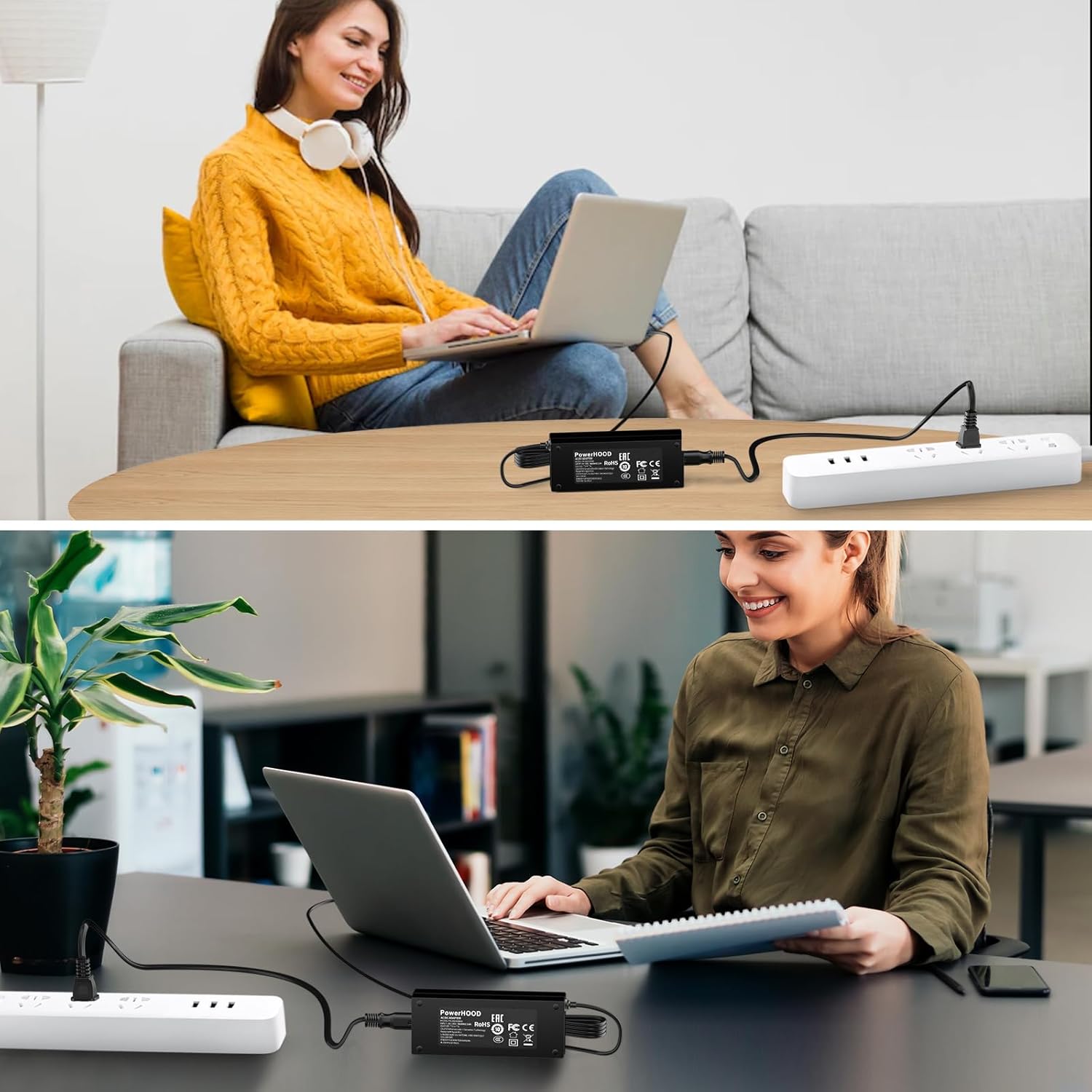
Image: The PowerHOOD AC/DC Adapter in use, connected to a laptop and plugged into a power strip, demonstrating a typical setup.
5. Operating
The PowerHOOD 19V AC/DC Adapter operates automatically once connected. It provides a stable 19V DC output to your device. No user intervention is required during operation.
- Ensure proper ventilation around the adapter to prevent overheating.
- Do not cover the adapter with cloth or other materials during operation.
- If the adapter feels excessively hot, disconnect it immediately and check for obstructions or faulty connections.

Image: Icons illustrating the broad compatibility of the PowerHOOD adapter with various electronic devices, including routers, security cameras, audio equipment, home appliances, laptops, tools, and lighting.
6. Maintenance
The PowerHOOD AC/DC Adapter requires minimal maintenance:
- Keep the adapter clean and free from dust. Use a dry, soft cloth for cleaning.
- Regularly inspect the power cord and connector for any signs of damage, such as fraying or bending. If damage is found, discontinue use and replace the adapter.
- Store the adapter in a cool, dry place when not in use.
7. Troubleshooting
If you encounter issues with your PowerHOOD AC/DC Adapter, refer to the following common solutions:
| Problem | Possible Cause | Solution |
|---|---|---|
| Device not powering on. | Adapter not properly connected; power outlet issue; incompatible device. | Ensure all connections are secure. Test the power outlet with another device. Verify device voltage requirements. |
| Adapter feels hot. | Lack of ventilation; excessive load; environmental temperature. | Ensure adapter is in a well-ventilated area. Disconnect and allow to cool. Reduce device load if possible. |
| Intermittent power. | Loose connection; damaged cable. | Check all connections. Inspect the cable for damage. If damaged, replace the adapter. |
If problems persist after attempting these solutions, contact customer support.
8. Specifications
- Model Number: PH-5603580
- Input Voltage: AC 100-240V, 50/60Hz
- Output Voltage: DC 19V
- Connector Type: Barrel Tip
- Compatible Devices: CHUWI RzBox CWI538 Mini PC and other 19V DC devices.
- Color: Black
- Item Weight: 8 ounces (approximately 227 grams)
- Package Dimensions: 6 x 4 x 2 inches (approximately 15.24 x 10.16 x 5.08 cm)
- Special Features: Short Circuit Protection, Overcharge Protection, Overheating Protection, Overvoltage Protection, Overcurrent Protection, Overload Protection.
9. Warranty and Support
PowerHOOD products are designed for reliability and performance. For information regarding warranty coverage and customer support, please refer to the documentation included with your purchase or visit the official PowerHOOD website. If you require assistance, please provide your product model number (PH-5603580) and a detailed description of the issue.


