
1. Product Overview
The K&F CONCEPT 49mm MCUV Lens Protection Filter is designed to protect your camera lens and enhance image quality by reducing ultraviolet light. This filter features a shockproof tempered optical glass construction with 28 multi-layer coatings, providing resistance against water, oil, dust, and scratches. Its ultra-low reflectivity ensures clear, high-contrast images without vignetting.
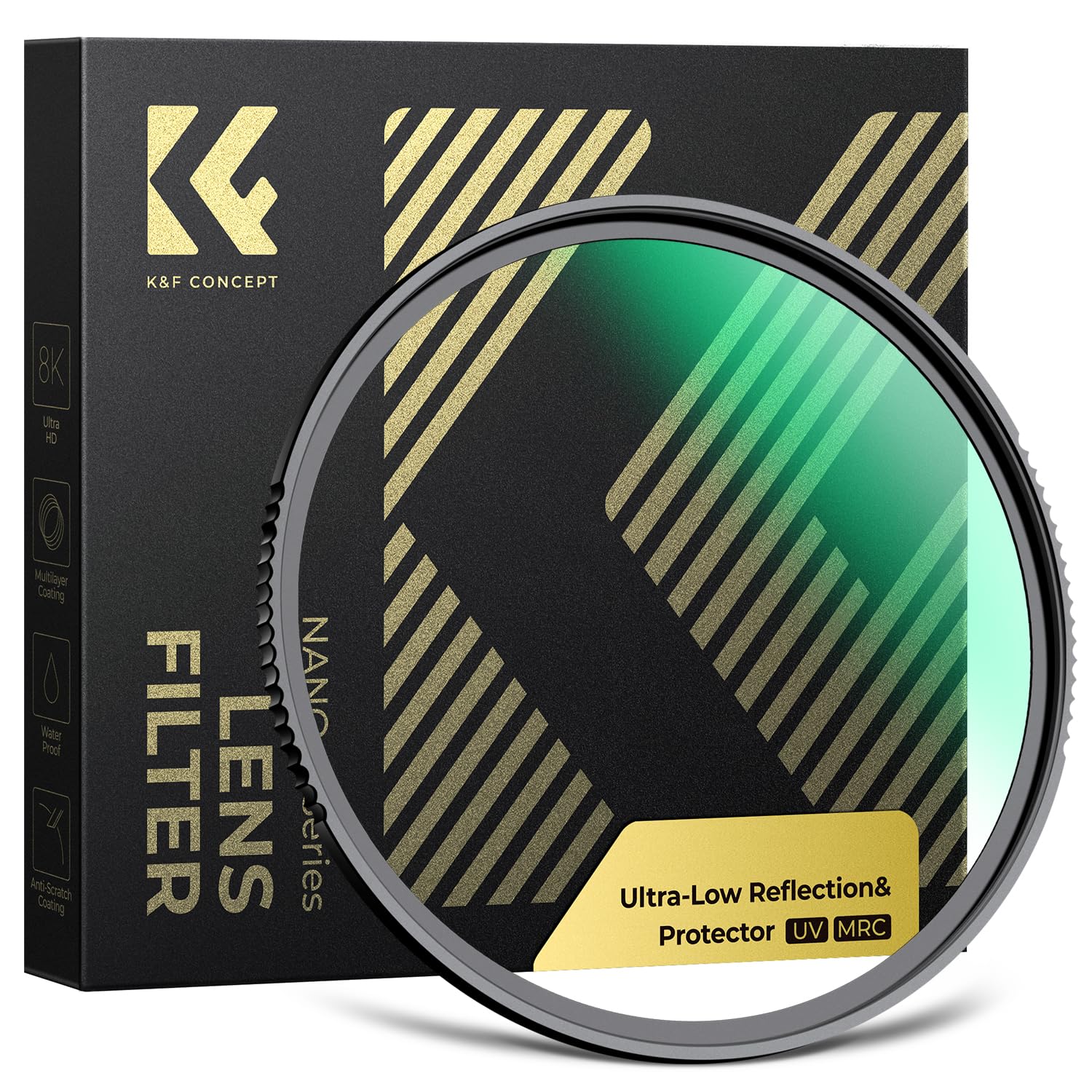
Image: K&F CONCEPT 49mm MCUV Lens Protection Filter, showcasing its design and protective features.
2. Key Features
- UV Ray Prevention & Lens Protection: Reduces the blue tone in images caused by UV light and protects the lens from physical damage, water, dust, scratches, oil, and fingerprints.
- Shockproof Tempered Optical Glass: Constructed from Japanese AGC glass, offering shockproof, waterproof, and scratch-resistant properties.
- 0.1% Ultra-Low Reflectivity: Minimizes lens reflection and vignetting for clearer, more detailed images.
- 28 Multi-Layer Advanced Coatings: Double-sided coatings provide enhanced resistance against water, oil, dust, and scratches.
- Ultra-thin Aviation Aluminum Alloy Frame: Prevents vignetting on both telephoto and wide-angle lenses.

Image: Illustration of the filter's dual functions: ultra-low reflection and ultra-hard UV protection.

Image: Close-up of the filter, highlighting its tempered glass construction for durability in harsh environments.

Image: Comparison demonstrating the 0.1% ultra-low reflectivity, showing reduced reflections and halos compared to other filters.
3. Installation Guide
To install the K&F CONCEPT MCUV filter, follow these steps:
- Identify Lens Thread Size: Before ordering or installing, verify your camera lens's thread size. This number is typically found on the front of your lens or inside the lens cap, usually preceded by a "Φ" (diameter) symbol. For example, Φ49 indicates a 49mm lens thread size.
- Clean Your Lens: Ensure the front element of your camera lens is clean and free of dust or smudges before attaching the filter.
- Align the Filter: Carefully align the filter with the thread on the front of your camera lens.
- Screw On: Gently turn the filter clockwise until it is securely fastened. Do not overtighten.
To remove the filter, turn it counter-clockwise until it detaches from the lens.

Image: Visual guide on how to identify the correct filter size on a camera lens, indicated by the "Φ" symbol.
Video: Demonstration of installing and removing the K&F CONCEPT UV filter on a camera lens, highlighting its ease of use and secure fit.
4. Operating Instructions
The K&F CONCEPT MCUV filter is designed for continuous use as a protective layer for your lens and to improve image quality by filtering out UV light. Once installed, it requires no further adjustment during operation.
- UV Filtration: The filter effectively blocks ultraviolet rays, which can cause a bluish cast in outdoor photographs, especially in bright conditions or at high altitudes. This results in more natural color rendition and improved clarity.
- Lens Protection: The filter acts as a physical barrier, protecting the delicate front element of your camera lens from dust, dirt, moisture, and accidental impacts. It is generally recommended to keep a UV filter on your lens at all times for this protective benefit.
5. Maintenance and Care
Proper maintenance ensures the longevity and optimal performance of your MCUV filter.
- Cleaning: Due to its waterproof and oil-proof coatings, the filter is easy to clean. Use a soft, clean microfiber cloth to gently wipe away dust, fingerprints, or smudges. For stubborn marks, a small amount of lens cleaning solution can be applied to the cloth, not directly to the filter.
- Storage: When not in use, store the filter in its protective case to prevent scratches and dust accumulation.
- Handling: Always handle the filter by its edges to avoid leaving fingerprints on the glass surface.

Image: Visual representation of the 28-layer nanometer coatings, illustrating their waterproof, oil-proof, and scratch-resistant properties.
Video: Demonstration of the filter's water and scratch resistance, showing how easily water beads off and how it withstands minor abrasions, followed by a simple cleaning process.
6. Troubleshooting
- Vignetting (Dark Corners): This filter features an ultra-thin aviation aluminum alloy frame designed to prevent vignetting, even on wide-angle lenses. If you experience vignetting, ensure the filter is correctly seated and not obstructed by other accessories (e.g., a lens hood that is too deep or stacked filters).
- Excessive Reflections/Glare: The filter boasts 0.1% ultra-low reflectivity. If you notice unusual reflections or glare, check for smudges or dirt on the filter surface and clean it thoroughly. Ensure you are not shooting directly into a strong light source without proper lens hood use.
- Difficulty Attaching/Removing: Ensure you are aligning the threads correctly. Do not force the filter. If it's stuck, try using a rubber filter wrench or gently tapping the edge of the filter (not the glass) to loosen it.
7. Specifications
| Feature | Detail |
|---|---|
| Model | 49mm MCUV Lens Protection Filter (Nano-X Series) |
| Brand | K&F CONCEPT |
| Material | Optical Glass (Japanese AGC) |
| Filter Thread Size | 49 Millimeters |
| Coating | 28 Multi-Layer Coatings |
| Reflectivity | 0.1% Ultra-Low |
| Effect Type | Ultraviolet (UV) Protection |
| Water Resistance | Waterproof |
| Item Weight | 2.12 ounces |
| Product Dimensions | 4.17 x 4.17 x 0.61 inches |
8. Warranty and Support
For warranty information, technical support, or any inquiries regarding your K&F CONCEPT product, please refer to the official K&F CONCEPT website or contact their customer service directly. Keep your purchase receipt as proof of purchase for warranty claims.
You can visit the official K&F CONCEPT store for more information: K&F CONCEPT Store