1. Introduction
The RYR Captain 200 Wireless Gaming Headset is designed to provide an immersive audio experience for gamers across multiple platforms. Featuring advanced wireless connectivity, 3D surround sound, and a noise-canceling microphone, this headset ensures clear communication and precise audio cues for a competitive edge. Its ergonomic design and long battery life allow for extended comfortable gaming sessions.

Image: The RYR Captain 200 Wireless Gaming Headset, showcasing its sleek black and white design with a detachable microphone and included accessories.
2. What's in the Box
Please ensure all the following items are included in your package:
- 1 * Captain 200 Wireless Gaming Headset
- 1 * Detachable Noise Cancelling Microphone
- 1 * Type-C Charging Cable
- 1 * USB Dongle
- 1 * 3.5mm Audio Cable
- 1 * User Manual (this document)
3. Setup and Connection
The Captain 200 headset offers versatile connection options for various devices.
3.1 First Use Guide
Upon first use, press and hold the power button for 3 seconds until the LED lights blue. Test the microphone by recording or making a call. If issues persist, ensure the headset is fully charged. If problems continue, please contact customer support.
3.2 Connection Methods
The headset supports three primary connection modes:
- 2.4GHz Wireless Mode: For Xbox Series X|S, Xbox One, PS5, PS4, Nintendo Switch (audio only), and PC. This mode provides ultra-low latency gameplay.
- Bluetooth 5.3 Mode: For mobile phones, tablets, and notebooks. Note: Bluetooth does not support Xbox/PS5/4.
- 3.5mm Wired Mode: For PS4, Nintendo Switch, and other devices with a 3.5mm audio jack.

Image: A visual guide illustrating the 2.4GHz wireless, Bluetooth, and 3.5mm wired connection options for various gaming consoles and devices.
3.3 Connecting to Xbox Controllers
For Xbox Series X|S and Xbox One, the headset connects wirelessly to the official Xbox controller via the included USB dongle. Ensure the Xbox adapter is tightly connected to the Xbox controller for proper functionality. A loose connection may result in noisy audio, disconnections, or low volume.

Image: A comparison showing the correct and incorrect way to connect the Xbox adapter to the controller, emphasizing a tight connection.
To avoid microphone issues on Xbox, ensure the Xbox "Headset Chat Mixer" volume is maximized and balance game/chat sound as needed. Firmly plug in the detachable microphone.
4. Operation
4.1 Audio Quality and Drivers
The Captain 200 features 50MM audio dynamic drivers with PET biological diaphragm technology, delivering enhanced sound quality with a wide frequency response range (20Hz-20kHz). This ensures precise audio, capturing every detail from footsteps to explosions, with ultra-low latency (≤20ms) for an immersive gaming experience.

Image: A gamer wearing the RYR headset, surrounded by visual representations of sound waves, illustrating the 3D surround sound capability.
4.2 Noise-Canceling Microphone
The headset includes a detachable, flexible, and omnidirectional microphone with high-end ENC (Environmental Noise Cancellation) technology. This ensures clear voice transmission by reducing background noise, enhancing teamwork and communication during gameplay.

Image: A detailed view of the detachable ENC noise-canceling microphone, highlighting its antistatic and moisture-resistant properties.
4.3 Battery Life and Charging
The Captain 200 headset fully charges in approximately 2.5 hours and provides over 45 hours of gameplay on a single charge (without lights activated). This extended battery life ensures uninterrupted gaming or calls from day to night.

Image: An illustration highlighting the headset's 1050mAh battery, indicating over 45 hours of usage, less than 20ms delay, and a connection distance of 49 feet.
For charging, use a 5V/1A or 5V/2A charger/cable. If charging issues occur, try holding the power button for 10-15 seconds to restart the headset, and test with different USB cables/adapters.
4.4 Ergonomics and Comfort
The headset features rotatable ear cups that can rest comfortably around your neck, reducing pressure during long sessions. Its ergonomic design and adjustable headband ensure a perfect fit, minimizing fatigue and allowing you to stay focused on your game.

Image: A close-up view of the headset's earcup, emphasizing the breathable material designed for comfort during extended use.
4.5 Controls
The headset features intuitive function buttons for volume control, lighting, and microphone mute, allowing for easy adjustments during gameplay.
5. Maintenance
To ensure the longevity and optimal performance of your RYR Captain 200 headset, follow these maintenance guidelines:
- Cleaning: Use a soft, dry cloth to wipe down the earcups and headband. For stubborn dirt, a slightly damp cloth can be used, but ensure no moisture enters the electronic components.
- Storage: Store the headset in a cool, dry place away from direct sunlight and extreme temperatures.
- Cable Care: Avoid sharp bends or kinks in the charging and audio cables. Disconnect cables by pulling the plug, not the cable itself.
- Microphone: Handle the detachable microphone with care. When not in use, store it safely to prevent damage.
6. Troubleshooting
If you encounter any issues with your headset, please refer to the following common solutions:
- No Sound/Low Volume:
- Ensure the headset is properly connected (2.4GHz dongle firmly inserted, Bluetooth paired, or 3.5mm cable fully plugged in).
- Check the volume levels on both the headset and your connected device.
- For Xbox, ensure the "Headset Chat Mixer" volume is maxed.
- Microphone Not Working:
- Ensure the detachable microphone is firmly plugged into the headset.
- Check microphone settings on your device (e.g., input device selection, privacy settings).
- For Xbox, verify the "Headset Chat Mixer" settings.
- Connection Issues:
- 2.4GHz Wireless: Ensure the USB dongle is correctly inserted into your device. For Xbox, confirm the adapter is tightly connected to the controller.
- Bluetooth: Ensure Bluetooth is enabled on your device and the headset is in pairing mode. Re-pair if necessary.
- Interference: Move away from other wireless devices that might cause interference.
- Charging Issues:
- Ensure the charging cable and adapter (5V/1A or 5V/2A) are working correctly.
- Try a different charging cable or USB port.
- Perform a hard reset by holding the power button for 10-15 seconds.
For more detailed troubleshooting, you may refer to the official Troubleshooting Guide (PDF).
7. Specifications
Key technical specifications for the RYR Captain 200 Wireless Gaming Headset:
| Feature | Specification |
|---|---|
| Model Name | Captain 200 |
| Connectivity Technology | Wired, Wireless (2.4GHz, Bluetooth 5.3) |
| Audio Driver Size | 50 Millimeters |
| Audio Latency | 20 Milliseconds |
| Battery Life | 45+ Hours (without lights) |
| Charging Time | 2.5 Hours |
| Microphone | Detachable, ENC Noise-Canceling, Omnidirectional |
| Headphones Jack | 3.5 mm Jack |
| Compatible Devices | Xbox Series X|S, Xbox One, PS5, PS4, Mac, PC, Nintendo Switch (audio only) |
| Material | ABS, Faux Leather, Leather, Memory Foam, Stainless Steel |
| Item Weight | 1.1 pounds |
| UPC | 850071606232 |
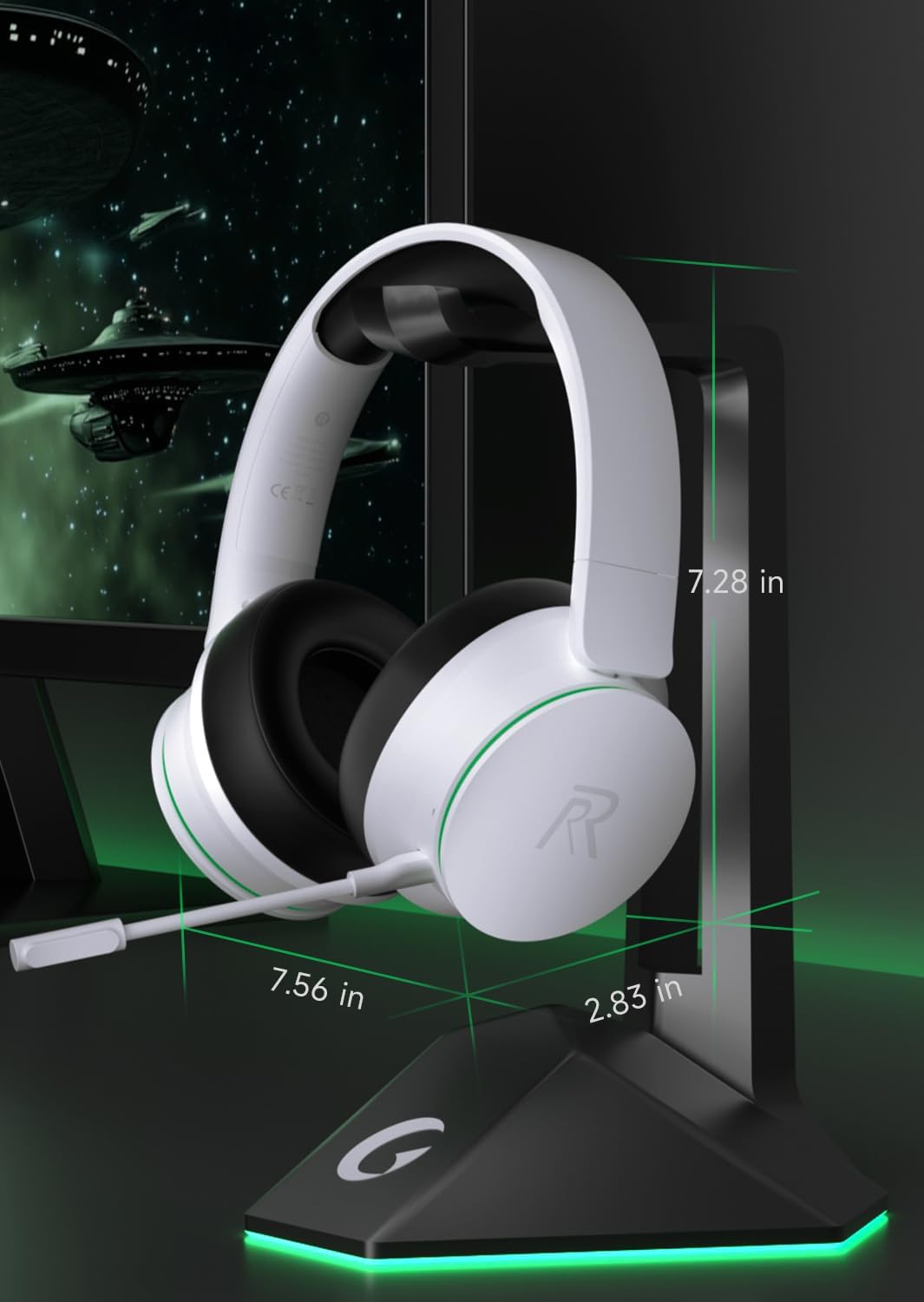
Image: A diagram illustrating the physical dimensions of the RYR Captain 200 Wireless Gaming Headset.
7.1 Compatibility Overview

Image: A comprehensive table detailing voice and microphone compatibility for various devices across 2.4G, Bluetooth 5.3, and 3.5mm wired modes.
8. Warranty and Support
Your RYR Captain 200 Wireless Gaming Headset is manufactured by RYR. For any product-related inquiries or support, please refer to the following resources:
- Official User Manual: A detailed user manual is available in PDF format here.
- Troubleshooting Guide: For common issues, consult the Troubleshooting Guide (PDF).
- Protection Plans: Extended protection plans are available for purchase to cover your device beyond the standard warranty period. Options include 2-Year and 3-Year plans.
- RYR Store: Visit the official RYR Store on Amazon for more products and support information: RYR Store.
For direct customer service, please refer to the contact information provided with your purchase or on the official RYR website.


