Introduction
The EZON L008 Digital Sports Watch is designed for active individuals, offering a range of features to support both sports activities and daily life. This manual provides detailed instructions on how to set up, operate, and maintain your watch, ensuring optimal performance and longevity.
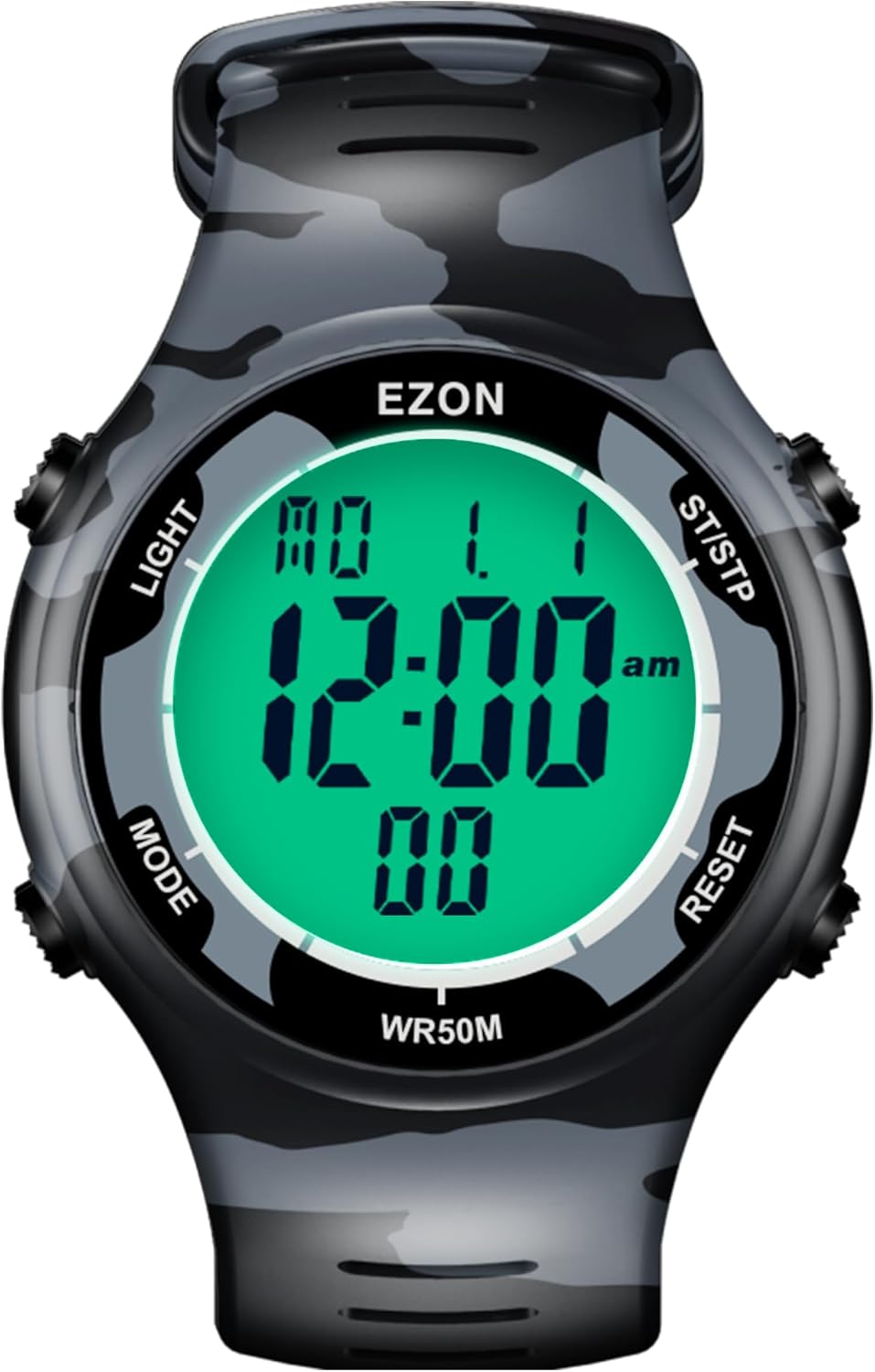
Image: Front view of the EZON L008 Digital Sports Watch, displaying time and date.
Watch Overview and Button Functions
Your EZON L008 watch features four buttons for navigation and function control. Understanding their roles is key to operating your watch effectively.
- LIGHT (Top Left): Activates the EL backlight for visibility in low-light conditions. Also used for setting adjustments.
- MODE (Bottom Left): Cycles through different operational modes (Time, Stopwatch, Countdown Timer, Alarm, Data).
- ST/STP (Top Right): Starts and stops functions like the stopwatch or timer. Also used for increasing values during settings.
- RESET (Bottom Right): Resets functions or confirms settings. Long press to turn keytone on/off.
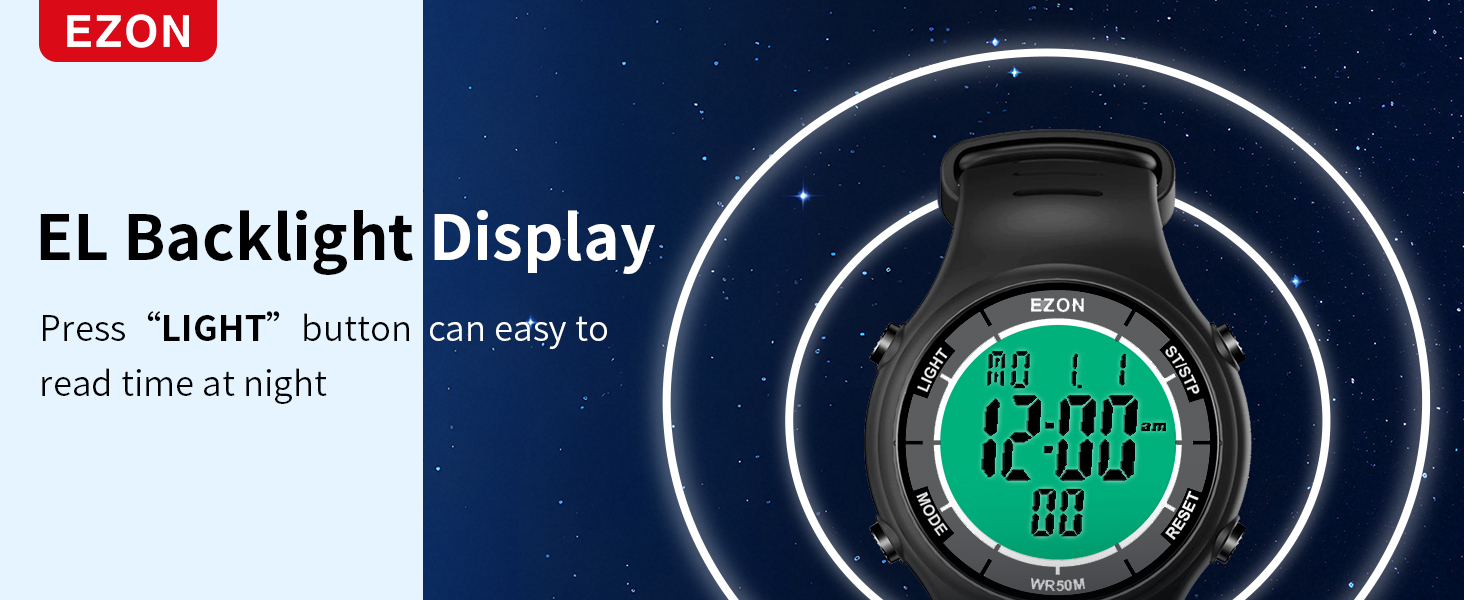
Image: Diagram illustrating the location and labels of the four control buttons on the watch.
Setup
Setting Time and Date
- In Time Mode, press and hold the MODE button until the seconds begin to flash.
- Press the RESET button to cycle through the settings: Seconds, Hour, Minute, Year, Month, Day, 12/24-hour format.
- Use the ST/STP button to adjust the flashing value.
- Once all settings are correct, press the MODE button to exit the setting mode.
Wearing the Watch
The watch features a comfortable and durable TPU strap with a secure buckle. To wear, unlatch the side part of the strap, hook it around your wrist, and then latch it down. Ensure it is snug but not too tight for comfort and to prevent it from falling off during activities.

Image: Close-up view of the watch's soft strap, durable buckle, and stainless steel back cover.
Operating Modes
Time Mode
This is the default display mode, showing the current time, date, and day of the week.

Image: The watch display showing various functions including time, countdown timer, chronograph, alarm, and EL backlight.
Stopwatch Mode
The stopwatch measures time with 1/100 second precision, ideal for tracking workouts, races, or other timed activities.
- From Time Mode, press the MODE button until "CHRONO" or stopwatch display appears.
- Press ST/STP to start the stopwatch.
- Press ST/STP again to pause.
- Press RESET to reset the stopwatch to zero.
- To record lap times, press RESET during an active stopwatch to display the lap time. The stopwatch continues running in the background. Press RESET again to return to the running stopwatch display. The watch can record up to 10 laps.
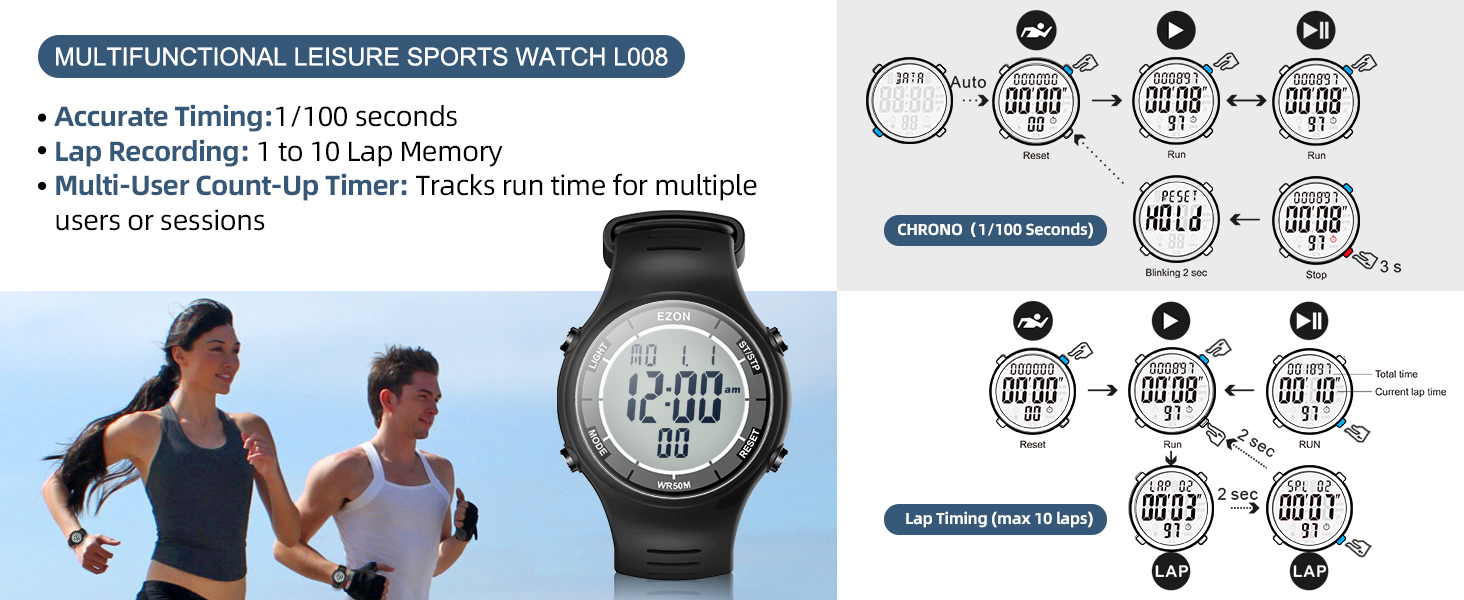
Image: Visual guide for accurate timing, lap recording, and multi-user count-up timer features.
Countdown Timer Mode
The countdown timer supports multi-stage training (warm-up, workout, rest, repeat, sets) and can be set for up to 23 hours, 59 minutes, and 59 seconds.
- From Time Mode, press the MODE button until "TIMER" appears.
- Long press the LIGHT button to enter settings. The time value will flash.
- Use ST/STP to increase the value and RESET to move to the next digit (hours, minutes, seconds).
- To set multi-stage training: After setting the initial countdown, press MODE to cycle through Warm-up, Run, Rest, Repeat, and Cool-down settings. Adjust each stage's duration using ST/STP and RESET.
- Press LIGHT to exit settings.
- Press ST/STP to start the countdown.
- Press ST/STP again to pause.
- Press RESET to reset the timer.
Video: Demonstration of setting up and using the interval training timer for warm-up, run, rest, and cool-down phases.
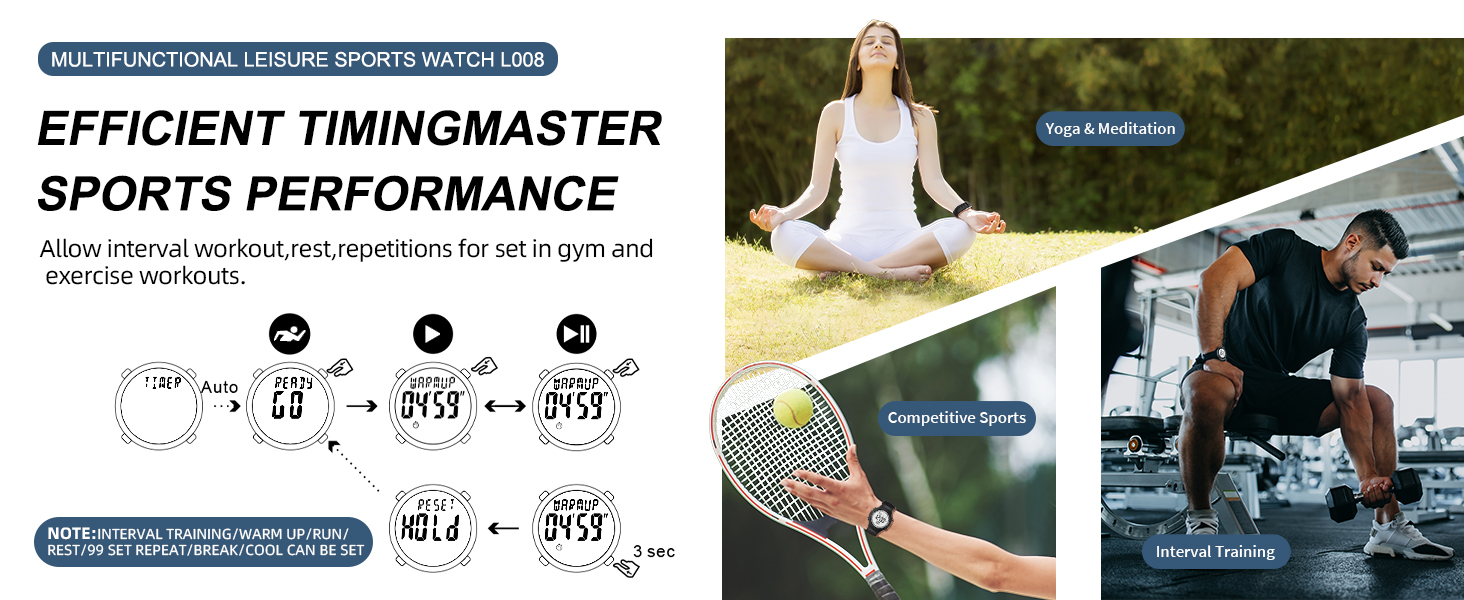
Image: Detailed diagrams showing how to set up the multi-stage interval training timer for various workout phases.
Alarm Mode
Set an alarm to alert you at a specific time. The watch also features an hourly chime option.
- From Time Mode, press the MODE button until "ALARM" appears.
- Long press the LIGHT button to enter alarm setting mode. The hour will flash.
- Use ST/STP to adjust the hour and RESET to move to minutes.
- Press LIGHT to exit settings.
- To activate/deactivate the alarm or hourly chime, press ST/STP while in Alarm Mode (without long-pressing LIGHT).
EL Backlight
Press the LIGHT button (top left) to illuminate the display for a few seconds, allowing easy reading in dark environments.
Video: Demonstration of the EL backlight feature and 50M water resistance.

Image: The watch display with its EL backlight activated, showing clear readability in low light.
Maintenance
Water Resistance
The EZON L008 watch is rated for 5ATM (50 meters) water resistance. This means it is suitable for handwashing, showering, and swimming. It is not recommended for diving or exposure to hot water, as this can compromise the seals.

Image: The EZON L008 watch being worn by a swimmer, highlighting its 5ATM waterproof capability.
Battery Life
The watch uses a CR2025 battery, which provides a long-lasting power supply of up to 48 months (approximately 4 years). No charging is required.
General Care
- Clean the watch regularly with a soft, damp cloth.
- Avoid exposing the watch to extreme temperatures or direct sunlight for prolonged periods.
- Do not press buttons underwater to maintain water resistance.
Troubleshooting
- Display is blank or dim: The battery may be low. Replace the CR2025 battery.
- Buttons are unresponsive: Ensure the watch is not in a locked mode (if applicable, though not explicitly stated for this model, it's a common watch feature). Try resetting the watch by pressing all four buttons simultaneously for a few seconds, if the issue persists, contact support.
- Time is incorrect: Re-enter the time and date settings as described in the "Setting Time and Date" section.
- Water inside the display: Immediately stop using the watch and contact customer support. Do not attempt to open the watch yourself.
Specifications
| Feature | Detail |
|---|---|
| Brand | EZON |
| Model Name | L008D12 |
| Part Number | L008D |
| Color | Camouflage Blue |
| Water Resistance Depth | 50 Meters (5ATM) |
| Item Weight | 0.15 Pounds |
| Item Dimensions (LxWxH) | 9.4 x 1.57 x 0.4 inches |
| Battery Type | CR2025 |
| Display Type | Digital with EL Backlight |
| Functions | Time (12/24H), Date, Weekday, Calendar, Alarm, Hourly Chime, Stopwatch (1/100s, 10 laps), Countdown Timer (multi-stage) |
Support and Warranty
EZON is committed to providing excellent customer service and product reliability.
- Lifetime Support: Our customer service team is available to assist you with any questions or issues you may encounter.
- 24-Hour Response: Expect a prompt response to your inquiries within 24 hours.
- 30-Day Return Policy: If you are not satisfied with your purchase, you may return it within 30 days.
- 1-Year Free Replacement: In case of manufacturing defects, your watch is eligible for a free replacement within one year of purchase.
For support, please visit the official EZON store on Amazon or contact us directly through the platform.


