
1. Introduction
The RR SPORTS SwimBeats Bone Conduction Headphones are designed for active individuals, offering both MP3 and Bluetooth connectivity. These headphones feature an IP68 waterproof rating, making them suitable for swimming and other water sports. The open-ear design ensures comfort and situational awareness during use.
Key features include:
- Dual Mode Functionality: Switch between Bluetooth for wireless connectivity and MP3 mode with a built-in 32GB memory for standalone music playback.
- IP68 Waterproof Rating: Fully submersible up to 2 meters, ideal for aquatic activities.
- Open-Ear Design: Delivers audio via bone conduction, keeping your ears open to ambient sounds for enhanced safety.
- Bluetooth 5.4: Provides a stable and efficient wireless connection.
- Lightweight and Secure Fit: Designed for comfort and stability during various physical activities.
2. Product Overview
The SwimBeats headphones consist of a flexible band that rests around the back of the head, with transducers positioned near the cheekbones. Control buttons are located on one side for easy access.
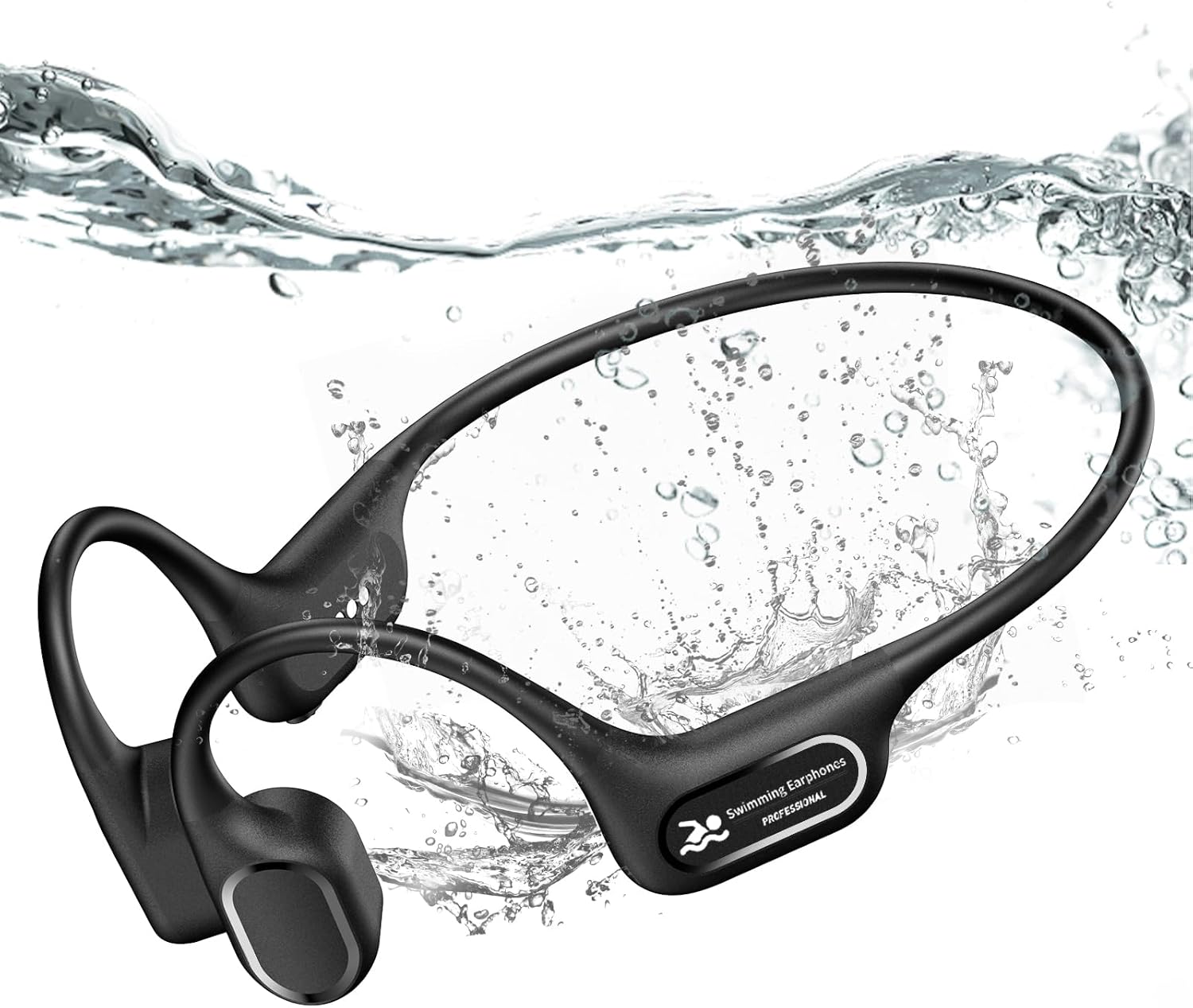
Image 2.1: Overview of the RR SPORTS SwimBeats Bone Conduction Headphones.
Included accessories typically consist of a magnetic charging cable and user documentation. Please refer to your product packaging for a complete list of included items.
3. Setup and Initial Use
3.1 Charging the Headphones
Before first use, fully charge the headphones. Connect the magnetic charging cable to the charging port on the headphones and plug the USB end into a power source (e.g., computer USB port, USB wall adapter). The charging time is approximately 1.5 hours for up to 7 hours of battery life.

Image 3.1: Magnetic charging connection for the headphones.
3.2 Transferring Music to MP3 Player (32GB Internal Storage)
The headphones feature a built-in 32GB MP3 player. To transfer audio files:
- Download audio files (MP3, WMA, WAV, FLAC formats supported) to your computer.
- Connect the headphones to your computer using the magnetic charging cable. The headphones will appear as a removable disk drive.
- Open the drive and drag and drop your audio files into the designated folder.

Image 3.2: Instructions for transferring music files to the internal 32GB storage.
3.3 Bluetooth Pairing
To pair with a Bluetooth-enabled device:
- Ensure the headphones are powered off.
- Press and hold the Power button for approximately 3-5 seconds until the LED indicator flashes blue and red, indicating pairing mode.
- On your device, enable Bluetooth and search for available devices.
- Select "RR SPORTS X26" (or similar name) from the list.
- Once connected, the LED indicator will flash blue slowly.
4. Operating Instructions

Image 4.1: Button layout and functions for the headphones.
4.1 Basic Functions
- Power On: Long press Power button for 3 seconds.
- Power Off: Long press Power button for 3 seconds.
- Play/Pause: Click Power button once.
- Volume Up: Click '+' button once.
- Volume Down: Click '-' button once.
- Next Song: Double-click '+' button.
- Previous Song: Double-click '-' button.
4.2 Mode Switching (Bluetooth / MP3)
The headphones support both Bluetooth and MP3 modes. To switch between modes, double-click the Power button.
Note: Bluetooth signals do not transmit effectively underwater. Always switch to MP3 mode for swimming or other underwater activities.

Image 4.2: Differentiating between Swim Mode (MP3) and Bluetooth Mode.
4.3 Call Management
- Answer/End Call: Click Power button once.
- Reject Call: Long press Power button for 2 seconds.
4.4 Voice Assistant
- Activate Voice Assistant: Long press '+' button for 2 seconds.
4.5 MP3 Playback Options
- In MP3 Mode, press and hold the '+' button to switch between shuffle and sequential play.
5. Usage Scenarios
The RR SPORTS SwimBeats headphones are versatile and suitable for a variety of activities:
- Swimming: Utilize MP3 mode for music playback underwater.
- Running & Cycling: The open-ear design allows you to hear your surroundings, enhancing safety.
- General Exercise: Secure fit ensures stability during intense workouts.

Image 5.1: Headphones in use during swimming, highlighting IP68 waterproof capability.

Image 5.2: Headphones worn by a cyclist, promoting safety through open-ear design.

Image 5.3: Various activities where the headphones can be used, including swimming, surfing, exercising, and cycling.
5.1 Product Video
Video 5.1: An overview of the bone conduction swimming headphones, demonstrating their waterproof capabilities and suitability for various sports.
6. Maintenance and Care
- Cleaning: After use, especially after swimming, rinse the headphones with fresh water and wipe them dry with a soft cloth.
- Storage: Store in a cool, dry place away from direct sunlight and extreme temperatures.
- Avoid Impact: Do not drop or subject the headphones to strong impacts, as this may damage internal components.
- Charging: Use only the provided magnetic charging cable. Ensure the charging port is dry before connecting the cable.
7. Troubleshooting
| Problem | Possible Cause | Solution |
|---|---|---|
| Headphones do not power on. | Low battery. | Charge the headphones for at least 1.5 hours. |
| Cannot pair via Bluetooth. | Headphones not in pairing mode; device Bluetooth off; too far from device. | Ensure headphones are in pairing mode (flashing blue/red). Turn on device Bluetooth. Move closer to the device (within 10 meters). |
| No sound in MP3 mode. | No music files transferred; incorrect file format. | Transfer supported audio files (MP3, WMA, WAV, FLAC) to the internal storage. |
| Poor sound quality underwater. | Using Bluetooth mode underwater. | Switch to MP3 mode for underwater use. Bluetooth does not work underwater. |
| Microphone muffled during calls. | Environmental noise; microphone position. | Ensure you are in a quiet environment. Adjust headphone position for optimal microphone pickup. |
8. Specifications
- Model Name: X26
- Connectivity Technology: Wireless (Bluetooth)
- Wireless Communication Technology: Bluetooth 5.4
- Audio Driver Type: Bone Conduction Driver
- Earpiece Shape: Open-Ear
- Water Resistance Level: IP68 Waterproof
- Internal Storage: 32GB (for MP3 mode)
- Battery Life: Up to 7 Hours
- Charging Time: Approximately 1.5 Hours
- Bluetooth Range: Up to 10 Meters (33 feet)
- Item Weight: 3.88 Ounces (approx. 110g)
- Product Dimensions: 5.27 x 4.05 x 2.04 inches
- Compatible Devices: Bluetooth-enabled Devices (iOS, Android, etc.)
- UPC: 768365289262
9. Warranty and Support
For warranty information and customer support, please refer to the documentation included with your product or visit the official RR SPORTS website. Keep your purchase receipt for warranty claims.


