
1. Introduction
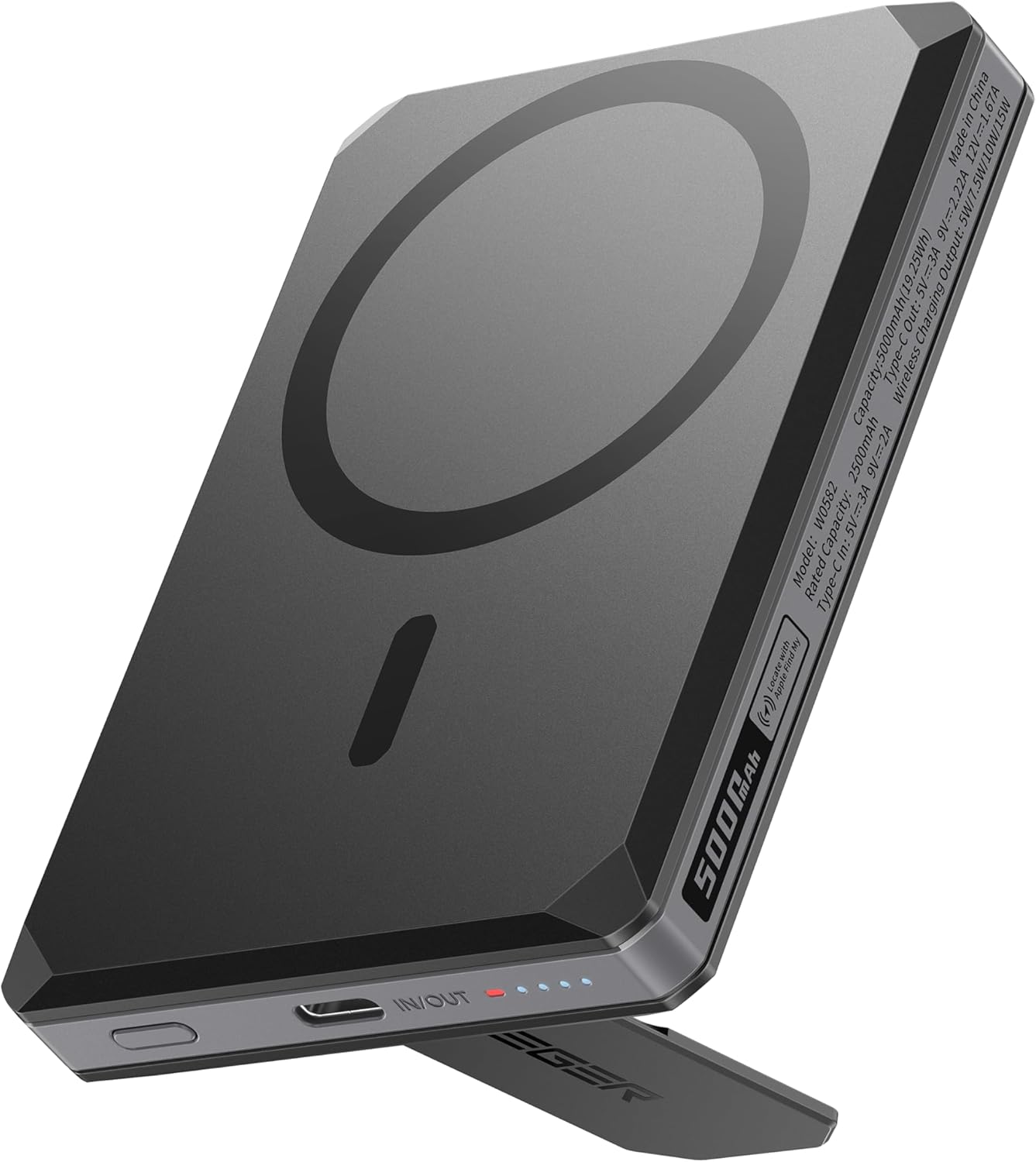
This manual provides essential instructions for the safe and efficient use of your VEGER Magnetic Portable Charger, Model W0582. This device is designed to offer convenient power solutions for compatible smartphones, featuring magnetic wireless charging, wired fast charging, a foldable stand, integrated card slots, and global tracking capabilities.
2. Product Overview and Package Contents
The VEGER Magnetic Portable Charger combines multiple functionalities into a compact design. Please ensure all items listed below are present in your package.

Package contents: VEGER Magnetic Portable Charger, USB-C charging cable, fabric pouch, and user manuals.
Package Contents:
- VEGER Magnetic Portable Charger (Model W0582)
- USB-C to USB-C Fast Charging Cable (approximately 8.66 inches)
- Environmentally Friendly Fabric Pouch
- User Manual and Quick Start Guide
3. Features
The VEGER Magnetic Portable Charger offers a versatile 6-in-1 functionality to enhance your mobile experience.

Visual representation of the charger's multi-functional capabilities.
- Magnetic Wireless Charging: Provides up to 15W wireless charging for compatible iPhone 12 series and newer models.
- Wired Fast Charging: Supports up to 20W Power Delivery (PD) fast charging via the USB-C port.
- Foldable Phone Stand: Integrated stand allows for horizontal or vertical viewing, ideal for media consumption or video calls.
- Hidden Card Slots: Securely holds up to two cards, such as credit cards or ID.
- RFID Blocking: Crafted with zinc alloy to protect cards from unauthorized scanning.
- Global Tracking: Built-in tracking functionality allows you to locate your power bank using compatible tracking networks (e.g., Apple Find My).
4. Setup
4.1 Initial Charging of the Power Bank
- Connect the provided USB-C cable to the USB-C port on the VEGER Portable Charger.
- Connect the other end of the USB-C cable to a compatible USB power adapter (not included).
- The LED indicator lights on the side of the power bank will illuminate to show the charging status. A full charge is indicated when all LEDs are solid.
4.2 Power Indicator Lights
The LED lights on the side of the power bank indicate the remaining battery level and charging status:
- Solid LEDs: Indicate remaining battery capacity.
- Flashing LEDs: Indicate the power bank is currently charging.
- All LEDs off: The power bank is either fully discharged or not in use.
5. Operating Instructions
5.1 Magnetic Wireless Charging
This feature is compatible with iPhone 12 series and newer models, and devices with MagSafe-compatible cases.
- Ensure your smartphone is compatible with magnetic wireless charging.
- Align the back of your smartphone with the magnetic charging area of the power bank. The magnets will snap into place, securing the connection.
- Charging will begin automatically. The charging status will be displayed on your phone screen.
Magnetic attachment for wireless charging.

For optimal magnetic attachment and wireless charging, use with a MagSafe-compatible case.
5.2 Wired Fast Charging
For devices requiring wired charging or faster charging speeds.
- Connect one end of a USB-C cable (the provided cable or another compatible cable) to the USB-C port on the power bank.
- Connect the other end of the cable to your device's charging port.
- The power bank will automatically detect the device and begin charging.
5.3 Using the Foldable Phone Stand
The integrated stand allows for hands-free viewing.
- Locate the foldable stand on the back of the power bank.
- Gently pull out the stand until it locks into position.
- Attach your phone to the power bank (magnetically or otherwise) and place it on a flat surface. The stand supports both horizontal and vertical orientations.

The foldable stand provides versatile viewing angles.
5.4 Using the Hidden Card Slots
The power bank includes discreet storage for up to two cards with RFID protection.
- Locate the card slot compartment on the side of the power bank.
- Gently slide your credit card or ID into the designated slots.
- Ensure cards are fully inserted for secure storage and RFID protection.
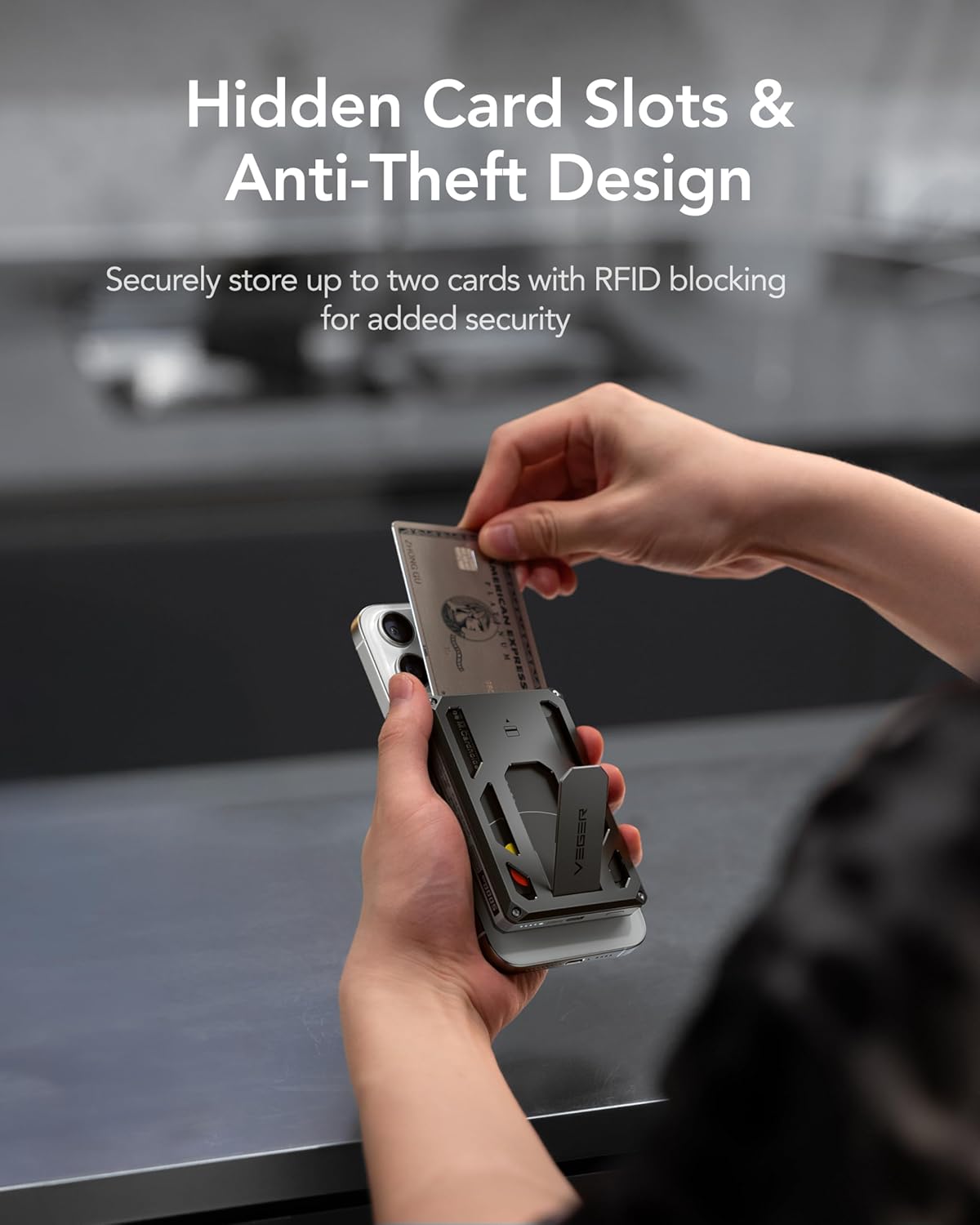
Securely store up to two cards in the hidden slots.
5.5 Global Tracking Functionality
The power bank features built-in global tracking, compatible with networks like Apple Find My, to help you locate it if lost.
- Refer to the separate Quick Start Guide for detailed instructions on pairing your VEGER Portable Charger with your device's tracking application (e.g., Apple Find My).
- Once paired, you can use the tracking application to view the power bank's location, play a sound to find it nearby, or receive notifications if it's left behind.

Utilize global tracking to locate your power bank.
6. Safety Information
- Do not expose the power bank to extreme temperatures, direct sunlight, or fire.
- Avoid dropping, disassembling, or modifying the device.
- Keep away from water and other liquids.
- Use only certified charging cables and adapters.
- This power bank is compliant with FAA air travel regulations, making it safe for carry-on luggage.

The power bank is FAA compliant for safe air travel.
7. Maintenance
- Clean the power bank with a soft, dry cloth. Do not use harsh chemicals or abrasive materials.
- Store the device in a cool, dry place away from direct sunlight when not in use.
- For long-term storage, charge the power bank to approximately 50% every three months to maintain battery health.
8. Troubleshooting
8.1 Power Bank Not Charging
- Ensure the USB-C cable is securely connected to both the power bank and the power adapter.
- Verify that the power adapter is functioning correctly and plugged into a live power outlet.
- Try using a different USB-C cable and power adapter.
8.2 Device Not Charging from Power Bank
- For Wireless Charging: Ensure your device is magnetically aligned correctly and is compatible with magnetic wireless charging. Remove any non-MagSafe cases that might interfere.
- For Wired Charging: Check that the cable is firmly connected to both the power bank and your device. Try a different cable.
- Ensure the power bank has sufficient charge. Check the LED indicators.
8.3 Slow Charging
- Ensure you are using a fast-charging compatible cable and power adapter for wired charging.
- For wireless charging, ensure optimal alignment and that no foreign objects are between the phone and the power bank.
- High temperatures can reduce charging efficiency. Ensure the device is in a well-ventilated area.
9. Specifications

Internal components and quality control features.
| Feature | Specification |
|---|---|
| Model Number | W0582 |
| Battery Capacity | 5000mAh |
| Wireless Charging Output | Up to 15W |
| Wired Charging Output (USB-C) | Up to 20W PD Fast Charging |
| Connector Type | USB Type C |
| Product Dimensions | 3.86 x 2.7 x 0.59 inches |
| Item Weight | 5.4 ounces |
| Special Features | Wireless Charging, Foldable Stand, Hidden Card Slots, Global Tracking |
| Color | Black |
| Manufacturer | Dong guan Utopia-Originality Technology Co., Ltd |
10. Warranty and Support
VEGER products are designed and manufactured to the highest quality standards. For warranty information and customer support, please refer to the warranty card included in your package or visit the official VEGER website. If you encounter any issues or have questions regarding your product, please contact our customer service team for assistance.