
BROAIMX BF002A
BROAIMX Smart Bird Feeder with Camera User Manual
Model: BF002A
1. Introduction
This manual provides comprehensive instructions for the setup, operation, and maintenance of your BROAIMX Smart Bird Feeder with Camera. This device allows you to observe and interact with local wildlife, featuring advanced AI bird recognition, 1080P HD video, solar charging, and two-way audio communication.

Image: The BROAIMX Smart Bird Feeder, showcasing its solar panel roof, transparent seed compartment, integrated camera, and feeding perch with a water dispenser and suet cage.
2. Safety Information
- Ensure the feeder is securely mounted to prevent falling, which could cause injury or damage.
- Do not expose the camera to extreme temperatures outside its operating range.
- Keep the solar panel clean for optimal charging efficiency.
- Avoid placing the feeder near power lines or other electrical hazards.
- Do not attempt to disassemble or repair the device yourself. Contact customer support for assistance.
- Keep small parts away from children and pets to prevent choking hazards.
3. Package Contents
Please verify that all items are present in your package:
- BROAIMX Smart Bird Feeder with Camera (1)
- Solar Panel (Integrated)
- Water Dispenser (1)
- Suet/Fruit Cage (1)
- 64GB TF Card (Pre-installed)
- Mounting Accessories (Tree strap, drilling template, wood screws, pole mount adapter)
- USB Charging Cable (1)
- User Manual (This document)
4. Product Overview
Familiarize yourself with the main components of your smart bird feeder:
- Solar Panel: Located on the roof, converts sunlight into energy to charge the internal battery.
- Camera Module: Integrated within the feeder, captures 1080P HD video and images. Features a 130° wide-angle lens, night vision, and two-way audio.
- Seed Compartment: Large capacity for various bird seeds.
- Feeding Perch: Provides a stable landing area for birds.
- Water Dispenser: Attachable accessory for providing water.
- Suet/Fruit Cage: Attachable accessory for offering suet cakes or fruit.
- Drainage Food Tray: Designed to prevent water accumulation and keep seeds dry.
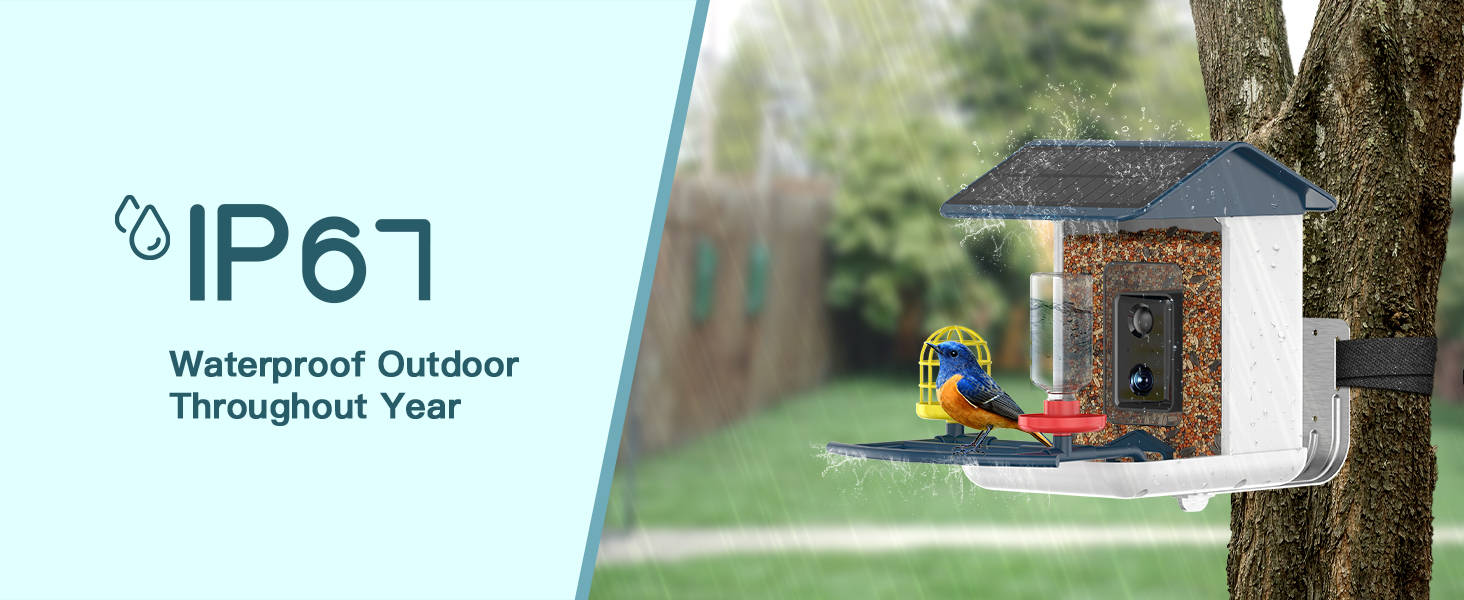
Image: Detailed view of the feeder's components, highlighting the 1.5L food capacity, drainage tray, and extendable perch with water feeder and suet cage.
5. Setup Guide
5.1 Initial Charging
Before first use, fully charge the camera's internal 5200mAh battery using the provided USB cable. A full charge ensures optimal performance, especially during periods of low sunlight.

Image: The feeder's solar panel on the roof and a visual representation of the camera's battery charging status via a smartphone app.
5.2 App Installation and Wi-Fi Connection
- Download the "Bird Lover" app from your smartphone's app store (iOS/Android).
- Register for an account and log in.
- Follow the in-app instructions to add your new bird feeder device. Ensure your phone is connected to a 2.4GHz Wi-Fi network. The feeder supports stable 2.4GHz Wi-Fi connectivity up to 50 feet.
- Scan the QR code on the camera module when prompted by the app to pair the device.
5.3 Mounting the Feeder
The feeder offers multiple mounting options:
- Tree Strap Installation: Use the provided strap to secure the feeder to a tree trunk.
- Fixed by Drilling Template: Use the template to mark and drill holes for wall mounting.
- Installed by Wood Screws: Directly screw the feeder to a wooden surface.
- Pole Mount: Attach the feeder to a compatible pole using the adapter.
Choose a location that receives ample sunlight for the solar panel and is within range of your 2.4GHz Wi-Fi network. Ensure the feeder is placed at a height accessible for refilling and cleaning, but safe from predators.
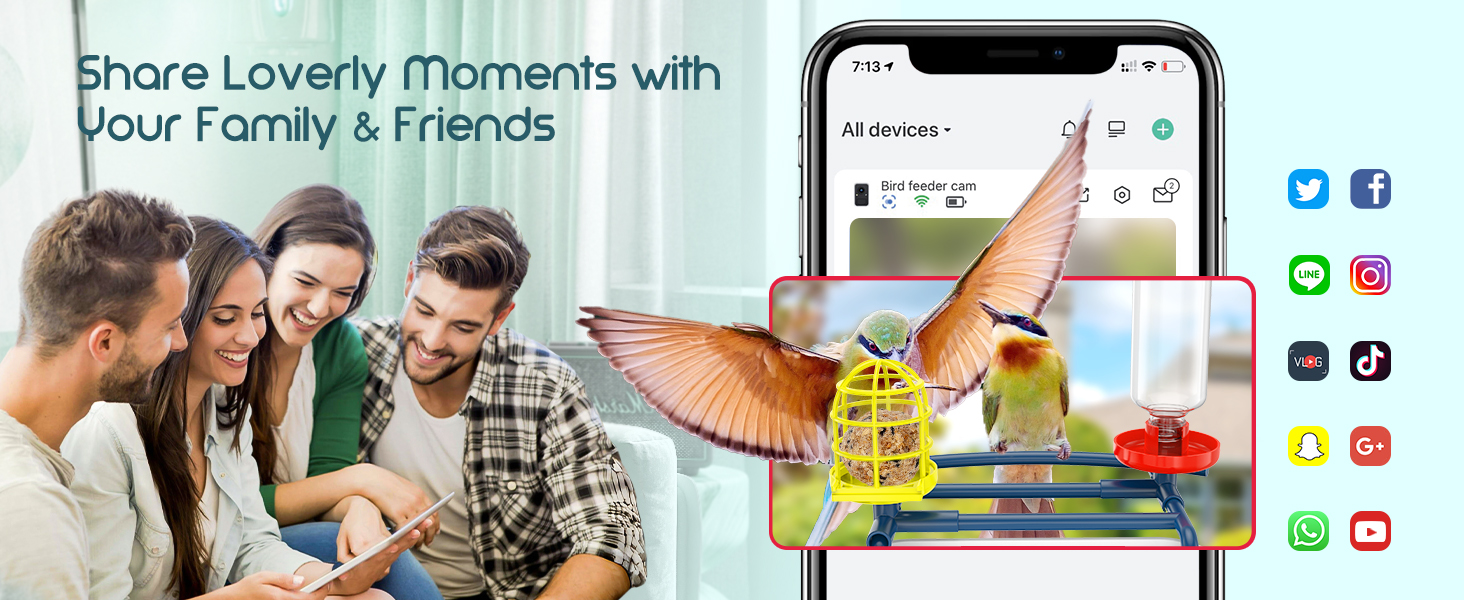
Image: Illustrations demonstrating four installation methods: tree strap, drilling template, wood screws, and pole mount.
6. Operating Instructions
6.1 Filling the Feeder
Open the top lid of the feeder and pour in your desired bird seed. Ensure the seed level does not obstruct the camera's view. Attach the water dispenser and suet cage if desired.
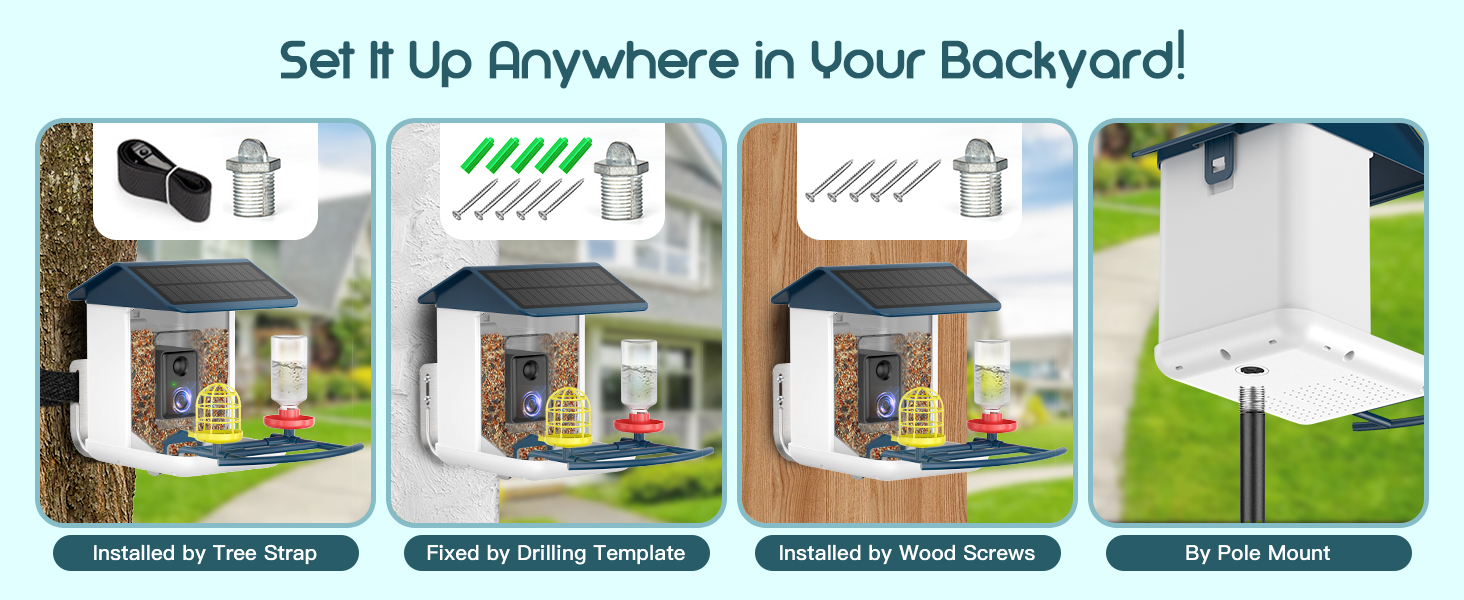
Image: Visual guide showing how to open the feeder's roof and pour bird seed into the main compartment.
6.2 AI Bird Recognition
The feeder utilizes advanced AI to recognize over 11,000 bird species. When a bird visits, the camera will capture footage, and the AI will attempt to identify the species. This feature requires no subscription.

Image: A graphic illustrating the AI's ability to identify various bird species visiting the feeder.

Image: A smartphone screen displaying the app's interface with a bird identified as a Baltimore Oriole, along with detailed information.
6.3 Real-time Viewing and Notifications
Receive instant app notifications when birds arrive. You can view live 1080P HD video streams from the feeder at any time through the app. The 130° wide-angle lens provides a broad view of the feeding area.
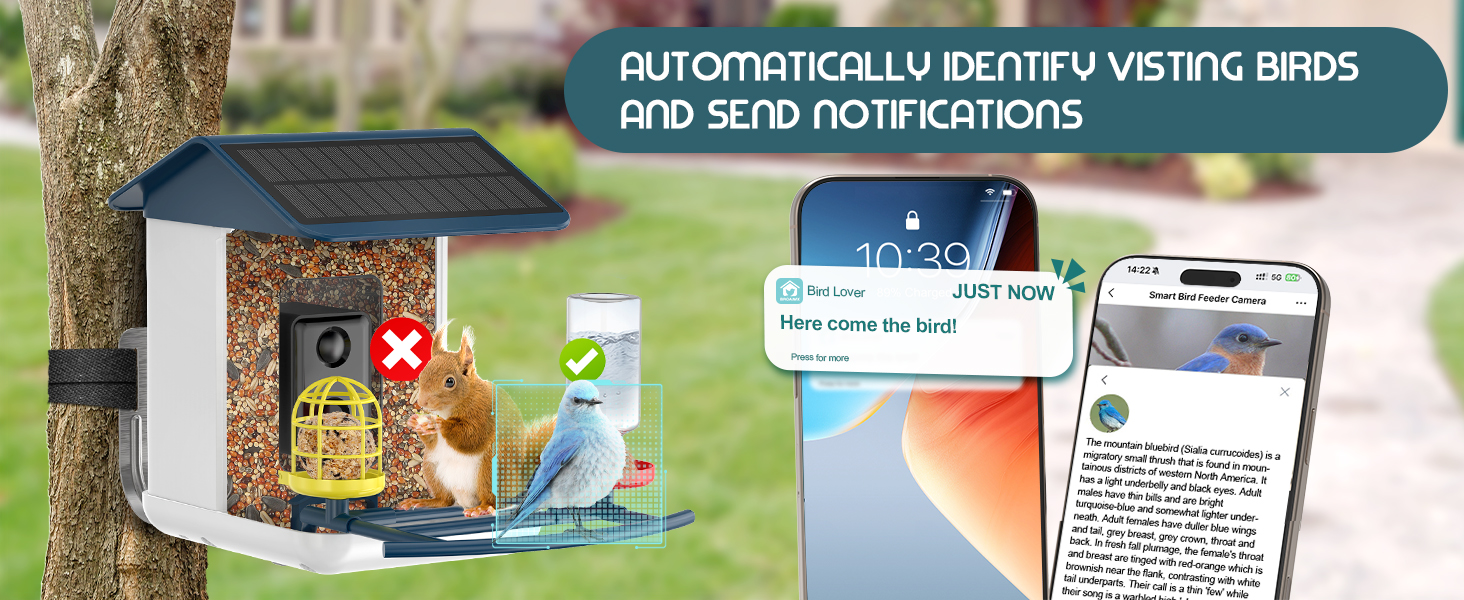
Image: A smartphone displaying a "Here come the bird!" notification and a live view of a bird on the feeder.
6.4 Two-Way Audio
Use the two-way audio feature via the app to listen to the sounds of visiting birds or to deter unwanted visitors like squirrels. The AI can also distinguish between birds and other animals, sending specific alerts.
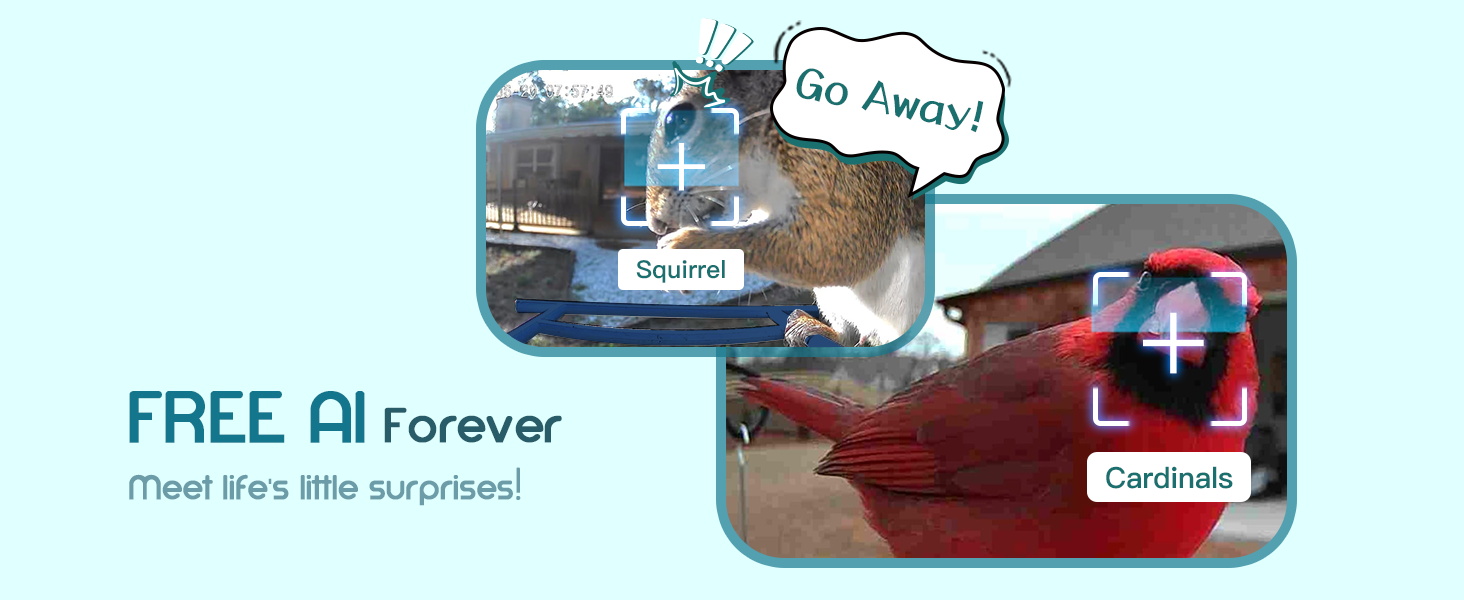
Image: The AI system identifying a squirrel with a "Go Away!" bubble and a cardinal, demonstrating its recognition capabilities.
6.5 Video and Photo Storage
The feeder comes with a pre-installed 64GB TF card for local storage of captured videos and photos. You can access and download these recordings through the app. Cloud storage options may also be available (check app for details).
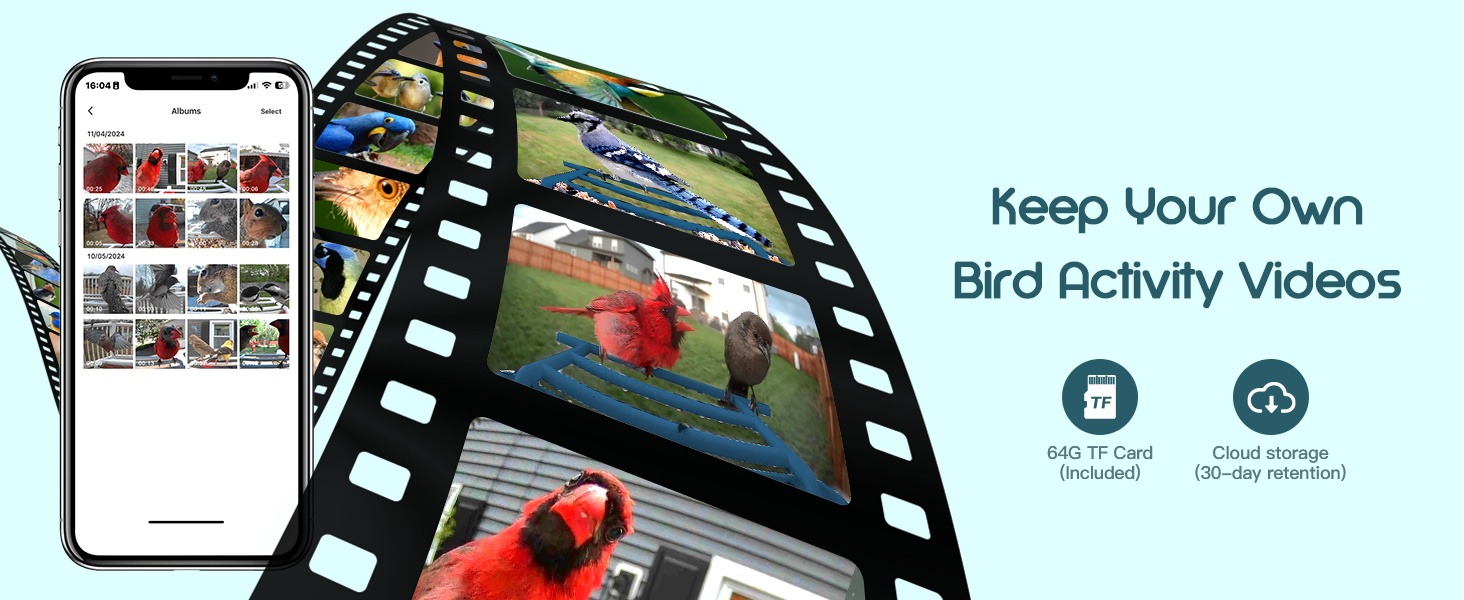
Image: A smartphone screen displaying an album of recorded bird activity videos and photos, highlighting the 64GB TF card and cloud storage options.
6.6 Multi-User Sharing
Share access to your bird feeder's camera with family and friends through the app, allowing multiple users to enjoy the live feed and captured moments.

Image: A family enjoying bird watching moments captured by the feeder, emphasizing the sharing feature.
7. Maintenance
7.1 Cleaning the Feeder
Regular cleaning is essential to prevent mold and bacteria growth, ensuring a healthy environment for birds. The feeder is designed for easy disassembly for cleaning:
- Remove the Roof: Unlatch and lift the top roof section.
- Remove the Camera: Carefully detach the camera module.
- Bird Seed Removal: Empty any remaining bird seed.
- Remove the Base: Detach the bottom tray for thorough cleaning.
- Wash all parts (except the camera) with warm soapy water. Rinse thoroughly and allow to dry completely before reassembling and refilling.
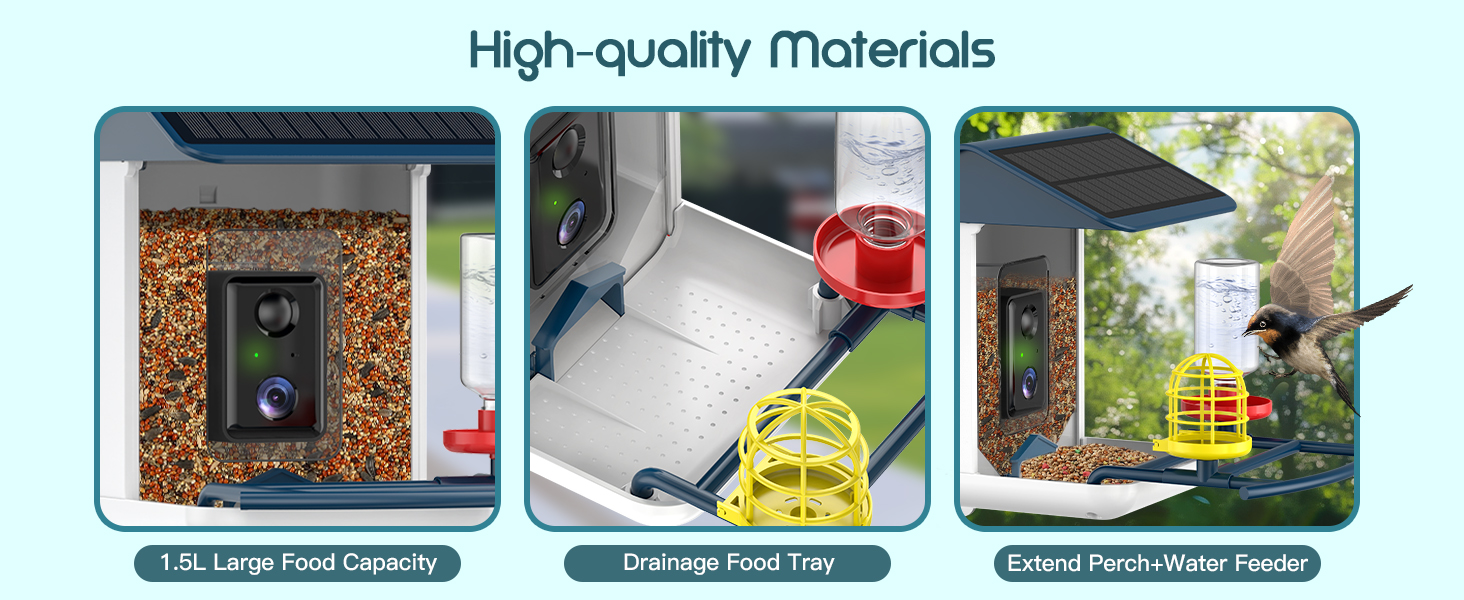
Image: A four-step visual guide demonstrating how to disassemble the feeder for cleaning: removing the roof, camera, bird seed, and base.
7.2 Solar Panel Care
Periodically wipe the solar panel with a soft, damp cloth to remove dust, dirt, or bird droppings. A clean solar panel ensures maximum charging efficiency and extends battery life.
8. Troubleshooting
| Problem | Possible Cause | Solution |
|---|---|---|
| Camera not connecting to Wi-Fi. | Incorrect Wi-Fi password; Feeder too far from router; 5GHz Wi-Fi network. | Double-check password; Move feeder closer to router or use a Wi-Fi repeater; Ensure you are connecting to a 2.4GHz network. |
| Battery not charging. | Insufficient sunlight; Dirty solar panel; Faulty battery/solar panel. | Relocate feeder to a sunnier spot; Clean solar panel; Contact customer support if issue persists. |
| Poor video quality. | Low Wi-Fi signal; Dirty camera lens. | Improve Wi-Fi signal strength; Gently clean the camera lens with a soft cloth. |
| No bird detection/notifications. | Camera obstructed; Sensitivity settings too low; No birds visiting. | Ensure clear view for camera; Adjust detection sensitivity in app; Ensure feeder has fresh seed/water. |
9. Specifications
| Feature | Detail |
|---|---|
| Model Number | BF002A |
| Dimensions (L x W x H) | 9" x 6" x 11" |
| Weight | 3.67 pounds |
| Camera Resolution | 1080P HD |
| Camera View Angle | 130° Wide-Angle |
| Battery Capacity | 5200mAh (Lithium Ion) |
| Power Source | Solar Powered + Battery Powered |
| Wi-Fi Connectivity | 2.4GHz |
| Storage | 64GB TF Card (Included) |
| AI Recognition | 11,000+ Bird Species (No Subscription) |
| Weather Resistance | IP67 Weatherproof |
| Seed Capacity | 2.5 Liters |
10. Warranty and Support
BROAIMX provides customer support for its products. For warranty information, technical assistance, or any inquiries, please contact BROAIMX customer service. Details can typically be found on the product packaging or the official BROAIMX website.

Image: A representative indicating availability of 24/7 online customer support.
Related documentsBF002A


Ask a question about this manual
Ask about setup, troubleshooting, compatibility, parts, safety, or missing instructions. Manuals+ will review the question and use this page’s manual context to help answer it.