
1. Introduction
Thank you for choosing the BROAIMX Bird Feeder with Camera. This smart device allows you to observe and identify over 11,000 bird species with its advanced AI recognition technology, all without any subscription fees. Featuring 2K HD video, full-color night vision, two-way audio, and solar power, this feeder provides an immersive bird-watching experience directly to your smartphone. This manual provides detailed instructions for setup, operation, and maintenance to ensure optimal performance.
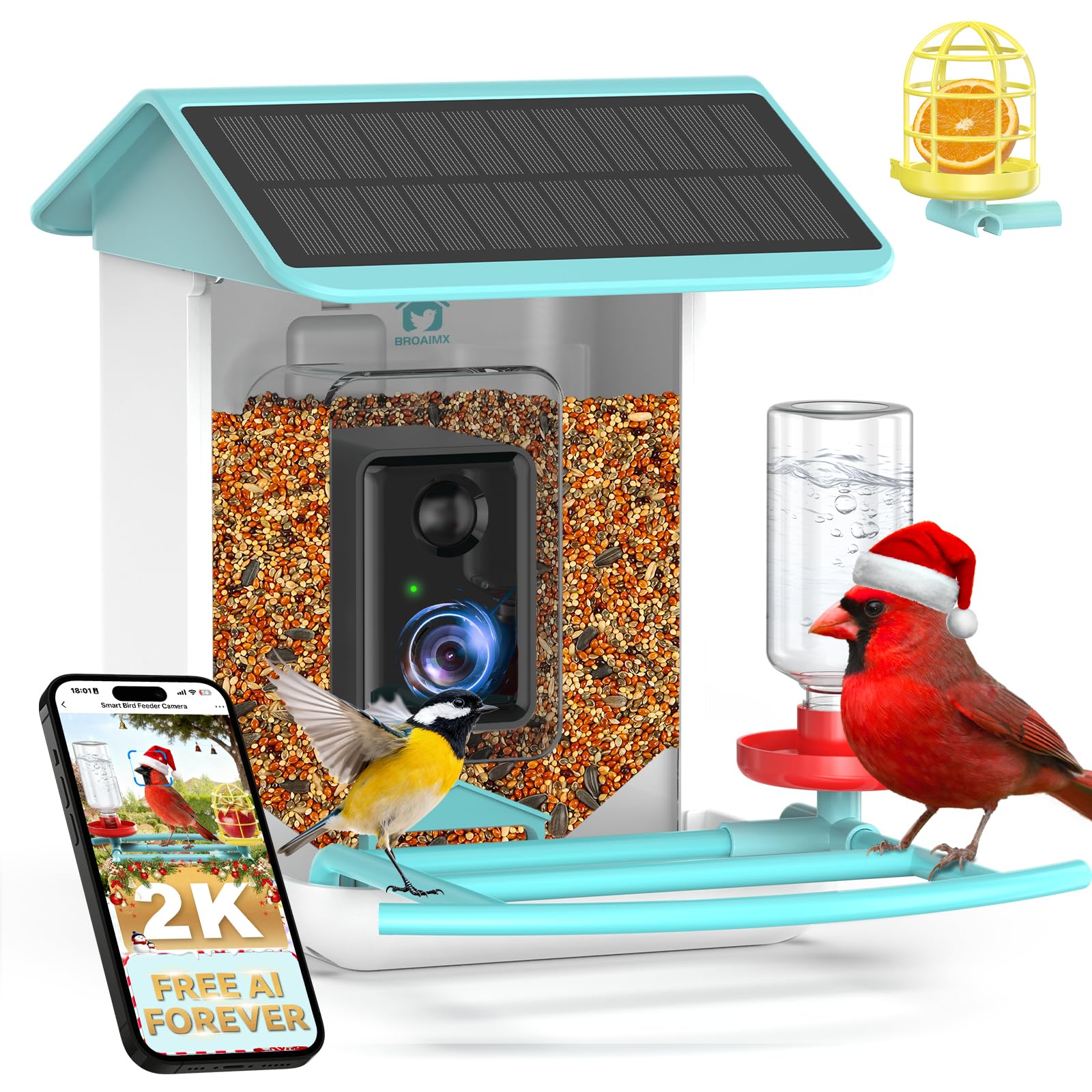
Figure 1: BROAIMX Bird Feeder with Camera Overview
2. Setup
2.1. Package Contents
Before beginning installation, please verify that all components are present:
- BROAIMX Bird Feeder Unit
- Smart Camera Module
- Solar Panel (integrated)
- 64GB TF Card (pre-installed or included separately)
- Mounting Accessories (screws, tree strap, pole mount adapter)
- Water/Nectar Bottle
- Suet/Fruit Cage
- USB Charging Cable
- Instruction Manual
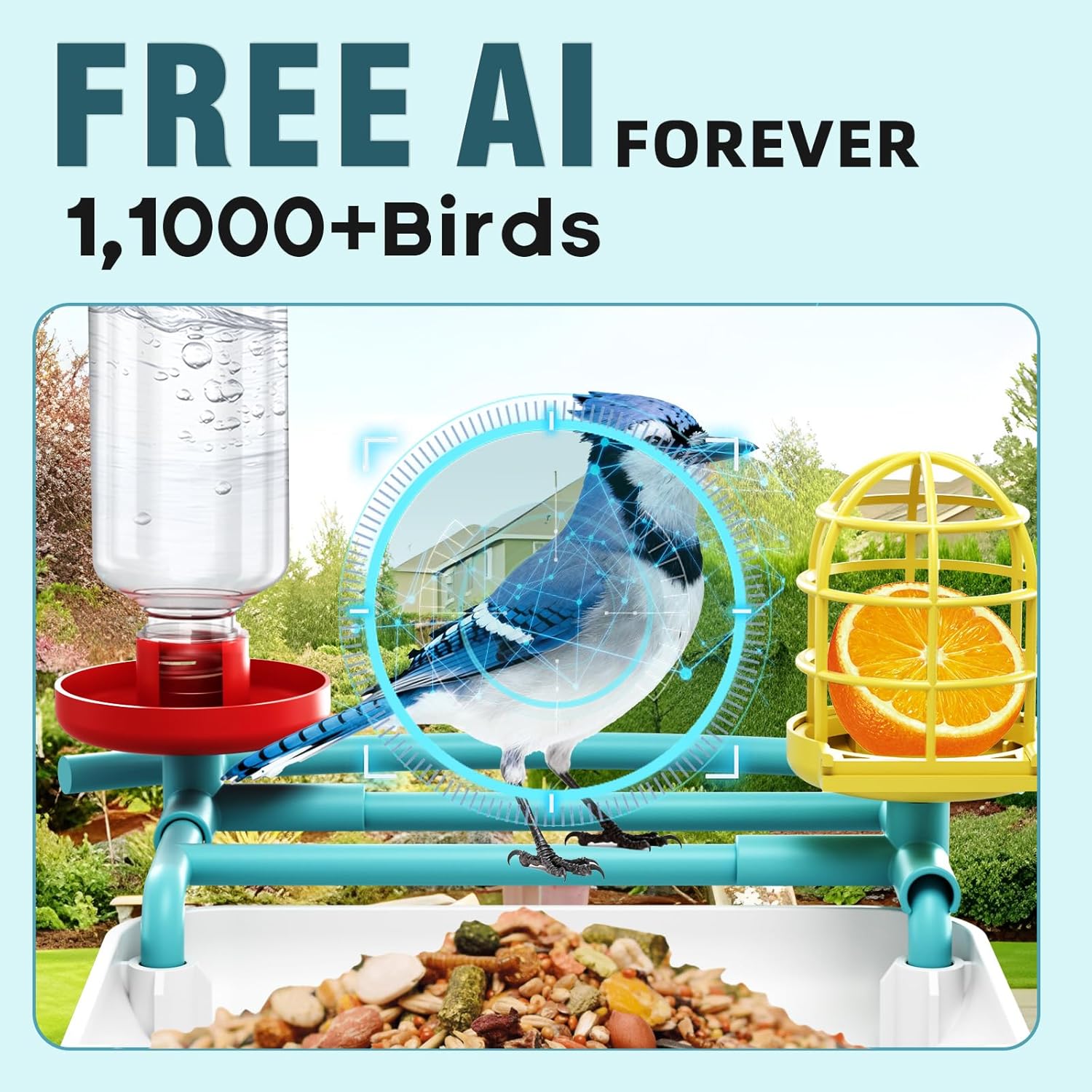
Figure 2: Included Components
2.2. Initial Camera Charge
It is recommended to fully charge the camera module before its first use to ensure optimal battery performance. Remove the camera module from the feeder unit, locate the charging port, and connect it to a power source using the provided USB cable.
Video 1: Demonstrates how to remove the camera and prepare it for pairing, including removing the waterproof seal and switching it on. This video also shows the initial charging step.
2.3. App Download and Wi-Fi Connection
Download the 'Bird Lover' app from your smartphone's app store. Follow the in-app instructions to pair your device. Important: The camera only supports 2.4GHz Wi-Fi networks. Ensure your smartphone is connected to a 2.4GHz Wi-Fi network during the pairing process. If your router broadcasts both 2.4GHz and 5GHz, temporarily disable 5GHz or ensure your phone is explicitly connected to the 2.4GHz band.
Video 2: Step-by-step guide on linking the Bird Lover App with the feeder camera.

Figure 3: Wi-Fi Compatibility (2.4GHz Only)
2.4. Mounting the Feeder
The bird feeder offers multiple mounting options to suit your outdoor space:
- Tree Mount: Use the provided tree strap to secure the feeder to a tree trunk.
- Wood Screws: Attach the feeder directly to a wooden surface using the included screws.
- Pole Mount: Utilize the pole mount adapter for installation on a compatible pole (pole not included).
- Drilling Template: A drilling template is provided for precise screw placement if mounting to a wall or fence.

Figure 4: Mounting Options
3. Operating Instructions
3.1. AI Bird Recognition
The integrated AI system automatically identifies over 11,000 bird species. When a bird visits, the camera captures its image or video, and the app provides identification details without requiring any subscription.
Video 3: Demonstrates the AI bird recognition feature, identifying various bird species.

Figure 5: AI Bird Identification in Action
3.2. 2K HD Video and Full-Color Night Vision
Capture clear and detailed footage of your feathered visitors with 2K HD resolution. The camera also features IR full-color night vision, allowing you to observe birds even in low-light conditions or at night.

Figure 6: 2K HD Video Quality

Figure 7: Full-Color Night Vision
3.3. Two-Way Audio and Motion Detection
The feeder is equipped with two-way audio, allowing you to listen to and communicate with birds through the app. Motion detection triggers instant app alerts when visitors approach, ensuring you never miss a moment.

Figure 8: Motion Detection Alerts
3.4. Storage and Multi-User Sharing
The included 64GB TF card provides ample local storage for videos and photos. Additionally, cloud storage with 30-day retention is available. You can share access to your bird feeder's live feed and captured moments with friends and family through the app, allowing up to 4 devices to watch simultaneously.

Figure 9: Storage Options
Video 4: Shows how to share bird-watching moments with friends and family through the app.

Figure 10: Multi-User Sharing
4. Maintenance
4.1. Cleaning the Feeder
Regular cleaning is essential for the health of visiting birds. The camera module is designed for easy removal to facilitate thorough cleaning of the feeder unit. Disassemble the feeder components, clean with mild soap and water, rinse thoroughly, and ensure all parts are dry before reassembly.

Figure 11: Easy Camera Removal for Maintenance
4.2. Battery and Solar Charging
The feeder is equipped with a 5200mAh battery and an integrated solar panel for continuous power. The solar panel helps maintain the battery charge, extending operational time. Monitor the battery level through the app to know when a manual recharge might be necessary, especially during prolonged periods of low sunlight.
5. Troubleshooting
5.1. Wi-Fi Connection Issues
If you experience difficulty connecting or maintaining a stable Wi-Fi connection, ensure the following:
- Your router is broadcasting a 2.4GHz Wi-Fi signal. The camera does not support 5GHz networks.
- Your smartphone is connected to the same 2.4GHz Wi-Fi network during the pairing process.
- The feeder is within range of your Wi-Fi router (up to 50 feet). Consider using a Wi-Fi repeater if the signal is weak.
- Restart both your router and the camera module, then attempt the pairing process again.
5.2. Unwanted Visitors
The camera features a siren alarm, white light flashing, and a 'press to speak' function to deter unwanted animals like squirrels or raccoons. These features can be activated via the app.

Figure 12: Deterring Unwanted Visitors
6. Specifications
| Feature | Detail |
|---|---|
| Brand | BROAIMX |
| Model Number | BF002A |
| Target Species | Birds |
| Recommended Use | Outdoor |
| Material | Acrylonitrile Butadiene Styrene (ABS) |
| Special Features | 2-Way Audio, Easy to Install, HD Resolution, Motion Sensor |
| Mounting Type | Tree Mount (also supports wall/pole mount) |
| Product Dimensions | 9"L x 6"W x 11"H |
| Power Source | Solar Powered + Battery Powered (5200mAh Lithium Ion battery included) |
| Capacity | 2.5 Liters |
| Color | Blue |
| Item Weight | 3 Pounds |
| Smart Home Compatibility | Smart Home Compatible |
| Storage | 64GB TF Card Included |
7. Important Safety Information
To ensure the safety of both the birds and your device, please adhere to the following guidelines:
- Avoid feeding birds certain types of food that may harm them. Research appropriate bird feed for your local species.
- Secure the feeder firmly to prevent it from falling or being dislodged by wind or animals.
- Follow local regulations regarding feeding wildlife.
- Keep the camera module dry and protected from extreme weather conditions when not in use or during maintenance.
8. Warranty and Support
BROAIMX is committed to providing high-quality products and customer satisfaction. For any questions, technical assistance, or warranty inquiries, please contact our 24/7 online customer support.

Figure 13: 24/7 Online Customer Support


