
1. Introduction
The DEWIN Tuya WiFi Smart Circuit Breaker is an advanced electrical device designed for modern smart homes and industrial applications. It integrates a circuit breaker with smart monitoring and control capabilities, allowing users to remotely manage power, monitor energy consumption, and ensure electrical safety through a smartphone application. This device features an LCD display for real-time information and offers multiple protection functions.
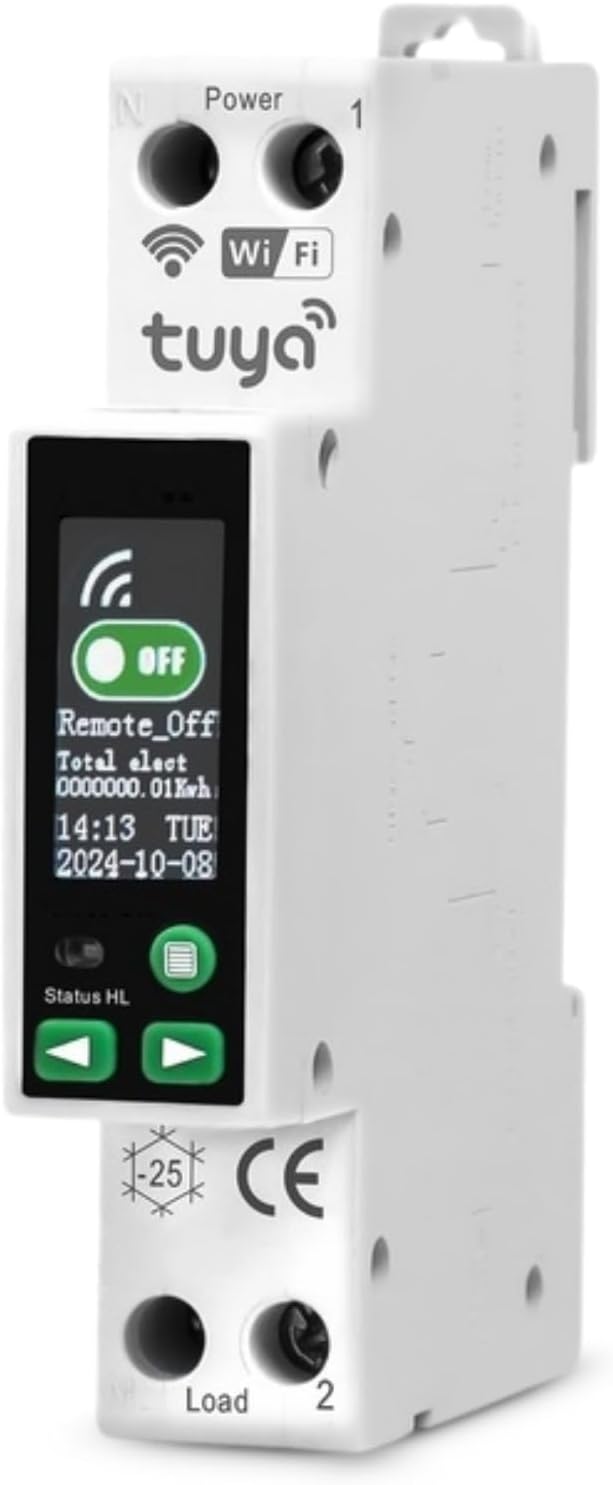
Image 1.1: Front view of the DEWIN Tuya WiFi Smart Circuit Breaker, showing the LCD screen and WiFi logo.
2. Product Features
- Tuya Integration: Remotely control device ON/OFF via the TUYA application and monitor real-time consumer status for a smarter lifestyle.
- Smart Monitoring: Through smartphone control, monitor real-time current, voltage, and power consumption. Record electricity usage for the year, month, day, hour, and different periods.
- Multiple Protections: This DIN rail circuit breaker offers protection against overvoltage, undervoltage, overload, overcurrent, and high temperature. A blue LED display indicates the operating status at a glance.
- Versatile Applications: Suitable for most DIN rail applications, commonly used in electricity metering systems, schools, markets, household appliances, industry, laboratories, and other fields.
- Flame-Retardant Material: Constructed with a high-quality copper core for good conductivity and flame-retardant ABS material, resistant to high temperatures, impacts, and corrosion, ensuring durability and enhanced safety during use.

Image 2.1: Illustration of the real-time monitoring capabilities, including current, voltage, power, and various protection types.
3. Safety Information
WARNING: Installation and maintenance must be performed by a qualified electrician in accordance with all local and national electrical codes. Failure to follow these instructions may result in serious injury or death.
- Always disconnect power at the main circuit breaker before installing or servicing the device.
- Ensure proper wiring connections to prevent short circuits or electrical hazards.
- Do not operate the device if it appears damaged.
- Keep the device away from water and excessive humidity.
- Verify that the rated voltage and current of your electrical system match the device specifications.
4. Package Contents
Please check the package for the following items:
- 1 x DEWIN Smart WiFi Circuit Breaker
- 1 x User Manual
5. Setup
5.1 Mechanical Installation
- Ensure the main power supply is OFF before installation.
- Mount the circuit breaker onto a standard DIN rail in your electrical distribution box.
- Connect the incoming live (L) and neutral (N) wires to the 'Power' terminals (marked 1 and N) at the top of the device.
- Connect the outgoing live (L) and neutral (N) wires to the 'Load' terminals (marked 2 and N) at the bottom of the device.
- Ensure all connections are secure and tightened appropriately.
5.2 App Pairing (Tuya Smart / Smart Life)
- Download the 'Tuya Smart' or 'Smart Life' app from your smartphone's app store (iOS or Android).
- Register or log in to your account.
- Restore power to the circuit breaker. The device's WiFi indicator should start blinking rapidly, indicating it's in pairing mode. If not, press and hold the physical button on the device for 5-10 seconds until it blinks rapidly.
- In the app, tap '+' to add a new device. Select 'Electrical Engineering' > 'Circuit Breaker (Wi-Fi)'.
- Follow the on-screen instructions to connect the device to your 2.4GHz Wi-Fi network.
- Once successfully paired, the WiFi indicator on the device will stop blinking and remain solid.
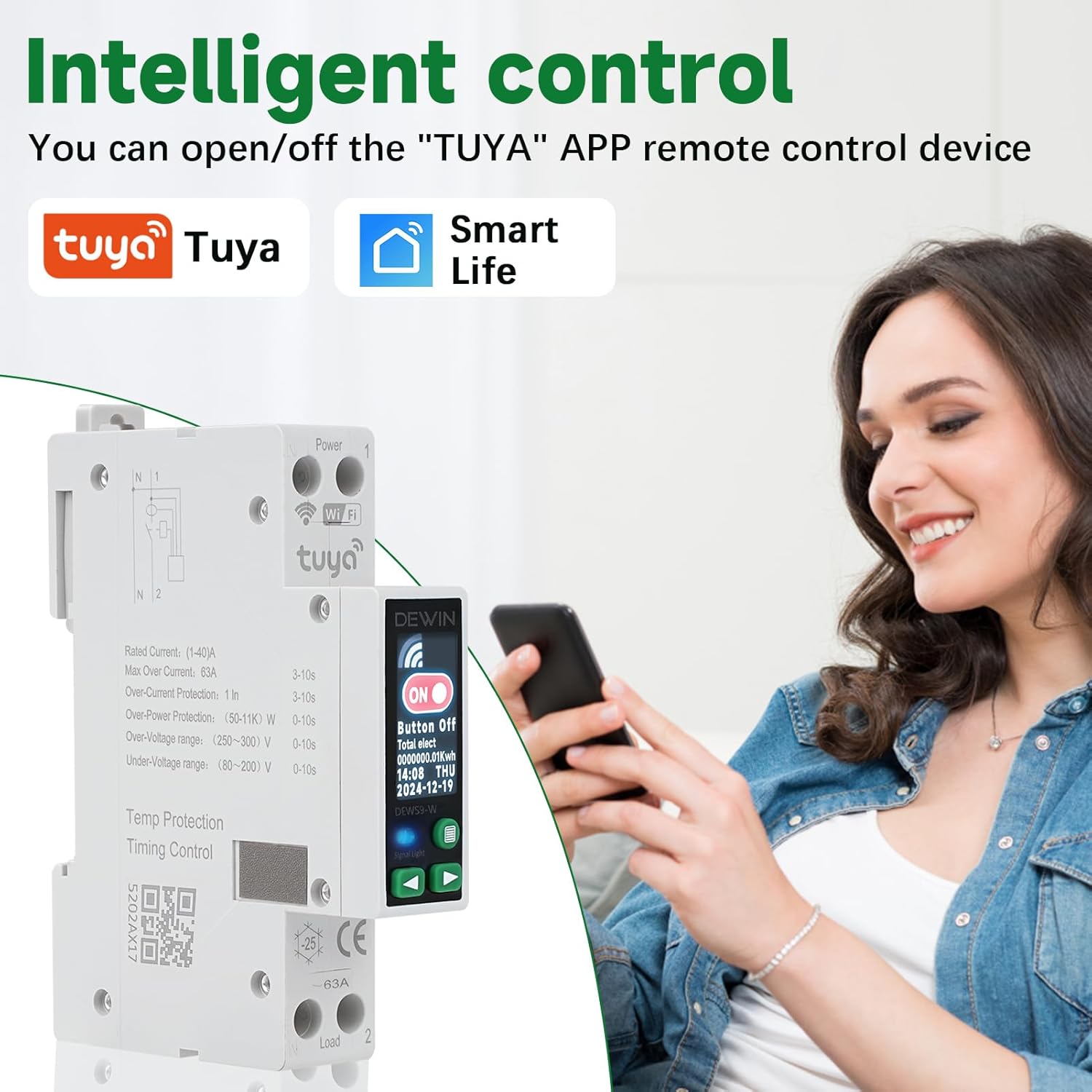
Image 5.1: The circuit breaker supports intelligent control through both Tuya and Smart Life applications.
6. Operating Instructions
6.1 Manual Control
- ON/OFF Button: Press the physical button on the front of the device to manually switch the circuit breaker ON or OFF.
- The LCD display will show 'ON' or 'OFF' status.
6.2 Remote Control via App
- Open the Tuya Smart or Smart Life app on your smartphone.
- Select your DEWIN Smart Circuit Breaker from the device list.
- Use the virtual ON/OFF button in the app to remotely control the power supply.
6.3 LCD Display Navigation
The LCD display provides real-time information and status. Use the navigation buttons (left and right arrows) below the screen to cycle through different display modes:
- Default Screen: Shows ON/OFF status, total electricity consumption (KWh), current time, and date.
- Parameter Display: Shows real-time Voltage (U), Current (I), Power (P), and Temperature (T).

Image 6.1: The LCD display cycles through different screens, including ON/OFF status, total electricity, and real-time parameters like voltage, current, power, and temperature.
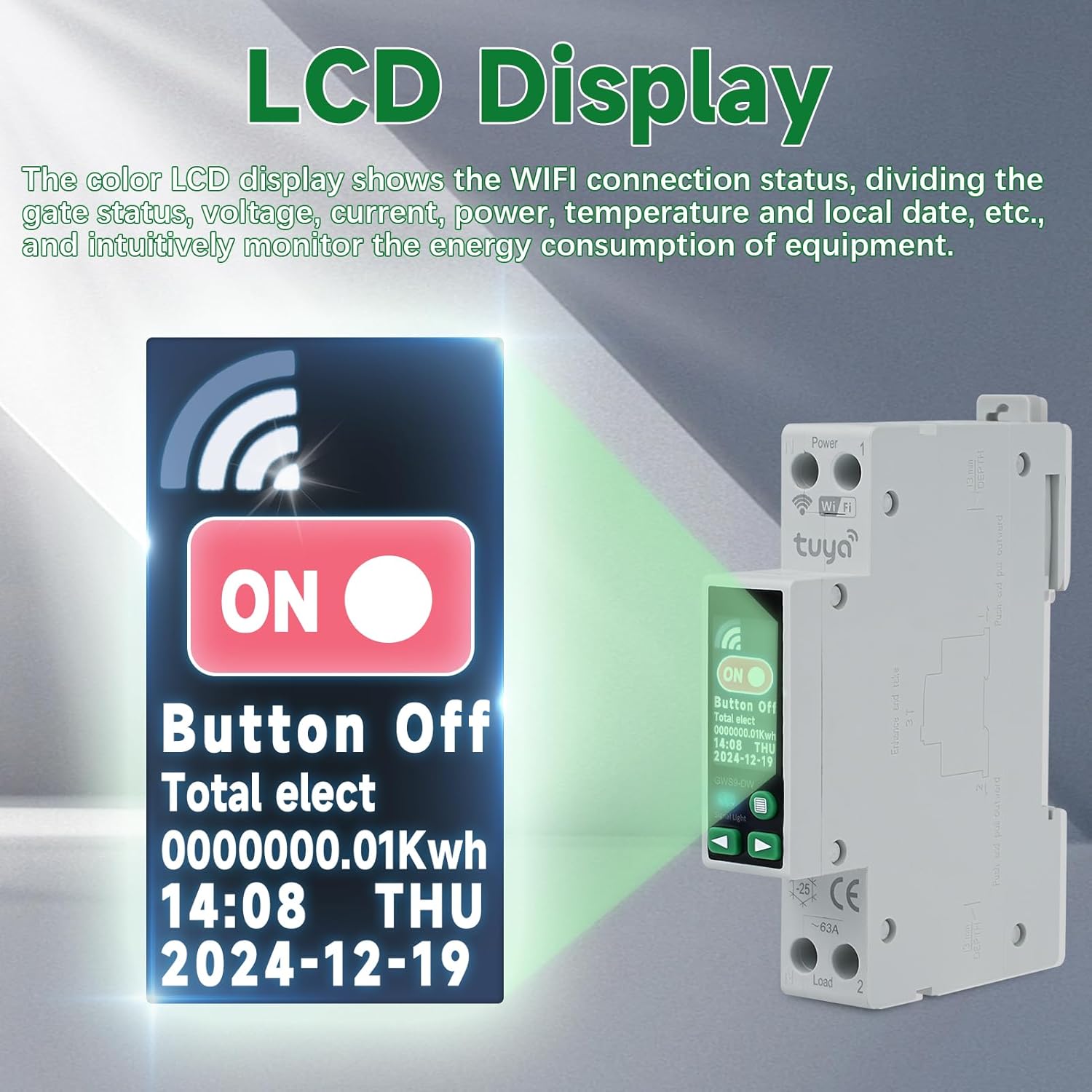
Image 6.2: Detailed view of the LCD display, illustrating its ability to show WiFi connection status, gate status, voltage, current, power, temperature, and local date.
7. Energy Monitoring
The DEWIN Smart Circuit Breaker provides comprehensive energy monitoring features through the Tuya Smart / Smart Life app:
- Real-time Data: View live current (A), voltage (V), and power (W) consumption of the connected load.
- Historical Data: Access detailed electricity consumption records by year, month, day, and hour. This allows for analysis of energy usage patterns.
- Cost Analysis: Some app versions may allow setting electricity tariffs to estimate energy costs.

Image 7.1: The Tuya app interface demonstrating real-time monitoring and recording of power consumption over various periods (day, month, year).
8. Protection Features
The device is equipped with multiple safety protections to safeguard your electrical system and appliances:
- Overvoltage Protection: Automatically trips if the voltage exceeds the set threshold (default: 280V, adjustable 250-300V).
- Undervoltage Protection: Automatically trips if the voltage drops below the set threshold (default: 165V, adjustable 80-200V).
- Overload Protection: Trips if the current exceeds the set limit (default: 50A, adjustable 1-63A).
- Overcurrent Protection: Similar to overload, protects against excessive current flow.
- Over-temperature Protection: Shuts off if the internal temperature exceeds the set limit (default: 80°C, adjustable 0-120°C).
- Over-power Protection: Disconnects if the power consumption exceeds the set limit (default: closed, adjustable 50W-11kW).
The blue LED indicator on the device provides a quick visual status:
- Blue light is ON: Closed state (power is supplied).
- No blue light: Open state (power is disconnected).

Image 8.1: The blue LED indicator provides clear state observation, showing whether the circuit is closed or open.
9. Maintenance
To ensure optimal performance and longevity of your DEWIN Smart Circuit Breaker, follow these maintenance guidelines:
- Regular Inspection: Periodically check the device for any visible damage, loose connections, or signs of overheating.
- Cleaning: Gently wipe the device with a dry, soft cloth. Do not use abrasive cleaners or solvents. Ensure the device is powered off before cleaning.
- Firmware Updates: Check the Tuya Smart / Smart Life app for any available firmware updates for the device to ensure you have the latest features and security patches.
- Environmental Conditions: Ensure the operating environment remains within the specified temperature and humidity ranges.
10. Troubleshooting
- Device not powering on: Check main power supply. Ensure wiring connections are correct and secure.
- WiFi indicator not blinking for pairing: Press and hold the physical button on the device for 5-10 seconds to enter pairing mode.
- Unable to connect to app: Ensure your Wi-Fi network is 2.4GHz. Check Wi-Fi signal strength. Restart your router and the circuit breaker.
- Device trips frequently: Check for overcurrent, overvoltage, or undervoltage conditions in your electrical system. Verify that the load connected does not exceed the device's rated current. Review protection settings in the app.
- Inaccurate energy readings: Ensure the device is correctly wired and calibrated (if calibration options are available in the app).
11. Specifications
| Parameter | Value |
|---|---|
| Brand | DEWIN |
| Model Number | QCDYXYBXI-DEW9904802ZQ |
| Material | ABS |
| Rated Voltage Range | 90-240 V |
| Number of Poles | 1P+N (Neutral cannot be opened or closed) |
| Rated Current | 1-40 A (Adjustable) |
| Maximum Overload Current | 63 A (3-10s) |
| Communication Method | Tuya WLAN (Wi-Fi) |
| Operating Temperature | -25 °C to 70 °C |
| Short-circuit Resistance | 500 A |
| Electrical Life | ≥ 10,000 cycles |
| Mechanical Life | ≥ 100,000 cycles |
| Closing Time | < 20 ms |
| Opening Time | < 20 ms |
| Overvoltage Protection | 250-300 V (Default: 280 V) |
| Undervoltage Protection | 80-200 V (Default: 165 V) |
| Overload Protection | 1-63 A (Default: 50 A) |
| Over-temperature Protection | 0-120 °C (Default: 80 °C) |
| Over-power Protection | 50 W-11 kW (Default: Closed) |
| Product Dimensions (L x W x H) | 6.9 x 1.8 x 9.9 cm |
| Item Weight | 110 grams |

Image 11.1: Visual representation of product dimensions and a summary of key specifications.
12. Warranty and Support
DEWIN products are manufactured to high-quality standards. For warranty information, technical support, or service inquiries, please refer to the contact information provided with your purchase or visit the official DEWIN website. Please retain your proof of purchase for warranty claims.
- Online Support: Visit the DEWIN official website for FAQs, troubleshooting guides, and contact forms.
- Customer Service: Contact DEWIN customer service for direct assistance.