
Introduction
Thank you for choosing the INFURTURE USB C Wired Headphones. This manual provides essential information for the proper setup, operation, and maintenance of your new headphones. Please read it thoroughly before use to ensure optimal performance and longevity of the product.
Product Overview and Components
The INFURTURE BH118AB headphones are designed for clear audio and convenient communication, featuring a USB-C connection for broad compatibility with modern devices. Key components include:
- Over-Ear/On-Ear Design: Comfortable earcups for extended listening.
- USB-C Connector: Direct plug-and-play connection to compatible devices.
- In-line Control Unit: Integrated buttons for volume adjustment, play/pause, and microphone control.
- Integrated Microphone: For hands-free calls and voice commands.
- Foldable Design: For easy storage and portability.
- Braided Cable: Durable and tangle-resistant.
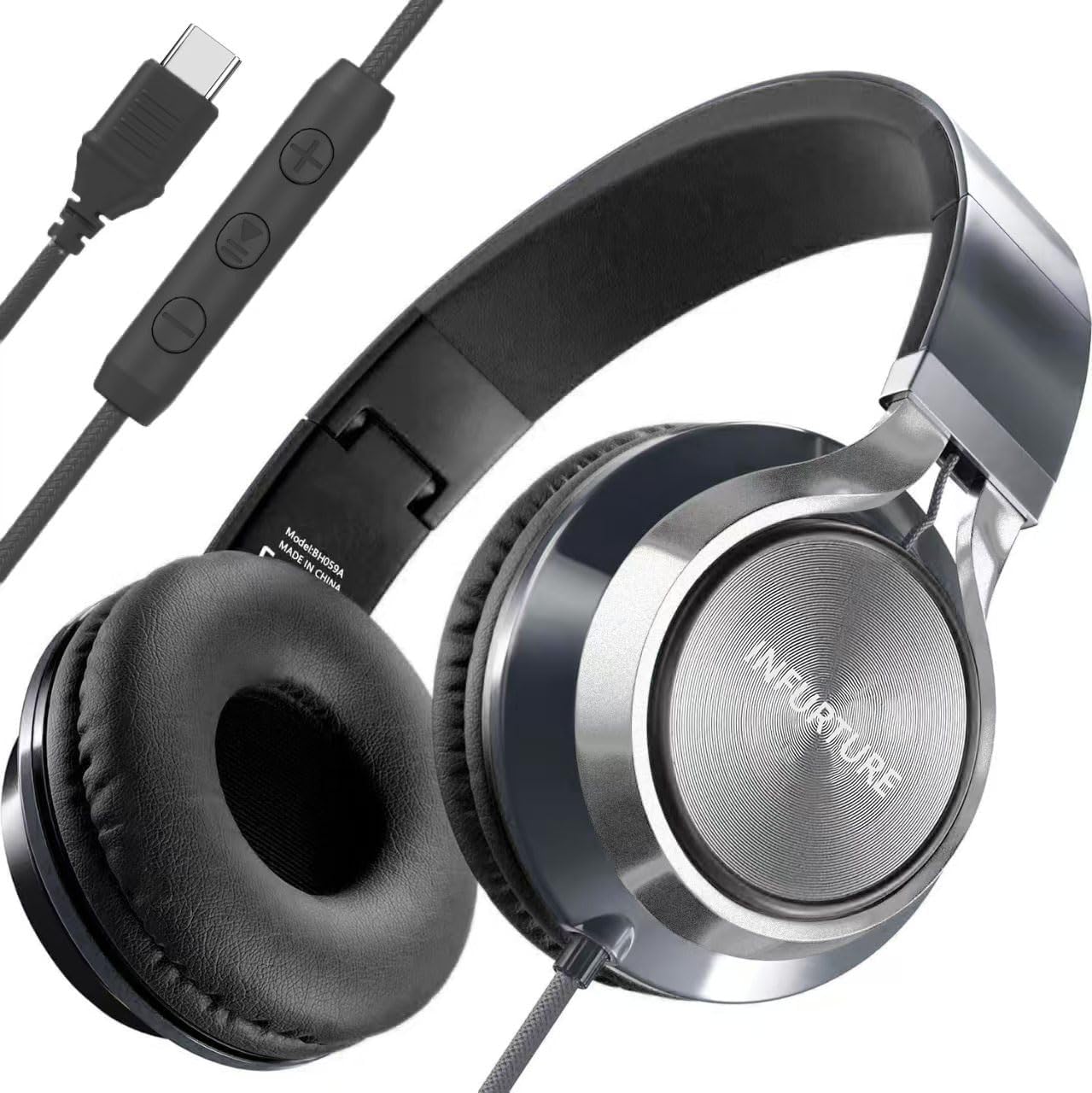
Image: INFURTURE USB C Wired Headphones showing the main unit, in-line control, and USB-C connector.

Image: Detailed view of the in-line control unit, highlighting the volume up, play/pause, and volume down buttons, along with the USB-C connector. The braided cable is also visible.
Setup
- Identify USB-C Port: Locate the USB-C port on your smartphone, tablet, or other compatible device.
- Connect Headphones: Insert the USB-C connector of the headphones firmly into the device's USB-C port.
- Device Recognition: Your device should automatically recognize the headphones. No additional drivers or software installation is typically required.
- Compatibility Note: These headphones are designed for devices with a USB-C audio output. They are not compatible with traditional 3.5mm headphone jacks, 6.35mm jacks, or Lightning interfaces. Ensure your device has a USB-C port for audio output.

Image: The headphones connected to a smartphone and a tablet, demonstrating their broad compatibility with USB-C enabled devices.
Operating Instructions
The in-line control unit provides convenient access to audio and call functions:
- Volume Up (+): Press to increase audio volume.
- Volume Down (-): Press to decrease audio volume.
- Play/Pause (Middle Button):
- Single press: Play or pause audio playback.
- Double press: Skip to the next track.
- Triple press: Go back to the previous track.
- Call Management (Middle Button):
- Single press: Answer an incoming call or end an active call.
- Press and hold: Reject an incoming call.
- Microphone: The integrated microphone is automatically active when connected, enabling hands-free communication during calls or for voice recording.

Image: A user wearing the headphones, demonstrating their use for enjoying audio in a public setting.
Maintenance
- Cleaning: Use a soft, dry cloth to clean the earcups and headband. Avoid using harsh chemicals or abrasive materials.
- Storage: When not in use, fold the headphones to their compact size for easy storage. Store them in a clean, dry place away from extreme temperatures and direct sunlight.
- Cable Care: The braided cable is designed to be tangle-resistant. Avoid excessive pulling or sharp bends to prevent damage.

Image: The headphones folded and placed inside a bag alongside a tablet, showcasing their portable and space-saving design.
Troubleshooting
| Problem | Possible Solution |
|---|---|
| No sound from headphones. |
|
| Microphone not working. |
|
| In-line controls are unresponsive. |
|
Specifications
| Feature | Detail |
|---|---|
| Model Number | BH118AB |
| Connectivity Technology | Wired (USB-C) |
| Headphone Jack | USB C |
| Form Factor | Over-ear |
| Ear Placement | On-ear |
| Impedance | 32 Ohm |
| Noise Control | Sound Isolation |
| Microphone | Included |
| Control Method | Button (In-line) |
| Foldable | Yes |
| Weight | 240 grams |
| Dimensions (Package) | 14 x 13.4 x 8.5 cm |
| Compatible Devices | Smartphones, Tablets with USB-C audio output |
| Color | Black |
Warranty and Support
INFURTURE provides a 365-day warranty for these headphones, covering manufacturing defects and ensuring customer satisfaction. If you encounter any issues or require assistance, please contact INFURTURE customer support through the retailer's platform or the official INFURTURE website.
For further support, please visit the INFURTURE Store on Amazon.