
Syantek BHC1816U-2RF
Syantek Outdoor Remote Control Outlet User Manual
Model: BHC1816U-2RF
Introduction
Thank you for choosing the Syantek Outdoor Remote Control Outlet. This device provides a convenient and safe way to control your outdoor electrical appliances, such as lights, pumps, and decorations, from a distance. Its robust, weatherproof design ensures reliable operation in various outdoor conditions. Please read this manual thoroughly before use to ensure proper installation and operation.

Image: The Syantek Outdoor Remote Control Outlet seamlessly integrated into various outdoor environments, demonstrating its versatility for controlling different electrical devices like string lights, garden sprinklers, and patio illumination.
Safety Information
- Electrical Safety: Always ensure the outlet is properly grounded. Do not overload the outlet beyond its rated capacity (15 Amps, 120 Volts).
- Waterproof Rating: The product has an IP56 international protection rating, meaning it is protected against dust ingress and powerful water jets. However, do not fully immerse the unit in water and avoid direct water streams from high-pressure sources.
- Temperature Range: Operate the device within the specified temperature range of 30°F to 100°F (-1°C to 38°C).
- Placement: Install the outlet in a location where it is protected from physical damage and excessive exposure to direct sunlight or extreme weather conditions.
- Maintenance: Disconnect power before cleaning or performing any maintenance.

Image: The Syantek Outdoor Remote Control Outlet demonstrating its waterproof capabilities under rainfall, with an important caution against full immersion or direct high-pressure water streams.
Package Contents
Please check the package for the following items:
- 1 x Syantek Outdoor Remote Control Outlet
- 1 x Remote Control
- 1 x 23A Battery (for remote control)
Product Overview
The Syantek Outdoor Remote Control Outlet consists of two main components: the outdoor outlet unit and the remote control.
Outdoor Outlet Unit:
- Power Plug: Connects to a standard 120V AC power source.
- Two Grounded Outlets: Labeled "1" and "2", allowing independent control of two devices.
- Program Button: Used for pairing the remote control.
- Protective Covers: Spring-loaded covers for each outlet to protect against elements when not in use.
Remote Control:
- ON/OFF Buttons: Individual buttons for Outlet 1 (labeled "1") and Outlet 2 (labeled "2").
- ALL ON/ALL OFF Buttons: Control both outlets simultaneously.
- Battery Compartment: Located on the back for the 23A battery.

Image: A clear view of the Syantek Outdoor Remote Control Outlet unit with its two covered outlets and the accompanying remote control, highlighting the individual and master control buttons.
Setup
- Install Remote Battery:
Open the battery compartment on the back of the remote control. Insert the included 23A 12V battery, ensuring the correct polarity (+/-). Close the compartment.
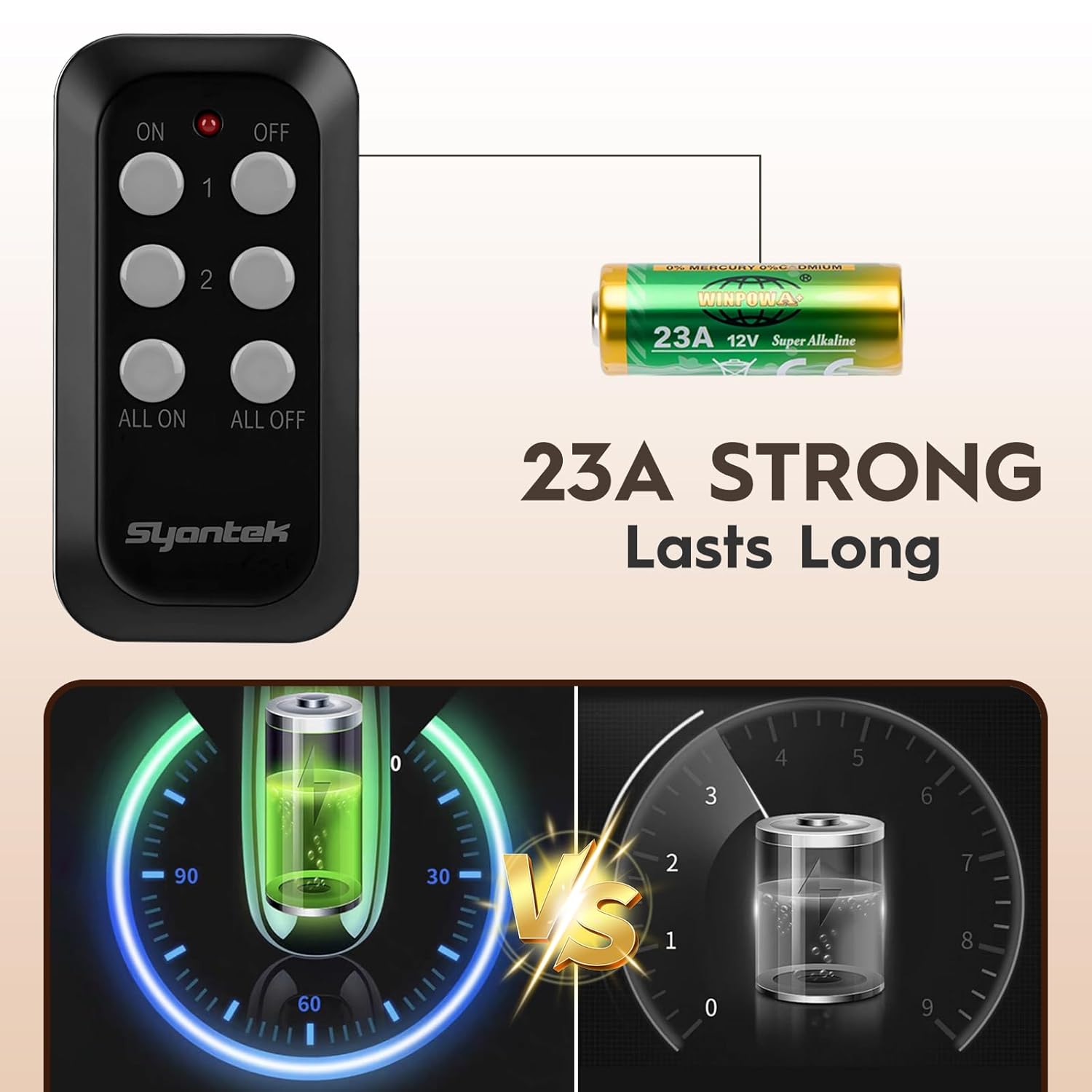
Image: Illustration of the 23A 12V battery required for the remote control, emphasizing its compact size and long-lasting performance.
- Plug in the Outdoor Outlet:
Plug the Syantek Outdoor Remote Control Outlet into a standard 120V grounded outdoor power receptacle. Ensure the receptacle is protected from direct water exposure.
- Pairing (Pre-paired from factory):
The remote control and outlet unit are typically pre-paired at the factory. If pairing is lost or you wish to re-pair, follow these steps:
- Plug in the outdoor outlet unit.
- Press and hold the "Program" button on the outdoor outlet unit for approximately 3 seconds until the indicator light flashes.
- Within 5 seconds, press any "ON" button (e.g., "1 ON" or "ALL ON") on the remote control. The indicator light on the outlet will stop flashing, indicating successful pairing.
- Connect Devices:
Plug your outdoor appliances (e.g., lights, pumps) into the two grounded outlets on the Syantek unit. Ensure the protective covers are closed over unused outlets.
Operation
The remote control uses a strong RF signal, allowing you to control connected devices from a distance of up to 100 feet, even through walls.
- Controlling Individual Outlets:
Press the "1 ON" button to turn on the device connected to Outlet 1. Press the "1 OFF" button to turn it off.
Press the "2 ON" button to turn on the device connected to Outlet 2. Press the "2 OFF" button to turn it off.
- Controlling Both Outlets:
Press the "ALL ON" button to turn on devices connected to both Outlet 1 and Outlet 2 simultaneously.
Press the "ALL OFF" button to turn off devices connected to both Outlet 1 and Outlet 2 simultaneously.

Image: A user operating the Syantek Outdoor Remote Control Outlet from indoors, illustrating the strong RF signal's ability to penetrate walls and control outdoor devices.

Image: Two comparative scenes demonstrating the reliable and stable RF signal of the Syantek remote, allowing control of the outdoor outlet from various distances and through obstacles.
Maintenance
- Cleaning: Disconnect the unit from power before cleaning. Wipe the exterior with a damp cloth. Do not use harsh chemicals or abrasive cleaners.
- Battery Replacement: If the remote control's range decreases or it becomes unresponsive, replace the 23A 12V battery.
- Storage: If storing the unit for an extended period, disconnect it from power and store it in a dry, cool place.
- Outlet Covers: Ensure the protective covers over the outlets are always closed when not in use to prevent water and debris ingress.
Troubleshooting
| Problem | Possible Cause | Solution |
|---|---|---|
| Outlet not responding to remote. |
|
|
| Connected device not turning on. |
|
|
| Remote range is reduced. |
|
|
Specifications
| Feature | Detail |
|---|---|
| Brand | Syantek |
| Model Number | BHC1816U-2RF |
| Operation Mode | ON-OFF |
| Current Rating | 15 Amps |
| Operating Voltage | 120 Volts |
| Contact Type | Normally Closed |
| Connector Type | Plug In |
| Terminal | Screw |
| Item Dimensions (L x W x H) | 12.5 x 4.5 x 16.5 Centimeters (4.92 x 1.77 x 6.5 Inches) |
| Circuit Type | 2-way |
| Contact Material | Brass |
| International Protection Rating | IP56 |
| Number of Positions | 2 |
| Lower Temperature Rating | 30 Degrees Fahrenheit (-1°C) |
| Upper Temperature Rating | 100 Degrees Fahrenheit (38°C) |
| Color | Black |
| Item Weight | 281 g |
| Included Components | Remote control |
| Batteries Included | Yes (for remote) |

Image: A detailed diagram illustrating the physical dimensions of both the Syantek Outdoor Remote Control Outlet unit and its accompanying remote control.
Warranty and Support
Syantek products are designed for reliability and performance. For information regarding warranty coverage, technical support, or customer service, please refer to the contact information provided on the product packaging or visit the official Syantek website. Please retain your purchase receipt for warranty claims.
Ask a question about this manual
Ask about setup, troubleshooting, compatibility, parts, safety, or missing instructions. Manuals+ will review the question and use this page’s manual context to help answer it.