
1. Introduction
This user manual provides detailed instructions for the setup, operation, and maintenance of your COCOCAM 4G Portable Magnetic Cellular Security Camera, Model ZY-G1. Please read this manual thoroughly before using the product to ensure proper functionality and safety.

Image: The COCOCAM 4G Portable Magnetic Cellular Security Camera, showcasing its compact design and magnetic base.
2. What's in the Box
Verify that all components are present in the package:
- Security Camera × 1
- Camera Stand × 1
- Round Film × 2
- Round Iron Sheet × 1
- USB Charging Cable × 1
- Cleaning Tool × 1
- Instruction Manual × 1 (This document)

Image: Front view of the COCOCAM security camera packaging box, indicating key features.
3. Product Overview
The COCOCAM 4G Portable Magnetic Cellular Security Camera is designed for versatile indoor and outdoor surveillance without the need for Wi-Fi. It features 2K resolution, 300° pan capability, and a long-lasting 10,000mAh battery.
Key Features:
- 4G LTE Connectivity: Built-in Nano-SIM for reliable connection anywhere.
- 2K Resolution: Provides clear and detailed video footage.
- 300° Pan: Offers a wide field of view for comprehensive monitoring.
- 10,000mAh Battery: Ensures extended operation with approximately 4000-5000 triggers per full charge.
- PIR & AI Human Detection: Advanced motion detection to reduce false alarms.
- Color Night Vision: Clear visibility up to 20 meters (white light) and 25 meters (infrared) in low-light conditions.
- IP66 Waterproof: Durable design suitable for outdoor use in various weather conditions.
- Two-Way Audio: Communicate through the camera using the mobile app.
- Flexible Storage: Supports local TF card storage (up to 128GB) and cloud storage options.
4. Setup
4.1 SIM Card Activation
The camera comes with a built-in Nano-SIM card. This SIM card supports a 7-day free unlimited data trial. For continued use, data packages are available (e.g., 30 days/$15.99, 90 days/$43.99, 360 days/$159.99). It is recommended to use the provided SIM card for optimal performance.
4.2 App Installation
Download the 'CloudEdge' app from your smartphone's app store (compatible with Android and iOS devices). Follow the on-screen instructions to create an account and log in.
4.3 Initial Pairing
- Ensure your camera is charged.
- Open the CloudEdge app and tap 'Add Device' or the '+' icon.
- Select the appropriate camera model from the list.
- Follow the in-app instructions to connect the camera to your account. This typically involves scanning a QR code on the camera or pressing a reset button.
5. Installation
The COCOCAM camera offers multiple flexible installation options:

Image: Demonstrating the magnetic attachment of the camera to its wall mount for portable installation.
5.1 Magnetic Mounting
The camera features a strong magnetic base for quick and easy attachment to metal surfaces. This method requires no drilling or cables, making it ideal for temporary or mobile setups.
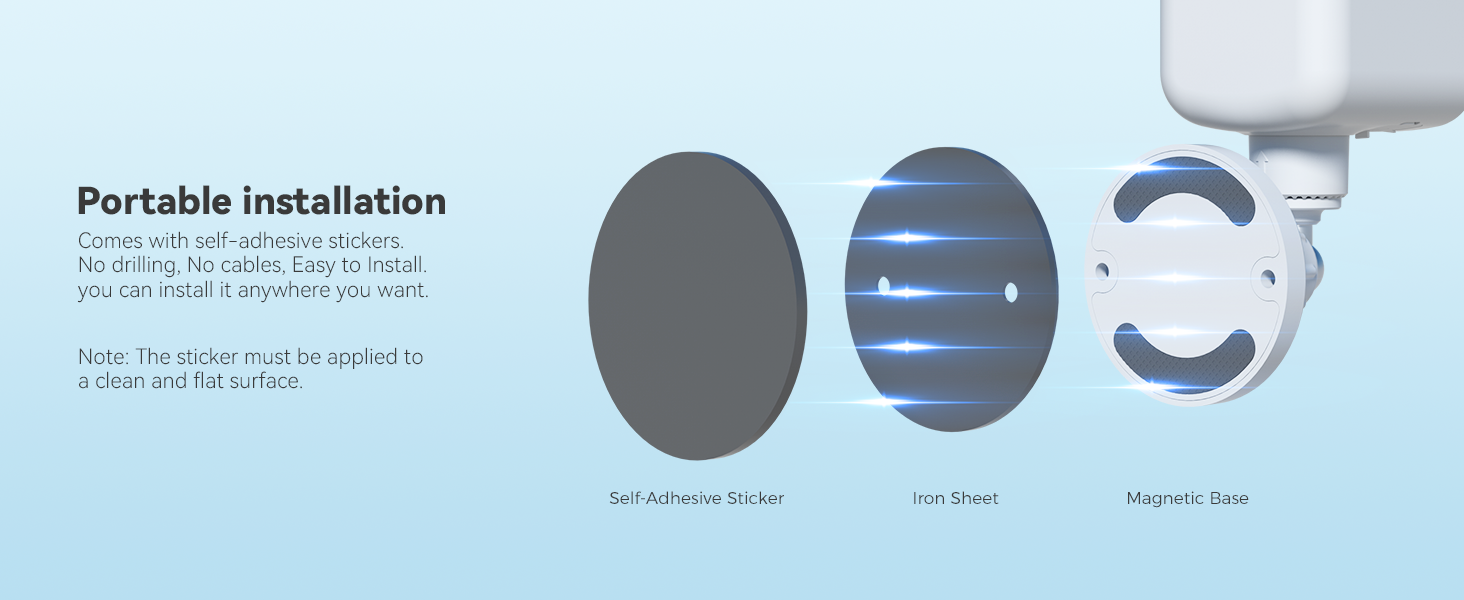
Image: Diagram illustrating the components for portable installation: self-adhesive sticker, iron sheet, and magnetic base.
5.2 Adhesive Mounting
For non-magnetic surfaces, use the included circular adhesive sticker. Ensure the surface is clean and flat before applying the sticker to the desired location, then attach the camera's magnetic base to the iron sheet on the sticker.

Image: Visual guide for suitable (pasteable) and unsuitable (non-pasteable) wall surfaces for adhesive mounting.
5.3 Drilling Mounting
For a more permanent installation, the camera stand can be securely mounted using screws. Mark the desired drilling points, drill pilot holes, insert wall anchors (if necessary), and then fasten the stand with screws.
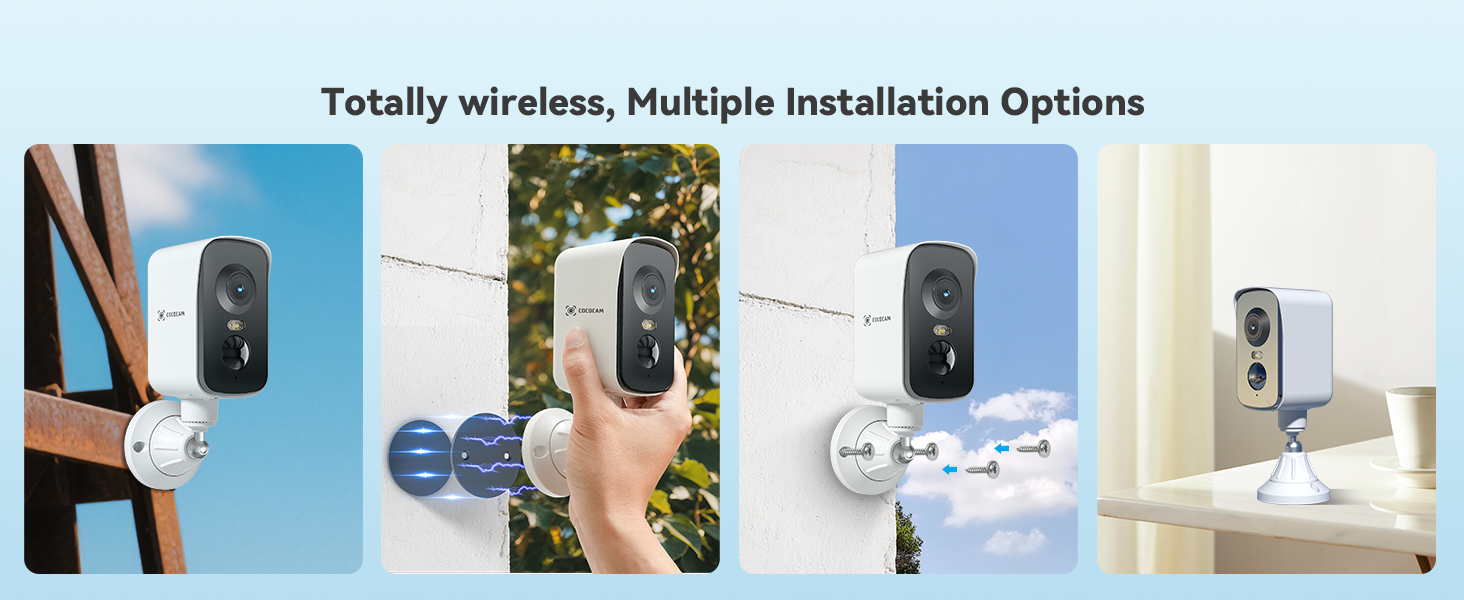
Image: Various installation options including pole mounting, magnetic attachment, screw-in, and tabletop placement.
5.4 Placement Considerations
This camera is ideal for mobile or temporary monitoring in environments such as RVs, campsites, temporary construction sites, ranches, farms, picnics, and forests. Its 4G connectivity allows placement anywhere without Wi-Fi.

Image: The COCOCAM 4G camera mounted outdoors, illustrating its suitability for various remote locations like construction sites, cruise ships, RVs, and camping areas.

Image: A collage demonstrating the camera's functionality in diverse off-grid environments, including farms, ranches, and campsites, leveraging its 4G network capability.
6. Operation
6.1 Powering On/Off
Refer to the specific button locations on your camera for power control. Typically, a long press of the power button will turn the device on or off.
6.2 Video Monitoring and Pan Control
Access live view and recorded footage through the CloudEdge app. Use the in-app controls to pan the camera 300° horizontally, allowing you to monitor a wide area.
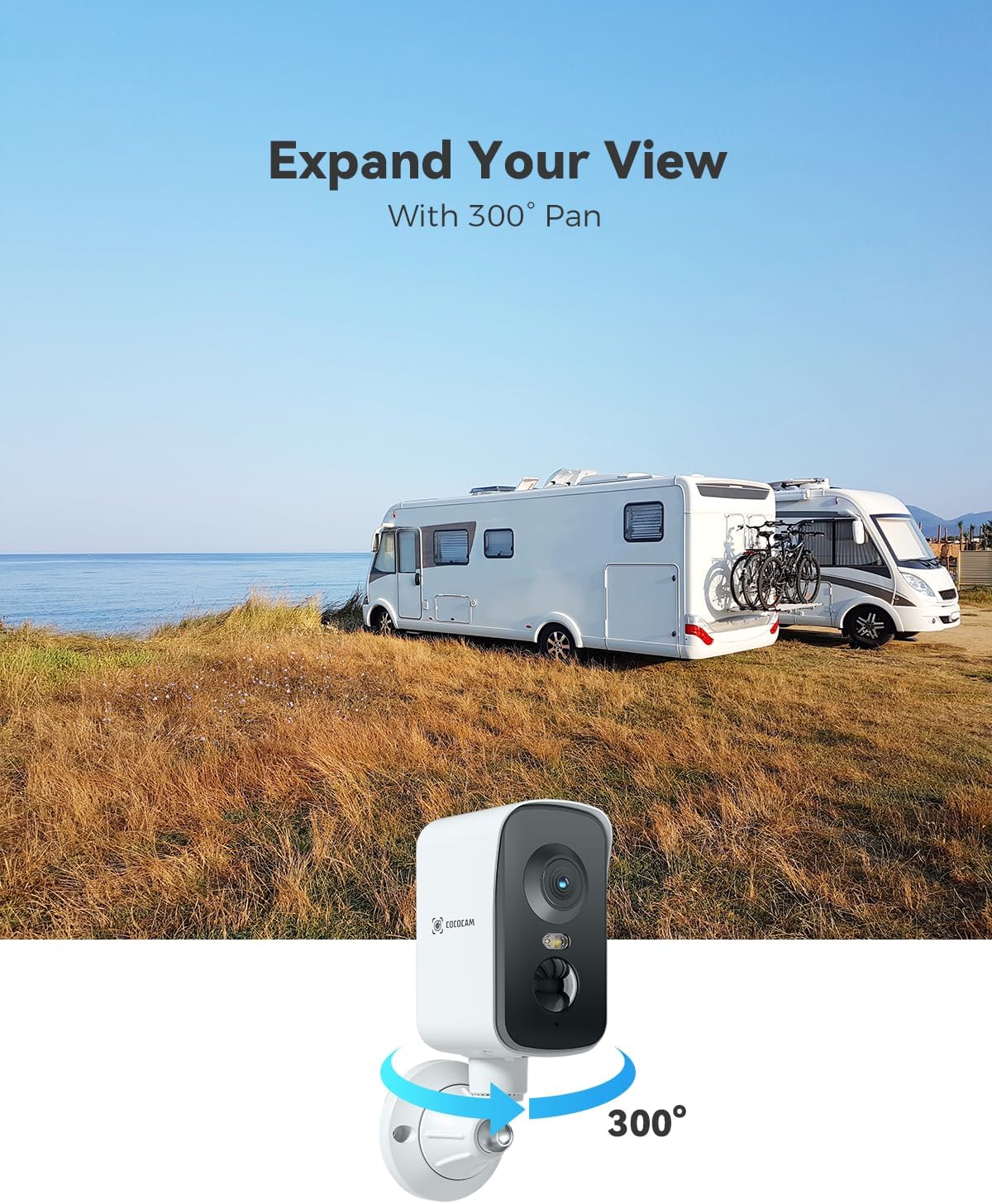
Image: The COCOCAM 4G camera positioned to demonstrate its 300-degree pan capability, providing an expansive view of an RV park.
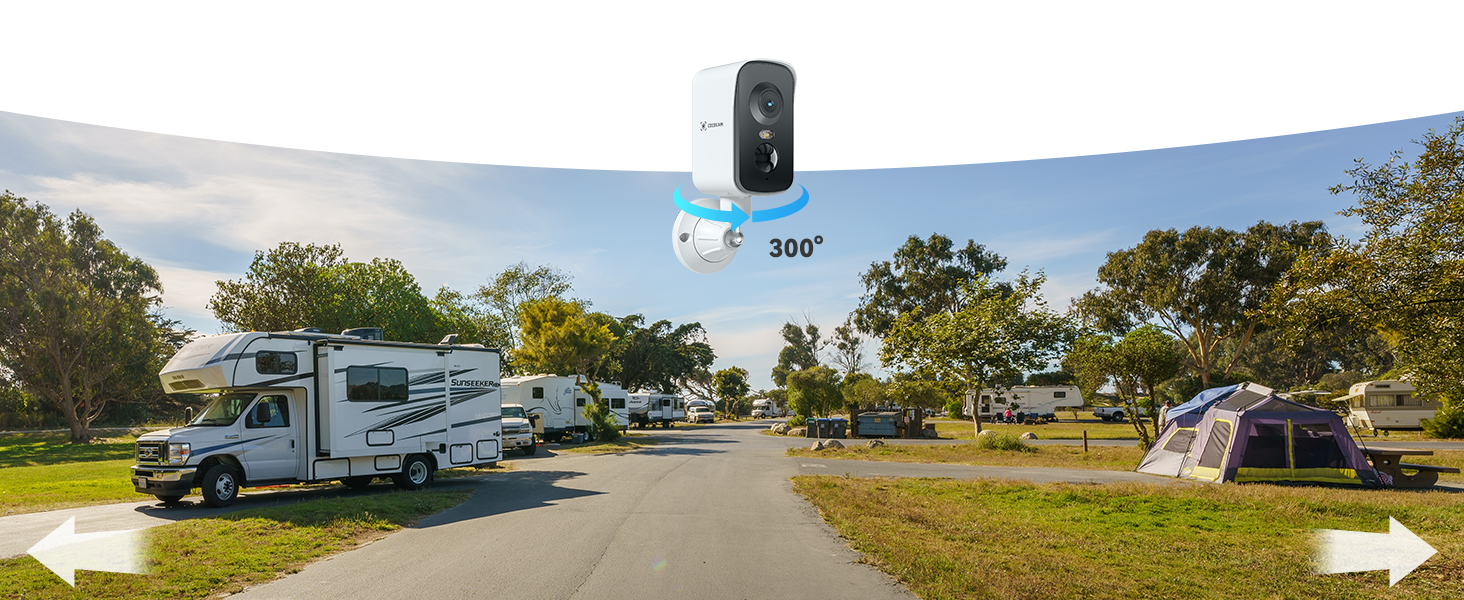
Image: A panoramic view captured by the camera, highlighting its 300-degree pan feature across an RV park.
6.3 Night Vision
The camera supports 2K color night vision, providing clear images even in very low light. White light LEDs enable color vision up to 20 meters, while infrared LEDs provide black and white vision up to 25 meters.

Image: A comparison showing the clear visibility of a campsite during the day and at night, illustrating the effectiveness of 2K color night vision.

Image: A nighttime scene of a campsite, demonstrating the camera's ability to capture clear footage in low-light conditions.
6.4 Detection Features
The camera utilizes PIR (Passive Infrared) and AI Human Detection to accurately identify human movement and minimize false alerts from other sources. You can customize alert zones within the app.

Image: A man walking in a field, with a digital box highlighting him, and a notification indicating an alarm message, demonstrating AI human detection.
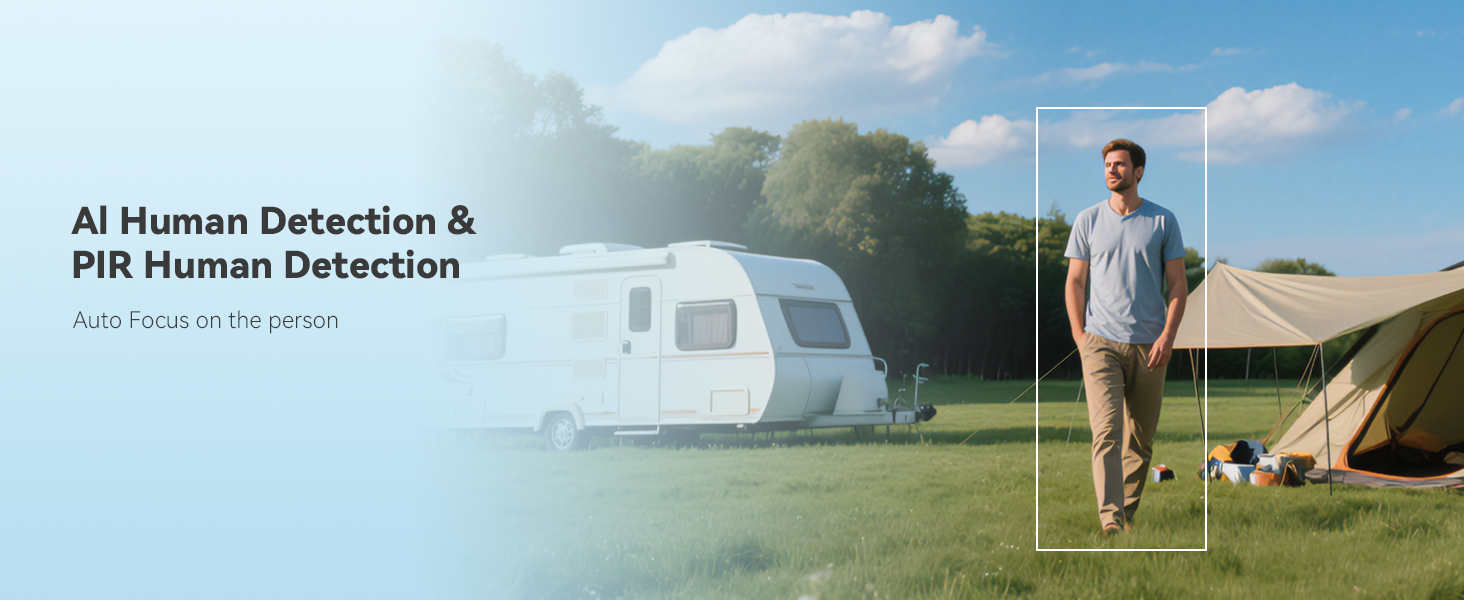
Image: A man walking in a field, with a detection box around him, showcasing the camera's AI Human Detection and PIR Human Detection capabilities.
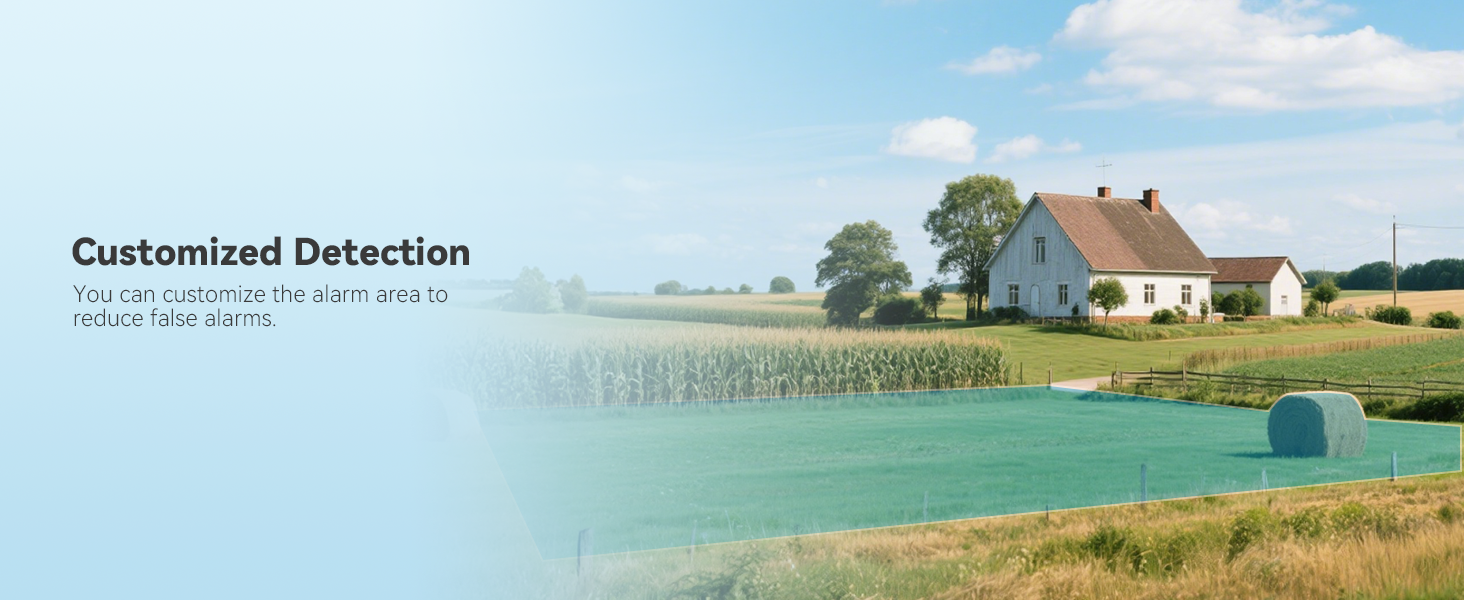
Image: A rural landscape with a green overlay, demonstrating the ability to set customized detection zones to reduce false alarms.
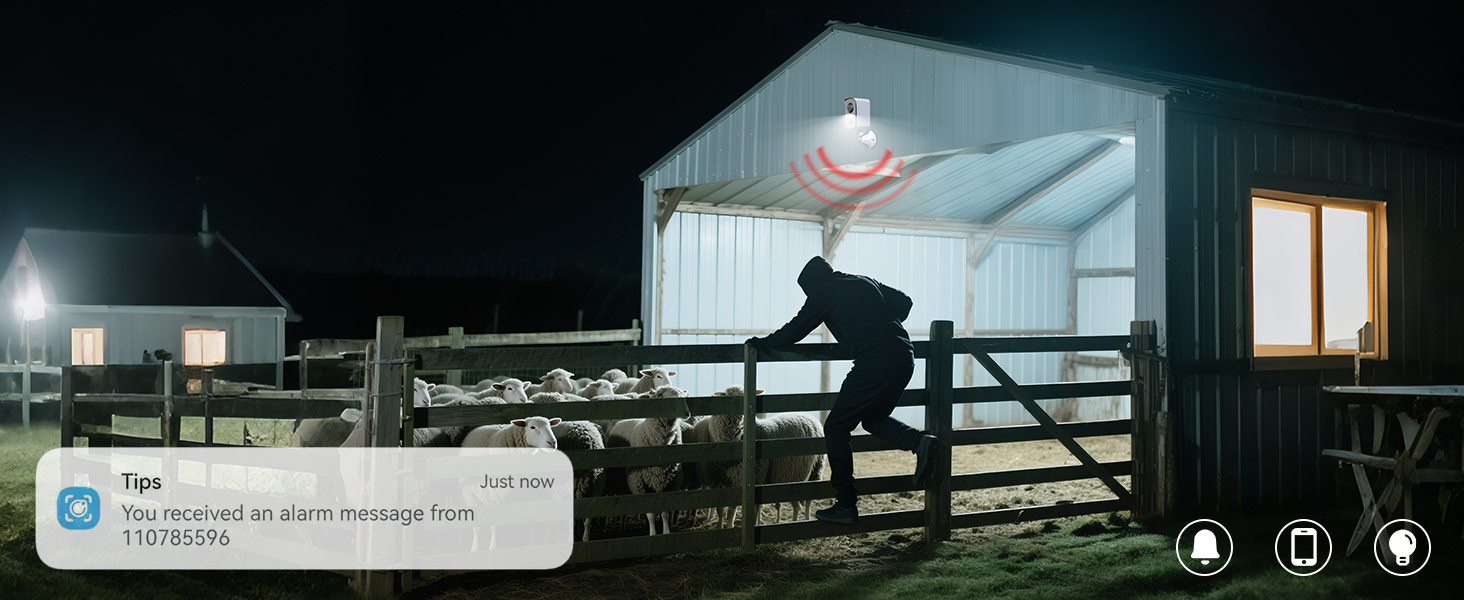
Image: A security camera detecting an intruder at night near a barn, with an alarm notification displayed, illustrating smart alert functionality.
6.5 Two-Way Audio
Utilize the two-way audio feature through the CloudEdge app to communicate with individuals near the camera. This is useful for giving instructions or deterring unwanted visitors.

Image: A man working outdoors, with speech bubbles indicating two-way audio communication, demonstrating the camera's interactive feature.
6.6 Storage Options
Recordings can be stored locally on a TF card (up to 128GB, not included) or via cloud storage (6s and 7 Days Loop Coverage). Ensure the TF card is formatted before first use.
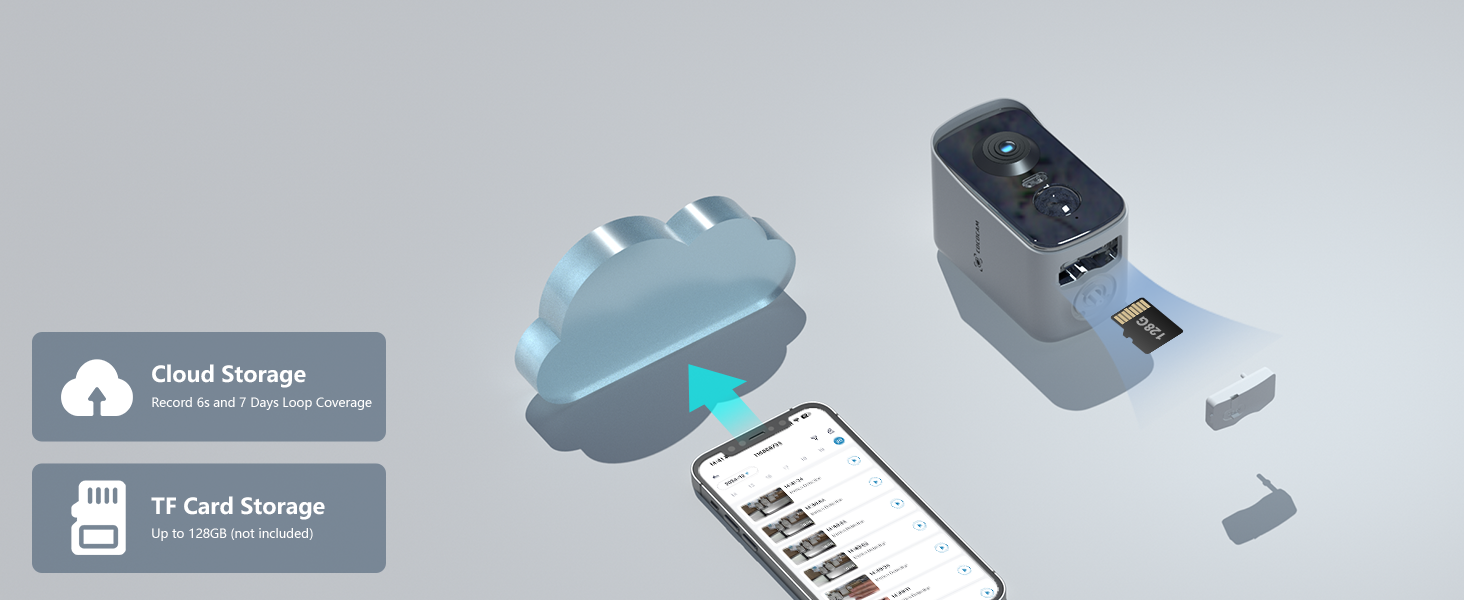
Image: Diagram illustrating the camera's support for both cloud storage and local TF card storage (up to 128GB).
7. Charging and Battery Life
The camera is powered by a robust 10,000mAh rechargeable battery. A full charge can support approximately 4000-5000 triggers, providing long-lasting performance. Use the included USB charging cable to recharge the device.

Image: An exploded view diagram highlighting the internal 10,000mAh battery of the COCOCAM camera.
8. Maintenance
8.1 Cleaning
Use the provided cleaning tool or a soft, dry cloth to gently clean the camera lens and body. Avoid abrasive cleaners or solvents that could damage the device.
8.2 Water Resistance
The camera has an IP66 waterproof rating, meaning it is protected against powerful water jets and dust. It is suitable for outdoor use in rain or other wet conditions, but should not be submerged in water.

Image: The COCOCAM camera mounted on a wall, being sprayed with water, illustrating its IP66 waterproof capability.
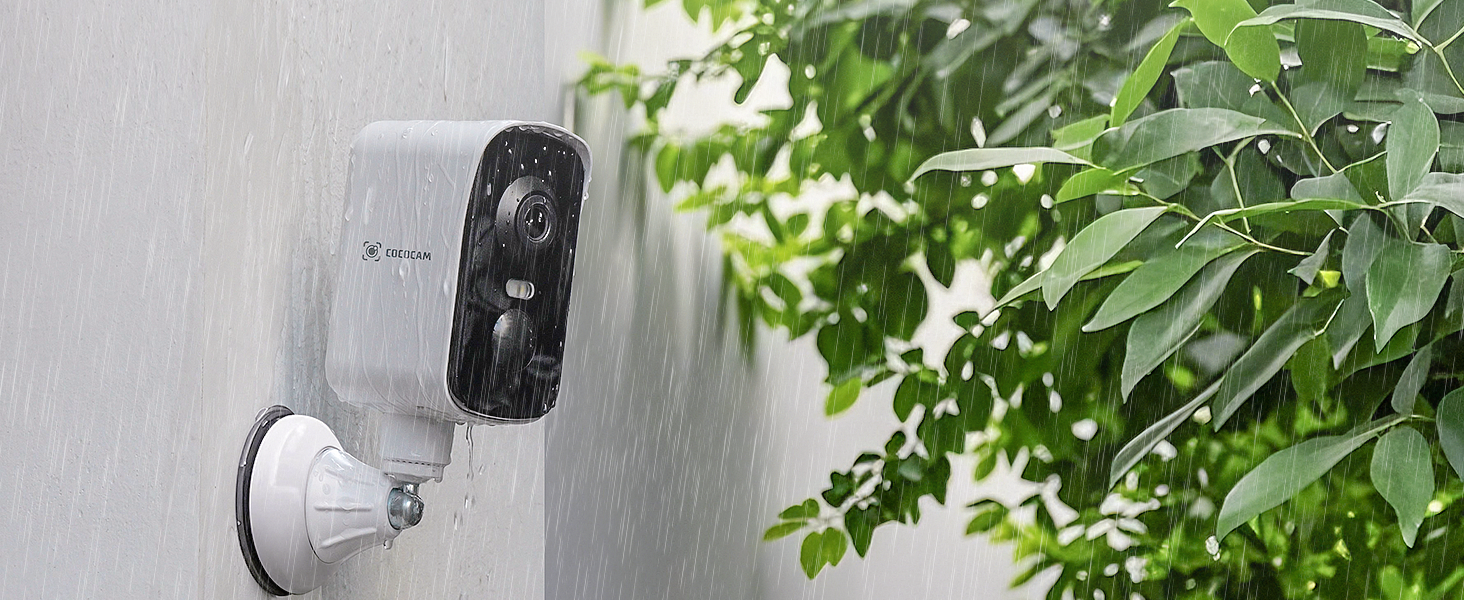
Image: The COCOCAM camera mounted outdoors during rainfall, showcasing its waterproof design for reliable outdoor performance.
8.3 Firmware Updates
Periodically check the CloudEdge app for available firmware updates. Keeping your camera's firmware up-to-date ensures optimal performance, security, and access to new features.
9. Troubleshooting
If you encounter issues with your COCOCAM camera, refer to the following common problems and solutions:
| Problem | Possible Cause | Solution |
|---|---|---|
| Camera not connecting to 4G network | SIM card not activated or insufficient data; Poor signal strength. | Ensure SIM card is active and has data. Move camera to an area with better 4G coverage. Restart the camera. |
| No motion detection alerts | Detection sensitivity too low; Detection zone not set correctly; Battery low. | Adjust sensitivity in the app. Configure detection zones. Recharge the battery. |
| Poor video quality | Dirty lens; Low light conditions; Network congestion. | Clean the camera lens. Ensure adequate lighting for optimal color night vision. Check 4G signal strength. |
| Battery drains quickly | Frequent motion triggers; Continuous live view; Extreme temperatures. | Reduce detection sensitivity or frequency. Limit live view sessions. Avoid extreme temperatures. |
10. Specifications
| Feature | Detail |
|---|---|
| Model Number | ZY-G1 |
| Indoor/Outdoor Usage | Outdoor |
| Connectivity Protocol | Cellular (4G LTE) |
| Video Capture Resolution | 2K |
| Viewing Angle | 300 Degrees (Pan) |
| Battery Capacity | 10000 Milliamp Hours |
| Water Resistance Level | IP66 Waterproof |
| Storage Support | TF Card (up to 128GB), Cloud Storage |
| Detection Type | PIR & AI Human Detection |
| Night Vision | Color Night Vision (20m white light, 25m infrared) |
| Audio | 2-Way Audio |
| Mounting Type | Wall/Tabletop Mount (Magnetic, Adhesive, Screw-in) |
| Material | Acrylonitrile Butadiene Styrene (ABS) |
| Dimensions (L x W x H) | 2.36 x 0.28 x 4.72 inches |
| Item Weight | 0.32 Kilograms (11.3 ounces) |
11. Official Product Video
Watch the official product video for a visual guide on the COCOCAM 4G Portable Magnetic Security Camera's features and applications.
Video: An official overview of the COCOCAM 4G Portable Magnetic Security Camera, highlighting its key features and versatile use cases.
12. Warranty and Support
COCOCAM is committed to providing high-quality products and excellent customer service.
- Lifetime Warranty: The product comes with a lifetime warranty.
- Technical Support: Enjoy 24/7 professional technical support.
- Quick Response: Expect quick responses to your inquiries.
For any questions, concerns, or technical assistance, please contact COCOCAM customer support through the CloudEdge app or visit the official COCOCAM website.

Image: A customer support representative, symbolizing the available technical assistance.


