1. Product Overview
The BOIFUN Outdoor Solar Security Camera, model DQ202, is a high-performance surveillance device designed for outdoor use. It features 5-megapixel ultra-high definition video recording, 360-degree pan-tilt-zoom (PTZ) functionality, and advanced PIR human detection. Powered by a large-capacity battery and an included solar panel, it offers long-term, energy-efficient operation. The camera also supports two-way audio communication and multiple night vision modes, ensuring comprehensive security coverage day and night.


2. Package Contents
Please verify that all items listed below are included in your package:
- Outdoor Security Camera Body
- Solar Panel
- Mounting Stand
- Mounting Screws
- Instruction Manual
3. Setup
3.1 Charging the Battery
Before initial use, it is recommended to fully charge the camera's built-in battery. This can be done via the included USB cable or by exposing the solar panel to direct sunlight. The solar panel will continuously charge the battery, ensuring long-term operation without frequent manual recharging.
3.2 App Installation and Account Creation
To operate the camera, download the dedicated 'Boifun Cam' app from your device's app store. The app is compatible with iOS 9.0+, Android 4.2+, tablets, and supports Alexa integration. Follow the in-app instructions to create an account and add your camera device.

3.3 Camera Placement and Mounting
Choose a location that provides optimal surveillance coverage and sufficient sunlight exposure for the solar panel. Ensure the camera is within range of your 2.4GHz Wi-Fi network for stable connectivity. The camera can be mounted on a wall or other suitable surface using the provided screws and mounting stand.
- Determine the mounting position and fix the stand to the wall using screws.
- Place the camera onto the stand and slide it downwards to secure the main unit.
- Ensure the camera is horizontally pushed into the stand, not just placed.

4. Operating the Camera
4.1 Live View and PTZ Control
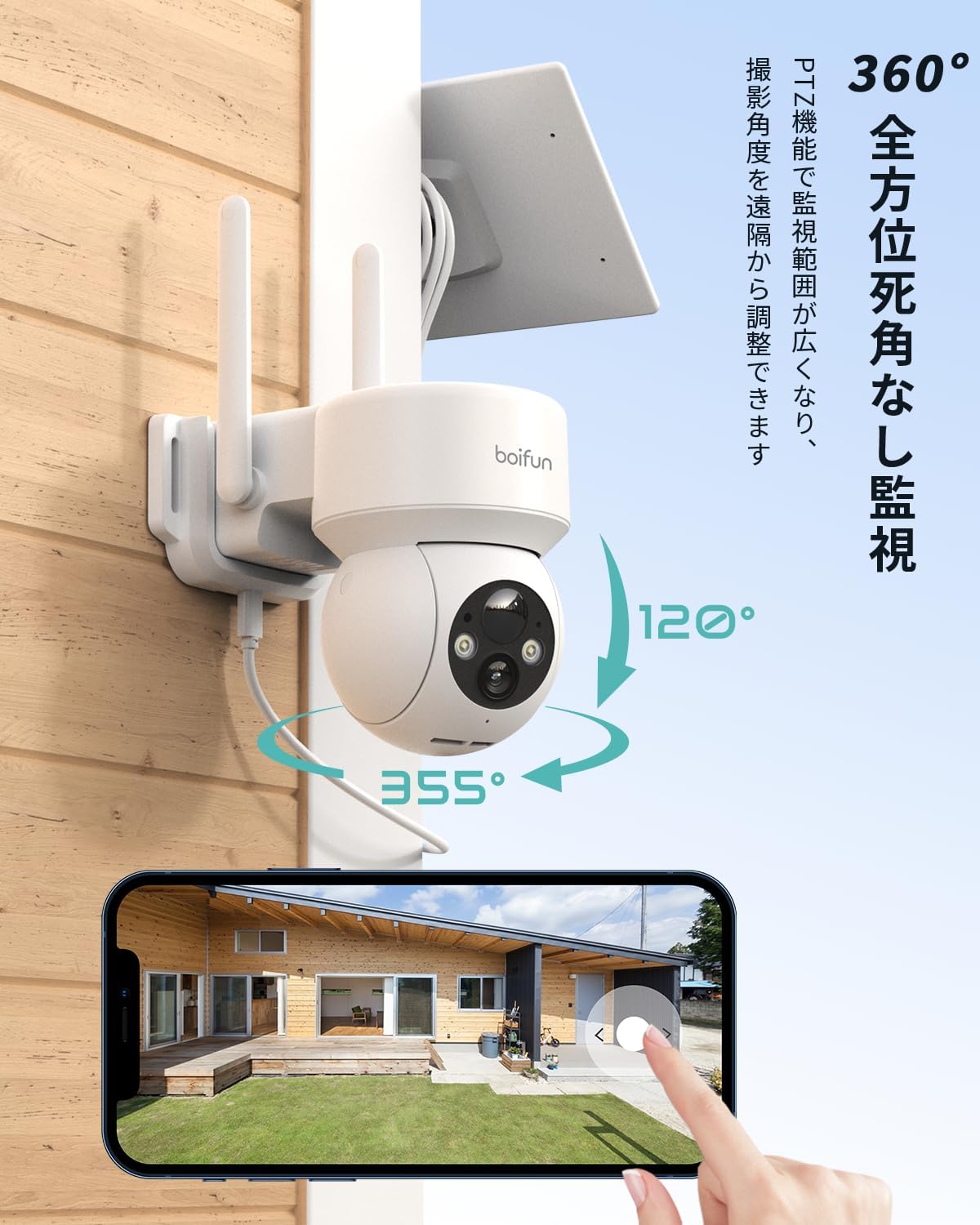
Access the live video feed through the 'Boifun Cam' app. Utilize the PTZ (Pan-Tilt-Zoom) controls within the app to remotely adjust the camera's viewing angle. The camera offers 355° horizontal pan and 120° vertical tilt, combined with a 130° wide-angle lens, providing a 360° panoramic view without blind spots.
4.2 Motion Detection and Alerts
The camera is equipped with a high-precision PIR (Passive Infrared) human detection sensor. When a moving object or person with a temperature difference is detected, the camera will immediately send an alarm notification to your smartphone. You can customize the detection area and sensitivity settings within the app. For enhanced security, the camera can activate a sound and light alarm upon detection to deter intruders.


4.3 Night Vision Modes
The camera offers three night vision modes: black and white, full-color, and smart mode. In smart mode, the camera records in black and white under low light conditions and automatically switches to full-color recording when motion is detected and the spotlight activates, providing clear and vivid images even at night.

4.4 Two-Way Audio
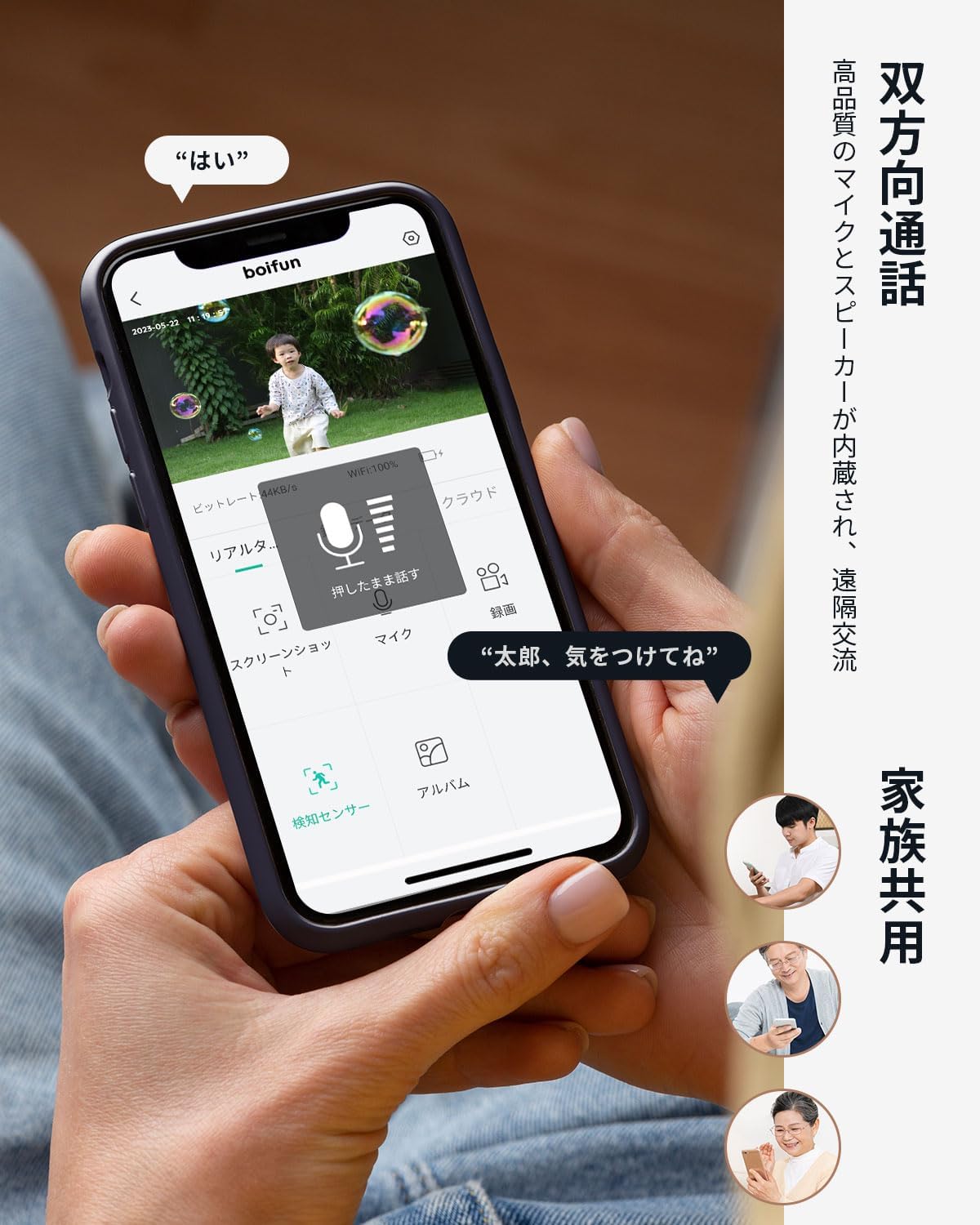
Equipped with a built-in speaker and microphone, the camera supports two-way audio communication. This allows you to speak to visitors, deter intruders, or communicate with family members remotely through the app.
4.5 Recording and Storage
The camera supports local storage via a microSD card (up to 128GB) and cloud storage options. It features an automatic overwrite function, ensuring continuous recording by deleting the oldest footage when the storage is full. This guarantees that recording will not stop due to insufficient space.


4.6 Family Sharing
The 'Boifun Cam' app allows multiple family members to view the camera's live feed simultaneously. This feature enables shared monitoring and ensures that everyone can stay informed about the security of the property, even when away from home.

5. Maintenance
Regular maintenance ensures optimal performance and longevity of your camera.
- Cleaning: Periodically clean the camera lens and solar panel with a soft, damp cloth to remove dust and debris. Avoid using harsh chemicals.
- Battery Check: Monitor the battery level through the 'Boifun Cam' app. If the battery level drops below 10%, a charging notification will be displayed.
- Firmware Updates: Check the app regularly for firmware updates to ensure your camera has the latest features and security enhancements.
6. Troubleshooting
If you encounter issues with your BOIFUN camera, please refer to the following common solutions:
- No Connection: Ensure the camera is within range of a 2.4GHz Wi-Fi network. Check your router and camera's Wi-Fi settings.
- Poor Image Quality: Clean the camera lens. Ensure there are no obstructions in the camera's field of view. Check network stability.
- Motion Detection Issues: Adjust the PIR detection sensitivity and detection area settings in the app. Ensure the camera is positioned correctly to capture relevant motion.
- Battery Not Charging: Ensure the solar panel is clean and receiving direct sunlight. Check the connection between the solar panel and the camera.
For further assistance, please contact customer support.
7. Specifications
| Feature | Specification |
|---|---|
| Product Quantity | 1 |
| Included Components | Stand, Mounting Screws, Instruction Manual, Outdoor Security Camera Body |
| Wireless Communication Technology | Wi-Fi |
| Form Factor | Dome |
| Installation Type | Screw-in |
| Night Vision Range | 15 meters |
| Product Dimensions (LxWxH) | 14 x 10 x 12.5 cm |
| Product Model Number | DQ202 |
| Product Size | 14 x 10 x 12.5 cm; 790 g |
| Label Name | 5MP |
| Laser Class | HD Resolution, PTZ Technology, Built-in Light |
| Battery Included | Yes |
| Battery Type | Lithium Ion |
| Product Weight | 790 g |
| ASIN | B0F13QBYD7 |
| Recommended Use | Outdoor Security |
| Brand | BOIFUN |
| Model Name | DQ202 |
| Connectivity Technology | Wireless |
| Features | HD Resolution, PTZ Technology, Built-in Light |
| Indoor/Outdoor Use | Outdoor |
| Connection Protocol | Wi-Fi |
| Mounting Type | U-shaped bracket, Wall |
| Video Capture Resolution | 1920p |
| Color | White |
8. Warranty and Support
BOIFUN is committed to providing high-quality products and offers a 2-year quality warranty from the date of purchase. The camera has obtained PSE (Electrical Appliance and Material Safety Law) and TELEC (Radio Law) technical standard certifications (Mark Number: 210-166310), ensuring its safety and compliance.
If you have any questions or require assistance, please contact our customer support team:
- Email: admin@boifun.net
- Operating Hours: Monday - Friday, 9:00 AM - 6:00 PM (Japan Standard Time)
In case of initial product defects, a replacement product may be provided. We continuously strive to improve our products and provide the best possible experience for our customers.