
Introduction
Welcome to your PANDAAR T1920 Two-Way Wireless Intercom System. This manual provides detailed instructions for setting up, operating, and maintaining your intercom system. Please read this manual thoroughly before using the product to ensure proper function and safety.
Safety Information
- Keep the device away from water and moisture. This product is not fully waterproof for indoor units.
- Do not attempt to disassemble or repair the unit yourself. Refer all servicing to qualified personnel.
- Use only the provided charging bases and compatible USB cables.
- Operating temperature range: -4°F to 140°F (-20°C to 60°C). Avoid extreme temperatures.
- Keep out of reach of children.
Package Contents
Verify that all items are present in your package:
- 2 x PANDAAR T1920 Indoor Intercom Units
- 2 x Charging Bases
- 2 x USB Charging Cables
- 1 x User Manual (this document)
Product Overview
Familiarize yourself with the components and controls of your intercom unit:

Image: Detailed diagram of the indoor intercom unit, highlighting the speaker, channel selection (ABC), volume button, ringing tone/SET button, on/off/call button, microphone, talk button, Micro-USB port, headphone jack (3.5mm), pilot lamp, and charging dock. Dimensions are also shown: 4.96in height, 2.56in width, 0.98in depth for the unit, and 1.02in height, 3.46in width for the charging dock.
Key Features
- 4900ft Long Range: Stay connected across your property with up to 4900ft (1500m) wireless range in open areas.
- Anti-Interference: Key matching technology reduces signal interference for clear communication.
- IP44 Weather Resistant (Outdoor Unit): If paired with an optional outdoor unit, it is designed for outdoor use with IP44 waterproof protection.
- No WiFi/No Cost: Operates independently, requiring no WiFi or cellular networks.
- 3 Channels: Supports flexible communication with multiple units by setting them to the same A, B, or C channel.
- 20 Ringtones: Choose from a variety of alert sounds.
- 3 Volume Levels: Adjustable sound output to suit different environments.
- 1800mAh Battery: Built-in rechargeable battery provides long-lasting use.
Setup
1. Charging the Intercom Units
Before first use, fully charge both intercom units to ensure optimal performance.
- Connect the USB charging cable to the charging base and then to a standard USB power adapter (not included).
- Place the intercom unit onto the charging base, ensuring it is seated correctly.
- The pilot lamp on the unit will indicate the charging status. A full charge typically takes several hours.

Image: An indoor intercom unit placed on its charging base, connected to a wall adapter for charging.
2. Setting Channels
For units to communicate with each other, they must be set to the same channel (A, B, or C).
- Locate the Channel Selection (ABC) switch on the side of each intercom unit.
- Slide the switch to select your desired channel (A, B, or C).
- Ensure all units intended for communication are set to the identical channel.
Video: A demonstration of setting the channel on the intercom units. The video shows two hands adjusting the channel switch on the side of two intercom units to ensure they are on the same channel (A, B, or C) for communication.
3. Placement
Place indoor units in desired locations within the communication range. For optimal performance, avoid placing units near large metal objects, thick walls, or other sources of interference that may obstruct signal transmission.
Operating Instructions
Making an Intercom Call (One-to-One)
- Ensure your unit and the receiving unit are on the same channel.
- Press and hold the TALK button.
- Speak clearly into the microphone.
- Release the TALK button to listen for a response.

Image: Two PANDAAR T1920 intercom units, one with the TALK button pressed, illustrating two-way communication between individuals in different rooms of a house.
Receiving an Intercom Call
When another unit initiates a call, your unit will ring. To respond, simply press and hold the TALK button and speak. Release to listen.
Calling All Indoor Units (Broadcast Function)
To broadcast a message to all other indoor units on the same channel, press the On/Off/Call button once. All other units on that channel will ring. You can then initiate a one-to-one conversation by pressing the TALK button.

Image: Several PANDAAR T1920 intercom units placed in a modern living room, demonstrating how indoor units can communicate with each other as an intercom or doorbell.
Adjusting Volume
Press the Volume button (located on the side of the unit) to cycle through the 3 available volume levels (Low, Medium, High).
Changing Ringtones
Press the Ringing Tone/SET button (located on the side of the unit) to select from the 20 different ringtones.
Using with an Outdoor Unit (Doorbell Function)
If you have an optional PANDAAR outdoor unit paired and on the same channel, when the outdoor unit initiates a call, all indoor units on that channel will ring. You can then communicate with the outdoor unit by pressing and holding the TALK button.
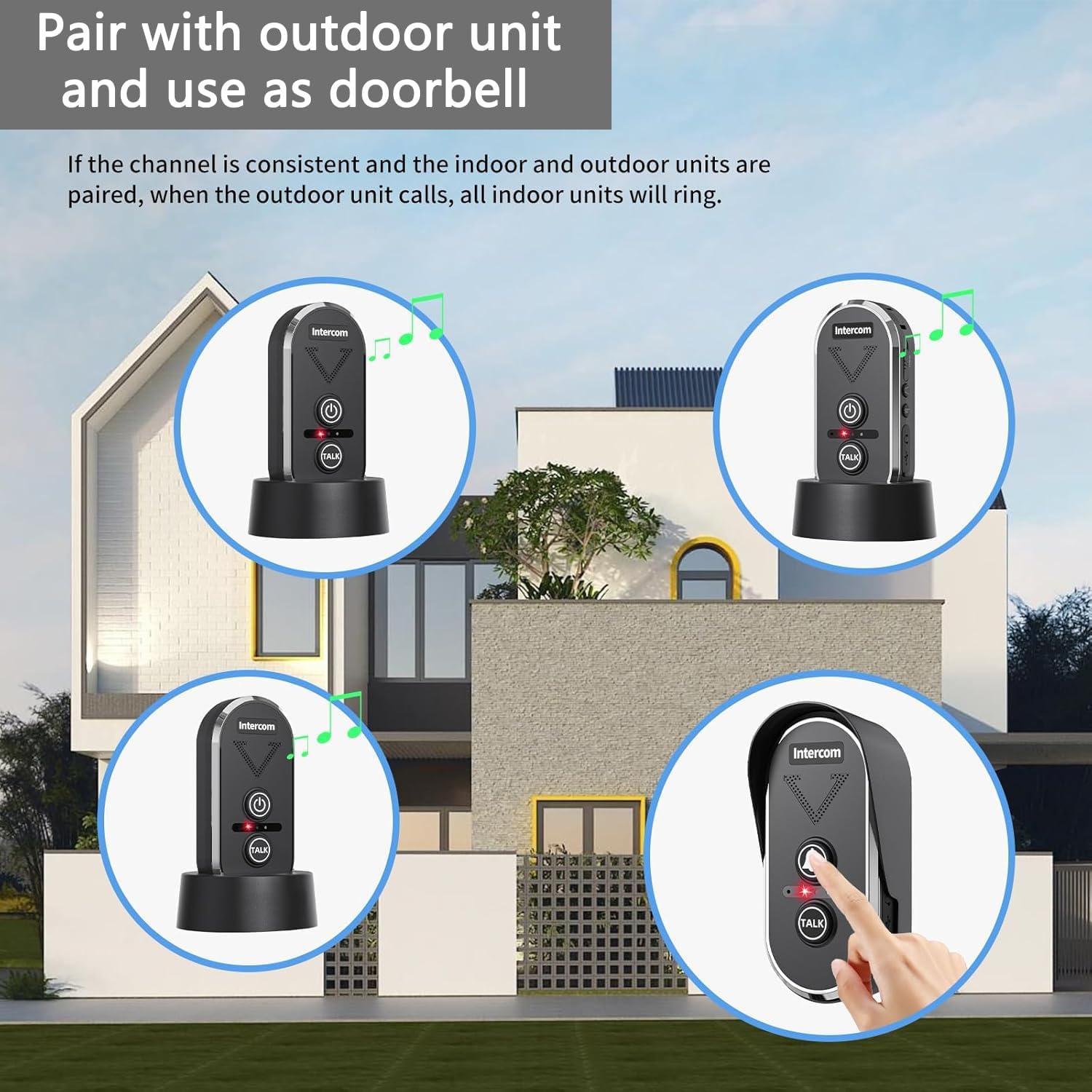
Image: An illustration showing multiple indoor intercom units ringing, indicating a call from an outdoor doorbell unit.
Maintenance
Cleaning
Wipe the units with a soft, dry cloth. Do not use abrasive cleaners, solvents, or strong chemicals, as these may damage the surface or internal components.
Battery Care
- Recharge the battery when the low battery indicator appears to prevent complete discharge.
- Avoid frequent full discharges to prolong the battery's lifespan.
- If storing the unit for an extended period, charge the battery to approximately 50% and store it in a cool, dry place.
Troubleshooting
| Problem | Possible Cause | Solution |
|---|---|---|
| No communication between units | Units are on different channels | Ensure all units are set to the same channel (A, B, or C). |
| Poor sound quality or static | Units are out of range or obstructed by physical barriers | Move units closer together or reposition them to avoid obstructions. |
| Unit not turning on | Battery is low or completely depleted | Charge the unit fully using the provided charging base and cable. |
| Unit not charging | Charging cable or base faulty; improper unit placement on base | Check cable and base connections. Ensure the unit is correctly seated on the charging base. Try a different USB power adapter. |
| Outdoor unit not ringing indoor units | Outdoor unit not paired or on wrong channel | Ensure the outdoor unit (if applicable) is correctly paired and on the same channel as the indoor units. |
Specifications
- Model: T1920
- Brand: PANDAAR
- Range: Up to 4900ft (1500m) in open areas
- Channels: 3 (A, B, C)
- Ringtones: 20 selectable tones
- Volume Levels: 3 adjustable levels
- Battery: 1800mAh Lithium Ion (included)
- Operating Temperature: -4°F to 140°F (-20°C to 60°C)
- Unit Dimensions (approx.): 4.96 x 2.56 x 0.98 inches
- Unit Weight (approx.): 15.2 ounces
- Water Resistance: IP44 (for optional outdoor unit)
Warranty
PANDAAR products come with a standard manufacturer's warranty. For specific warranty terms, conditions, and duration, please refer to the product packaging or contact PANDAAR customer support directly. Keep your purchase receipt as proof of purchase for warranty claims.
Support
For further assistance, technical support, or warranty inquiries, please contact PANDAAR customer service through the following channels:
- Website: www.amazon.com/PANDAAR (for product information and seller contact)
- Email: Please refer to your product packaging or the seller's page on Amazon for the most current contact email.
- Phone: Please refer to your product packaging or the seller's page on Amazon for the most current contact phone number.