Introduction
Thank you for choosing the JUOVI 35W 20000mAh Portable Power Bank. This high-capacity power bank is designed to provide reliable and fast charging for your electronic devices, ensuring you stay powered on the go. Please read this manual carefully to ensure proper use and maintenance of your device.
What's in the Box
- JUOVI 35W 20000mAh Power Bank x1
- 30 cm USB-C to USB-C Cable x1
- User Manual x1
Product Overview
The JUOVI J2651 Power Bank features a robust 20,000mAh capacity, capable of charging multiple devices multiple times. It supports 35W two-way fast charging via its USB-C ports and includes an intelligent LED display for real-time battery status.

Figure 1: JUOVI 35W 20000mAh Portable Power Bank (Green)
Key Features:
- Ultra-High Capacity: 20,000mAh battery provides extended power for multiple charges.
- 35W Two-Way Fast Charging: Supports rapid charging for both the power bank itself and connected devices via USB-C.
- Multiple Output Ports: Equipped with 2 USB-C ports (input/output) and 2 USB-A ports (output) for charging up to 4 devices simultaneously.
- LED Digital Display: Clearly shows the remaining battery percentage.
- Advanced Safety Protection: Built-in safeguards against overcharge, over-discharge, overheat, and short-circuit.

Figure 2: Port Layout and LED Display
Setup
Charging the Power Bank
- Connect the provided USB-C to USB-C cable to one of the power bank's USB-C ports.
- Connect the other end of the cable to a compatible USB-C wall charger (35W recommended for fastest charging, not included).
- The LED digital display will show the charging progress. A full charge typically takes approximately 2 hours with a 35W charger.
- It is recommended to fully charge the power bank before its first use.
Video 1: Demonstrates charging the power bank and its ability to charge multiple devices simultaneously.
Operating Instructions
Charging Your Devices
- Connect your device to one of the power bank's output ports (USB-C or USB-A) using an appropriate charging cable.
- The power bank will automatically begin charging your device. The LED display will show the power bank's remaining battery level.
- You can charge up to 4 devices simultaneously. The power bank intelligently distributes power to optimize charging speed for each connected device.
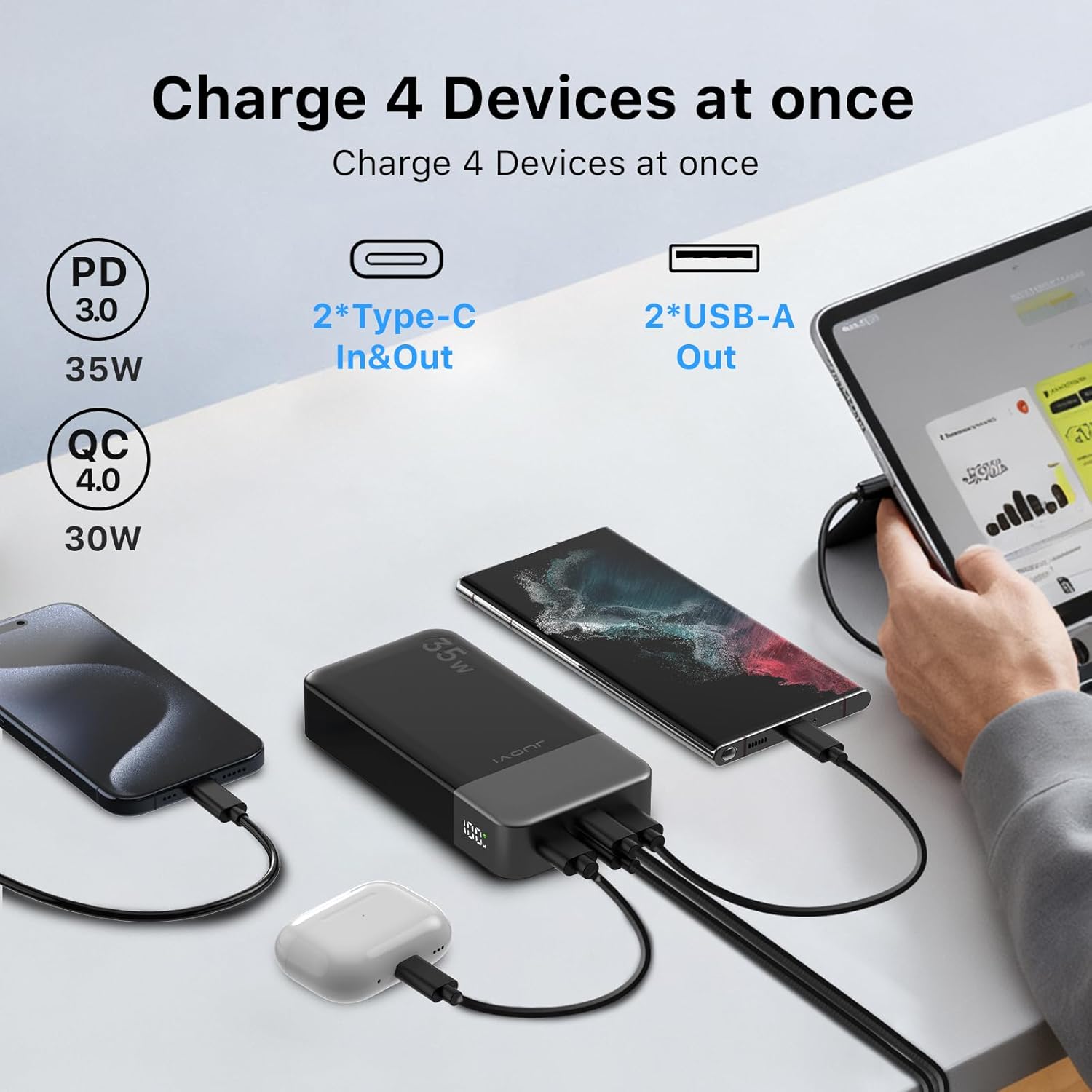
Figure 3: Charging multiple devices simultaneously.
Activating Trickle Charging Mode (Low Current)
For low-power devices such as earbuds, smartwatches, or fitness trackers, activate trickle charging mode to prevent overcharging and protect their smaller batteries:
- Double-press the power button on the side of the power bank.
- A small rotating light indicator will appear on the LED display, confirming that trickle charging mode is active.
- Connect your low-power device to any output port.
- To exit trickle charging mode, double-press the power button again.
Video 2: Illustrates the power bank's fast charging capabilities and trickle charge mode for small devices.
Maintenance
- Keep the power bank away from water, moisture, and extreme temperatures.
- Avoid dropping or subjecting the device to strong impacts.
- Clean the power bank with a soft, dry cloth. Do not use harsh chemicals or abrasive materials.
- Store in a cool, dry place when not in use for extended periods.
Troubleshooting
- Power Bank Not Charging: Ensure the USB-C cable and wall adapter are functioning correctly and connected securely. Verify the wall adapter provides sufficient power (35W recommended).
- Device Not Charging: Check if the power bank has sufficient charge. Ensure the charging cable is securely connected to both the power bank and your device. Try a different cable or port.
- Slow Charging: Confirm that your device and cable support fast charging protocols (PD 3.0, QC 4.0). Ensure trickle charging mode is not accidentally activated for high-power devices.
- LED Display Not Working: If the display is unresponsive, try charging the power bank for a few minutes. If the issue persists, contact customer support.
Specifications
| Feature | Value |
|---|---|
| Product Dimensions | 5.39 x 2.76 x 1.04 inches |
| Item Weight | 13.8 ounces |
| Item Model Number | J2651 |
| Battery Capacity | 20000 Milliamp Hours |
| Special Features | Auto Shut-Off, Digital Display, Fast Charging, Over Charging Protection, Short Circuit Protection |
| Connector Type | USB Type C*2, USB Type A*2 |
Warranty and Support
Your JUOVI Power Bank is covered by a manufacturer's warranty. For detailed warranty information, troubleshooting assistance, or any product-related inquiries, please refer to the contact information provided on the product packaging or visit the official JUOVI website.

